1
Contents
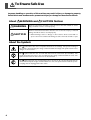
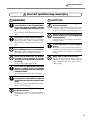
To Ensure Safe Use ....................................................................................................................... 4
Pour utiliser en toute sécurité .................................................................................................. 12
Important Notes on Handling and Use ........................................................................................... 20
Printer unit .................................................................................................................................................................... 20
Ink cartridges ................................................................................................................................................................ 21
Chapter 1 Introduction ...................................................................................................................... 23
1-1 Machine Features ................................................................................................................................................. 24
1-2 Part Names and Functions ................................................................................................................................ 25
Printer Unit .................................................................................................................................... 25
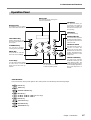
Operation Panel ............................................................................................................................ 27
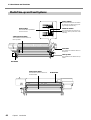
Media Take-up and Feed Systems .................................................................................................. 28
Chapter 2 Operation .......................................................................................................................... 29
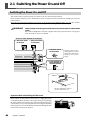
2-1 Switching the Power On and Off .................................................................................................................... 30
Switching the Power On and Off ................................................................................................... 30
The Power-saving Feature .............................................................................................................. 31
2-2 Loading and Cutting Off Media ........................................................................................................................ 32
How to Load Media ...................................................................................................................... 32
How to Cut Off Media ................................................................................................................... 47
2-3 Settings of the Media Heating System ............................................................................................................ 48
What Is the Media Heating System? .............................................................................................. 48
Making the Temperature Setting for the Media Heating System ..................................................... 48
General Guide for the Preset Temperatures ................................................................................... 49
2-4 Starting Printing .................................................................................................................................................... 50
Getting Ready to Receive Data from a Computer .......................................................................... 50
Printing Tests and Cleaning ............................................................................................................ 51
2-5 If Ink Runs Out ..................................................................................................................................................... 53
Checking for Remaining Ink .......................................................................................................... 53
When Ink Cartridges Become Empty ............................................................................................. 54
Chapter 3 Maintenance and Adjustment ......................................................................................... 57
3-1 Daily Care and Maintenance ............................................................................................................................. 58
Disposing of Discharged Ink ......................................................................................................... 58
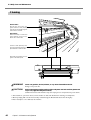
Cleaning ........................................................................................................................................ 60
Care and Maintenance of the Print Heads ..................................................................................... 61
3-2 When Head Cleaning Is Not Effective ............................................................................................................ 62
Performing More Powerful Cleaning .............................................................................................. 62
When Powerful Cleaning Is Not Effective ...................................................................................... 63
3-3 Cleaning the Heads Using the Cleaning Kit .................................................................................................. 64
When the Cleaning Kit Becomes Necessary .................................................................................. 64
How to Perform Cleaning .............................................................................................................. 64
3-4 Replacing Consumable Parts ............................................................................................................................. 68
Replacing the Wipers .................................................................................................................... 68
Replacing the Maintenance Liquid Cartridge ................................................................................ 70
3-5 When Not in Use for a Prolonged Period ..................................................................................................... 74
Important Points to Observe .......................................................................................................... 74
3-6 When Moving the Machine ................................................................................................................................ 75
1