1
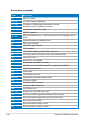
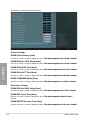
DRAM READ to PRE Time [Auto]
Use the <+> and <-> keys to adjust the value. The
����������������������������������������������
values range from 4 to 15 with 1 interval.
DRAM FOUR ACT WIN Time [Auto]
Use the <+> and <-> keys to adjust the value. The
�����������������������������������������������
values range from 16 to 63 with 1 interval.
DRAM WRITE to READ Delay [Auto]
Use the <+> and <-> keys to adjust the value. The values range from 4 to 15 with 1 interval.
DRAM Write Latency [Auto]
Use the <+> and <-> keys to adjust the value. The values range from 1 to 15 with 1 interval.
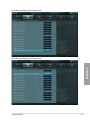
Third Timings
tRRDR [Auto]
Use the <+> and <-> keys to adjust the value. The values range from 0 to 7 with 1 interval.
tRRDD [Auto]
Use the <+> and <-> keys to adjust the value. The values range from 0 to 7 with 1 interval.
tWWDR [Auto]
Use the <+> and <-> keys to adjust the value. The values range from 0 to 7 with 1 interval.
tWWDD [Auto]
Use the <+> and <-> keys to adjust the value. The values range from 0 to 7 with 1 interval.
tRWDR [Auto]
Chapter 3
Use the <+> and <-> keys to adjust the value. The values range from 0 to 15 with 1 interval.
tRWDD [Auto]
Use the <+> and <-> keys to adjust the value. The values range from 0 to 15 with 1 interval.
tWRDR [Auto]
Use the <+> and <-> keys to adjust the value. The values range from 0 to 7 with 1 interval.
tWRDD [Auto]
Use the <+> and <-> keys to adjust the value. The values range from 0 to 7 with 1 interval.
tRWSR [Auto]
Use the <+> and <-> keys to adjust the value. The values range from 0 to 15 with 1 interval.
tCCD [Auto]
Use the <+> and <-> keys to adjust the value. The values range from 0 to 7 with 1 interval.
ASUS P9X79 WS
3-13