1
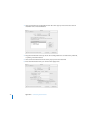
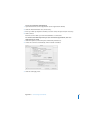
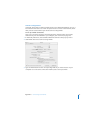
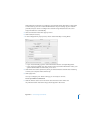
LL298586J.book Page 19 Thursday, March 10, 2005 9:49 AM Keeping Your Software Up-to-Date You can connect to the Internet and automatically download and install the latest free software versions, drivers, and other enhancements from Apple. When you are connected to the Internet, Software Update checks Apple’s Internet servers to see if any updates are available for your computer. You can set your eMac to check the Apple server periodically and download and install updated software. To check for updated software: 1 Choose Apple () > Software Update. The Software Update window opens. If there are any updates available, they appear in a list. 2 Click the checkboxes to select the items you want to install, then click Install. Type an administrator name and password (the name and password you used when you first set up your computer). Some updates you install may enable your computer to accept newer updates. When the first updates complete, Software Update checks for updates again. For more information, search for “Software Update” in Mac OS Help (see page 22). Connecting a Digital Videocamera or Other FireWire Device If you have an iPod or iPod mini, iSight camera, digital videocamera, or other device that has a FireWire connector, you can connect it to your eMac. Follow the installation instructions that came with your device. For more information about FireWire, see “FireWire” on page 26. Connecting to a Network If you want to connect your eMac to an Ethernet network, cable or DSL modem, or wireless network, see “Ethernet” on page 31 and “AirPort Extreme Wireless Internet and Networking” on page 28 for more information about setting up an Ethernet or AirPort connection. Also choose Help > Mac Help (see page 22) and search for “Ethernet” or “AirPort” for further help. Connecting to the Internet When you first set up your eMac, you were instructed on how to connect to the Internet. If you need to change to a different type of connection—such as DSL, cable modem, Ethernet local area network (LAN), or AirPort Extreme network—you can find more information in Appendix C, “Connecting to the Internet,” on page 65. Chapter 2 Getting to Know Your eMac 19