1
INTERCOM
The AMX240 intercom is a 6-place high-fidelity stereo or mono
intercom with automatic voice-activated (VOX) squelch for each
mic input.
As described earlier, dedicated knobs for the pilot, copilot and
passenger intercom volumes allow for full customization for
personal preferences without relying on headset volume controls.
The AMX240 includes an “Alternate Intercom Function” which
allows the passengers to converse with the crew intercom without
also hearing aircraft radio traffic, and the crew will not hear the
passengers while the aircraft radios are also active.
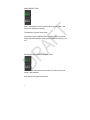
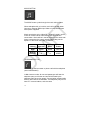
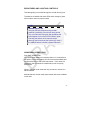
To activate this “Alternate Intercom Function”, press and hold the
ISOL button for two seconds while in the ALL intercom mode (all
segments green). The PLT to CPLT segment will blink to indicate
this mode is active. This function is remembered through power
cycles.
UNSWITCHED INPUTS
Unswitched inputs are presented to the pilot and co-pilot
regardless of the audio configuration or selections. If audio
comes in via one of the unswitched/unmuted lines, any
entertainment audio is instantly muted.
“Unswitched” refers to the fact the input audio is not affected by
audio panel mode/button selections.
“Unmuted” refers to input audio not being muted by radio
transmitter keying.
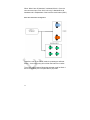
Unswitched #1 is always presented to the speaker, and the crew
headphones, and is available to the pilot in fail-safe (off) mode.
Unswitched #2, is always connected to the Crew’s headphones.
However, this unswitched audio is only presented to the aircraft
speaker when the SPKR push button has been selected.
15