1
Lutron integration protocol
®
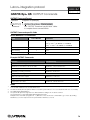
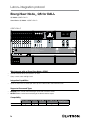
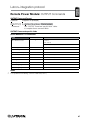
Tabletop seeTouch® Keypads:
DEVICE Commands (continued)
DEVICE Command-specific fields (continued)
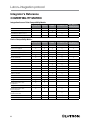
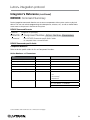
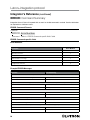
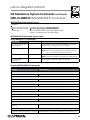
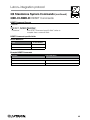
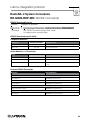
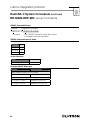
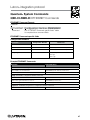
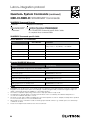
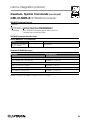
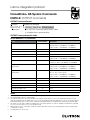
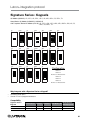
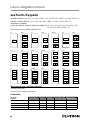
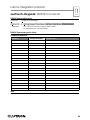
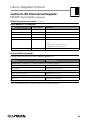
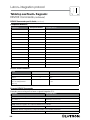
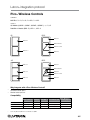
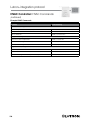
Component Numbers:
Component
Component Number
Available Actions
LED 1
81
Set or Get LED state
LED 2
82
Set or Get LED state
LED 3
83
Set or Get LED state
LED 4
84
Set or Get LED state
LED 5
85
Set or Get LED state
LED 6
86
Set or Get LED state
LED 7
87
Set or Get LED state
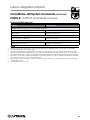
LED 8
88
Set or Get LED state
LED 9
89
Set or Get LED state
LED 10
90
Set or Get LED state
LED 11
91
Set or Get LED state
LED 12
92
Set or Get LED state
LED 13
93
Set or Get LED state
LED 14
94
Set or Get LED state
LED 15
95
Set or Get LED state
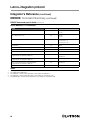
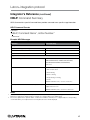
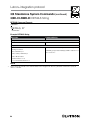
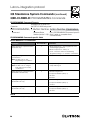
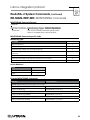
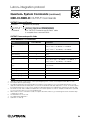
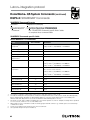
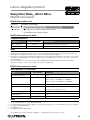
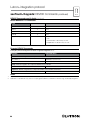
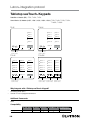
Actions and Parameters:
Action
Action Number
Parameters
Press
3
None
Release
4
None
Set (#) or Get (?) LED State
9
0 = Off
Set is for unprogrammed
LEDs only
1 = On
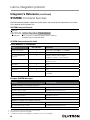
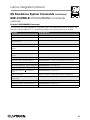
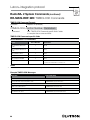
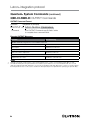
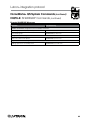
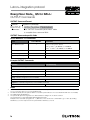
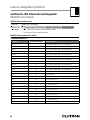
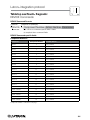
Example DEVICE Commands
Examples presume keypad has been assigned Integration ID 3.
Operation
Command String
Execute: #DEVICE, Integration ID, Component Number, Action Number, Parameters
Press Button 1.
#DEVICE,3,1,3<CR><LF>
Turn On LED 1.
#DEVICE,3,81,9,1<CR><LF>
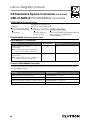
Query: ?DEVICE, Integration ID, Component Number, Action Number
What is the state of LED 1?
?DEVICE,3,81,9<CR><LF>
Response: ~DEVICE, Integration ID, Component Number, Action Number, Parameters
LED 1 is On.
102
~DEVICE,3,81,9,1<CR><LF>