1
2
Installing Your Phone
Phone Connections
Phone Connections
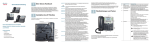
Figure 1 shows the phone connections.
Figure 1
Phone Connections
Connecting the Handset
STEP 1
Turn the phone body over to expose the ports on the back of the unit.
STEP 2
Insert the long end of the phone cord into the RJ-11 handset port on the phone
body that is marked with a phone symbol.
!
CAUTION Do not insert a telephone line cord into the RJ-11 AUX (auxiliary) port.
STEP 3
(Optional) Route the phone cord through the cable slot.
STEP 4
Insert the other end of the phone cord into the port at the bottom of the handset
(not shown).
Cisco Small Business IP Phone SPA 50X User Guide (SPCP)
14