1
RCU300 Manual
12/11/01
11:51 AM
Page 12
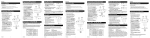
Television Menu Function
DBS Menu Function
The TV Menu is used to make changes in
the TV settings such as setting color,
channels, timers, etc.
Entering the TV Menu Mode:
The DBS Menu is used to navigate thru the Guide
screens, to make changes in the DBS settings such as
channel lists, passwords, etc.
TV
Entering the DBS Menu Mode:
DBS/
CABLE
1. Push the DBS•CABLE button on
the remote.
1. Push the TV button on the remote.
2. Push the MENU button.
2. Push the MENU key.
This puts the remote in TV Menu
Mode. The TV Menu should now be
visible on the television. The
INDICATOR LIGHT will blink continuously to indicate the remote is now in
TV Menu Mode.
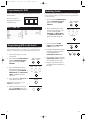
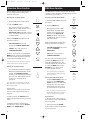
While in TV MENU these buttons will
function as follows:
MENU
(BLINK)
MENU
(BLINK)
VOL
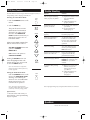
While in DBS MENU MODE these
buttons will function as follows:
VOL UP/DOWN buttons will
operate as CURSOR RIGHT/LEFT.
CHAN+/- keys will operate as
CURSOR UP/DOWN.
This puts the remote in DBS
Menu Mode. The DBS Menu
should now be visible on the
television. The INDICATOR
LIGHT will blink continuously
to indicate the remote is now in
DBS Menu Mode.
CHAN
VOL
VOLUME UP/DOWN button will
operate as CURSOR
RIGHT/LEFT.
CHAN
For RCA, GE, ProScan TVs pushing the
MENU button will select the highlighted
item. The numeric buttons may also be
used to select the MENU choice.
CH+/- button will operate as
CURSOR UP/DOWN.
MENU
Note: Not all functions in competitive models and
brands of televisions may be fully supported.
Exiting the TV Menu Mode:
To exit the Menu Mode and clear the
TV screen push the TV button on the
remote. The INDICATOR LIGHT
should go out indicating the remote is
now out of TV Menu Mode and will
revert to it’s normal mode of
operation.
Note: The remote will automatically exit the TV
Menu Mode after 10 seconds of inactivity with no
buttons being pushed.
Special notes:
1. Because of the wide variety of menu
formats, some experimenting may be
required.
2. SONY: Pressing the ENTER button
while in menu mode returns to previous
menu.
3. ZENITH: Push the menu button a
second time to move from the SET-UP
MENU to the VIDEO MENU.
11
TV
For RCA, GE, ProScan DBS systems
pushing the MENU button will
select the highlighted item. The
numeric buttons may also be used
to select the MENU choice. The
ENTER key may also be used
to select all menu choices.
Note: Not all functions in competitive
models and brands of DBS systems may
be fully supported.
MENU
7
ENTER
DBS/
CABLE
Exiting the DBS Menu Mode:
Push the DBS•CABLE button on
the remote. The INDICATOR
LIGHT should go out indicating
the remote is now out of DBS
Menu Mode and will revert to
it’s normal mode of operation.
Note: The remote will automatically exit
the DBS Menu Mode after 10 seconds of
inactivity with no keys being pushed.
Special notes:
1. Because of the wide variety of
menu formats, some experimenting
may be required.
2. SONY: Pressing the ENTER
button while in menu mode returns
to previous menu.
12