1
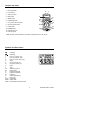
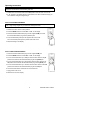
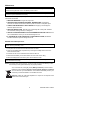
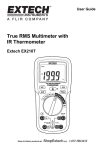
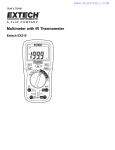
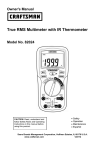
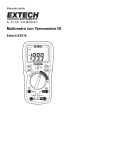
Controls and Jacks
1. IR Thermometer
2
2. Laser Pointer
1
3. 4000 count LCD
4. MAX button
3
5. MODE button
4
5
6. FUNCTION switch
8
9
7. mA, µA and 10A input jacks
10
6
8. IR Thermometer button
11
12
9. HOLD button
7
10. RANGE button
11. Positive input jack
12. COM input jack
Note: Tilt stand, test lead holders, and battery compartment are on rear of unit.
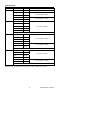
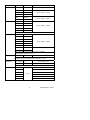
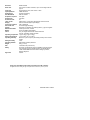
Symbols and Enunciators
Continuity
n
µ
m
A
k
M
Ω
V
AC
DC
ºF
ºC
Hz
F
%
AUTO
HOLD
SCAN
Diode test
-9
nano (10 ) (amps, cap)
-6
micro (10 ) (amps, cap)
-3
milli (10 ) (volts, amps, cap)
Amps
3
kilo (10 ) (ohms, Hz)
6
mega (10 ) (ohms, Hz)
Ohms
Volts
Alternating current
Direct current
Degrees Fahrenheit
Degrees Centigrade
Frequency
Farad (Capacitance)
Duty Cycle
Autoranging
Display hold
IR temperature and laser active
5
EX230-EU-EN-V1.2-09/10