1
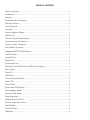
TABLE OF CONTENTS
Safety Instructions........................................................................................................... 1
Introduction..................................................................................................................... 1
Features........................................................................................................................... 1
Playback Screen Description.......................................................................................... 2
Package Contents........................................................................................................... 2
Getting Started............................................................................................................... 2
Overview.......................................................................................................................... 2
Install or Replace Battery.................................................................................................3
Hold Switch..................................................................................................................... 3
Minimum System Requirements.....................................................................................3
Connecting and Transferring.......................................................................................... 3
Connect to your Computer............................................................................................ 3
Sansa Media Converter.................................................................................................. 3
Supported IMPORT Media Types.................................................................................. 3
Transfer Photos............................................................................................................... 3
Transfer Music................................................................................................................. 4
Delete Files......................................................................................................................4
Synchronize Files............................................................................................................. 4
Safely Remove SanDisk Sansa c200 from Computer................................................... 4
Basic Usage..................................................................................................................... 4
Power On.........................................................................................................................4
Main Menu...................................................................................................................... 4
Using Navigation Buttons............................................................................................... 5
Power Off........................................................................................................................ 5
Music Mode.....................................................................................................................5
Music/Voice/FM Playback.............................................................................................. 5
Setting Repeat Mode..................................................................................................... 5
Setting Shuffle Mode...................................................................................................... 5
Setting Equalizer............................................................................................................. 5
Adding songs to GoList................................................................................................. 6
Remove songs from GoList............................................................................................ 6
Photo Mode.................................................................................................................... 6
Viewing Photos............................................................................................................... 6
Slideshow........................................................................................................................ 6