1
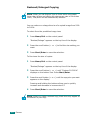
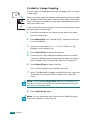
Reduced/Enlarged Copying
NOTE: When you set Original Type to Photo while using paper
larger than A4 size and setting an enlargement rate of more than
100%, Text/Photo will be automatically selected.
You can reduce or enlarge the size of a copied image from 50%
to 200%.
To select from the predefined copy sizes:
1 Press Menu/Exit on the control panel.
"Reduce/Enlarge" appears on the top line of the display.
2 Press the scroll button ( or ) to find the size setting you
want.
3 Press Start/Enter to save the selection.
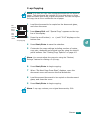
To fine-tune the size of copies:
1 Press Menu/Exit on the control panel.
"Reduce/Enlarge" appears on the top line of the display.
2 Press the scroll button ( or ) until "Custom:50-200%"
displays on the bottom line. Press Start/Enter.
3 Press the scroll button ( or ) until the copy size you want
appears on the display.
Pressing and holding the buttons allows you to quickly
increase and decrease in increments of 5.
4 Press Start/Enter to save the selection.
NOTE: When you make a reduced copy, black lines may appear at
the bottom of your copy.
4.6
COPYING