1
Calls
when you need to talk
Quick start: Calls
Calls
Quick start: Calls
Make calls
Answer & end calls
Recent calls
3-way calls
Your phone number
Emergency calls
Tips & tricks
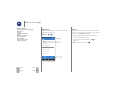
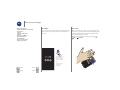
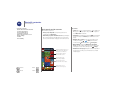
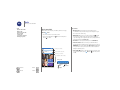
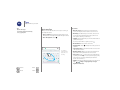
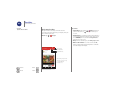
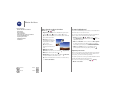
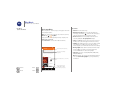
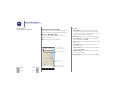
Dial contacts, recent calls, or numbers, all from one app.
Find it:
Phone
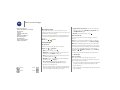
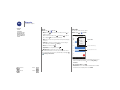
• To call a contact or recent call, touch it.
• To open the dialpad, touch
touch
to call it.
. Enter a number, then
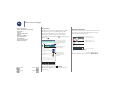
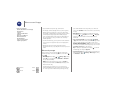
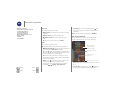
• During a call: Your touchscreen goes dark to avoid
accidental touches. To wake it up, move it away from your
face or press the Power key.
• Multi-task: While you’re on a call, touch Home
to hide
the call screen and look up a phone number, address, or
open other apps. To reopen the call screen, swipe down the
status bar and touch Ongoing call.
• Contacts: To search your contacts, touch CONTACTS.
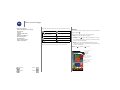
• Favorite contact: Have someone you call all the time?
Touch and hold an empty spot on your home screen, touch
WIDGETS, then touch and hold the Direct dial widget. Drag
it to your home screen, then select the contact. Touch the
widget to dial the person.
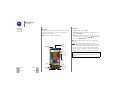
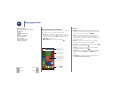
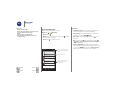
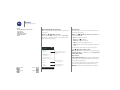
11:35
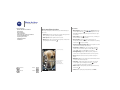
Search your contacts.
Type a name or phone number
• Voicemail:
appears in the status bar when you have new
Phone >
, then touch and
voicemail. To hear it, touch
hold 1.
Touch to call the last caller.
Abe Baudo
Mobile, 5 mins ago
SPEED DIAL
RECENTS
CONTACTS
See all of your contacts.
Open dialpad to dial a number.
Allie
mobile
Gracie Jo
mobile
Lauren
mobile
K
M
Menu
More
Back
Next
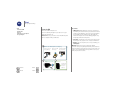
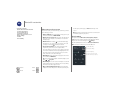
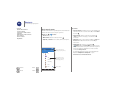
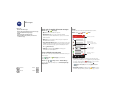
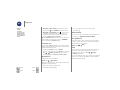
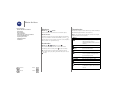
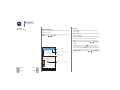
During a call:
Speaker
Mute
Dialpad
Hold
Add caller