1
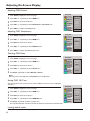
Adjusting On-Screen Display
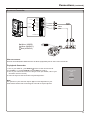
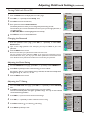
Adjusting OSD Position
1
2
3
4
5
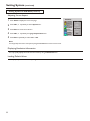
Press Menu to display the menu main page.
Press CH5/6 repeatedly to select OSD item.
Press Enter to access the submenu.
Press CH5/6 repeatedly to select H Position or V Position item.
Press VOL+/- to adjust the OSD position.
MAIN MENU
Picture
Sound
CH
System
OSD
TVPC
Setup
Language
H Position
V Position
Halftone
Zoom
OSD off
Default
10
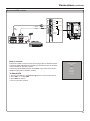
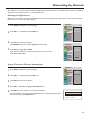
Adjusting OSD Transparency
1
2
3
4
5
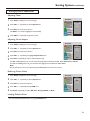
Press Menu to display the menu main page.
Press CH5/6 repeatedly to select OSD item.
Press Enter to access the submenu.
Press CH5/6 repeatedly to select Halftone item.
Press VOL+/- to adjust the OSD transparence.
MAIN MENU
Picture
Sound
CH
System
OSD
TVPC
Setup
Language
H Position
V Position
Halftone
Zoom
OSD off
Default
4
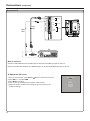
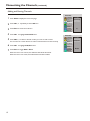
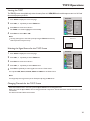
Zooming OSD Menu
1
2
3
4
5
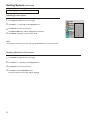
Press Menu to display the menu main page.
Press CH5/6 repeatedly to select OSD item.
Press Enter to access the submenu.
Press CH5/6 repeatedly to select Zoom item.
Press Enter repeatedly to select Normal or Zoom.
MAIN MENU
Picture
Sound
CH
System
OSD
TVPC
Setup
Language
H Position
V Position
Halftone
Zoom
OSD off
Default
Normal
Note:
When you zoom in the OSD menu, the V position item is unadjustable
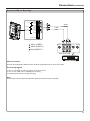
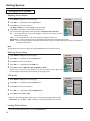
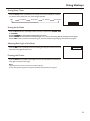
Setting OSD Off Time
This setting allows you to set the time that the OSD for the main menu is displayed
onscreen.
MAIN MENU
1
2
3
4
5
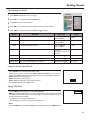
Press Menu to display the menu main page.
Press CH5/6 repeatedly to select OSD item.
Press Enter to access the submenu.
Press CH5/6 repeatedly to select OSD Off item.
Press Enter repeatedly to select a proper time.
You may select between 5 seconds, 10 seconds, 20 seconds, 50 seconds or 200 seconds.
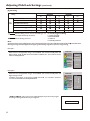
Loading default values
You may quickly load default values by using the Default item.
29
Picture
Sound
CH
System
OSD
TVPC
Setup
Language
H Position
V Position
Halftone
Zoom
OSD off
Default
10 Seconds