1
V-AVM650D
Presetting stations manually
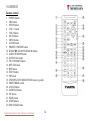
Method 1: Press the number buttons on the RC.
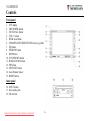
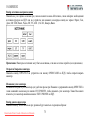
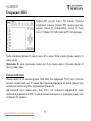
Method 2: Press the MEM icon on the screen to open the station preset menu. Then press one of the 6 buttons of
the menu. The menu will be closed automatically. If you want to exit, press EXIT button.
Notes: After manual presetting, the previous stations frequency will be overwritten. Number buttons 1 to 6
corresponds to station P1 to P6. For each band, P1 to P6 can store 1 station.
Recall the preset stations
Press the corresponding number button on the RC or touch an onscreen preset button to select the corresponding
stored station.
Preview scan
Press SCN button on the RC or touch the PS icon on the screen. Preview scan searching is such a process that the
searching pauses when a station is received and then played for 10 seconds. After being played, the unit continues
the process until the whole band is detected.
Note: To stop preview scan, repeat the operation above again.
Local radio station searching
Press and hold BAND/LOC/DX button on the unit or press the LOC icon on the screen to open pr close LOCAL
function. DX (distance) seeking mode is contrary of LOC mode. You can receive more stations with this seeking
mode. When LOCAL seeking is on, only those radio stations with strong radio signal could be received.
Notes: When the local radio station searching is on, the indicator light “LOC” lights up; whereas the light goes off.
The unit will switch to distant seeking mode after LOCAL seeking is closed.
Downloaded from Caradio-Manual.com Manuals
20