1
OPERATION
The following is the explanation of operation assuming an HP LaserJet 6L is being used as the
printer.
If any other compatible printers are to be used, please see the operation manual for that particular.
*Please see Page.1 for compatible printers.
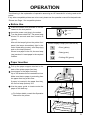
Before Use
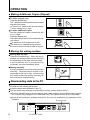
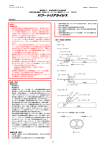
Press the caster lock switches to set the
casters to the lock position.
POWER ON
Insert the power cord plug in the socket.
Turn the power switch ON. The power lamp
blinks 2-3 seconds and then remains lit
(green).
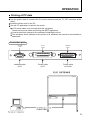
After all the lamps light on the printer front
panel, the lamps immediately light in the
order of data lamp (center), error lamp (top)
and on-line lamp (bottom).
If there is no paper in the unit, the error lamp
(top) remains lit. Insert paper in the required
location.
ERROR
POWER
Printer Display Lamps (HP LaserJet 6L)
• Error (yellow)
• Data (green)
• Printing OK (green)
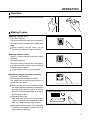
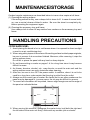
Paper Insertion
Pull up the paper support attached to the
back of the printer paper feed tray.
Insert paper in the paper feed tray.
Up to 100 sheets can be inserted at a time.
Make sure that no paper is protruding from
the paper feed tray at this time.
If paper is inserted in the paper feed tray,
the on-line lamp (bottom) is lit.
1
2
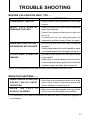
Use the paper guide to locate center the
paper in the feed tray.
For further details, consult the Operation
Manual for the printer.
3
5