1
B&K Device to Host Commands
There are three basic commands that the B&K Components device can transmit to the host: E, R,
and U. Each of these, and their format specifiers, are explained in detail below.
E (echo) Command
The "E", echo, command provides feedback to the host if the developer would like a closed loop
system. The "E" command simply echoes back the previously received command, format
specifier, and calculated checksum. The host can then compare this information to its transmitted
message to confirm the correct message was received. If an error occurred, the host can choose to
retransmit the message.
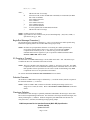
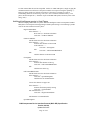
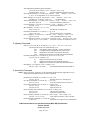
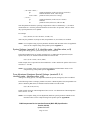
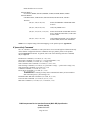
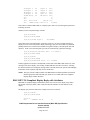
For example:
(from host)
(from unit)
(from unit)
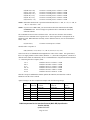
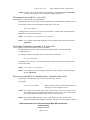
(01, G, P1=00; 0259)
"G" get Z1 preset 00 command
from host from a unit with receive ID of 01h
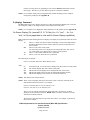
(2, E, G, P1=00, 0259;0397)
"E" a unit with a Transmit ID of
02h echoed get Z1 preset 00 command
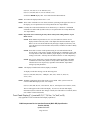
(2, R, P1=00, 0=...;cs16)
"R" reply containing preset info
from same unit with Transmit ID of 02h
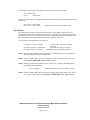
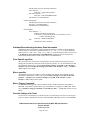
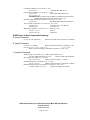
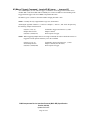
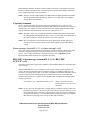
The echo command contains only the previously received command, format specifier, and
checksum which are echoed with a newly calculated checksum:
(from host)
(from unit)
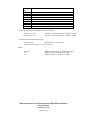
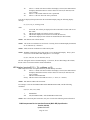
(00, S, P2=01, 0="Z2 Title", 1=4;06BF)
"S" set Z2 preset 01
command to unit with receive ID of 00h
(1, E, S, P2=01, 06BF; 03C2)
"E" echoed set command
by unit with Transmit ID of 01h, no parameter data
NOTE: The echo command is sent after the unit has processed the message. Since certain
operations take some time to complete (such as saving presets), the echo command can
serve as an indicator that the B & K Components' device has complete the most recent
task.
NOTE: The echo feature may be disabled via the RS-232 PORT SETUP menu screen (under the
ADVANCED SYSTEM SETUP menu).
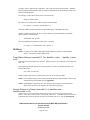
Implementing Software Flow Control using Echo Commands
Since the echo command is sent after the unit has processed the message, it is an effective way to
implement software flow control protocol (since the hardware does not currently support hardware
flow control).
To implement such a scheme, subsequent messages destined for the device can be “stalled” until
the echo from the previous command is received. In doing so, the developer is assured that the
B&K Components’ device has emptied its receive buffer.
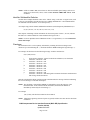
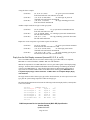
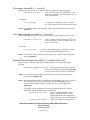
NOTE: If the message “RS232 RX OVRFLOW” appears in the vacu-fluorescent display, it
indicates that the device’s receiver buffer has overflowed, and the previously described
software flow control should be implemented.
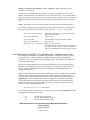
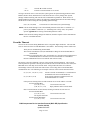
R (reply) Command
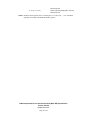
The "R", reply, command is sent by the device to the host to return information from a "G", get,
host command.
B&K Components Device Interface Protocol (BKC-DIP) Specification
Version 2.01.00
Updated 01/24/07
Page 44 of 54