1
Pairing Your Apple Magic Trackpad
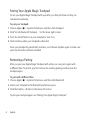
To use your Apple Magic Trackpad with your Mac, you first pair them so they can
comunicate wirelessly.
To pair your trackpad:
1 Choose Apple (K) > System Preferences, and then click Trackpad.
2 Click “Set Up Bluetooth Trackpad …” in the lower-right corner.
3 Press the On/off button on your trackpad to turn it on.
4 Click Continue when your trackpad is detected.
Once your trackpad is paired with your Mac, use Software Update again to make sure
you have the latest software installed.
Removing a Pairing
After you pair your Apple Magic Trackpad with a Mac, you can pair it again with
a different Mac. To do this, you first remove the existing pairing and then pair the
trackpad again.
To pair with a different Mac:
1 Choose Apple (K) > System Preferences, and then click Bluetooth.
2 Select your trackpad in the Bluetooth preferences pane.
3 Click the Delete (–) button in the lower-left corner.
To pair your trackpad again, see “Pairing Your Apple Magic Trackpad.”
4
English