1
4
4.4
Resting ECG
Modes of Operation and Procedural Overview
4.4.3
AT-101
Screen (and Manual Printout) Settings
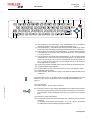
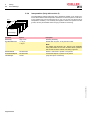
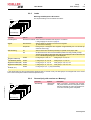
The following can be freely chosen during data acquisition, for both the display and
for a manual printout, using the top line of keys of the keypad:
Lead Group
by means of the LEAD FORWARD and LEAD BACKWARD key. The following lead
groups are selectable:
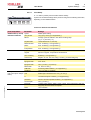
Standard and Cabrera Lead Group 1-4
Lead groupType
Lead group 1
Lead group 2
Lead group 3
Standard
I, II, III
aVR, aVL, aVF V1, V2, V3
V4, V5, V6
Cabrera
aVL, I, -aVR
II, aVF,III
V4, V5, V6
V1, V2, V3
Lead group 4
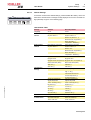
Additional Lead Group 5-6
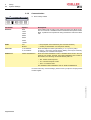
Two additionally lead groups can be viewed when manually set (on) in
SETUP > ECG SETTINGS > LEADS ( see page 39 for details).
Lead group type
Lead group 5
Lead group 6
Rhythm
II, avF, III
V2, V4, V5
Left Posterior
V4, V5, V6
V7, V8, V9
Right Precordial up to V5r
V1, V2, V3
V3r, V4r, V5r
Right Precordial up to V 6r
V1, V2, V3r
V4r, V5r, V6r
Nehb
D, A, J
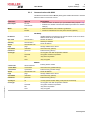
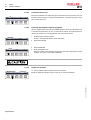
Sensitivity
Sensitivity
Auto Sensitivity
To reduce the possibility of overlapping traces, an auto sensitivity reduction is applied
in Auto Mode (default). This means that the unit detects very large waveform amplitudes and sets the sensitivity for the extremity and/or precordial leads to 5 mm/mV.
An ‘A‘ by the side of the sensitivity indicates that Auto sensitivity is set. To disable this
function, the AUTO SENSITIVITY key (key 3) must be pressed.
Select 5, 10 or 20 mm/mV
HR:
78 / min
LEAD
TEST
Page 28
SAVE
COPY
MANUAL
PRINT
MENU
Art.-no.: 2.510526 Rev.: c
FILTER OFF





























![96-DVB2601 manual del usuario [es]](http://vs1.manualzilla.com/store/data/006303438_1-0ca90d2bec51e7dee6443a3e160a810e-150x150.png)