1
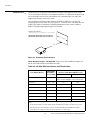
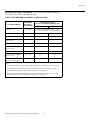
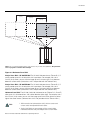
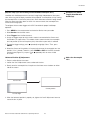
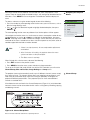
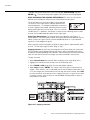
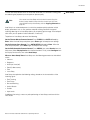
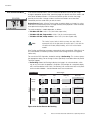
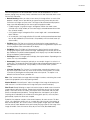
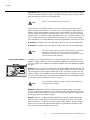
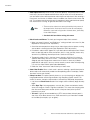
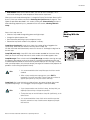
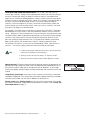
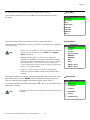
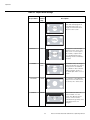
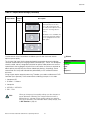
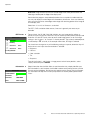
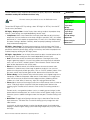
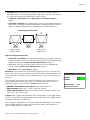
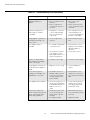
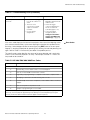
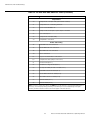
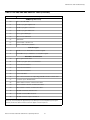
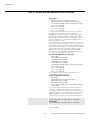
Operation The Main Menu is the starting point for accessing all projector functions. Main Menu (The Calibration and Service menus are hidden and not accessible until you enter a passcode.) Runco Video Input Source Aspect Ratio Picture Input Position ISF Presets Information Calibration EL IM IN A R Y Service From the Main Menu, select Input Source to choose a video signal source. The active source is indicated by an arrow (>) to its left; in the example at left, Composite is the active source. Input Source > Composite S-Video 1 1. HD Pass Thru 1 and HD Pass Thru 2 are available only when the Display Device Input Source is set to RGB; refer to Display Device on page 70. S-Video 2 2. Selecting HD Pass Thru 1 or HD Pass Thru 2 loops the HD/RGB 1 or HD/RGB 2 input signal respectively to the RGB output. This prevents display of the on-screen menus. To switch from HD Pass Thru 1 or 2 to another source, use the direct access buttons on the remote control, or the left- or right-arrow buttons on the DHD Controller. HD/RGB 2 PR Note Input Source Component SD HD/RGB 1 DVI 1 DVI 2 HD Pass Thru 1 HD Pass Thru 2 3. If the DVI 1 or DVI 2 input is active and the input signal is HDCP-encrypted, the RGBHV output of the DHD Controller is disabled. To change the aspect ratio (size and shape) of the projected image, select Aspect Ratio from the Main Menu and press ENTER. Select the appropriate aspect ratio for your screen size and the type of program material being viewed; refer to Table 4-1. The currently-selected aspect ratio is indicated by a “7” to its left; in the example at right, Anamorphic is selected. Note The aspect ratio selection is automatically saved for each input and resolution. Runco VX-40d/-50d/-60d/-80d Owner’s Operating Manual 59 Aspect Ratio Aspect Ratio 7 Anamorphic Standard 4:3 Letterbox VirtualWide Cinema Virtualwide 2.35