1
SD-AS10W
ENGLISH
AUDIO
AUDIO OUT
OFF
BIT STREAM*
PCM
LPCM OUTPUT
PREFERENCES TV DISPLAY
LPCM 48K
LPCM 96K*
NORMAL/PS
NORMAL/LB*
WIDE
E
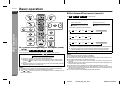
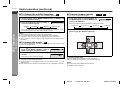
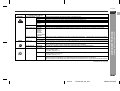
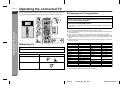
Description
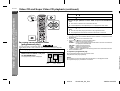
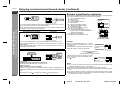
Images are automatically optimised according to the video source.
Suitable for progressive video output. Select this setting for DVD movies, etc.
Suitable for interlaced video output. Select this setting for DVD karaoke, etc.
Optimise special effects for progressive video output.
Special effects are further enhanced compared with "SMART".
F
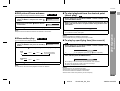
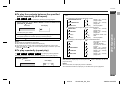
You can switch camera angles if available on the recorded disc.
The angle mark does not appear.
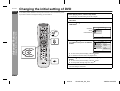
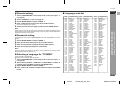
You can select the desired OSD (On Screen Display) language for the setup menu or playback control screen.
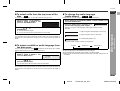
When the unit is left unoperated for more than 2 minutes after pressing the (STOP) button, a screen saver appears.
Press any button on the main unit or remote control. The startup screen returns.
Cancel the screen saver setting.
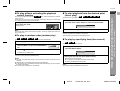
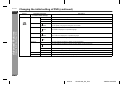
Choose this when connecting the unit to a Dolby Digital/DTS (5.1 ch) surround amplifier. When playing a DVD recorded in Dolby Digital or DTS, bitstream output allows you to enjoy the 5.1 ch surround sound.
Choose this for PCM output. When playing a DVD recorded in Dolby Digital, the output converts to 2 channel PCM.
When a DVD recorded in DTS is played back, signals are sent in bitstream.
If LPCM 48k is selected, PCM sound signals recorded at 96 kHz are converted to 48 kHz.
When playing a wide image (16:9) disc, the left and right sides of the image are cut (pan scan) to display a naturallooking 4:3 size image.
A 4:3 disc is played in 4:3.
When playing a wide image (16:9) disc, black bands are inserted at the top and bottom and you can enjoy full wide
images (16:9) on a 4:3 size TV.
A 4:3 disc is played in 4:3.
A wide image (16:9) is displayed when playing a wide image (16:9) disc.
! When playing a 4:3 image disc, the image size depends on the setting of the connected TV.
! If you play back a wide image (16:9) disc with the unit connected to a 4:3 TV, images appear stretched vertically.
S
Advanced Features
GENERAL
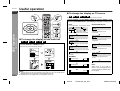
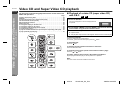
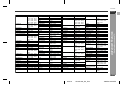
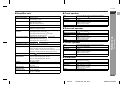
Selectable parameters
(* indicates initial settings.)
PICTURE MODE AUTO*
FILM
VIDEO
SMART
SUPER
SMART
ANGLE MARK
ON*
OFF
OSD LANGUAGE ENGLISH*
FRENCH
GERMAN
ITALIAN
SWEDISH
PORTUGUESE
SPANISH
SCREEN SAVER ON*
- Changing the initial setting of DVD -
Setting
V
I
N
P
Continued to the next page
E
E-46
05/3/18
SD-AS10W_EX_E.fm
TINSZA124AWZZ