1
40
en | On-Screen Display (OSD) Menus (Bosch Protocol)
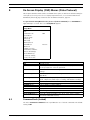
Menu
MIC Series 550 Camera
Description
Submenu / Description
Default
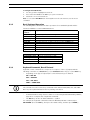
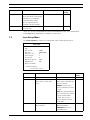
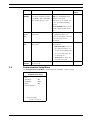
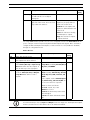
Outputs 1-4 Defines a physical output.
N.O.: Normally open circuit
Setting
N.O.
Outputs 5-12 Defines a command output
N.C.: Normally closed circuit
Aux On: A keyboard ON command.
NONE
Aux Off: A keyboard OFF command.
Outputs 5
Shot: Recalls a preset shot.
and 6 set
OSD: Displays the output on the on-
to OSD
screen display.
and Shot 1
for use in a rule.
Transmit: Transmits a message back
to the head end (available with RS-232
serial and Bilinx connections).
NONE: No command defined.
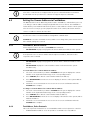
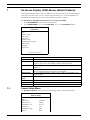
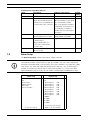
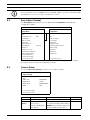
Rule Setup Submenu
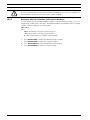
NOTICE!
You can program a total of twelve rules. You must define the inputs and outputs before you
program a rule. See Section 7.6 Alarm Setup, page 38, to configure alarm inputs and outputs.
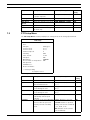
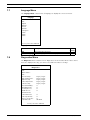
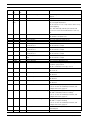
Rule Setup...
Exit...
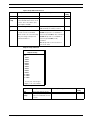
1. Rule 1
2. Rule 2
3. Rule 3
4. Rule 4
5. Rule 5
6. Rule 6
7. Rule 7
8. Rule 8
9. Rule 9
10. Rule 10
11. Rule 11
12. Rule 12
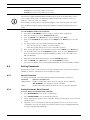
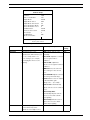
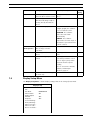
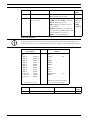
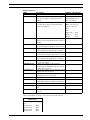
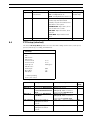
Rule 1
Exit...
Enabled
Input:
NONE
NONE
NONE
Enabled
Disabled
Invalid
Empty
Empty
Empty
Empty
Empty
Empty
Empty
Empty
Empty
YES
Output:
OSD
Shot 2
Alarm Relay
NONE
2 sec
Right / Left: Select Period Time
Focus / Iris: Select Type
Focus / Iris: Select
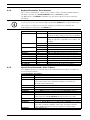
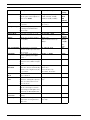
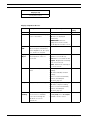
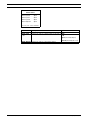
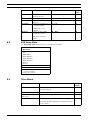
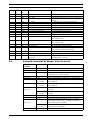
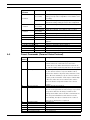
Rule Setup Submenu Choices:
Menu
Description
Submenu / Description
Exit
Saves and exits the menu.
Default
Setting
F.01U.239.454 | 3.0 | 2012.09
User Manual
Bosch Security Systems, Inc.