1
ANT 1 IN
Component connection
G
G
ANT 2 IN
(SATELLITE)
B
B
COMPONENT OUT
PB
Y
R
R
PR
R
R
W
W
AUDIO OUT
R-AUDIO-L
AV connection
R
R-AUDIO-L
Y
Y
R
SCART connection
W
W
AUDIO OUT
VIDEO OUT
EXT
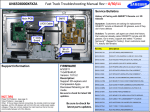
Using a Component (up to 1080p) or an Audio/Video (480i only) and a Scart Cable
✎✎In Ext. mode, DTV Out supports MPEG SD Video and Audio only.
✎✎When connecting to AV IN, connect the AV connector(yellow) to the TV jack(Green).
✎✎To obtain the best picture quality, the Component connection is recommended over the A/V
connection.
English - 9
[PD8000-XE]BN68-03451E-00L05.indb 9
2011-03-08 오후 4:13:25