1
*VC-C3/E/US/QX3.32
5/29/01
3:26 PM
Page 30
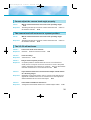
Troubleshooting
Check the following before contacting your Canon supplier.
The wireless controller does not work.
Check 1:
Response:
Is the base LED OFF?
• Turn the base power switch ON.
P.16
• Check that the plug is inserted into the main power outlet correctly and
pushed in all the way.
Check 2:
Is the base LED blinking green (at 1-second intervals)?
Response:
If the VC-C3 is out of the OPERATE mode. Press the button on the
wireless controller to turn the VC-C3 to the OPERATE mode. P.24
Check 3:
Is the base LED lit orange?
Response:
Operation is restricted by the ID setting function. Reset the ID correctly
( P.25, 26) or cancel the operation restriction ( P.28). P.25
Check 4:
Is the base LED lit green?
Response:
• Check the remaining charge in the wireless controller batteries.
• Ensure that you are using the wireless controller inside its effective
range. P.14
There is no image on the monitor.
Check 1:
Is the base LED blinking green (at 1-second intervals)?
Response:
If the VC-C3 is out of the OPERATE mode. Press the button on the
wireless controller to turn the VC-C3 to the OPERATE mode. P.24
Check 2:
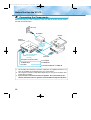
Are all the components connected correctly?
Response:
Check that the cables are connected correctly.
Check 3:
Are all the components switched ON?
Response:
Switch all the components ON.
30
P.16
P.12