1
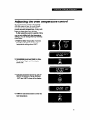
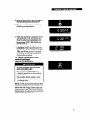
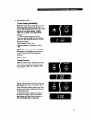
2. Push the Cook Time button. OVEN, TIME
and HR will come on. ON will not come
on until the time of day that oven is to be
turned on is reached. If you start baking/
roasting immediately, ON will come on.
3. Turn the Time/Temp Set Knob clockwise
until the desired baking/roasting time
shows in the large display.
When you are using the Cook Time
and/or Stop Time button, the display
shows hours and minutes in the following
sequence:
from O-2 hours, the
l For settings
display will increase in first a 1O-minute
increment, then 5-minute increments.
l
For settings from 2 hours-l 1 hours
55 minutes, the display will increase in
5-minute increments.
The small display and BAKE will flash and
a tone will keep sounding until Step 4 is
done.
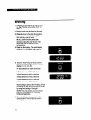
4. Push the Bake Temp button and set the
desired baking/roasting temperature. The
small display will show the set temperature while the large display shows the
remaining baking/roasting time. OVEN,
TIME, HR, BAKE and ON will come on.
5. The large display will count down in
minutes. The small display will show the
actual oven temperature until the set
temperature is reached. A tone will sound
at that time.
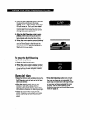
6. When the baking/roasting time is
completed, three tones will sound. The
large display will show “0:OO” and OVEN,
TIME and HR will come on. A tone will
sound every 10 seconds until the Set/
Cancel button is pushed.
19