1
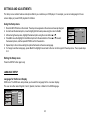
Repeat: play repetitively
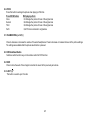
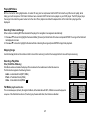
Repeat function has 4 options : Off, Single, Folder, All. Move cursor to Repeat function and press ENTER, Off/
Single/Folder/All are displayed in that order. Repeat default is Off;
00:00:01
/
1/12
001
Flat Mode
002
Repeat : Off
003
Off
Single
Folder
All
Turn off repeat function
Repeat the song being played until STOP is pressed.
Play all songs in a folder repetitively
Play all songs on the disc repetitively
Mode
: Normal
004
005
Music Playing
006
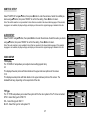
Mode: play mode
00:00:01
/
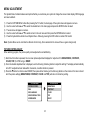
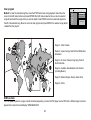
The Mode function has 4 options: Normal, Shuffle, Random and Music Intro. Move cursor to the desired Mode 1/12
001
function and press ENTER; Normal/Shuffle/Random/Music Intro are selected in that order. The Mode function
002
003
default status is Normal.
004
Normal: Play all songs in folder once
005
Music Playing
006
Shuffle: Play songs in a folder in a shuffle order. Each song in the folder is played only once.
Random: Play songs in a folder in a random order.
Music Intro: Play each song in order in the folder for 10 seconds
Remark– The purpose of the Music Intro function is to provide the user with a sample of each song for 10 seconds, thereby making it easy
to select and listen to a favorite song.
Flat Mode
Repeat : Off
Mode
: Normal
Add to program
00:00:01
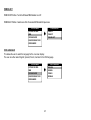
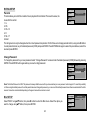
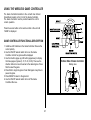
Method: To add the selected songs into browser view, make sure disc playback is off. Move cursor to Edit
/
1/12
001
mode function and press ENTER. After Edit mode is selected, move cursor to songs list and select the songs
002
which will be compiled and press ENTER. A check mark appears to the left of the selected song; to add the
003
004
selected songs to the program, move cursor to the “Add to program” function and press ENTER. The selected
005
Music Playing
006
songs is added into a new program list and the check mark will disappear on play list, move cursor to “Program
Album:-----------view” function and press ENTER to browse the songs in the program. Press play button to play the selected
songs.
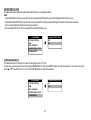
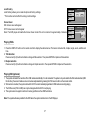
Notice: Edit mode, Program view or Add to program functions are relationship related when select the preferred song add to the songs list.
Edit mode
Program view
Add to program
19