1
7 Networking Information
This chapter contains notes about configuring networks for virtual machines.
7.1 Changes and Issues in This Release
The following sections provide new networking information for the patch kit applied to the
V4.2.5 release.
7.1.1 AVIO LAN Driver on OpenVMS Guest Does Not Support Checksum Offloading
(CKO)
OpenVMS does not support checksum offloading. Turning on CKO on the physical device will
cause failure of communications in the following scenarios:
• VM Host to OpenVMS guest and OpenVMS guest to VM Host
• OpenVMS guest to a non-OpenVMS guest on the same VM Host
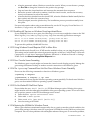
To workaround this problem, turn off the Checksum offloading in the VM Host interface driver
and restart the associated virtual switch. For example:
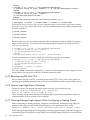
• Turn off the CKO on PPA 4 by entering this command on the VM Host:
# nwmgr -s -A tx_cko=off –c lan4
•
Restart the virtual switch by entering this command on the VM Host:
# hpvmnet -r -S switch1
This problem will be fixed in a future release.
For more information, see Section 7.2.20 (page 75).
7.2 Known Issues and Information
The following sections describe known issues and information from previous releases that still
apply to V4.2.5.
7.2.1 Configuring VLANs on Virtual Switches
The VLAN-backed vswitch feature (VBVsw) enables a virtual switch (vswitch) to be backed by
a physical network device with HP-UX VLAN (IEE 802.1Q) configured. The feature allows this
type of vswitch to function just like a vswitch that is bound to a physical interface or an aggregate.
Each VLAN backing the vswitch can be considered as a single network even though it is a discrete
logical LAN being managed by the VM Host.
On the VM Host, multiple VLAN interfaces can be configured on a guest LAN backed by VBVsw
type vswitch is created, the network traffic delivered to and from the guest is filtered using the
VLAN ID. Guest LANs backed to the same vswitch that has VLAN configured share the same
VLAN ID. Thus, these guest LANS can communicate with each other as if they were on the same
physical network.
For information about VLANs on HP-UX, see the HP-UX VLAN Administrator's Guide for HP-UX
11i v3 and Planning and Implementing VLANs with HP-UX manual.
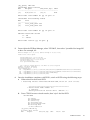
7.2.1.1 Creating and Managing a vswitch with a VLAN Interface
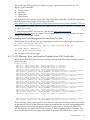
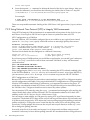
To illustrate how to create and manage a vswitch with a VLAN interface, assume that your
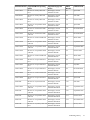
system has physical and aggregate interfaces as shown by the following format:
Name/
Interface Station
SubInterface
Related
ClassInstance State
Address
system
Type
Interface
============== ========= ============== ======== ============== =========
7.1 Changes and Issues in This Release
69