1
Table of Contents
Audio interface manual
Table of Contents········································································································· 1
Audio interface and control surface············································································ 3
Install and setup Cubase LE 4
Installation overview····························································································································5
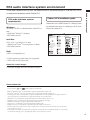
R16 audio interface system environment ···························································································6
Connecting and disconnecting in audio interface mode·····································································7
Control surface functions
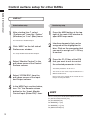
Using the control surface functions····································································································9
Fader section operation···················································································································· 11
Setting up function keys···················································································································13
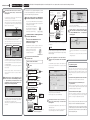
Control Surface Functions Quick Reference Sheet·················································· 14
Recording with Cubase LE 4
Create a new project·························································································································15
Create a new audio track··················································································································1 6
Connect an instrument····················································································································· 17
Set the recording level······················································································································18
Recording·········································································································································19
Checking the recording (playback)···································································································19
Importing audio data into Cubase LE 4
Importing by drag & drop··················································································································21
Using the “Import” command···········································································································23
The mixer in audio interface mode
Volume, reverb send and pan···········································································································25
Stereo Link········································································································································25
DIRECT/DAW BALANCE···················································································································25
Tuner·················································································································································26
1