1
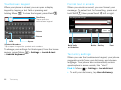
Touchscreen keypad
Format text in emails
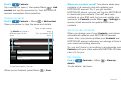
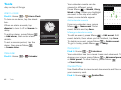
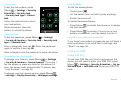
When your phone is closed, you can open a display
keypad by tapping a text field or pressing and
holding Menu
. To close the keypad, press Back
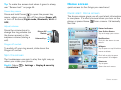
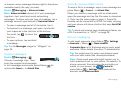
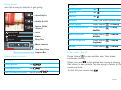
When you create an email, you can format your
message. To select text for formatting, press and
hold Shift
, then press Scroll
left or right.
.
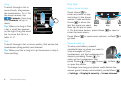
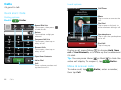
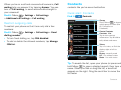
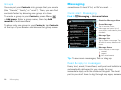
Text Entry
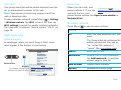
Tap to open the
touchscreen keypad.
New Google Mail message
To:
Subject:
Font
Delete
Return
Send
Shift
Discard
Space
Symbols/Numbers
Tap to open a keypad for symbols and numbers.
To change your settings for this keypad, from the home
screen, press Menu
> Settings > Locale & text
> Android keyboard.
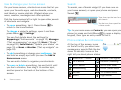
Bold, Italic
or Underline
Bullet Smiley
Font
Text entry settings
When you use the touchscreen keypad, your phone
suggests words from your dictionary and chosen
language. Your phone also automatically enters
apostrophes in some words, like “dont”.
Find it: Menu
> Settings > Locale & text
• To edit your dictionary, tap User dictionary.
22
Text entry