1
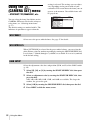
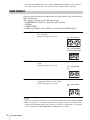
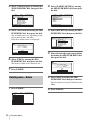
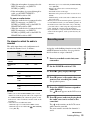
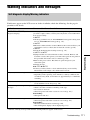
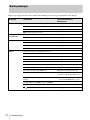
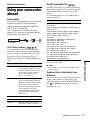
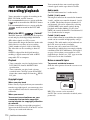
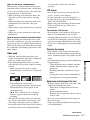
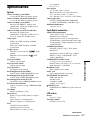
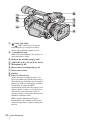
Indicators for the LCD screen and viewfinder
Following indicators will appear on the LCD
screen and viewfinder to indicate the state of
your camcorder.
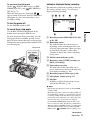
Example: Indicators in the CAMERA mode
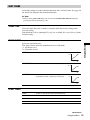
Indicators
LCD backlight off (p. 16)
through
STBY
00:00:00:00
6 0 min
ND
CH1
CH2
PP1
F 1 . 6 1 8 dB
180
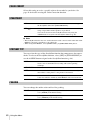
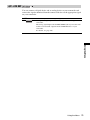
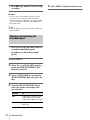
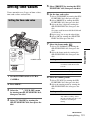
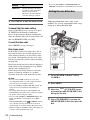
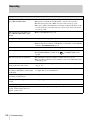
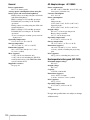
Indicators
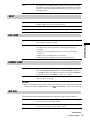
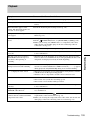
Meanings
y120min
Remaining battery (p. 21)
,
Recording format (p. 20)
STBY/REC
Recording standby/
recording mode
ND1, ND2, NDOFF
ND filter (p. 30)
4:3 TV mode (p. 47)
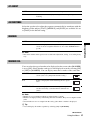
,
Audio mode (p. 65, 114)*
60min q
Remaining tape (p. 21)
Frame recording (p. 63)*
Output analog images and
sound in digital format
(p. 75)*
,
50i/60i system (p. 82)
HDV input/DV input
(p. 95)
QZ
Warning (p. 111)
9
Manual focus (p. 32)
.
BACK LIGHT (p. 25)
SPOTLIGHT (p. 26)
Preset white balance (p. 27)
n
B
One-push white balance
(p. 26)
Iris closed (p. 28)
SteadyShot off (p. 60, 86)
132
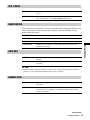
Color Correction (p. 42)
,
External rec control (p. 45)
Hyper gain (p. 87)
AE override (p. 87)
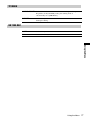
1
A,
Picture Profile (p. 34)
Index recording (p. 44)
Time code/user bit (p. 21)/Tape counter
(p. 50)/Self-diagnosis (p. 111)
1 2 0 min
HDV1080i
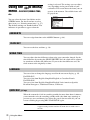
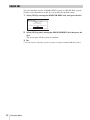
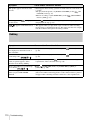
Meanings
Quick Reference
4-channel microphone
recording standard
(p. 110)*
* Appears only for the pictures in the DV format.