1
Quick Start Guideline XV-2xx Systems
Commissioning of the Unit
3
MICRO PANEL
COMMISSIONING OF THE UNIT
3.1 APPLY THE WINDOWS LICENSE STICKER
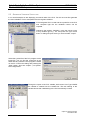
For legal reasons you are obligates to attach the provided license sticker to
the panel. Proceed as described in the Windows license paper.
.
Î
3.2 GENERAL REMARKS TO WIRING
To guarantee a troublefree operation special care with the wiring is necessary.
The values concerning EMP as specified in the technical data can be kept only
if the appropriate references and wiring are obeyed. The wiring must be layed
separately to power cables or be separated by double or intensified isolation.
Î Further information: Hardware manual XV200 5.7“ system ([1] see chapter 1.1)
3.3 POWER UP OF THE UNIT
1
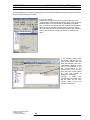
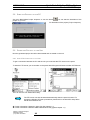
Put the in the delivery included OS-flash (enclosed CF-card of the unit) in the CF slot:
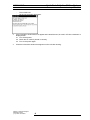
Data loss.
If a CF-card is removed during operation of the unit a data loss or coruption
can occur.
-
only incert or remove CF-cards in power off status.
secure the CF-card with the slot interlock.
writing to the CF-card should be avoided. With simultaneous voltage drop
this can lead to data loss.
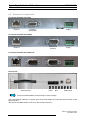
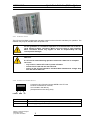
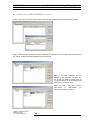
Service front of the unit (left: CF-Slot-interlock open, right: closed)
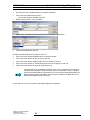
1.1 Open the CF-slot interlock.
1.2 Place the CF-card in the Compact Flash-slot.
1.3 Close the CF-slot interlock.
2
8
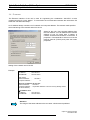
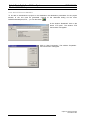
Connect the power supply to the unit (properties of the power supply cable, see chapter „2.3.2
Connection Power Suppl“):
Subject to technical changes
M001789-01.DOC
© by Micro Innovation