1
Thank you for purchasing this SHARP product. To obtain the best performance from
this product, please read this manual carefully. It will guide you in operating your SHARP
product.
PULL
0
L200
DV-S
SHARP CORPORATION
11/17/06, 4:12 PM
Downloaded From Disc-Player.com Sharp Manuals
EN
OP
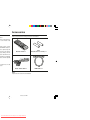
Accessories
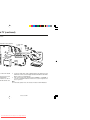
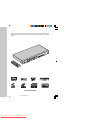
Please confirm that the following accessories are included.
oduct.
nsure continued safety,
ss to the inside of the
D-BY position, mains
N/STAND-BY button is
t into operation by the
remove covers unless
tages, always remove
ration and when not in
Remote control x 1
“AAA”
(UM-4, R03, HP-16 or similar) x 2
s appliance to dripping
vases, shall be placed
ks which must not be
yright.
Audio / Video cable x 1
Note:
Only the above accessories are included.
11/22/06, 2:32 PM
Downloaded From Disc-Player.com Sharp Manuals
HDMI cable x 1
DV-SL2000W
Page
............... 8 - 11
ility .... 12 - 13
............ 14 - 18
.................... 19
.................... 19
............ 20 - 24
.................... 25
.................... 26
) .................. 27
.................... 27
Page
Various settings
To change the subtitle language ............................................... 34
To change the audio language (audio output) ........................ 34
To change the TV type ............................................................... 35
To change the HDMI resolution type ........................................ 35
To change the display on TV screen ........................................ 35
H Video CD and Super Video CD Operation
Video CD and Super Video CD operation
Playback of a video CD (super video CD) with P.B.C. ON ...... 36
Random play ............................................................................... 37
To change the audio channel .................................................... 37
To play without activating the playback control function ...... 38
To start playback from the desired point (direct play) ............ 38
H CD, CD-R and CD-RW Operation
CD operation
To play in the desired order (programmed play) ..................... 39
DivX and JPEG disc operation
Playback on the DivX and JPEG menu screen ................ 40 - 41
Zoom function ............................................................................. 42
H USB and SD Memory Playback
) ................. 28
.................... 28
play) ............ 29
USB and SD memory device operation .................................... 43
To remove USB and SD memory device .................................. 44
General Information
...................... 3
...................... 4
...................... 5
................ 6 - 7
H Advanced Feature
Enjoying various sounds ........................................................... 45
.................... 30
.................... 30
.................... 31
.................... 31
.................... 32
s repeatedly
.................... 33
isc menu ... 33
H References
Troubleshooting chart ........................................................ 46 - 47
Error indicators and warnings .................................................. 48
Maintenance ................................................................................ 48
Specifications ............................................................................. 48
Copyright ..................................................................................... 49
2
11/22/06, 2:32 PM
Downloaded From Disc-Player.com Sharp Manuals
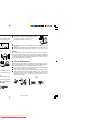
a well ventilated area
space along the sides,
I The ventilation should not be impeded by covering
the ventilation openings with items, such as
newspapers, tablecloths, curtains, etc.
PULL
OPEN
DV-SL2000
15 cm (6")
10 cm (4")
ion.
I No naked flame sources, such as lighted candles, should be placed on the
apparatus.
I Attention should be drawn to the environmental aspects of battery disposal.
I This unit should only be used within the range of 5°C - 35°C (41°F - 95°F).
Warning:
PULL
OPEN
DV-SL2000
The voltage used must be the same as that specified on this unit. Using this
product with a higher voltage other than that which is specified is dangerous
and may result in a fire or other type of accident causing damage. SHARP will
not be held responsible for any damage resulting from use of this unit with a
voltage other than that which is specified.
H Care of DVD/CD discs
PULL
OPEN
DV-SL2000
gher than 60°C (140°F)
C power lead from the
fety.
it from the wall socket,
DVD/CD discs are fairly resistant to damage, however mistracking can occur
due to an accumulation of dirt on the disc surface. Follow the guidelines below
for maximum enjoyment from your DVD/CD collection and player.
I Do not write on either side of the disc, particularly the non-label side from
which signals are read. Do not mark this surface.
I Keep your discs away from direct sunlight, heat, and excessive moisture.
I Always hold the DVD/CDs by the edges. Fingerprints, dirt, or water on the
DVD/CDs can cause noise or mistracking. If a DVD/CD is dirty or does not
play properly, clean it with a soft, dry cloth, wiping straight out from the
centre, along the radius.
NO
nd shall always remain
sult in electric shock.
ice facility.
11/22/06, 2:32 PM
Downloaded From Disc-Player.com Sharp Manuals
YES
Correct
DV-SL2000W
wing marks:
ntents
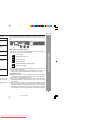
Types of playable DVD discs vary depending on the region. This unit can play
back only DVDs with the same region number as written on the back of the
unit.
nd video
ies)
nd video
ies)
2
or 3
or 4
Icons used in this operation manual
Some functions may not be available depending on discs. The following icons
indicate the discs that can be used in the section.
... Indicates DVDs.
dio
... Indicates Super video CDs.
d picture
... Indicates video CDs.
... Indicates audio CDs.
... Indicates CD-R/RW with JPEG recording.
... Indicates DivX® Video.
I Some operations may not be performed depending on discs even if they
nd video
ies)
are described in this manual.
I During operation, “INVALID KEY” may be displayed on the screen. This
means that the operations described in this manual are not possible.
pending on the
er, pictures may
ding method).
display “over file
General Information
nd video
ies)
Copyright Information:
I Unauthorised copying, broadcast, public display, transmission, public
performance and rental (regardless of whether or not such activities are for
profit) of disc contents are prohibited by law.
I This system is equipped with copy protection technology that causes
substantial degradation of images when the contents of a disc are copied
to a videotape.
I This system is protected by U. S. patents and other intellectual property
rights, the copyright for which belongs to Macrovision Corporation. The use
of Macrovision’s copy protection technology in the system is authorised by
Macrovision and is intended for home use only, unless otherwise authorised
in writing by Macrovision. Reverse engineering or disassembly is prohibited.
4
11/22/06, 2:33 PM
Downloaded From Disc-Player.com Sharp Manuals
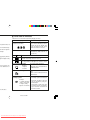
H Icons used on DVD discs
Check the icons on the DVD case before playing your discs.
Display
Description
in special formats, etc.
2
nd is heard although
can have a negative
settings.
3
4
Format recorded on the DVD
DVD discs are programmed with
region numbers indicating countries
in which they can be played. This
system can play discs with region
number on the back of the unit.
To adopt the video format to the
connected TVs (“wide-screen TV” or
“4:3 size TV”).
Recorded in 4:3.
play properly. Refer to
c.
agon shaped) as they
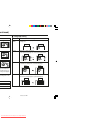
You can enjoy wide images on a wide-screen TV, and
letterbox size images on the 4:3 size TV.
You can enjoy wide images on a wide-screen TV and
4:3 images with the side edges cut on the 4:3 size TV.
Type of subtitles recorded
c has more than one
s” are subdivisions of
2
Example:
1: English
2: French
Number of camera angles
2
Recorded subtitle languages.
Language can be selected with the
SUBTITLE button.
Number of angles recorded on the
DVD.
Angles can be selected with the
ANGLE button.
Number of audio tracks and audio The number of audio tracks and aurecording systems
dio recording systems are indicated.
Example:
I The audio recorded on the DVD
1: Original <English>
can be switched by using the
(DTS 5.1 Surround)
AUDIO button.
2: English (Dolby
I The number of audio tracks and
Digital 5.1 Surround)
recording systems vary depending on the DVD. Check them in
the DVD’s manual.
on some discs.
11/22/06, 2:33 PM
Downloaded From Disc-Player.com Sharp Manuals
General Information
Region number
(playable area number)
4
PULL OPEN
5 6 7 8
.
9
!
"
1)
2)
3)
4)
5)
6)
7)
8)
9)
10)
11)
12)
13)
14)
15)
16)
17)
18)
19)
20)
21)
22)
ON/STAND-BY Button
Disc Tray
Disc Tray Open/Close Button
Remote Sensor
Play or Pause Button
Stop Button
Chapter (track) Skip down
Chapter (track) Skip up
USB/SD Door
SD Terminal
USB Terminal
DVD Indicator
Play Indicator
A-B Repeat Indicator
Repeat Indicator
SVCD/VCD/CD Indicator
MP3 Indicator
Pause Indicator
DTS Signal Indicator
Programme Indicator
Random Indicator
Dolby Digital Signal Indicator
1)
2)
3)
4)
5)
6)
7)
Audio Output Sockets
Component Video Output Sockets
Video Output Socket
AC Power Lead
Digital Output Socket (Coaxial)
S-Video Output Socket
HDMI Output Socket
General Information
DV-SL2000W
6
11/22/06, 2:33 PM
Downloaded From Disc-Player.com Sharp Manuals
ntinued)
H Remote control
~
+
,
.
/
:
;
<
=
>
?
@
[
\
1.
2.
3.
4.
5.
6.
7.
8.
9.
10.
11.
12.
13.
14.
15.
16.
17.
18.
19.
20.
21.
22.
23.
24.
25.
26.
27.
28.
29.
30.
31.
32.
Reference page
Remote Control Transmitter . . . . . . . . . . . . . . . . . . . . . . . . . . . . . . 19
On/Stand-by Button . . . . . . . . . . . . . . . . . . . . . . . . . . . . . . . . . . . . . 20, 26
Chapter (track) Skip Down Button. . . . . . . . . . . . . . . . . . . . . . . . . . . . 28
Slow Button . . . . . . . . . . . . . . . . . . . . . . . . . . . . . . . . . . . . . . . 30
Play or Pause Button . . . . . . . . . . . . . . . . . . . . . . . . . . . . . . 26, 28, 30, 36
Fast Backward Button. . . . . . . . . . . . . . . . . . . . . . . . . . . . . . . . . . . . 28
Stop Button . . . . . . . . . . . . . . . . . . . . . . . . . . . . . . . 26, 27, 32, 36, 37
Return Button . . . . . . . . . . . . . . . . . . . . . . . . . . . . . . . . . . . . 36
Cursors. . . . . . . . . . . . . . . . . . . . . . . . . . . . . . . . . . . 20, 31, 32, 40, 41, 42
Setup Button . . . . . . . . . . . . . . . . . . . . . . . . . . . . . . . . . . 20
Repeat Play Button . . . . . . . . . . . . . . . . . . . . . . . . . . . . . . . . . . . . . 32, 39
Direct Number Buttons . . . . . . . . . . . . . . . . . . . . . . . . . . . . 28, 29, 36, 38
Direct Button . . . . . . . . . . . . . . . . . . . . . . . . . . . . . . . . . . . . . . 29, 38
Clear Button . . . . . . . . . . . . . . . . . . . . . . . . . . . . . . . . . . . . . . . . . . 39
Random Button. . . . . . . . . . . . . . . . . . . . . . . . . . . . . . . . . . . . . . . . . . 37
Audio Select Button . . . . . . . . . . . . . . . . . . . . . . . . . . . . . . . . . . . . . 34, 37
Subtitle Select Button . . . . . . . . . . . . . . . . . . . . . . . . . . . . . . . . . . . 34
Disc Tray Open/Close Button . . . . . . . . . . . . . . . . . . . . . . . . . . . . . 26
Mute Button . . . . . . . . . . . . . . . . . . . . . . . . . . . . . . . . . . . . . . . . . . . 25
Chapter (track) Skip Up Button . . . . . . . . . . . . . . . . . . . . . . 28, 36
Step Button (Frame by Frame Advance Playback) . . . . . . . . . 30
Fast Forward Button . . . . . . . . . . . . . . . . . . . . . . . . . . . . . . . . . . . . . .28
Menu/Playback Control On/Off Button . . . . . . . . . . . . . . . . 32, 33, 38
Enter Button . . . . . . . . . . . . . . . . . . . . . . . . . . . . . . . . 20, 39, 40
On Screen Display On/Off Button . . . . . . . . . . . . . . . . . . . . . . . . 35
A-B Repeat Button . . . . . . . . . . . . . . . . . . . . . . . . . . . . . . . . . . . . . 32, 33
HDMI Sel Button . . . . . . . . . . . . . . . . . . . . . . . . . . . . . . . . . . 35
Programme Button . . . . . . . . . . . . . . . . . . . . . . . . . . . . . . . . . . . . . 39
PAL/NTSC Select Button . . . . . . . . . . . . . . . . . . . . . . . . . . . . . . 20, 35
Volume Up and Down Buttons . . . . . . . . . . . . . . . . . . . . . . . . . . . . . . 25
Angle Select Button . . . . . . . . . . . . . . . . . . . . . . . . . . . . . . . . . . . . . 31
Zoom Button . . . . . . . . . . . . . . . . . . . . . . . . . . . . . . . . . . . . . . . 31, 41, 42
11/22/06, 2:56 PM
Downloaded From Disc-Player.com Sharp Manuals
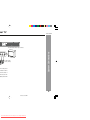
nal TV
DV-SL2000W
R-AUDIO-L
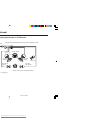
System Connections
TV with Audio/Video input sockets
VIDEO
To video input
socket (Yellow)
urn off the power
onnections have
OUT sockets of
nnect it to the TV
yback picture will
8
11/22/06, 2:33 PM
Downloaded From Disc-Player.com Sharp Manuals
al TV (continued)
e DVD player with the
cket connection is not
les to the AUDIO OUT
of the TV.
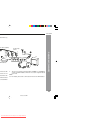
Using the COMPONENT VIDEO OUT sockets
Notes:
Please follow the steps before turn on the power.
1. If your TV has the component video input sockets, connect the DVD player
to these sockets. (The VIDEO OUT or S-VIDEO OUT socket connection is
not necessary.)
You can enjoy high quality picture playback.
2. You also need to connect the left and right audio cables to the AUDIO OUT
sockets of DVD player and the Audio input sockets of the TV.
DVD player
TV
V
*Component video cable (not supplied)
11/22/06, 2:33 PM
Downloaded From Disc-Player.com Sharp Manuals
Red
Green
S-video cable
not supplied)
Blue
COMPONENT VIDEO INPUT
Y
PB
PR
Green
Blue
To S-video input
socket
Red
1
nal TV (continued)
DV-SL2000W
rial terminal only,
deo cable (supplied)
A/V INPUT
1
TV
ANT. IN
TO TV
CHANNEL
VIDEO R-AUDIO-L
3
4
4
RF Modulator
VHF/UHF
AERIAL
IN
2
rminal of the RF
ween the TO TV
N terminal of the
4.
Turn on the TV, and set the channel number (CHANNEL 3 or CHANNEL 4)
on both TV and RF Modulator, whichever is not used for regular broadcast
in your area.
Note:
For more details, please refer to the instruction manual of the RF Modulator.
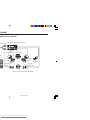
System Connections
(White) L
(Red) R
To video input
socket (Yellow)
3
To audio input
sockets
AUDIO OUT and
PUT and VIDEO
10
11/22/06, 2:33 PM
Downloaded From Disc-Player.com Sharp Manuals
al TV (continued)
nections
To audio input
sockets
(Red) R
1
(White) L
4
To video input
socket (Yellow)
socket (Yellow)
Audio/Video cable (supplied)
A/V INPUT
2
TO TV
VHF/UHF
FROM ANT.
ANT. IN
IN
CHANNEL
VIDEO R-AUDIO-L
3
4
TO TV
RF Modulator
5
3
5
4
OUT
CHANNEL
VHF/UHF
AERIAL
IN
3
TV
he VHF/UHF FROM
tween the TO TV OUT
e RF Modulator.
) between the TO TV
RIAL IN terminal of the
VCR
4.
Connect the Audio/Video cable (supplied) between the AUDIO OUT and
VIDEO OUT sockets of the DVD player and the AUDIO INPUT and VIDEO
INPUT sockets of the RF Modulator.
5. Turn on the TV, and set the channel number (CHANNEL 3 or CHANNEL 4)
on all TV, VCR and RF Modulator, whichever is not used for regular broadcasts in your area.
Note:
For more details, please refer to the instruction manual of the RF Modulator.
11/22/06, 2:33 PM
Downloaded From Disc-Player.com Sharp Manuals
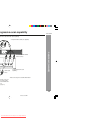
rogressive-scan capability
DV-SL2000W
nd have component video input capability.
R
L
(White) L
DIO INPUT
Y
Red
Blue
Green
To COMPONENT VIDEO
INPUT sockets
PB
PR
COMPONENT VIDEO INPUT
To audio input
sockets
TV with progressive-scan
capability
System Connections
Blue
Green
*Component video cable (not supplied)
*Please consult your local audio/video dealer.
sockets of the TV.
is not encourage.)
to the AUDIO OUT
e TV.
e page 21)
12
11/22/06, 2:33 PM
Downloaded From Disc-Player.com Sharp Manuals
ogressive-scan capability (continued)
\
o in two fields, progressive scanning creates one frame in one field.
nd with 30 frames (60 fields), but progressive scanning constitutes it with 60 frames from scratch.
th high resolution for still image or other picture containing long texts or horizontal lines.
stem.
ure to turn off the power and disconnect both units from the wall socket until all the connections have been
The playback picture will be distorted because DVD video discs are copy protected.
CONNECTIONS”.
ifier.
er, be sure to turn off the power and disconnect both units from the wall socket until all the connections
11/22/06, 2:33 PM
Downloaded From Disc-Player.com Sharp Manuals
DV-SL2000W
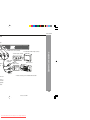
TV
ayer
To VIDEO OUT socket (Yellow)
ckets
To video input (Yellow)
AUDIO
VIDEO
INPUT
1
*Video cable
(supplied)
cable
ed)
(White) L
R-AUDIO-L
VIDEO
To audio
input sockets
L
R
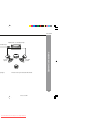
Audio System
AUDIO
INPUT
System Connections
(White) L
TV with Audio/Video input sockets
(Red) R
em and
* Please consult your local audio/video dealer.
sure to
the wall
layback
ected.
14
11/22/06, 2:33 PM
Downloaded From Disc-Player.com Sharp Manuals
ntinued)
Dolby Digital Decoder or DTS Decoder
input
Amplifier with Dolby Digital Decoder, DTS Decoder or MPEG 2 Decoder
Centre speaker
Front left
speaker
Surround left
speaker
Front right
speaker
Subwoofer
Surround
right speaker
* Please consult your local audio/video dealer.
P”. (See page 21)
11/22/06, 2:33 PM
Downloaded From Disc-Player.com Sharp Manuals
ntinued)
DV-SL2000W
Amplifier with a coaxial digital input
Front left
speaker
ee page 21)
Front right
speaker
* Please consult your local audio/video dealer.
System Connections
ital audio input
16
11/22/06, 2:33 PM
Downloaded From Disc-Player.com Sharp Manuals
ntinued)
Dolby Pro Logic Decoder
NPUT sockets
Amplifier with Dolby Pro Logic Decoder
Centre speaker
ckets
Front right
speaker
Front left
speaker
Subwoofer
Surround left
speaker
Surround
right speaker
* Please consult your local audio/video dealer.
11/22/06, 2:31 PM
Downloaded From Disc-Player.com Sharp Manuals
ntinued)
DV-SL2000W
H Connecting the AC power lead
t
Wall socket
(AC 110-240V, 50/60 Hz)
d)
1
2
ayer with the
COMPONENT
System Connections
After checking all the connections have been made correctly, plug the AC
power lead of this unit into the wall socket.
he AUDIO OUT
Note:
Unplug the AC power lead from the wall socket if the unit will not be used for
a prolonged period of time.
AC Plug Adaptor
In areas (or countries) where a wall socket as shown in illustration 2 is
used, connect the unit using the AC plug adaptor supplied with the unit, as
illustrated. The AC plug adaptor is not included in areas where the wall
socket and AC power plug can be directly connected (see illustration 1).
18
11/22/06, 2:31 PM
Downloaded From Disc-Player.com Sharp Manuals
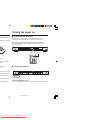
Turning the power on
ection indicated in
owards the · battery
H Test of the remote control
Check the remote control operation after making all the connections.
Point the remote control directly at the remote sensor on the unit.
The remote control can be used within the range shown below:
Press the ON/STAND-BY button. Does the power turn on? Now, you can
enjoy your system.
PULL OPEN
0.2 m - 6 m
(8" - 20')
time.
long periods of time.
kage.
battery, etc.).
on.
H To turn the power on
PULL OPEN
DV-SL2000
ced or if the operation
UM-4, R03, HP-16 or
rol and the sensor on
ON/STAND-BY
terfere with operation.
hock, and vibrations.
Press the ON/STAND-BY button:
If the power does not turn on, check the AC power lead is plugged in properly.
11/22/06, 2:31 PM
Downloaded From Disc-Player.com Sharp Manuals
Preparation for Use
DV-SL2000
DV-SL2000W
VIDEO 2”,
1
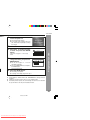
Press the ON/STAND-BY button
to turn the power on.
I The startup screen appears.
I If the startup screen is blurred, press the
PAL / NTSC button repeatedly to change
the TV type.
Press the SETUP button.
Press the 5 or ∞ button to select
a menu and press the ENTER
button.
See the list on pages 21 - 24 for setup
menu.
4
Press the 5, 4, 2 or 3 button to
change the setting and press the
ENTER button.
I See the list on pages 21 - 24 for the
selectable parameters.
I Press the “MAIN PAGE” button and press
the ENTER button.
The main page returns.
5
SETUP MENU -- MAIN PAGE
GENERAL SETUP
AUDIO SETUP
DIVX(R) REGISTRATION
VIDEO SETUP
PREFERENCES
EXIT SETUP
GENERAL SETUP
-- GENERAL PAGE -ANGLE MARK
OSD LANG
SCREEN SAVER
ON
OFF
MAIN PAGE
GENERAL SETUP
Press the SETUP button.
I The setting is completed.
I To change other settings, begin from step 2.
Preparation for Use
2
3
Notes:
I During playback, “VIDEO SETUP” and “PREFERENCES” settings cannot be
changed.
I Settings are stored even if the unit is set to the stand-by mode.
I The backup function protects the stored settings for a few hours should there
be a power failure or the AC power lead disconnection.
DVD
20
11/22/06, 2:31 PM
Downloaded From Disc-Player.com Sharp Manuals
continued)
Progressive-Scan
onnect it to the COMPONENT VIDEO OUT sockets of the DVD main unit (see page 9), you can select to
ogressive-scan.”
ates default settings.)
Description
NGLE
ARK
ON*
OFF
SD LANG
ENGLISH*
CHINESE
You can select the desired (On TV Screen Display) language for the setup
menu or playback control screen.
CREEN
AVER
ON*
OFF
A screensaver appears.
The screensaver is disabled.
GITAL
UTPUT
RAW
PCM*
I Highlight the AUDIO OUT option, and press the 1, 2, 5 or 4 button to
choose the audio output mode you prefer. Press ENTER to confirm.
I RAW: Choose this setting if your DVD player is connected to a power
amplifier with a coaxial cable; When playing a disc recorded with Dolby
Digital, DTS and MPEG audio formats, the corresponding digital signals
will be output from the Coaxial Output socket. This Player’s digital output
sockets are designed for a connection to a Dolby Digital, DTS, or MPEG
receiver or decoder.
I PCM: Choose this setting if your DVD player is connected to a 2-channel
digital stereo amplifier; When playing a disc recorded with Dolby Digital
and MPEG audio formats, audio signals will be modulated into 2-Channel
PCM signal, and it will be output from the Coaxial Output socket.
R.C (*1)
FULL
6/8
4/8
2/8
OFF*
DYNAMIC RANGE:
If adjusting to FULL, the audio signal peak value will be the minimum; whilst
adjusting to OFF, maximum.
PCM
UTPUT
LPCM 48K* Select the sampling frequency at 48 kHz/16 bit or 96 kHz/24 bit capability.
LPCM 96K
SHARP provide you the DivX registration code that allows you to rent and
purchase videos using the DivX service.
Please go to www.divx.com/vod for more information.
ndividual listening situation of the audience. This function can be used in DVD playback.
oud or inaudible during playback. Dolby Digital's dynamic range control allows you to adjust the sound
11/22/06, 2:31 PM
Downloaded From Disc-Player.com Sharp Manuals
p (continued)
DV-SL2000W
(* indicates default settings.)
Description
4:3 PS*
4:3 LB
16:9
ESOLUTION
INTERLACE
576 P/480 P
720 P HDMI*
1080I HDMI
UDIO
ENGLISH*
FRENCH
SPANISH
Selects the language audible from the speakers.
UBTITLE
ENGLISH*
FRENCH
SPANISH
OFF
Selects the subtitle displayed on the TV screen.
ISC MENU
ENGLISH*
FRENCH
SPANISH
Selects the disc menu language.
ARENTAL
2
3 PG
4 PG 13
5
6 PG-R
7 NC-17
8 ADULT
NO PARENTAL*
Sets a restriction level for DVD viewing (for details,
see page 24).
Enter a 4-digit password.
It is set to 1234 by default.
ASSWORD
CHANGE
Change the password (for details, see page 24).
EFAULTS
RESET
This resets all settings, except for PARENTAL and
PASSWORD, to the factory defaults.
Preparation for Use
The screen mode should be set according to the
connected TV type (for details, see page 23).
V DISPLAY
The setting is completed.
22
11/22/06, 2:31 PM
Downloaded From Disc-Player.com Sharp Manuals
continued)
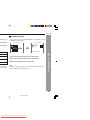
H Language setting
Indicator
OSD
LANG
Setting
A language for screen display can be set for the setup menu,
messages, etc.
English
Chinese
DISC LOADING
AUDIO
DISQUE CHARGEMENT
A language for audio can be set.
You can specify a language for conversation and narration.
English
French
Tha
SUBTITLE
nk y
ou
Mer
A language for subtitle can be set.
The subtitles are displayed in a specified language.
English
French
age size depends on
isc with this unit conk image is displayed.
ot change even if the
V.
Thank you
Merci
DISC MENU A language for disc menus can be set.
Menu screens are displayed in a specified language.
English
French
CAST
ACTEURS
STAFF
PERSONNEL
11/22/06, 2:31 PM
Downloaded From Disc-Player.com Sharp Manuals
ci
p (continued)
DV-SL2000W
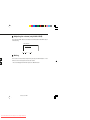
H Password setting
ee steps 1 - 3 on
ect the parental
tons and press
From the setup menu, select “PREFERENCES”, “PASSWORD” and then
“CHANGE”. A screen appears.
-- PREFERENCES PAGE -AUDIO
SUBTITLE
DISC MENU
PARENTAL
PASSWORD
DEFAULTS
PASSWORD CHANGE PAGE
OLD PASSWORD:
NEW PASSWORD:
CONFIRM:
CHANGE
MAIN PAGE
be played back.
nd children can
children) can be
ar requesting a
case, enter the
1 Enter the old password using the direct number buttons.
2 Enter the new password using the direct number buttons.
3 Enter the new password again for confirmation.
Note:
When you forget your password, cancel the current password by pressing
“3308” using the direct number buttons (0 - 9).
Preparation for Use
PLEASE ENTER OLD PASSWORD
CHANGE PASSWORD
24
11/22/06, 2:31 PM
Downloaded From Disc-Player.com Sharp Manuals
H Adjusting the volume (only ANALOGUE)
Press the VOLUME + button to increase the volume and the VOLUME – button
for decreasing.
0
1
2 .....
16
H Muting
The volume is muted temporarily when pressing the MUTE button on the
remote control. Press again to restore the volume.
* TV screen display “MUTE” when press the “MUTE” button.
11/22/06, 2:31 PM
Downloaded From Disc-Player.com Sharp Manuals
Preparation for use
<TV screen>
DV-SL2000W
VIDEO 2”, etc.
H
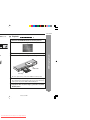
Playback
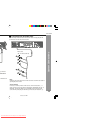
1 Press the ON/STAND-BY button to turn the power on.
2 “SHARP” startup screen appears on the TV screen.
PULL OPEN
3 Press the 0 (OPEN/CLOSE) button to open the disc tray.
4 Place the disc on the disc tray, label side up.
PUL
L OPE
N
Label side
000
SL2
DV-
DVD Operation
NO DISC
Disc tray
Be sure to place 8 cm (3") discs in the middle of the disc position.
5 Press the 0 (OPEN/CLOSE) button to close the disc tray.
Discs supporting auto start will start to play once you close the disc tray
even if you do not press the 3/8 (PLAY/PAUSE) button.
6 If playback does not start in step 5, press the 3/8
(PLAY/
PAUSE) button.
26
11/22/06, 2:34 PM
Downloaded From Disc-Player.com Sharp Manuals
H To resume playback after stopping
(PLAY/PAUSE) button.
(resume play)
You can resume playback from the point playback is stopped.
1 Whilst a disc is playing, press
PRESS PLAY TO CONTINUE
the 7 (STOP) button.
es after pressing the 7
when the screen saver
l. The startup screen
The system stores the point you
stopped.
2 To restart play, press the 3/8
(PLAY/PAUSE) button.
Play resumes from the point you stopped.
may accumulate inside
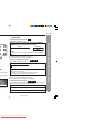
To cancel the resume playback:
Press the 7 (STOP) button twice.
e. It does not mean the
fferent region number,
age will appear on the
Notes:
I The resume playback feature is disabled on some discs.
I Depending on the disc, playback may resume from slightly before the
stopped position.
he audience age.
H DVD mode operation indicators
The following are examples of operation indicators that appear during DVD playback.
sted.
n you play such a disc,
e operation is disabled
nd then the indicators
Operation
When the power is
on without a disc
Disc data is being
read
1st time Stop 7
2nd time Stop
TV screen
NO DISC
DISC LOADING
PRESS PLAY TO CONTINUE
STOP
CD
Play
PLAY
PULL OPEN
Pause
PAUSE
11/22/06, 2:34 PM
Downloaded From Disc-Player.com Sharp Manuals
Unit display
DV-SL2000W
H
Fast forward/Fast backward (search)
You can search the desired point as you play the disc.
1 Whilst a disc is playing, press the 1 or ¡ button.
Example: When the ¡ button is pressed
On DVD, the speed changes as follows:
FF 2 X
FF 4 X
FF 6 X
FF 8 X
PLAY (Normal play)
FR 2 X
FR 4 X
FR 6 X
FR 8 X
On SVCD/VCD/DivX, the speed changes as follows:
PLAY (Normal play)
FF 2 X
FF 4 X
FF 6 X
FF 8 X
FF 16 X
PLAY (Normal play)
FR 2 X
FR 4 X
FR 6 X
FR 8 X
FR 16 X
On CD, the speed changes as follows:
(track)
ntrol) (see page
FF
PLAY
FR
The disc is forwarded by the ¡ button and backward by the 1 button.
2 Press the 3/8 (PLAY/PAUSE) button to return to the
.
ack).
to skip to the
e skip feature is
t.
PLAY
DVD Operation
FF 2 X
PLAY (Normal play)
normal playback.
Notes:
I On some discs, the search function is disabled.
I On a DVD, search does not operate between titles.
I On SVCD, VCD and audio CD, the search can be operate between tracks.
I Whilst searching on a DVD, the sound is not heard and the subtitles do not appear.
I Whilst searching on an SVCD or a VCD, the sound is not heard.
I Audio CD disc sounds will break up during search. This is not a malfunction.
I When search is performed during the DVD playback, pictures may not be
forwarded or reversed in the search speed specified in this manual, depending
on the disc or the scene being played.
I The search does not operate on JPEG discs.
28
11/22/06, 2:34 PM
Downloaded From Disc-Player.com Sharp Manuals
d point
To play by specifying time (time search):
You can play back from the desired point by specifying the time.
ress the DIRECT
1 Whilst in the stop or playback mode, press the DIRECT
button twice.
TITLE 01/11
TIME
__:__:__
If the “_ _:_ _:_ _” is not highlighted, press the 2 or 3 button repeatedly.
the 2 or 3 butmber using the
2 Specify the time with the DIRECT NUMBER buttons,
and then press the ENTER button.
TITLE 01/11
I
I
on after confirm.
TIME
01:23:40
To specify 1 hour 23 minutes and 40 seconds, enter “012340”.
If you enter the wrong number, startover from step 1.
Notes:
I Some discs cannot play from the specified point.
I Time search feature is disabled on some discs.
the current title and
11/22/06, 2:34 PM
Downloaded From Disc-Player.com Sharp Manuals
DV-SL2000W
H Step function (Frame by frame advance Playback)
You can advance frame by frame.
1 Whilst a disc is playing, press the STEP button.
Each press of the STEP button advances the frame.
2 Press the 3/8 (PLAY/PAUSE)
to return to the normal
playback.
H Slow-motion play
You can slow down the playback speed.
1 Whilst a disc is playing, press the SLOW button
repeatedly to select the desired speed.
On DVD/DivX Video, the speed changes as follows:
SF 2 X
PLAY (Normal play)
SF 2 X
SF 4 X
DVD Operation
Notes:
I Frame playback is operated forward only.
I Still picture and frame advance features are disabled on some discs.
I The sound is muted during step function.
SF 8 X
On SVCD/VCD, the speed changes as follows:
PLAY (Normal play)
SF 1 X
SF 2 X
SF 3 X
PAUSE)
creen.
2 Press the 3/8 (PLAY/PAUSE)
button to return to the
normal playback
Note: On some discs, the slow-motion play functions are disabled.
30
11/22/06, 2:34 PM
Downloaded From Disc-Player.com Sharp Manuals
d)
H To zoom images (zoom)
You can magnify images zoom in and zoom out during playback.
1 Whilst a disc is playing, press the ZOOM button.
Each press of the ZOOM button cycles through the zoom setting as
follows:
ZOOM X 1.5
ZOOM X 2
ZOOM OFF
ZOOM X 3
2 To shift the view and display the
desired part of a zoomed image,
press the 5, ∞, 2 or 3 button
repeatedly.
To return to normal view:
Press the ZOOM button repeatedly to select “ZOOM OFF”.
disc that contains
Notes:
I Images may become distorted when zoomed.
I Subtitles cannot be zoomed.
I For JPEG ZOOM function, please refer page 42 for details.
I Only “ZOOM X 2” is available for DivX file.
corner of the TV
ly to select the
recorded on the disc.
y vary depending on
11/22/06, 2:34 PM
Downloaded From Disc-Player.com Sharp Manuals
DV-SL2000W
H
To play repeatedly (repeat play)
You can play a chapter (track) or a title repeatedly by specifying it during playback.
When playing SVCD or VCD, cancel the P.B.C. (playback control) (see page 38).
Whilst a disc is playing, press the REPEAT button to
Repeat 1.
TV screen
Unit display
“CHAPTER REPEAT ON”
TITLE
TRK
PRESET
CHP
PROG
SLEEP
A-B
KHz
REP 1MHz
c
O VCD MP3
Each time the button is pressed, the repeat play mode changes in the
following order.
The repeat play mode changes as follows on DVD:
“CHAPTER REPEAT ONE”
“REP 1”
“TITLE REPEAT ON”
“REP ALL”
“REPEAT OFF”
“no display”
Repeat the currently
playing chapter.
Repeat the currently
playing title.
The normal playback.
The repeat play mode changes as follows on SVCD/VCD/audio CD:
Repeat the currently
“REP 1”
“REP-ONE”
playing track.
2
“REPEAT ALL”
“REP ALL”
Repeat the currently
playing disc.
“REPEAT OFF”
“no display”
The normal playback.
DVD Operation
1
To return to the normal playback, press the REPEAT
button repeatedly to select “REPEAT OFF”.
Caution:
After performing repeat play, be sure to press the 7 (STOP) button. Otherwise,
the disc will play continuously.
Notes:
I On some discs, the repeat play function is disabled.
I For JPEG repeat playback, please refer page 41 for details.
32
11/22/06, 2:34 PM
Downloaded From Disc-Player.com Sharp Manuals
d) Useful operation (continued)
e specified
H
ng it during playback.
You can select the desired subtitle or audio language and sound system
[Dolby Digital (5.1ch) or DTS sound] on your DVD if it has a disc menu.
button.
1
Unit display
PROG
SLEEP
REPEAT 1
e end point (B).
Unit display
REPEAT 1
R
Whilst in the stop or playback
mode, press the MENU/PBC button
to display the disc menu.
Example
1.Highlights
2.Start Movie
B
KHz
MHz
B
To select a subtitle or audio language from
the disc menu
2
Press the 5, 4, 2 or 3 button to change the setting
and press the ENTER button.
Or use the direct number buttons for some discs.
Note:
The procedure shown here provides only general steps. The actual procedure
for using the disc menu depends on the disc. See the disc jacket for details.
B
KHz
MHz
e end point (B).
ormal playback.
.
n a track.
.
11/22/06, 2:34 PM
Downloaded From Disc-Player.com Sharp Manuals
DV-SL2000W
during playback
switch the input.
page 20).
H
To change the subtitle language
You can change the subtitle language or hide subtitles during playback.
Whilst a disc is playing, press the
SUBTITLE button repeatedly to se- SUBTITLE 01/05 ENGLISH
lect the desired subtitle language.
H
To change the audio language
(audio output)
During playback, you can change the audio language (audio output).
Whilst a disc is playing, press the
AUDIO button repeatedly to select
the desired audio number.
AUDIO 1/3 : AC - 3 5.1 ENGLISH
You can select recorded languages.
DVD Operation
Notes:
I On some discs, the subtitle language cannot be changed.
I If no subtitles are recorded on the disc, “OFF” is displayed.
I It may take time to switch the subtitle language to the selected one.
I Subtitles cannot be hidden on some DVDs.
AUDIO 1/3 : AC - 3 5.1 ENGLISH
AUDIO 2/3 : DTS 5.1 ENGLISH
Notes:
I On some discs, the audio language cannot be changed.
I For the audio language and audio system, refer to the manual of the disc.
34
11/22/06, 2:34 PM
Downloaded From Disc-Player.com Sharp Manuals
)
H To change the display on TV screen
TSC button
You can display or hide the operation indicators on the TV screen.
Whilst a disc is playing, press the OSD button.
(The display is changed at each press.)
DVD:
SVCD/VCD/Audio CD:
Current title number
.
ype
Current chapter number
TITLE 02/05 CHAPTER 001 / 008
00:30:21
Total number of chapters
SINGLE ELAPSED
00:01:16
Elapsed playback time for the current track
Total number of titles
Elapsed playback time for the current title
SEL button
TITLE REMAIN
00:45:00
SINGLE REMAIN
00:03:21
Remaining playback time for the current title
Remaining playback time for the current track
HDMI
CHAPTER ELAPSE
00:01:23
Elapsed playback time for the current chapter
k mode.
CHAPTER REMAIN
00:03:03
TOTAL ELAPSED
00:12:40
Total elapsed playback time for the disc
Remaining playback time for the current chapter
OFF
TOTAL REMAIN
00:48:54
DivX®:
CHAPTER ELAPSE
00:05:21
Total remaining playback time for the disc
Elapsed playback time for the current track
OFF
CHAPTER REMAIN
00:02:35
Remaining playback time for the current track
OFF
11/22/06, 2:34 PM
Downloaded From Disc-Player.com Sharp Manuals
Note:
When P.B.C. is set to ON for SVCD or VCD,
total elapsed playback time and total
remaining playback time do not appear.
o CD operation
Page
. . . . . . . . . . . . 28
. . . . . . . . . . . 28
. . . . . . . . . . 30
. . . . . . . . . . . 30
. . . . . . . . . . . 31
. . . . . . . . . . . . 32
repeatedly
. . . . . . . . . . . 33
. . . . . . . . . . . 34
. . . . . . . . . . . . 34
. . . . . . . . . . . 37
. . . . . . . . . . . . 35
. . . . . . . . . . . . 39
H Playback of a video CD (super video CD)
with P.B.C. ON
1 Press the MENU/PBC button with PBC ON.
The menu will appear on the TV and playback
will be paused.
Example
1
2
2 Select the desired menu number using the DIRECT
NUMBER buttons.
I Playback starts.
I After playback stops, the menu will reappear. Select the menu
number to play.
To interrupt playback:
Press the 0/6 (PLAY/PAUSE) button.
To resume playback from the same point, press the 0/6 (PLAY/PAUSE)
button.
To stop playback:
Press the H (STOP) button twice.
To stop the current operation and return to the menu:
Press the RETURN button.
To scroll the menu screen (menu screen with more than 1 page):
Press the 5 or 4 button.
The P.B.C. function will not work in the following conditions.
Repeat/programmed/direct play or the skip feature is in operation.
Notes:
I During disc initialisation, the volume cannot be adjusted.
I Subtitles and sounds on the super video CD can be switched (see page 34).
I The menu screen cannot be scrolled on some discs.
I During operate CD/VCD/SVCD disc in STOP condition, select track by
5 or 4 cannot be used.
Video CD and Super Video CD Operation
CD operations.
DV-SL2000W
36
11/22/06, 2:34 PM
Downloaded From Disc-Player.com Sharp Manuals
CD operation (continued)
r automatically.
NDOM button on the remote control to begin random play.
splay
/6 (PLAY/PAUSE) button.
DOM button for the second time.
splay
can move to the track selected next by the random operation. If you press the 4 button will
ng of the track being played will be located.
acks automatically. (You cannot select the order of the tracks.)
C. play. Cancel the P.B.C. mode before using this function on a video CD with P.B.C.
ss the 7 (STOP) button.
utton repeatedly to select the desired audio channel.
VCD:
EREO
cs.
11/22/06, 2:35 PM
Downloaded From Disc-Player.com Sharp Manuals
DV-SL2000W
H To start playback from the desired point
(direct play)
To select and play the desired track:
Whilst in the stop or playback mode, press the DIRECT
NUMBER buttons to select the track number.
TV screen
Unit display
SELECT: 14
Example:
To select track 14: Press “1” at track first digit and “4” at track second digit.
Notes:
I Direct play feature is disabled on some discs.
I Some discs cannot play from the specified point.
To play by specifying time (time search):
Cancel the P.B.C. (playback control).
1 During playback, press the DIRECT button.
GO TO_ _:_ _
ack
out activating the
play in the same
PBC OFF
ayed back when
2 Specify the time with the DIRECT NUMBER buttons.
I Enter minutes and seconds.
I To specify 1 hour 23 minutes and 40 seconds, enter “8340”.
I If you enter the wrong number, start over from step 1.
Notes:
I Time search feature is disabled on some discs.
I Time search feature is not available on JPEG discs.
To select and play the desired driver
If USB or SD card memory device is plugged in the unit and disc (any type) is
inside the DVD driver, you can select any driver to play.
1 Whilst in the stop mode, press the DIRECT button.
2 Choose driver by pressing the 5 or ∞ button.
3 Press the ENTER button.
11/22/06, 2:35 PM
Downloaded From Disc-Player.com Sharp Manuals
Video CD and Super Video CD Operation
Cancel the P.B.C. (playback control).
38
D or VCD operations.
Page
. . . . . . . . . . . . . . . . 26
. . . . . . . . . . . . . . . . 28
. . . . . . . . . . . . . . . . . 28
. . . . . . . . . . . . . . . . 32
oints repeatedly
. . . . . . . . . . . . . . . 33
. . . . . . . . . . . . . . . 36
. . . . . . . . . . . . . . . . 37
. . . . . . . . . . . . . . . . 35
) . . . . . . . . . . . . .. . . . 38
H To play in the desired order (programmed play)
You can playback the desired tracks in a specific order.
Maximum of 99 tracks can be programmed.
1
Whilst in the stop mode, press the PROG button.
TV screen
Unit display
PROGRAM P00:00
2
Select the desired tracks by pressing the DIRECT
NUMBER buttons, then press the ENTER button once.
PROGRAM P01:04
Program Track
Number Number
I
I
3
Repeat the procedure above to enter other track numbers.
If you enter the wrong number, press the CLEAR button.
Press the 3/8 (PLAY/PAUSE) or ENTER button to
start play.
To change the programmed contents:
Repeat the above procedures from step 1.
Programmed contents will be cleared when you perform the
following operations:
I Press the 7 (STOP) button twice.
I Switch the input or remove the discs.
I Set to stand-by mode.
Notes:
I Programming is not possible whilst paused.
I Sequential programming does not work if the disc disables programming
or does not have track information.
I During programmed play, repeat play can be performed by pressing the
REPEAT button.
11/22/06, 2:38 PM
Downloaded From Disc-Player.com Sharp Manuals
tion
Page
. . . . . . . . . . . 26
. . . . . . . . . . . 28
. . . . . . . . . . . 28
. . . . . . . . . . . 30
. . . . . . . . . . 30
. . . . . . . . . . . 30
. . . . . . . . . . . 31
. . . . . . . . . . . 32
edly
. . . . . . . . . . 33
. . . . . . . . . . 35
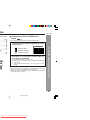
H Playback on the DivX and JPEG menu
screen
You can play CD-R/RW recorded in the DivX and JPEG formats.
1
Load a disc containing DivX and JPEG files, the menu
screen appears.
SMART NAVI
... Indicates folders.
... Indicates JPEG data.
... Indicates DivX data.
2
ROOT
ROOT
0
ROCK
1
JAZZ
2
PICTURE
3
DivX
4
Press the 5, ∞, 2 or 3 button to select a folder or a
track and press the ENTER.
I Playback starts when you select a track.
I When the format is JPEG, the next file is automatically displayed
after a whilst.
I Using the direct number buttons, you can open file or folder
directly.
Notes:
I Up to 11 characters can be displayed for a folder name and a track name.
Underlines, asterisks, and spaces may not be displayed.
I Due to the structure of the disc information, it takes longer to read a JPEG
or DivX disc than a normal CD.
CD, CD-R and CD-RW Operation
CD operations.
DV-SL2000W
40
11/22/06, 2:38 PM
Downloaded From Disc-Player.com Sharp Manuals
on (continued)
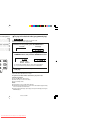
Repeat play on the DivX and JPEG menu screen:
Whilst a disc is playing, press the REPEAT button.
Each time the button is pressed, the repeat play mode changes in the following order.
TV screen
Unit display
“REP 1”
Repeat the currently playing track.
“FOLDER REPEAT”
“REP ALL”
Repeat the currently playing folder
(directory).
“DISC REPEAT”
“REP ALL”
Repeat all the tracks.
“REPEAT OFF”
“No display”
Repeat play is cancelled.
“REP-ONE”
11/22/06, 2:38 PM
Downloaded From Disc-Player.com Sharp Manuals
DV-SL2000W
H Rotating a picture
“ZOOM ON”
You can rotate images.
e zoom setting
The image rotates as shown below.
3 button : 90˚ rotation in a clockwise direction.
ZOOM 200 PCT
of a zoomed
dly.
2 button : 90˚ rotation in an anti-clockwise direction.
utton.
utton.
5 button : Horizontal mirror image.
∞ button : Vertical mirror image.
CD, CD-R and CD-RW Operation
During playback, press the 5, ∞, 2 or 3 button.
screen.
Note:
If press the 2 or 3 button repeatedly, image rotates continuously.
42
11/22/06, 2:38 PM
Downloaded From Disc-Player.com Sharp Manuals
vice operation
y device
nd video formats.
al door.
The following playback functions are the same as DVD or VCD operation.
Page
Fast forward/Fast backward . . . . . . . . . . . . . . . . . . . . . . . . . . . . . . . . . . 28
Still picture . . . . . . . . . . . . . . . . . . . . . . . . . . . . . . . . . . . . . . . . . . . . . . . . 30
Step function . . . . . . . . . . . . . . . . . . . . . . . . . . . . . . . . . . . . . . . . . . . . . . . 30
Slow-motion play . . . . . . . . . . . . . . . . . . . . . . . . . . . . . . . . . . . . . . . . . . . 30
To play repeatedly (repeat play). . . . . . . . . . . . . . . . . . . . . . . . . . . . . . . . 32, 41
To zoom images (zoom) . . . . . . . . . . . . . . . . . . . . . . . . . . . . . . . . . . . . . . 31
To play the contents between the specified points repeatedly
(A-B repeat) . . . . . . . . . . . . . . . . . . . . . . . . . . . . . . . . . . . . . . . . . . . . . . . . 33
nit and the menu
folder or a track
omatically displayed
open file or folder
te the JPEG picture
11/22/06, 2:38 PM
Downloaded From Disc-Player.com Sharp Manuals
emory device
l or 7 button
DV-SL2000W
Notes:
I SHARP will not be held liable for the loss of data whilst the USB memory
device is connected to the audio system.
he terminal.
I This USB memory’s format support FAT 16 or FAT 32.
I SHARP cannot guarantee that all USB memory devices will work on this
I If recorded file is not displayed in “ROOT” menu, it means that this format is
not supported.
I The USB terminal in this unit is not intended for a PC connection but is used
for music, video and image streaming with a USB memory device.
I The larger the capacity of the USB storage device, the longer it will take for
the data to be read.
I Some USB multi-reader devices may not work correctly with the USB terminal
on this unit.
I External storage devices cannot be played back using the USB terminal on
this unit.
I This unit only supports “MPEG-1 Audio Layer-3” format.
(Sampling Frequency is 32, 44.1, 48kHz)
“MPEG-2 Audio Layer-3”, “MPEG-2.5 Audio Layer-3” and MP1, MP2 format
are not supported.
I Playlists are not supported on this unit.
USB and SD Memory Playback
audio system.
I This USB memory cannot be operated via USB hub.
I The display playback time may not be displayed correctly when playing back
a variable bitrate file.
44
11/22/06, 2:38 PM
Downloaded From Disc-Player.com Sharp Manuals
s
H DTS or Dolby Digital Surround
Enjoy DTS or Dolby Digital sound in 5.1 or 2-channel.
dts
PULL OPEN
Whilst a disc is playing, press the AUDIO button repeatedly to select
the desired listening mode.
5.1ch surround
Unit display
sound:
Example: DTS
the sound quality is
n the home theatre
TV screen
Advanced Feature
DTS
in DTS is played
p DIGITAL
PULL OPEN
u can enjoy the
ecorded in p
mplifier/Digital Amplifier
11/22/06, 2:38 PM
Downloaded From Disc-Player.com Sharp Manuals
DV-SL2000W
efore calling
se
“0”?
connected?
any computers
V with internal
erial.
H
DVD player
Symptom
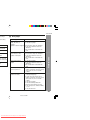
Possible cause
Even though a disc has been I Is the disc loaded upside down?
I Is the disc very dirty?
loaded, “NO DISC” is
displayed.
Playback sounds are skipped. I Does the disc satisfy the standards?
I Is the unit located near excessive
vibrations?
I Has condensation formed inside the
unit?
The control buttons do not
function. Music or video
playback is interrupted.
I Is the disc very dirty?
I Does the disc satisfy the standards?
I Is the unit located near excessive
vibrations?
I Has condensation formed inside the
unit?
Pictures and sound are
skipped.
I Is the disc very dirty?
I Is the unit located near excessive
vibrations?
I Has condensation formed inside the
unit?
The unit does not operate
even if the power is on.
I Is a disc other than a DVD (region
number on the back of the unit), SVCD,
VCD, audio CD, CD-R or CD-RW
loaded?
y be activated.
ower lead again
d?
References
ut calling a
Image cannot be played back. I Are the video and audio cables
connected improperly?
(Sound is not heard.)
I Is a disc other than a DVD (region
number on the back of the unit), SVCD,
VCD, audio CD, CD-R or CD-RW
loaded?
I Is the disc very dirty?
I Is the disc loaded upside down?
I Clean the optical pickup if it is dirty.
I Is the TV input set to “VIDEO 1/VIDEO
2”, etc.?
I Is the unit turned on?
46
11/22/06, 2:38 PM
Downloaded From Disc-Player.com Sharp Manuals
tinued)
H If trouble occurs
e cause
y respected?
ad?
gle incorrect?
uctions in front of the
l sensor exposed to
fluorescent light,
?
l for another
ultaneously?
When this product is subjected to strong external interference (mechanical
shock, excessive static electricity, abnormal supply voltage due to lightning,
etc.) or if it is operated incorrectly, it may malfunction.
If such a problem occurs, do the following:
1 Turn the unit power off and on again.
2 If the unit is not restored in the previous operation, unplug and plug in
the unit, and then turn the power on.
H Before transporting the unit
1
2
3
4
Press the ON/STAND-BY button to turn the power on.
Press the 0 OPEN/CLOSE button to open the disc tray.
Remove the disc inserted in the unit.
Press the 0 OPEN/CLOSE button to close the disc tray.
Press the ON/STAND-BY button to switch off, and then unplug the
AC power lead from the wall socket.
H Condensation
Sudden temperature changes, storage or operation in an extremely humid
environment may cause condensation inside the cabinet (laser pickup, etc.)
or on the transmitter on the remote control.
Condensation can cause the unit to malfunction. If this happens, leave the
power on with no disc in the unit until normal playback is possible (about 1
hour). Wipe off any condensation on the transmitter with a soft cloth before
operating the unit.
11/22/06, 2:38 PM
Downloaded From Disc-Player.com Sharp Manuals
ngs
Specifications
ns properly, the
een.
As part of our policy of continuous improvement, SHARP reserves the right to
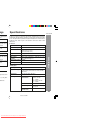
make design and specification changes for product improvement without prior
notice. The performance specification figures indicated are nominal values of
production units. There may be some deviations from these values in individual units.
irty and cannot
I General
e down.
Power source
DVD is not the
e unit.
Power consumption Power on: 15 W
DV-SL2000W
AC 110 - 240 V, 50/60 Hz
Dimensions
Width: 430 mm (16-15/16")
Height: 43 mm (1-11/16")
Depth: 206 mm (8-7/64")
Weight
1.80 kg (3.97 lbs.)
irty and cannot
e down.
DVD is not the
e unit.
S-video output: S-terminal x 1, component (Y, PB, PR)
Video output
Video output: RCA type x 1
terminals
Digital output terminal COAXIAL
HDMI output terminal
HDMI socket
I DVD player
Signal system
PAL 625/50, NTSC 525/60
References
Audio output terminals Analogue output (OUT): RCA type x 1 pair (L/R)
Supported disc types DVD (with the same region number on the back of
the unit), SVCD, VCD, audio CD, CD-R, CD-RW,
JPEG, DivX.
Video signal
ap solution, then
tc.). It may dam-
alfunctions.
Audio signal
Horizontal resolution: 480 lines
S/N ratio: 60 dB
Frequency
Linear PCM DVD:
characteristics
20 Hz to 22 kHz
(+/– 1.0 dB)
CD: 20 Hz to 20 kHz
(+/– 1.0 dB)
S/N ratio
CD: 80 dB (1 kHz)
Dynamic range
Linear PCM DVD: 85 dB
CD: 85 dB
Total harmonic
distortion ratio
0.1% maximum
48
11/22/06, 2:38 PM
Downloaded From Disc-Player.com Sharp Manuals
splay, transmission, public performance and rental (regardless of whether or not such
prohibited by law.
on technology that causes substantial degradation of images when the contents of a disc
e, if the contents of the DVD disc are copied using a VCR, the copy protection code
ly.
technology that is protected by method claims of certain U.S. patents and other intellectual
tion and other rights owners.
ust be authorised by Macrovision Corporation, and is intended for home and other limited
by Macrovision Corporation.
ted.
f Digital Theater Systems, Inc.
atories. “Dolby” and the double-D symbol are trademarks of Dolby Laboratories.
11/22/06, 2:38 PM
Downloaded From Disc-Player.com Sharp Manuals
MEMO
11/17/06, 4:11 PM
Downloaded From Disc-Player.com Sharp Manuals
SHARP CORPORATION
92LYOM20008701
06L R AS 1
11/17/06, 4:12 PM
Downloaded From Disc-Player.com Sharp Manuals