1
1p~30p(DS80)- SEA
9/15/04 14:32
Page 22
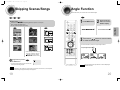
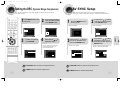
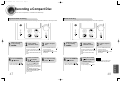
Skipping Scenes/Songs
Angle Function
This function allows you to view the same scene in different angles.
DVD
VCD
DVD
MP3
Briefly press
1
.
• Each time the button is pressed briefly during playback, the previous or next chapter,
track, or directory (file) will be played.
Press INFO button.
2
Press Cursor
button to move to
ANGLE display.
• But, you cannot skip chapters consecutively.
VCD
MP3
1/3
1/3
TITLE 01/05 CHAPTER 002/040
DVD RECEIVER
SMART NAVI
Something like you
Back for good
Love of my life
More than words
I need you
My love
Uptown girl
DVD RECEIVER
SMART NAVI
Something like you
Back for good
Love of my life
More than words
I need you
My love
Uptown girl
3
Press Cursor , buttons or numeric buttons
to select the desired angle.
• Each time the button is pressed, the angle changes as follows:
TITLE 01/05 CHAPTER 004/040
DVD RECEIVER
SMART NAVI
Something like you
Back for good
Love of my life
More than words
I need you
My love
Uptown girl
1/3
2/3
3/3
• When watching a VCD with a track
longer than 15 minutes, each time
is pressed, playback
will skip back or forward 5 minutes.
Playing Frame by Frame
DVD
Press STEP button.
• The picture moves forward one frame each time the
button is pressed during playback.
Note
• The Angle function works only with discs on which multiple angles
have been recorded.
Note
• During fast playback of a CD or MP3-CD, sound is heard only at 2x speed, and not at 4x, 8x, and 32x speeds.
• No sound is heard during slow playback and step motion playback.
19
20
OPERATION
DVD