1
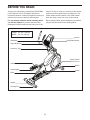
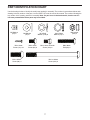
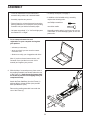
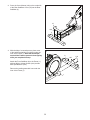
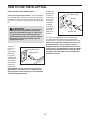
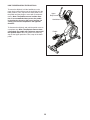
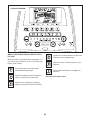
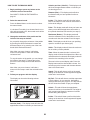
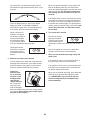
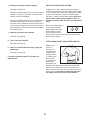
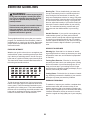
FEATURES OF THE CONSOLE HOW TO TURN ON THE POWER The advanced console offers an array of features designed to make your workouts more effective and enjoyable. IMPORTANT: If the elliptical has been exposed to cold temperatures, allow it to warm to room temperature before you turn on the power. If you do not do this, you may damage the console displays or other electrical components. When you use the manual mode of the console, you can change the resistance of the pedals and the incline of the ramp with the touch of a button. Plug in the power cord (see HOW TO PLUG IN THE POWER CORD on page 17). Next, locate the power switch on the frame near the power cord. Press the power switch to the reset position. While you exercise, the console will display continuous exercise feedback. You can also measure your heart rate using the handgrip heart rate monitor or the optional chest heart rate monitor. The console offers a selection of onboard workouts. Each workout automatically changes the resistance of the pedals and the incline of the ramp and prompts you to vary your pedaling pace as it guides you through an effective workout. You can also set a calories, distance, or time goal. Reset Position The display will then turn on and the console will be ready for use. Note: When you turn on the power for the rst time, the incline of the ramp may calibrate automatically. The ramp will move upward and downward as it calibrates. When the ramp stops moving, the ramp is calibrated. The console also features an iFit mode that enables the console to communicate with your wireless network through an optional iFit module. With the iFit mode, you can download personalized workouts, create your own workouts, track your workout results, race against other iFit users, and access many other features. To purchase an iFit module at any time, go to www.iFit.com or call the telephone number on the front cover of this manual. IMPORTANT: If the incline of the ramp does not calibrate automatically, see HOW TO CALIBRATE THE RAMP on page 30 and manually calibrate the ramp. IMPORTANT: The console features a display demo mode, designed to be used if the elliptical is displayed in a store. If the demo mode is turned on, the console will not turn off and the display will not be reset when you nish exercising. To turn off the demo mode, see step 3 on page 28. You can even connect your MP3 player or CD player to the console sound system and listen to your favorite music or audio books while you exercise. To turn on the power, see this page. To use the manual mode, see page 22. To use an onboard workout, see page 24. To use a set-a-goal workout, see page 25. To use an iFit workout, see page 26. To use the sound system, see page 27. To change console settings, see page 28. Note: If there is a sheet of plastic on the display, remove the plastic. 21