1
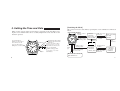
3. Setting the Time and Date
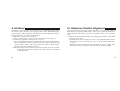
[Switching the Mode]
In the case the crown is of the screw-lock type, operate the crown after first loosening the screw and then make sure to securely retighten the screw after the crown
has been operated.
<Normal time display>
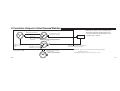
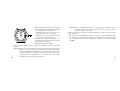
The correction mode is switched by operating the crown and button as indicated
below.
Pull out crown to
1st click
CITIZEN
7
Seconds (display of
number of years elapsed
since the most recent
leap year and month
during date correction)
BUTTON(A)
CITIZEN
7
Date
(0) Normal position (hours
and day/correction of time
difference)
(1) Date correction position
(correction of no. of years
elapsed since the most recent
leap year and month)
(2) Time setting position
(correction of seconds
and minutes)
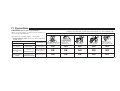
Return crown to
normal position
Calendar
correction
(elapsed no. of
years, month)
Press
button (A)
Pull out crown to
2nd click
Time correction
(seconds,
Return crown to minutes)
1st click
Press
button (A)
No response
Press
button
(A)
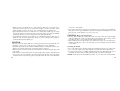
Return crown to
normal position
Returns automatically
after 30 seconds
0 position
correction
(hours, date)
Return crown to
1st click
Pull out crown to
2nd click
0 position
correction
(seconds,
minutes)
Hour and date correction
(time difference)
6
7