1
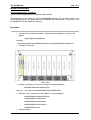
19'' 6U Chassis
page 55/71
Location:...\microsens\mgnt2\mgnt2ConfigManagement\mgnt2CnfUploadConfigF
ilesTable
This validates the transfer of the configuration file to the FLASH memory with a
dedicated target slot number.
During this transfer, the file name of the configuration file is modified to fit to
the following format: bkpConf + ‘slot number’. For instance, if the file “config”
is transferring to the FLASH memory and dedicated to the slot 3, it will be
renamed and called: bkpConf03.
•
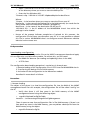
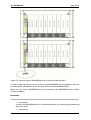
Use your SNMP browser to check the backup file presence in the FLASH
memory of the MGNT management board using the table:
mgnt2CnfManageConfigFilesTable
Location: …\microsens\mgnt2\mgnt2ConfigManagement
And verify that the configuration file has been transferred, renamed and
associated to the correct slot number.
The same configuration file can be used to create several backup files, each one
dedicated to a single slot. If it is the case, repeat the step 2.Transferring as much
as necessary.
From this point the maintenance configuration feature is enabled. It means that
if a new module is plugged in the slot number pointed by the backup file, the
MGNT management board will performed the following process:
•
Check if the backup file is compatible with the MSxxxxxxx module plugged in
(i.e. same number of line ports and same number of client ports)
•
If the compatibility is correct, the backup file configuration will be
automatically transferred to the MSxxxxxxx module
3. Activation
The object of this phase is to activate the backup configuration on the MSxxxxxxx
module
•
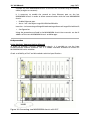
First, check there is a module in the dedicated slot using the object:
• mgnt2GigmBoardTable
Location:...\microsens\mgnt2\mgnt2SNMPAgentData\
mgnt2ModulesManagement
If the module is present, then it is possible to activate the backup configuration
on the MSxxxxxxx module.
•
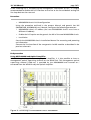
Set to “on” the object:
mgnt2CnfRestoreConfig associated with the required backup file
Location:
...\microsens\mgnt2\mgnt2ConfigManagement\mgnt2CnfManageConfig
FilesTable
MICROSENS GmbH & Co. KG - Küferstraße 16 - 59067 Hamm - Tel. +49 2381/9452 0 - Fax 9452 100 - www.microsens.com