1
Chapter 2 Installing Internal Tape Drives
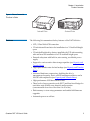
Unpacking Your Drive
Unpacking Your Drive
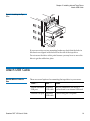
Before you unpack the contents of your drive package, inspect the
shipping containers for damage. If you spot damage to the container,
notify your carrier immediately.
When you unpack the package, compare the items received with those on
the packing list. If any item is missing or damaged, please contact your
place of purchase immediately.
Note:
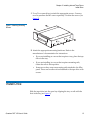
Internal tape drives come in two mounting configurations, one
for 3.5-inch half-height bays and one for 5.25-inch half-height
bays. These two drives are identical, except that the drive
designed for 5.25-inch installations has mounting brackets on
each side of the drive and a different front bezel.
Before You Begin
In addition to the contents included with your internal tape drive, you
need the following items to install your internal tape drive.
• For SCSI drives only —
•
A SCSI host bus adapter that is properly installed and configured
in a host computer
•
A SCSI ribbon cable and terminator
• For USB drives only —
•
A USB 2.0 port
• A 3.5-inch or 5.25-inch half-height bay
• Backup application software that supports the internal tape drive.
For a list of the latest backup software applications tested with the
internal DAT 160 tape drives, please visit our Web site at
www.quantum.com/am/service_support/Index.aspx.
Quantum DAT 160 User’s Guide
7