1
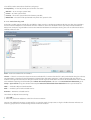
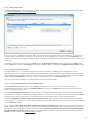
4.4.3 Group editor
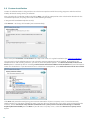
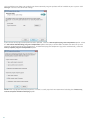
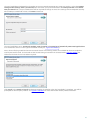
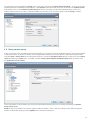
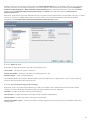
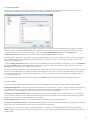
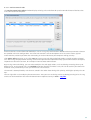
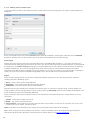
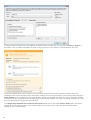
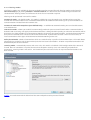
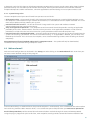
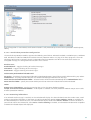
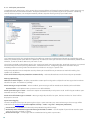
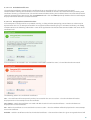
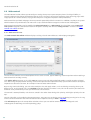
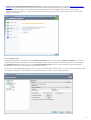
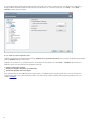
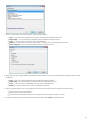
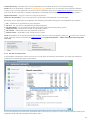
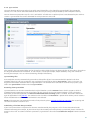
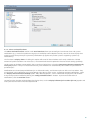
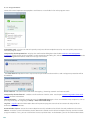
The Group Editor window is divided into two parts. The right part of the window contain a list of categories and
subcategories. Select a category in the Category list to display its subcategories. Most subcategories belong to a group
marked with a color.
A red color group contains adult and/or generally inappropriate subcategories. On the other hand, a green group
includes categories of web pages that can be considered acceptable.
Use the arrows to add or remove a selected subcategory to a selected group.
Note: A subcategory can belong to only one group. There are some subcategories that are not included in predefined
groups (for example, Games). In order to match a desired subcategory using Web control filter, add it to a desired
group. If the subcategory being added is already included in another group, it will be removed and added to the
selected group.
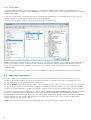
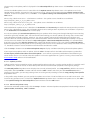
Search for a group by entering search terms into the Search field located in the bottom left corner of the window.
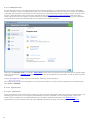
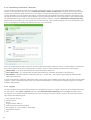
4.5 Updating the program
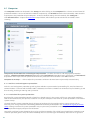
Regularly updating ESET Endpoint Security is the best method to obtain the maximum level of security on your
computer. The Update module ensures that the program is always up to date in two ways, by updating the virus
signature database and by updating system components.
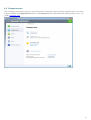
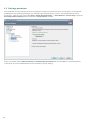
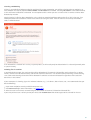
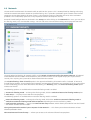
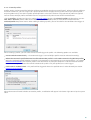
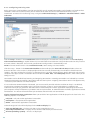
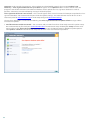
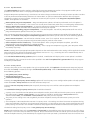
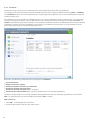
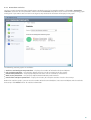
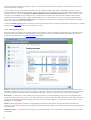
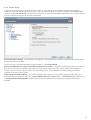
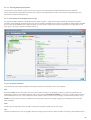
By clicking Update in the main program window, you can find the current update status including the date and time of
the last successful update and if an update is needed. The primary window also contains the virus signature database
version. This numeric indicator is an active link to ESET’s website, listing all signatures added within the given update.
In addition, the option to manually begin the update process, Update virus signature database is available. Updating
the virus signature database and updating program components are important parts of maintaining complete
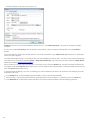
protection against malicious code. Please pay attention to their configuration and operation. If you did not enter your
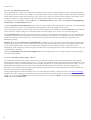
License details (username and password) during installation, you can enter your username and password when
updating to access ESET’s update servers.
NOTE: Your username and password are provided by ESET after purchasing ESET Endpoint Security.
68