1
10 Getting Started
Blackmagic Cameras Supported Video Formats
Blackmagic Pocket
Cinema Camera
Blackmagic Cinema Camera
Blackmagic Production
Camera 4K
1920 x 1080p23.98
1920 x 1080p23.98
3840 x 2160p23.98
1920 x 1080p24
1920 x 1080p24
3840x2160p24
1920 x 1080p25
1920 x 1080p25
3840 x 2160p25
1920 x 1080p29.97
1920 x 1080p29.97
3840 x 2160p29.97
1920 x 1080p30
1920 x 1080p30
3840 x 2160p30
1920 x 1080i50 output
1920 x 1080p23.98
1920 x 1080i59.94 output
1920 x 1080p24
1920 x 1080p25
1920 x 1080p29.97
1920 x 1080p30
1920 x 1080i50 output
1920 x 1080i59.94 output
Playing Back Clips
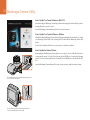
Once you have recorded your video, you can use the transport control buttons on the camera to play back
your video on the LCD.
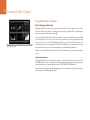
To immediately view your recorded clip on a Blackmagic Camera
simply press the Play button on the transport controls.
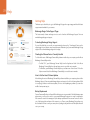
Press the play button once for instant playback and you'll see your video on the LCD and on any display
connected to the HDMI or SDI output. Hold down the forward or reverse buttons to fast forward or reverse
through the clip. Playback will finish when the end of the current clip is reached.
The controls of your camera work just like a CD player, so pressing the forward button will skip to the start of
the next clip. Press the reverse button once to go to the start of the current clip or press twice to skip back
to the start of the previous clip.