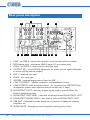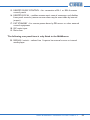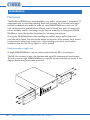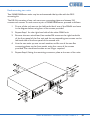
1
High pass filter
The microphone signal path includes a fixed high-pass filter. This attenuates the mic
signal below 100 Hz, which helps to reduce the effects of microphone handling noise.
The filter may be taken out of circuit by moving internal jumper J7 from ON to
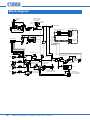
OFF. See “PCB layout diagrams” on page 30 for further information regarding the
internal jumpers.
Paging via a telephone system
The mic input on the MA60/MA60media may be reconfigured to accept an audio input
directly from a compatible telephone system. This permits announcements to be made
from some (or any) internal telephone extensions in a building. Not all telephone
systems are suitable for this application, and the system documentation should be
consulted in detail to ensure compatibility.
Internal jumpers J2, J3 and J4 need to be moved for this application. See “PCB layout
diagrams” on page 30 for further information regarding the internal jumpers. This
inserts a transformer in series with the input connector to provide full electrical
isolation from the telephone system. Note that the mic input sensitivity is decreased
by 10 dB when the transformer is enabled, and this results in the mic gain control
operating over the range 0 dB to 40 dB.
The audio (or “paging”) output of the phone system should be connected to the
MIC 1 input in the normal way. The telephone input is optimised for connection to
a 600 ohm output; this should suit the majority of telephone systems. Note that the
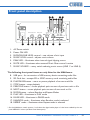
front panel MICROPHONE LEVEL control 3 is still operational.
Outputs
Lo-Z output
The MA60/MA60media mixer-amplifiers are able to deliver their rated power of
60 W into a 4 ohm load. The output power will be reduced with higher load
impedances. When using multiple low-impedance loudspeakers (normally 8 ohm) with
a single amplifier, series and parallel wiring should be employed to produce a total
load impedance of not less than 4 ohm.
The low impedance output is available at the 2-pin 5 mm-pitch screw terminal connector
on the rear panel 8 . Note that one of the output pins is connected internally to 0 V.
20
MA60 & MA60media Installation and User Guide v1.2