1
Hint:
Some music software may have problem with sysx, so please be careful
using this function.
Advanced functions
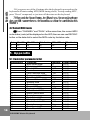
Push CHANNEL and SPLIT at the same time, the keyboard
will send sysx for GS on (F0 41 10 42 12 40 00 7F 00 41 F7).
By sending GS on message, you can make GS initializing for GS
compatible tone generators.
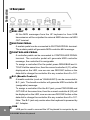
3.4 Adjust velocity curve (V.CURVE)
V.CURVE button is used to adjust velocity response of the
keyboard. You can choose from four preset velocity curves.
1 The default velocity curve is normal(NORM) with LCD display
0 and the V.CURVE LED dose not light.
2 Push V.CURVE once, the LCD displays 1 showing the keyboard velocity curve changes to 1(HARD) and the V.CURVE LED lights.
3 Push V.CURVE twice, the LCD displays 2 showing the keyboard velocity curve changes to 2(SOFT),and the V.CURVE LED lights.
4 Push V.CURVE third times, the LCD displays 3 showing
the keyboard velocity curve changes to 3(WIDE),and the V.CURVE LED
lights.
5 Push V.CURVE four times, the LCD displays 0
showing
the keyboard velocity curve changes back to default, and the V.CURVE
LED does not light.
3.5 Split (SPLIT)
By using the split function, you can split the UF keyboard to right
section and left section, each section has its own channel and voice
settings.
USB MIDI Master Keyboard
15