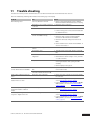
1
8.10.2
Cooling
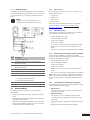
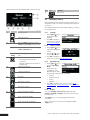
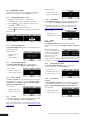
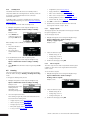
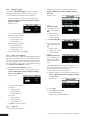
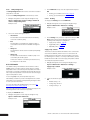
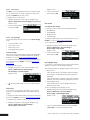
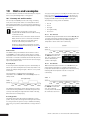
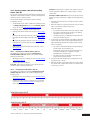
To display the Cooling menu under ECO mode:
1. Navigate through the screens using the navigation keys:
Uponor > Main menu > ECO mode > Cooling
Example screen:
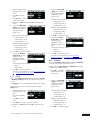
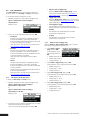
4. If more than one day shall be applied with the same ECO
profile, then select the next day for the same ECO profile and
make a short click with the key.
Proceed in the same manner until all required days have been
marked.
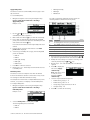
5. Press the key for several seconds until the screen ECO
profiles list is displayed.
6. Select the type of ECO profile to apply. The following ECO
profiles are available:
2. In the Cooling menu, select the required item and press OK.
•
•
•
Supply temp. setback, , page 36
Apply ECO profiles, , page 36
Edit ECO profiles, , page 36
•
•
•
•
•
ECO off
ECO all
ECO night and day
ECO night
ECO Custom
7. Press OK to confirm the selection.
Supply temp. setback
This function can be used when an Interface I-76 is connected to
a Controller C-56 Radio, which in its turn is connected to the
Climate Controller C-46. In this case the Interface I-76 controls
the switching from comfort to economy mode and back, but the
Climate Controller C-46 controls the supply temperature setback.
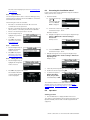
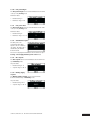
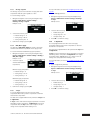
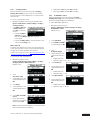
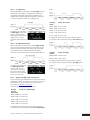
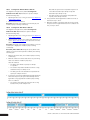
To modify the temperature setback:
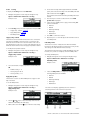
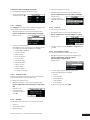
1. Navigate through the screens using the navigation keys:
Uponor > Main menu > ECO mode > Cooling >
Supply temp. setback
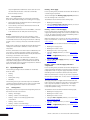
Example screen:
8. Repeat steps 2. to 7. until all days of the week have been set
to an ECO profile.
Edit ECO profiles
This function is used to modify the times when the Climate
Controller C-46 switches between comfort and economy modes.
The settings are made with 30 minutes accuracy.
The example below shows how to modify the ECO custom profile.
However, it is possible to modify any of the five ECO profiles.
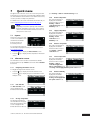
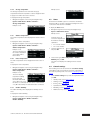
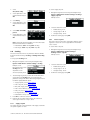
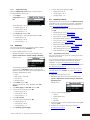
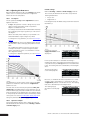
To modify an ECO profile:
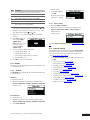
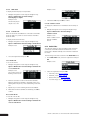
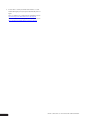
1. Navigate through the screens using the navigation keys:
Uponor > Main menu > ECO mode > Cooling >
Edit ECO profiles
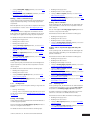
Example screen:
2. Select the amount of supply temperature setback and press
OK.
•
•
•
Default setting: 2 °C
Setting range: 0–10 °C
2. Select the ECO profile to modify and press OK. The
following ECO profiles are available:
Setting accuracy: 1 °C
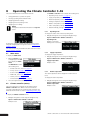
Apply ECO profiles
This function is used to set which ECO profile to apply for each
day of the week.
To set the ECO profiles:
•
•
•
•
•
ECO off
ECO all
ECO night and day
ECO night
ECO Custom
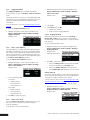
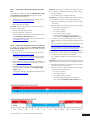
1. Navigate through the screens using the navigation keys:
Uponor > Main menu > ECO mode > Cooling >
Apply ECO profiles
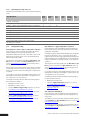
The next screen displays graphically the time scheme for
switching between comfort and economy modes:
Example screen:
2. Use the and keys to select which day of the week for
which the new ECO profile shall apply.
3. Make a short click with the
36
key to mark the selected day.
CLIMATE CONTROLLER C-46 - INSTALLATION AND OPERATION MANUAL