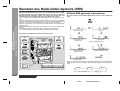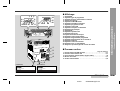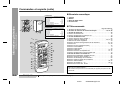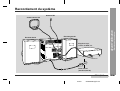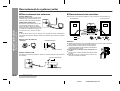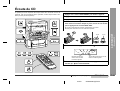
1
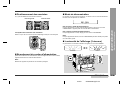
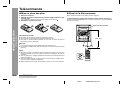
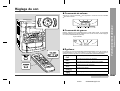
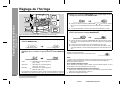
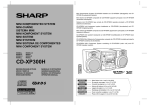
Mini Komponenten System CD-BA250H/CD-BA2600H besteht aus CD-BA250H/CDBA2600H (Hauptgerät) und CP-BA250H/CP-BA2600H (Lautsprecher-System).
Mini-chaîne CD-BA250H/CD-BA2600H composée de CD-BA250H/CD-BA2600H (appareil
principal) et de CP-BA250H/CP-BA2600H (enceintes acoustiques).
MINI KOMPONENTEN SYSTEM
MINI-CHAÎNE
SISTEMA MINI
MINI KOMPONENT SYSTEM
MINI SISTEMI
MINI SYSTEEM
MINI COMPONENT SYSTEM
MODELL
MODÈLE
MODELO
MODELL
Sistema mini CD-BA250H/CD-BA2600H que consta de CD-BA250H/CD-BA2600H (aparato
principal) y CP-BA250H/CP-BA2600H (sistema de altavoces).
CD-BA250H/CD-BA2600H mini komponent system bestående av CD-BA250H/CDBA2600H (huvudenhet) och CP-BA250H/CP-BA2600H (högtalarsystem).
Mini sistemi CD-BA250H/CD-BA2600H composto da CD-BA250H/CD-BA2600H (apparecchio principale) e CP-BA250H/CP-BA2600H (sistema di diffusori).
CD-BA250H/CD-BA2600H mini systeem bestaande uit CD-BA250H/CD-BA2600H (hoofdtoestel) en CP-BA250H/CP-BA2600H (luidsprekersysteem).
CD-BA250H/CD-BA2600H Mini Component System consisting of CD-BA250H/CDBA2600H (main unit) and CP-BA250H/CP-BA2600H (speaker system).
MODELLO
MODEL
MODEL
CD-BA250H
CD-BA2600H
BEDIENUNGSANLEITUNG
MODE D’EMPLOI
MANUAL DE MANEJO
BRUKSANVISNING
MANUALE DI ISTRUZIONI
GEBRUIKSAANWIJZING
OPERATION MANUAL
DEUTSCH
FRANÇAIS
Siehe Seiten i bis v und D-1 bis D-35.
Se reporter aux pages i à v et F-1 à F-35.
ESPAÑOL
Consulte las páginas i al v y S-1 al S-35.
SVENSKA
ITALIANO
Hänvisa till sidorna i till v och V-1 till V-35.
Leggere le pagine i a v e I-1 a I-35.
NEDERLANDS
ENGLISH
Raadpleeg de bladzijden i t/m v en N-1 t/m N-35.
Please refer to pages i to v and E-1 to E-35.
BESONDERE ANMERKUNGEN
REMARQUES SPÉCIALES
NOTAS ESPECIALES
SÄRSKILDA ANMÄRKNINGAR
NOTE PARTICOLARI
BIJZONDERE OPMERKINGEN
SPECIAL NOTES
● Dieses Gerät entspricht den Anforderungen der EG-Richtlinien 89/336/
EWG und 73/23/EWG mit Änderung 93/68/EWG.
● Dette udstyr overholder kravene i direktiv nr. 89/336/EEC og 73/23/EEC
med tillaeg nr. 93/68/EEC.
● Este equipamento obedece às exigências das directivas 89/336/CEE e 73/
23/CEE, na sua versão corrigida pela directiva 93/68/CEE.
● Dette produktet oppfyller betingelsene i direktivene 89/336/EEC og 73/23/
EEC i endringen 93/68/EEC.
● Tämä laite täyttää direktiivien 89/336/EEC ja 73/23/EEC vaatimukset, joita
on muutettu direktiivillä 93/68/EEC.
●
● Ce matériel répond aux exigences contenues dans les directives 89/336/
CEE et 73/23/CEE modifiées par la directive 93/68/CEE.
● Este aparato satisface las exigencias de las Directivas 89/336/CEE y
73/23/CEE, modificadas por medio de la 93/68/CEE.
● Denna utrustning uppfyller kraven enligt riktlinjerna 89/336/EEC och 73/
23/EEC så som kompletteras av 93/68/EEC.
● Quest’apparecchio è conforme ai requisiti delle direttive 89/336/EEC e 73/
23/EEC, come emendata dalla direttiva 93/68/EEC.
● Dichiarazione di conformità
La società SHARP ELECTRONICS EUROPE GmbH dichiara che il prodotto
SHARP MINI SISTEMI CD-BA250H/CD-BA2600H è costruito in conformità
alle prescrizioni del D.M.n˚548 del 28/8/95, pubblicato sulla G.U.n˚301 del
28/12/95 ed in particolare è conforme a quanto indicato nell’art. 2, comma
1 dello stesso decreto.
● Audio-visuelles Material kann Urheberrechte umfassen, die ohne
Genehmigung des Eigentümers dieser Urheberrechte nicht aufgenommen
werden dürfen. Siehe die entsprechenden nationalen Gesetze.
● Le matériel audio-visuel peut comporter des oeuvres faisant l’objet de droits
d’auteur qui ne peuvent être enregistrées sans l’autorisation du
possesseur du droit d’auteur, veuillez vous référer aux réglementations
nationales en vigueur.
● El material audiovisual puede consistir en trabajos que tengan derechos
de autor y que no deben grabarse sin la autorización del poseedor de dichos
derechos de autor. Sírvase consultar las leyes aplicables en su país.
● Dit apparaat voldoet aan de eisen van de richtlijnen 89/336/EEG en 73/23/
EEG, gewijzigd door 93/68/EEG.
● Audiovisuellt material kan innehålla upphovsrättsarbete som inte skall
mångfaldigas utan tillstånd av copyrightinnehavaren. Se den tillämpliga
lagen i ditt land.
● This equipment complies with the requirements of Directives 89/336/
EEC and 73/23/EEC as amended by 93/68/EEC.
● Il materiale audio-visivo che fosse soggetto a copyright non può essere
registrato senza l’autorizzazione del possessore del copyright. Si prega
di attenersi alle leggi in vigore sul territorio nazionale.
● Audio-visueel materiaal kan worden beschermd door auteursrechten, in
welk geval het niet mag worden opgenomen zonder de toestemming van
de auteursrechthouder. Zie voor nadere informatie de betreffende wetten
in het land van gebruik.
● Audio-visual material may consist of copyrighted works which must not
be recorded without the authority of the owner of the copyright. Please
refer to relevant law in your country.
i
01/1/23
CD-BA250H(H)-COMMON.fm
● B e i E i n s t e l l u n g d e r O N / S TA N D -BY-Tas t e auf STAN D -BY is t die
Netzspannung immer noch im Gerät vorhanden.
Wenn die ON/STAND-BY-Taste auf STAND-BY eingestellt wird, kann das
Gerät unter Verwendung der Timer-Betriebsart oder Fernbedienung in
Betrieb gesetzt werden.
Warnung:
In diesem Gerät sind keine vom Benutzer wartbaren Teile vorhanden.
Niemals Abdeckungen entfernen, außer wenn Sie dafür qualifiziert sind. In
diesem Gerät sind gefährliche Spannungen vorhanden. Vor Ausführung
von irgendwelchen Kundendienstarbeiten oder bei längerer Nichtverwendung des Gerätes stets den Netzstecker aus der Netzsteckdose
ziehen.
● Lorsque la touche ON/STAND-BY est mise en STAND-BY, l’appareil est
toujours sous tension.
Lorsque la touche ON/STAND-BY se trouve sur la position STAND-BY,
l’appareil est prêt à fonctionner par la minuterie ou la télécommande.
Avertissement:
Cet appareil contient des pièces non réparables par l’utilisateur. Personne
non qualifiée n’enlèvera jamais les couvercles. L’appareil contenant des
organes portés à haute tension, débrancher l’appareil avant toute réparation
ou en période de non-utilisation.
● Cuando el botón ON/STAND-BY está puesto en la posición STAND-BY,
todavía hay tensión dentro del aparato.
Cuando el botón ON/STAND-BY está puesto en la posición STAND-BY, el
aparato puede ponerse en funcionamiento utilizando el modo del
temporizador o el controlador remoto.
Advertencia:
Tenga en cuenta que dentro de este aparato no hay piezas que pueda
reparar. No quite nunca las tapas a menos que se esté cualificado para
hacerlo. Este aparato tiene en su interior tensiones peligrosas.
Desenchufe siempre la clavija de la red del tomacorriente antes de realizar
cualquier servicio de mantenimiento y cuando no se use el aparato
durante un largo período de tiempo.
● När ON/STAND-BY knappen är i läge STAND-BY, finns nätspänning i
apparaten.
Med ON/STAND-BY knappen i läge STAND-BY kan apparaten startas med
timerfunktion eller fjärrkontrollen.
Varning:
Apparaten innehåller inga delar som kan åtgärdas av kunden. Höljet får
endast öppnas av kvalificerad personal. Apparaten innehåller farliga
spänningar.
Stickkontakten ska därför dras ut från nätuttaget före reparationsarbeten
och bör dras ut om apparaten inte ska användas på mycket länge.
● Quando il tasto ON/STAND-BY si trova in posizione STAND-BY, all’interno
dell’apparecchio c’è ancora la corrente.
Se il tasto ON/STAND-BY si trova nella posizione STAND-BY, l’unità può
venire accesa con il modo timer o con il telecomando.
Avvertenza:
L’apparecchio non contiene parti riparabili dall’utente.
Non togliere mai i coperchi, a meno di non essere qualificati per farlo.
All’interno dell’apparecchio ci sono tensioni pericolose, per cui si deve
sempre staccare la spina del cavo d’alimentazione dalla presa di corrente
prima di qualsiasi intervento di manutenzione e quando non si usa
l’apparecchio per un lungo periodo di tempo.
● Wanneer de ON/STAND-BY toets in de STAND-BY stand staat, loopt er
nog steeds stroom (netspanning) in het toestel.
Wanneer de ON/STAND-BY toets in de STAND-BY stand staat, kan het
toestel ingeschakeld worden via de timerfunctie of de afstandsbediening.
Waarschuwing:
Dit toestel bevat geen door de gebruiker te repareren onderdelen. Verwijder
de behuizing nooit tenzij u deskundig bent op dit gebied. In het toestel
loopt een gevaarlijke spanning; haal de stekker altijd uit het stopcontact
alvorens onderhoud uit te voeren of wanneer het toestel voor langere tijd
niet gebruikt wordt.
● When the ON/STAND-BY button is set at STAND-BY position, mains voltage is still present inside the unit.
When the ON/STAND-BY button is set at STAND-BY position, the unit may
be brought into operation by the timer mode or remote control.
Warning:
This unit contains no user serviceable parts. Never remove covers unless
qualified to do so. This unit contains dangerous voltages, always remove
mains plug from the socket before any service operation and when not
in use for a long period.
● Når ON/STAND-BY-knappen er sat i STAND-BY positionen, er der stadig
netspaending til stede i apparatet.
Når ON/STAND-BY-knappen er sat i STAND-BY position, kan apparatet
startes v.hj.a. timer-funksionen eller fjernbetjeningen.
Advarsel:
Apparatet indeholder ingen dele, der kan repareres af brugeren selv. Fjern
aldrig kabinettet med mindre De er kvalificeret hertil. Apparatet indeholder
farlig strømspaending. Traek altid stikket ud af stikkontakten før der
foretages reparationer, eller hvis apparatet ikke er i brug i laengere tid.
DENNA APPARAT ÄR ANSLUTEN TILL 230 V VÄXELSTRÖM NÄR
STICKPROPPEN ÄR INSKJUTEN I VÄGGUTTAGET. FÖR ATT
FULLSTÄNDIGT KOPPLA IFRÅN APPARATEN, V.G. DRAG UT
STICKPROPPEN.
ii
01/1/23
CD-BA250H(H)-COMMON.fm
● Vorsicht:
Das Gerät weder Tropf- noch Spritzwasser aussetzen. Ansonsten besteht
die Gefahr eines Brandes oder elektrischen Schlages. Es sollten keine mit
Flüssigkeiten gefüllten Gegenstände wie Vasen auf dem Gerät abgestellt
werden.
● Attention:
Pour éviter un incendie ou une secousse électrique, mettre l’appareil à l’abri
d’eau (éclaboussure, goutte). Ne pas poser sur l’appareil un récipient contenant
du liquide.
● Advertencia:
Para evitar incendios y descargas eléctricas, no exponga el aparato a goteo
o salpicadura de líquidos. No deberán ponerse encima del aparato objetos
que estén llenos de líquido, como por ejemplo un florero.
● Advarsel:
Til at forbygge ild og stød risiko, lad vaere med at undsaette denne
indretning for drypning eller overstaenkning. Der må ikke anbringes nogen
genstande fyldt med vand, som for eksempel vaser, på dette apparat.
● Advarsel:
For å unngå brann eller kortslutning, utsett ikke produktet for vann eller
fuktighet. Gjenstander som inneholder vaeske, feks. en blomstervase, må
ikke plasseres oppå apparatet.
● Varoitus:
Älä vie laitetta sateeseen tai kosteisiin tiloihin. Jos laite on kostunut,
anna sen kuivua ennen kuin käytät sitä verkkovirralla. Nestettä sisältäviä
astioita kuten esim. kukkamaljakoita ei saa asettaa laitteen päälle.
● Varning:
Utsätt inte enheten för dropp eller stänk för att förhindra brand eller
elektriska stötar. Inga vätskefyllda föremål såsom vaser bör placeras
på enheten.
● Attenzione:
Per prevenire incendi o scosse elettriche, non fare gocciolare nessun liquido
sull’apperecchio e non bagnarlo. Non collocarvi sopra nessun oggetto
riempiro d’acqua, come peresempio vasi.
● Waarschuwing:
Stel het toestel niet bloot aan druipend of spattend water om brand en
elektrische schokken te voorkomen. Met vloeistoffen gevulde voorwerpen,
zoals vazen, mogen niet op het toestel geplaatst worden.
● Warning:
To prevent fire or shock hazard, do not expose this appliance to dripping or
splashing. No objects filled with liquids, such as vases, shall be placed on
the apparatus.
iii
01/1/23
CD-BA250H(H)-COMMON.fm
● VORSICHT
Verwendung von Regelungen oder Einstellungen bzw. Durchführung von
anderen Verfahren als die hierin angegebenen kann zum Aussetzen
gefährlicher Strahlung führen.
Da der in diesem Compact Disc Player verwendete Laserstrahl für die Augen
schädlich ist, ist das Gehäuse unter keinen Umständen zu zerlegen.
Wenden Sie sich für Wartungsarbeiten nur an berechtigten Fachhändler.
● CAUTION
Use of controls, adjustments or performance of procedures other than
those specified herein may result in hazardous radiation exposure.
As the laser beam used in this compact disc player is harmful to the eyes,
do not attempt to disassemble the cabinet. Refer servicing to qualified personnel only.
● ATTENTION
Respecter les indications données relatives à la manipulation, au réglage
et au fonctionnement. En cas de non-respect, on s’exposera à une radiation dangereuse.
Éviter absolument de démonter l’appareil, qui utilise un rayon laser nuisible
aux yeux. Pour toute réparation, s’adresser à une personne qualifiée.
● PRECAUCIÓN
El uso de los controles, ajustes o ejecución de procedimientos distintos de los
especificados podría causar la exposición a radiación peligrosa.
No intente desmontar la caja ya que el haz de láser usado en este tocadiscos
de discos compactos es perjudicial para los ojos. Para el servicio de reparación,
consulte a una persona cualificada.
● OBSERVERA
Användning av reglage eller justeringar eller handhavande på annat sätt
än som anges kan leda till farlig bestrålning.
Försök inte ta isär höljet eftersom CD-spelarens laserstråle är skadlig för
ögonen. Överlåt service endast till kvalificerad personal.
● ATTENZIONE
L’uso dei comandi e l’effettuazione di regolazioni e procedimenti diversi da
quelli specificati nel manuale possono provocare una pericolosa esposizione
alle radiazioni.
Poiché il raggio laser usato in questo giradischi può danneggiare gli occhi,
non smontare l’apparecchio. Per le riparazioni rivolgersi a personale
specializzato.
● LET OP
Gebruik van regelaars, het maken van instellingen, gebruik of handelingen anders
dan in deze gebruiksaanwijzing vermeld, kan gevaarlijke straling blootleggen.
De laserstraal in deze CD-speler kan de ogen beschadigen, Probeer
derhalve de ombouw niet te verwijderen. Laat reparaties alleen over aan
erkend onderhoudspersoneel.
iv
01/1/23
CD-BA250H(H)-COMMON.fm
Eigenschaften der Laserdiode
Material: GaAIAs
Wellenlänge: 780 nm
Emissionsdauer: kontinuierlich
Laser-Ausgang: max. 0,6 mW
Caractéristiques de la diode laser
Matière: GaAIAs
Longueur d’onde: 780 nm
Durée d’émission: ininterrompue
Puissance de sortie laser maximale: 0,6 mW
Características del diodo láser
Material: GaAIAs
Longitud de onda: 780 nm
Duración de emisión : continua
Salida de láser: máx. 0,6 mW
Laserdiodens egenskaper
Material: GaAIAs
Våglängd: 780 nm
Utstrålningsvaraktighet: kontinuerlig
Lasereffekt: max. 0,6 mW
CAUTION-INVISIBLE LASER RADIATION WHEN OPEN. DO NOT STARE INTO
BEAM OR VIEW DIRECTLY WITH OPTICAL INSTRUMENTS.
Proprietà del diodo laser
Materiale: GaAIAs
Lunghezza d’onda: 780 nm
Durata di emissione: continua
Uscita massima del laser: 0,6 mW
Laser diode specificaties
Materiaal: GaAIAs
Golflengte: 780 nm
Stralingsduur: doorlopend
Laseruitgang: max. 0,6 mW
Laser Diode Properties
Material: GaAIAs
Wavelength: 780 nm
Emission Duration: continuous
Laser Output: max. 0.6 mW
VARNING-OSYNLIG LASERSTRALNING NAR DENNA DEL AR OPPNAD. STIRRA
EJ IN I STRALEN OCH BETRAKTA EJ STRALEN MED OPTISKA INSTRUMENT.
ADVERSEL-USYNLIG LASERSTRALING VED ABNING. SE IKKE IND I
STRALEN-HELLER IKKE MED OPTISKE INSTRUMENTER.
VARO! AVATTAESSA OLET ALTTIINA NAKYMATON LASERSATEILYLLE.
ALA TUIJOTA SATEESEEN ALAKA KATSO SITA OPTISEN LAITTEEN LAPI.
VARNING-OSYNLIG LASERSTRALNING NAR DENNA DEL AR OPPNAD.
STIRRA EJ IN I STRALEN OCH BETRAKTA EJ STRALEN GENOM OPTISKT
INSTRUMENT.
ADVERSEL-USYNLIG LASERSTRALING NAR DEKSEL APNES. STIRR IKKE
INN I STRALEN ELLER SE DIREKTE MED OPTISKE INSTRUMENTER.
VAROITUS! LAITTEEN KÄYTTÄMINEN MUULLA KUIN TÄSSÄ
KÄYTTÖOHJEESSA MAINITULLA TAVALLA SAATTAA ALTISTAA
KÄYTTÄJÄN TURVALLISUUSLUOKAN 1 YLITTÄVÄLLE NÄKYMÄTTÖMÄLLE
LASERSÄTEILYLLE.
VARNING - OM APPARATEN ANVÄNDS PÅ ANNAT SÄTT ÄN I DENNA
BRUKSANVISNING SPECIFICERAS. KAN ANVÄNDAREN UTSÄTTAS FÖR
OSYNLIG LASERSTRÅLNING, SOM ÖVERSKRIDER GRÄNSEN FÖR
LASERKLASS 1.
v
01/1/23
CD-BA250H(H)-COMMON.fm
DEUTSCH
Inhalt
Vielen Dank für den Kauf dieses SHARP-Produktes. Lesen Sie dieses Handbuch
sorgfältig durch, um eine bestmögliche Leistung zu erreichen. Es führt Sie in den
Betrieb dieses Produkts von SHARP ein.
„ Allgemeine Informationen
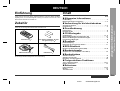
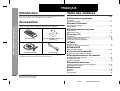
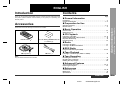
Zubehör
„ Vorbereitung für die Inbetriebnahme
Prüfen Sie, ob die folgenden Zubehörteile vorhanden sind.
„ Grundbedienung
Seite
Anschluß des Systems . . . . . . . . . . . . . . . . . . . . . . . . . . . . . . . . . . . . . . . . . . . 6 - 8
Fernbedienung . . . . . . . . . . . . . . . . . . . . . . . . . . . . . . . . . . . . . . . . . . . . . . . . . . . . . 9
Klangregelung . . . . . . . . . . . . . . . . . . . . . . . . . . . . . . . . . . . . . . . . . . . . . . . . . . . . 10
Einstellen der Uhr . . . . . . . . . . . . . . . . . . . . . . . . . . . . . . . . . . . . . . . . . . . . . . . . . 11
„ CD-Wiedergabe
Fernbedienung
1
"AA"-Batterie (UM/SUM-3, R6, HP-7
oder gleichwertiges) 2
CD-Wiedergabe . . . . . . . . . . . . . . . . . . . . . . . . . . . . . . . . . . . . . . . . . . . . . . . . 12, 13
Beginn der Wiedergabe ab gewünschtem Titel . . . . . . . . . . . . . . . . . . . . . . . . . 14
Wiederholte Wiedergabe und Zufallswiedergabe . . . . . . . . . . . . . . . . . . . . . . . . 14
Programmierte Wiedergabe . . . . . . . . . . . . . . . . . . . . . . . . . . . . . . . . . . . . . . . . . 15
„ Rundfunk
Rundfunkempfang . . . . . . . . . . . . . . . . . . . . . . . . . . . . . . . . . . . . . . . . . . . . . . . . . 16
Empfangen des gespeicherten Senders . . . . . . . . . . . . . . . . . . . . . . . . . . . . . . . 17
„ RDS-Rundfunk
Benutzen des Radio-Daten-Systems (RDS) . . . . . . . . . . . . . . . . . . . . . . . . 18 - 25
„ Bandwiedergabe
MW-Rahmenantenne
1
UKW-Antenne
Hinweis:
Nur die obigen Zubehörteile gehören zum Lieferumfang.
1
Abspielen einer Cassette (TAPE 1 oder TAPE 2) . . . . . . . . . . . . . . . . . . . . . . . . 26
„ Bandaufnahme
Aufnahme von Radio . . . . . . . . . . . . . . . . . . . . . . . . . . . . . . . . . . . . . . . . . . . . . . . 27
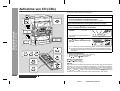
Aufnahme von CD (CDs) . . . . . . . . . . . . . . . . . . . . . . . . . . . . . . . . . . . . . . . . . . . . 28
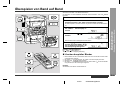
Überspielen von Band auf Band . . . . . . . . . . . . . . . . . . . . . . . . . . . . . . . . . . . . . . 29
- Einführung / Zubehör / Inhalt -
Zur Beachtung . . . . . . . . . . . . . . . . . . . . . . . . . . . . . . . . . . . . . . . . . . . . . . . . . . . . . 2
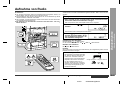
Bedienungselemente und Anzeigen . . . . . . . . . . . . . . . . . . . . . . . . . . . . . . . . 3 - 5
Allgemeine Informationen
Einführung
„ Fortgeschrittene Funktionen
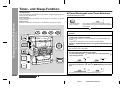
Timer- und Sleep-Funktion . . . . . . . . . . . . . . . . . . . . . . . . . . . . . . . . . . . . . . . 30, 31
Erhöhen des Systems . . . . . . . . . . . . . . . . . . . . . . . . . . . . . . . . . . . . . . . . . . . . . . 32
„ Referenzen
Fehlersuchtabelle . . . . . . . . . . . . . . . . . . . . . . . . . . . . . . . . . . . . . . . . . . . . . . 33, 34
Wartung . . . . . . . . . . . . . . . . . . . . . . . . . . . . . . . . . . . . . . . . . . . . . . . . . . . . . . . . . 34
Technische Daten . . . . . . . . . . . . . . . . . . . . . . . . . . . . . . . . . . . . . . . . . . . . . . . . . 35
DEUTSCH
01/2/9
CD-BA250H(H)D1.fm
D-1
Zur Beachtung
„ Allgemeines
„ Lautstärkeregelung
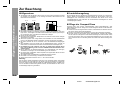
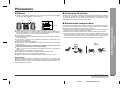
z Sicherstellen, daß das Gerät an einem Raum mit guter Lüftung gestellt ist und daß
ein Abstand von mindestens 10 cm entlang den Seiten, dem Oberteil und der
Rückseite des Geräts bleibt.
Der Schallpegel bei einer gegebenen Lautstärkeeinstellung hängt von Lautsprecherleistung, Stelle und verschiedenen anderen Faktoren ab. Es ist ratsam, hohen Lautstärkepegeln nicht auszusetzen, die beim Einschalten des Geräts mit zu hoher
Lautstärkeeinstellung oder während der kontinuierlichen Wiedergabe bei hohen
Lautstärkepegeln auftreten.
10 cm
10 cm
„ Pflege der Compact Discs
10 cm
- Zur Beachtung -
Allgemeine Informationen
10 cm
z Das Gerät auf eine feste, ebene und erschütterungsfreie Unterlage stellen.
z Das Gerät fernhalten von direktem Sonnenlicht, starken Magnetfeldern, sehr staubigen Orten, Feuchtigkeit und elektronischen/elektrischen Geräten (Heimcomputer, Fernkopierer usw.), die elektrisches Rauschen erzeugen.
z Nichts auf das Gerät stellen.
z Das Gerät nicht Feuchtigkeit, Temperaturen von über 60°C oder extrem niedrigen
Temperaturen aussetzen.
z Wenn das System nicht richtig arbeitet, das Netzkabel von der Netzsteckdose
trennen. Das Netzkabel wieder anschließen und dann das System einschalten.
z Bei einem Gewitter ist es am sichersten, wenn das Netzkabel herausgezogen
wird.
z Das Netzkabel immer am Stecker aus der Netzsteckdose ziehen, niemals am
Kabel ziehen, da das Ziehen des Kabels innere Kabellitzen beschädigen kann.
z Die Abdeckung nicht entfernen, weil dies zu elektrischem Schlag führen
kann. Interne Wartung sollte von Ihrem SHARP-Kundendienstzentrum ausgeführt werden.
z Durch Bedecken der Belüftungsöffnungen mit Gegenständen wie Zeitungen,
Tischtüchern, Vorhängen usw. ist die Belüftung nicht zu behindern.
z Es sollten keine unbedeckten Flammenquellen wie angezündete Kerzen auf dem
Gerät abgestellt werden.
z Sie sollten auf die Umweltaspekte von Batterieentsorgung achten.
z Das Gerät ist für Verwendung in mildem Klima konstruiert.
z Dieses Gerät sollte im Bereich von 5°C - 35°C benutzt werden.
Compact Discs sind ziemlich widerstandsfähig gegen Beschädigungen, aber
Falschabtastungen können infolge einer Ansammlung des Staubs auf der Discoberfläche auftreten.
z Auf die Disc darf nichts geschrieben werden, insbesondere auf die Seite ohne Etikett; davon werden Tonsignale abgetastet.
z Die Discs nicht direkter Sonnenbestrahlung, Hitze oder Feuchtigkeit aussetzen.
z Die CDs immer am Rand halten. Durch Fingerabdrücke, Schmutz oder Wasser
auf den CDs kann Störgeräusch oder falsche Abtastung verursacht werden. Wenn
eine CD schmutzig ist oder nicht einwandfrei abgespielt wird, sie mit einem weichen, trockenen Tuch von der Mitte gerade nach außen dem Radius entlang abwischen.
NEIN
JA
Richtig
Warnung:
Die auf diesem Gerät angegebene Spannung muß verwendet werden. Der Betrieb
des Produktes mit einer Spannung, die höher ist als die angegebene, ist gefährlich
und kann zu Brand oder anderem Unfall durch Beschädigung führen. SHARP kann
nicht für Schäden verantwortlich gemacht werden, die aus Betrieb mit einer unvorschriftsmäßigen Spannung resultieren.
D-2
DEUTSCH
01/2/9
CD-BA250H(H)D1.fm
Bedienungselemente und Anzeigen
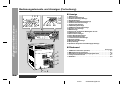
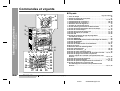
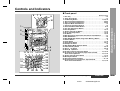
„ Frontplatte
9
10
1
2
3
4
5
11 12 13
14 15 16
21
22
17
18
23
24
25
26
19
20
27 28 29
Bezugsseite
1. Disc-Schublade . . . . . . . . . . . . . . . . . . . . . . . . . . . . . . . . . . . . . . . . . 12
2. Timereinstellanzeige . . . . . . . . . . . . . . . . . . . . . . . . . . . . . . . . . . . . . 31
3. Netz-/Bereitschaftstaste . . . . . . . . . . . . . . . . . . . . . . . . . . . . 11, 30, 34
4. Laufwerk 2 Cassettenfach . . . . . . . . . . . . . . . . . . . . . . . . . . . . . 26, 29
5. Laufwerk 1 Cassettenfach . . . . . . . . . . . . . . . . . . . . . . . . . . . . . 26, 29
6. Equalizer-Betriebsartenwahltaste . . . . . . . . . . . . . . . . . . . . . . . . . . 10
7. Lautstärke-Aufwärts- und Abwärts-Tasten . . . . . . . . . . . . . . . . . . . 10
8. Extrabaß/Demo-Betriebsartentaste . . . . . . . . . . . . . . . . . . . . . . . 8, 10
9. Taste zum Öffnen/Schließen der Disc-Schublade . . . . . . . . . . . . . 12
10.Disc-Übersprungtaste . . . . . . . . . . . . . . . . . . . . . . . . . . . . . . . . . 12, 14
11.Abstimm- und Zeit-Aufwärts-Taste . . . . . . . . . . . . . . . . . . . . . . 11, 16
12.CD- oder Band-Stopptaste . . . . . . . . . . . . . . . . . . . . . . . . . . . . . 13, 26
13.CD-Taste . . . . . . . . . . . . . . . . . . . . . . . . . . . . . . . . . . . . . . . . . . . . 12, 28
14.Taste für RDS-Programmart/Verkehrsinformations-Suchlauf . . . . 21
15.RDS EON-Taste . . . . . . . . . . . . . . . . . . . . . . . . . . . . . . . . . . . . . . . . . 22
16.RDS ASPM (Automatischer Senderspeicher)-Taste . . . . . . . . . . . . 20
17.Dimmertaste . . . . . . . . . . . . . . . . . . . . . . . . . . . . . . . . . . . . . . . . . . . . 8
18.Uhrtaste . . . . . . . . . . . . . . . . . . . . . . . . . . . . . . . . . . . . . . . . . . . . 11, 30
19.Timer/Sleep-Taste . . . . . . . . . . . . . . . . . . . . . . . . . . . . . . . . . . . . 30, 31
20.Kopfhörerbuchse . . . . . . . . . . . . . . . . . . . . . . . . . . . . . . . . . . . . . . . 32
21.RDS-Darstellungsartenwahltaste . . . . . . . . . . . . . . . . . . . . . . . . . . 18
22.Video/Reserve-Taste . . . . . . . . . . . . . . . . . . . . . . . . . . . . . . . . . . 30, 32
23.Laufwerk (1 2)-Taste . . . . . . . . . . . . . . . . . . . . . . . . . . . . . . . . 26, 29
24.Tuner (Wellenbereich)-Taste . . . . . . . . . . . . . . . . . . . . . . . . . . . . . . . 16
25.CD-Wiedergabe- oder Wiederhol-,
Bandwiedergabetaste . . . . . . . . . . . . . . . . . . . . . . . . . . . . . . 13, 14, 26
26.CD-Titel-Aufwärts- oder Schnellvorlauf-, Laufwerk 2 Schnellvorlauf-,
Tuner-Voreinstell-Aufwärts-Taste . . . . . . . . . . . . . . . . . . . . . 13, 17, 26
27.Abstimm- und Zeit-Abwärts-Taste . . . . . . . . . . . . . . . . . . . . . . . 11, 16
28.Speicher-/Einstelltaste . . . . . . . . . . . . . . . . . . . . . . . . . . . . . 11, 15, 17
29.Laufwerk 2 Aufnahmepausentaste . . . . . . . . . . . . . . . . . . . . . 27 - 29
30.CD-Titel-Abwärts- oder Schnellrücklauf-, Laufwerk 2 Rückspul-,
Tuner-Voreinstell-Abwärts-Taste . . . . . . . . . . . . . . . . . . . . . 13, 17, 26
- Bedienungselemente und Anzeigen -
7 8
Allgemeine Informationen
6
30
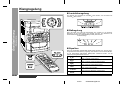
Beschreibung der Fernbedienung (Siehe Seite 5.)
01/2/9
DEUTSCH
CD-BA250H(H)D1.fm
D-3
Bedienungselemente und Anzeigen (Fortsetzung)
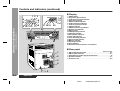
„ Anzeige
1 2 3
9 10 11 12 13
- Bedienungselemente und Anzeigen -
Allgemeine Informationen
4
5
6
7
8
17 18 19
20
14
15
16
21
21
21
1. RDS-Anzeige
2. Programmartenanzeige
3. Verkehrsdurchsage-Anzeige
4. Extrabaßanzeige
5. UKW-Stereo-Betriebsartenanzeige
6. Verkehrsinformationsanzeige
7. Verkehrsfunk-Anzeige
8. CD-Wiedergabeanzeige
9. UKW-Stereo-Empfangsanzeige
10.Dynamic-PTY-Anzeige
11.EON-Anzeige
12.Anzeige für wiederholte Wiedergabe der CD
13.CD-Pausenanzeige
14.Discnummer-Anzeigen
15.Timer-Wiedergabeanzeige
16.Timer-Aufnahmeanzeige
17.Laufwerk 2 Aufnahmeanzeige
18.Speicheranzeige
19.Bandwiedergabeanzeige
20.Sleep-Anzeige
21.Spektrum-Analysator/Lautstärkepegel-Anzeige
„ Rückwand
Bezugsseite
1
2
1. UKW-Antennenbuchse (75 Ohm) . . . . . . . . . . . . . . . . . . . . . . . . . .6, 7
2. MW-Rahmenantennenbuchse . . . . . . . . . . . . . . . . . . . . . . . . . . . . .6, 7
3. Video/Reserve(Audiosignal)-Eingangsbuchsen . . . . . . . . . . . . . . .32
4. Lautsprecheranschlüsse . . . . . . . . . . . . . . . . . . . . . . . . . . . . . . . . .6, 7
5. Netzkabel . . . . . . . . . . . . . . . . . . . . . . . . . . . . . . . . . . . . . . . . . . . . .6, 8
3
4
5
D-4
DEUTSCH
01/2/9
CD-BA250H(H)D1.fm
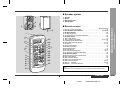
„ Lautsprechersystem
1
1. Hochtöner
2. Tieftöner
3. Baßreflex-Öffnung
4. Lautsprecherkabel
Bezugsseite
4
1
2
3
4
5
6
7
8
9
10
11
12
13
14
15
16
17
18
19
20
21
22
23
24
25
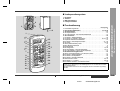
1. Fernbedienungssender . . . . . . . . . . . . . . . . . . . . . . . . . . . . . . . . . . . . . 9
2. Discnummer-Wahltasten . . . . . . . . . . . . . . . . . . . . . . . . . . . 12, 15, 28
3. CD-Pausentaste . . . . . . . . . . . . . . . . . . . . . . . . . . . . . . . . . . . . . . . . . 13
4. CD-Speichertaste . . . . . . . . . . . . . . . . . . . . . . . . . . . . . . . . . . . . . . . . 15
5. CD-Titel-Abwärts- oder Schnellrücklauftaste . . . . . . . . . . . . . . . . . . . 13
6. CD-Löschtaste . . . . . . . . . . . . . . . . . . . . . . . . . . . . . . . . . . . . . . . . . . 15
7. Laufwerk 1 Wiedergabetaste . . . . . . . . . . . . . . . . . . . . . . . . . . . . . . . 26
8. Laufwerk 1/Laufwerk 2 Stopptaste . . . . . . . . . . . . . . . . . . . . . 26, 27, 29
9. Equalizer-Betriebsartenwahltaste . . . . . . . . . . . . . . . . . . . . . . . . . . . . 10
10.Laufwerk 2 Aufnahmepausentaste . . . . . . . . . . . . . . . . . . . . . . . 27 - 29
11.CD-Taste . . . . . . . . . . . . . . . . . . . . . . . . . . . . . . . . . . . . . . . . . . . . 12, 28
12.Tuner (Wellenbereich)-Taste . . . . . . . . . . . . . . . . . . . . . . . . . . . . . . . . 16
13.Netz-/Bereitschaftstaste . . . . . . . . . . . . . . . . . . . . . . . . . . . . . . . . . . . . 9
14.Extrabaßtaste . . . . . . . . . . . . . . . . . . . . . . . . . . . . . . . . . . . . . . . . . . . 10
15.CD-Stopptaste . . . . . . . . . . . . . . . . . . . . . . . . . . . . . . . . . . . . . . . . 13, 28
16.CD-Wiedergabe- oder Wiederholtaste . . . . . . . . . . . . . . . . . . . . . 13, 14
17.CD-Titel-Aufwärts- oder Schnellvorlauftaste . . . . . . . . . . . . . . . . . . . . 13
18.CD-Zufallswiedergabe-Taste . . . . . . . . . . . . . . . . . . . . . . . . . . . . . . 14
19.Tuner-Voreinstell-Aufwärts- und Abwärts-Tasten . . . . . . . . . . . . . . . . 17
20.Laufwerk 2 Wiedergabetaste . . . . . . . . . . . . . . . . . . . . . . . . . . . . . . . 26
21.Laufwerk 2 Rückspultaste . . . . . . . . . . . . . . . . . . . . . . . . . . . . . . . . . . 26
22.Laufwerk 2 Schnellvorlauftaste . . . . . . . . . . . . . . . . . . . . . . . . . . . . . . 26
23.Video/Reserve-Taste . . . . . . . . . . . . . . . . . . . . . . . . . . . . . . . . . . . 30, 32
24.Laufwerk (1 2)-Taste . . . . . . . . . . . . . . . . . . . . . . . . . . . . . . . . . 26, 29
25.Lautstärke-Aufwärts- und Abwärts-Tasten . . . . . . . . . . . . . . . . . . . . . 10
- Bedienungselemente und Anzeigen -
„ Fernbedienung
3
3
Allgemeine Informationen
2
Tasten mit " "-Markierung in der Abbildung können nur mit Hilfe der Fernbedienung betätigt werden.
Sonstige Tasten können auf dem Hauptgerät oder der Fernbedienung betätigt
werden.
Einsetzen der Batterien für Fernbedienung (Siehe Seite 9.)
01/2/9
DEUTSCH
CD-BA250H(H)D1.fm
D-5
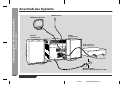
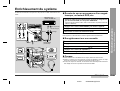
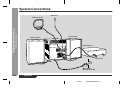
Anschluß des Systems
UKW-Antenne
- Anschluß des Systems -
Vorbereitung für die Inbetriebnahme
MW-Rahmenantenne
Rechter
Lautsprecher
Linker
Lautsprecher
Videorecorder,
DVD-Player usw.
nicht mitgeliefert
Wandsteckdose
(Wechselspannung 230 V, 50 Hz)
D-6
DEUTSCH
01/2/9
CD-BA250H(H)D1.fm
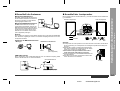
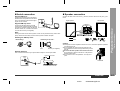
Mitgelieferte UKW-Antenne:
Das schwarze Kabel an der Minusklemme (-) und das rote Kabel an der Plusklemme
(+) anschließen.
Den UKW-Antennendraht an die Buchse
FM 75 OHMS anschließen und danach in
die Richtung verlegen, wo das stärkste
Empfangssignal erhalten wird.
Rechter Lautsprecher
Linker Lautsprecher
Mitgelieferte MW-Rahmenantenne:
Die MW-Rahmenantenne an die AM
LOOP-Buchse anschließen. Danach die
MW-Rahmenantenne für optimalen Empfang ausrichten. Die MW-Rahmenantenne
auf ein Bord usw. stellen oder an einen
Ständer bzw. eine Wand mit Schrauben
(nicht mitgeliefert) anbringen.
Hinweis:
Durch Stellen der Antenne auf das Stereo-System oder in der Nähe des Netzkabels
kann Rauschen aufgefangen werden. Für besseren Empfang die Antenne vom Stereo-System fernhalten.
Rot
Schwarz
Installieren der MW-Rahmenantenne:
< Montage >
< Montieren an der Wand >
Wand
Schrauben
(nicht mitgeliefert)
UKW-Außenantenne
Durch Verwendung einer UKW-Außenantenne kann ein besserer Empfang erzielt
werden. Wenden Sie sich an Ihren Fachhändler.
Vorsicht:
z Lautsprecher mit einer Impedanz von 6 Ohm oder mehr verwenden, da das Gerät
durch Verwendung von Lautsprechern mit niedrigerer Impedanz beschädigt werden kann.
z Niemals den rechten und linken Kanal verwechseln.
Der rechte Lautsprecher ist derjenige auf der rechten
Seite, wenn sich Sie zum Gerät wenden.
z Den blanken Lautsprecherkabeln wird nicht erlaubt, miteinander in Berührung zu bringen.
z Keine Gegenstände in die Baßreflexkanäle fallen lassen oder einlegen.
z Sie sollten nicht auf den Lautsprechern stehen oder
sitzen. Sie können sich verletzen.
UKW-Außenantenne
Falsch
DEUTSCH
01/2/9
CD-BA250H(H)D1.fm
- Anschluß des Systems -
„ Anschluß der Lautsprecher
Vorbereitung für die Inbetriebnahme
„ Anschluß der Antennen
D-7
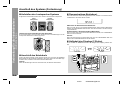
„ Aufstellen des Lautsprecher-Systems
„ Demonstrations-Betriebsart
Es gibt keinen Unterschied zwischen dem rechten und dem linken Lautsprecher.
Wenn das Gerät zum ersten Mal angeschlossen wird, schaltet es in die Demonstrations-Betriebsart. Sie sehen Wörter scrollen.
Linker
Lautsprecher
Rechter
Lautsprecher
Abbrechen der Demonstrations-Betriebsart:
Wenn sich das Gerät in der Bereitschafts-Betriebsart (Demonstrations-Betriebsart)
befindet, die X-BASS/DEMO-Taste drücken. Das Gerät schaltet in die Stromeinsparungs-Betriebsart.
Zurückschalten in die Demonstrations-Betriebsart:
- Anschluß des Systems -
Vorbereitung für die Inbetriebnahme
Anschluß des Systems (Fortsetzung)
D-8
Lautsprecher-Frontverkleidungen sind abnehmbar:
Es ist sicherzustellen, daß nichts beim Abnehmen der Frontverkleidungen mit den
Lautsprecher-Membranen in Berührung kommt.
Wenn sich das Gerät in der Bereitschafts-Betriebsart befindet, die X-BASS/DEMOTaste noch einmal drücken.
Hinweis:
Wenn die Stromversorgung eingeschaltet wird, kann die X-BASS/DEMO-Taste zum
Wählen der Extrabaß-Betriebsart verwendet werden.
„ Helligkeit des Displays (2 Stufen)
Durch Drücken der DIMMER-Taste kann die Helligkeit des Displays geändert werden.
Verdunkelt
Erhellt
„ Anschluß des Netzkabels
Prüfen, daß alle Anschlüsse richtig gemacht worden sind, und dann das Netzkabel
dieses Geräts an die Steckdose anschließen. Wenn das Gerät zum ersten Mal angeschlossen wird, schaltet es in die Demonstrations-Betriebsart.
Hinweis:
Wenn das Gerät längere Zeit nicht verwendet wird, den Stecker herausziehen.
DEUTSCH
01/2/9
CD-BA250H(H)D1.fm
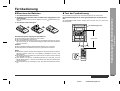
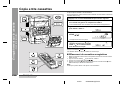
„ Test der Fernbedienung
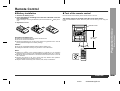
1 Den Batteriefachdeckel entfernen.
2 Die Batterien entsprechend der im Batteriefach angegebenen Polarität einsetzen.
Die Fernbedienung direkt auf den Fernbedienungssensor am Gerät richten.
Beim Einsetzen oder Entnehmen der Batterien nach den
drücken.
Batterieklemmen hin
3 Den Deckel wieder anbringen.
Die Fernbedienung kann im unten gezeigten Bereich verwendet werden:
Die ON/STAND-BY-Taste drücken. Schaltet sich das Gerät ein? Nun können Sie
Musik genießen.
Fernbedienungssensor
Zur Beachtung beim Umgang mit den Batterien:
z Alle alten Batterien gleichzeitig durch neue ersetzen.
z Alte und neue Batterien nicht mischen.
z Wenn die Batterien erschöpft sind oder wenn das Gerät längere Zeit nicht verwendet wird, sie entfernen, um Potentialbeschädigung wegen Auslaufens der Batteriesäure zu verhindern.
0,2 m - 6 m
Vorsicht:
z Keine aufladbaren Batterien (Nickel-Kadmium-Batterie usw.) verwenden.
z Falsches Einsetzen der Batterien kann Störung des Geräts verursachen.
Hinweise zur Verwendung:
z Die Batterien ersetzen, wenn der Wirkungsbereich abnimmt oder wenn Funktionsstörungen auftreten. Kaufen Sie 2 "AA"-Batterien (UM/SUM-3, R6, HP-7 oder
gleichwertiges).
z Den Sender auf der Fernbedienung und den Sensor am Gerät mit einem weichen
Tuch regelmäßig reinigen.
z Wenn starkes Licht auf den Fernbedienungssensor am Gerät fällt, kann der
Betrieb gestört werden. In diesem Fall die Beleuchtung oder die Aufstellung des
Gerätes verändern.
z Die Fernbedienung nicht Feuchtigkeit, Hitze, Stoß oder Erschütterungen aussetzen.
DEUTSCH
01/2/9
CD-BA250H(H)D1.fm
- Fernbedienung -
„ Einsetzen der Batterien
Vorbereitung für die Inbetriebnahme
Fernbedienung
D-9
Klangregelung
„ Lautstärkeregelung
Zum Erhöhen der Lautstärke die VOLUME
VOLUME -Taste drücken.
1
2 ..... 29 30 MAXIMUM
„ Baßregelung
Wenn das Gerät zum ersten Mal eingeschaltet wird, schaltet es in die ExtrabaßBetriebsart, die die Tiefen betont, und "X-BASS" erscheint. Zum Abbrechen der
Extrabaß-Betriebsart die X-BASS/DEMO (X-BASS)-Taste drücken.
X-BASS-Anzeige
- Klangregelung -
Grundbedienung
0
-Taste drücken; zum Vermindern die
„ Equalizer
Wenn die EQUALIZER (EQUALIZER MODE)-Taste gedrückt wird, wird die gegenwärtige Betriebsarteneinstellung angezeigt. Zum Schalten auf eine andere Betriebsart die EQUALIZER (EQUALIZER MODE)-Taste wiederholt drücken, bis die
gewünschte Klang-Betriebsart erscheint.
Kein Klang wird modifiziert.
Bässe und Höhen werden betont.
Bässe und Höhen werden geringfügig betont.
Höhen werden ein wenig abgeschwächt.
Höhen werden viel vermindert.
Gesangsstimmen (Mitteltöne) werden betont.
D-10
DEUTSCH
01/2/9
CD-BA250H(H)D1.fm
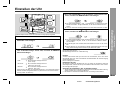
Einstellen der Uhr
4
Die Taste TUNING/TIME ( oder ) drücken, um die Stunde einzustellen, und dann die MEMORY/SET-Taste betätigen.
Die Taste TUNING/TIME ( oder ) drücken, um die Minuten einzustellen, und dann die MEMORY/SET-Taste betätigen.
In diesem Beispiel ist die Uhr für die 24-Stunden-Anzeige (0:00) eingestellt.
1
2
Zum Einschalten des Gerätes die ON/STAND-BY-Taste drücken.
3
Die Taste TUNING/TIME ( oder ) drücken, um die 24-Stundenoder 12-Stunden-Anzeige auszuwählen, und dann die MEMORY/
SET-Taste betätigen.
z Die Taste TUNING/TIME ( oder ) einmal drücken, um die Uhrzeit um 1 Minute vorzustellen. Sie gedrückt halten, um die Uhrzeit in 5-Minuten-Abständen zu ändern.
z Die Stunde geht nicht vorwärts, selbst wenn Minuten von "59" zu "00" vorrükken.
z Die Uhr beginnt, von "0" Sekunden zu zählen. (Sekunden werden nicht angezeigt.) Die Uhranzeige verschwindet ein paar Sekunden später.
Die CLOCK-Taste drücken, und innerhalb von 5 Sekunden die MEMORY/SET-Taste betätigen.
Überprüfen der Zeitanzeige:
Die CLOCK-Taste drücken.
Die Zeitanzeige erscheint ca. 5 Sekunden lang.
- Einstellen der Uhr -
5
Grundbedienung
z Die Taste TUNING/TIME ( oder ) einmal drücken, um die Uhrzeit um eine
Stunde vorzustellen. Sie gedrückt halten, um die Uhrzeit fortlaufend vorzustellen.
z Wenn die 12-Stunden-Anzeige gewählt wird, schaltet "AM" automatisch auf "PM".
Hinweis:
"0:00"
Die 24-Stunden-Anzeige erscheint.
(0:00 - 23:59)
"AM 12:00"
Die 12-Stunden-Anzeige erscheint.
(AM 12:00 - PM 11:59)
"AM 0:00"
Die 12-Stunden-Anzeige erscheint.
(AM 0:00 - PM 11:59)
Darauf achten, daß dies nur eingestellt werden kann, wenn das Gerät zuerst installiert wird oder rückgesetzt worden ist. (Siehe Schritt 3 im Abschnitt "Wenn
Störung auftritt" auf Seite 34.)
"CLOCK" oder Uhrzeit blinkt per Druck auf die CLOCK-Taste, wenn nach einem
Stromausfall oder nach dem Herausziehen des Netzsteckers die Stromversorgung
wiederhergestellt wird.
Die Uhr wie folgt neu einstellen.
Nachstellen der Uhr:
Die Schritte im Abschnitt "Einstellen der Uhr" von Anfang an durchführen. Wenn die
Zeitanzeige blinkt, wird der Schritt 3 (zum Auswählen der 24-Stunden- oder 12-Stunden-Anzeige) übersprungen.
Verändern der 24-Stunden- oder 12-Stunden-Anzeige:
1
2
All den gespeicherten Inhalt löschen. [Siehe Schritt 3 im Abschnitt "Wenn Störung
auftritt" auf Seite 34 für weitere Einzelheiten.]
Die Schritte im Abschnitt "Einstellen der Uhr" von Anfang an durchführen.
DEUTSCH
01/2/9
CD-BA250H(H)D2.fm
D-11
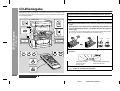
CD-Wiedergabe
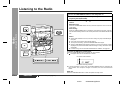
1
2
3
Zum Einschalten des Gerätes die ON/STAND-BY-Taste drücken.
4
Die CD(s) mit der Etikettenseite nach oben auf die Disc-Schublade
legen.
Beim Einlegen einer dritten Disc die DISC SKIP-Taste drücken, um
die Disc-Schublade zu drehen, und danach die CD in die offene Position legen.
Die CD-Taste drücken.
Zum Öffnen der Disc-Schublade die Taste
ken.
OPEN/CLOSE drük-
z CDs können auf eine offene Position an der Disc-Schublade gelegt werden.
z 8 cm CDs unbedingt in die Mitte der Disc-Positionen legen.
- CD-Wiedergabe -
CD-Wiedergabe
Dieses System kann Audio-CD-Rs und CD-RWs ebenso wie CDs abspielen, aber
kann keine Aufnahme darauf machen. (Einige CD-Rs und CD-RWs können jedoch
nicht abgespielt werden.)
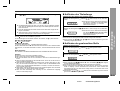
12 cm
5
Zum Schließen der Disc-Schublade die
drücken.
Gesamtzahl von Titeln
auf der CD, deren
Nummer blinkt
6
D-12
DEUTSCH
8 cm
OPEN/CLOSE-Taste
Gesamte Spielzeit auf der CD,
deren Nummer blinkt
Um die zuerst abzuspielende CD auszuwählen, eine der Tasten
1 - 3 auf der Fernbedienung drücken.
Klangregelung (Siehe Seite 10.)
01/2/9
CD-BA250H(H)D2.fm
7
Die
/ (
)-Taste drücken, um mit der Wiedergabe zu beginnen.
„ Auffinden des Titelanfangs
Weitergehen zum Anfang des nächsten Titels:
Während der Wiedergabe die
drücken.
Die CD -Taste auf der Fernbedienung drücken.
Um die Wiedergabe von derselben Stelle an fortzusetzen, die
Neustart des laufenden Titels:
Während der Wiedergabe die
drücken.
PRESET
-Taste weniger als 0,5 Sekunden
z Sie können zu einem Titel dadurch überspringen, das die
PRESET -Taste wiederholt gedrückt wird, bis die gewünschte
Titelnummer erscheint.
Hinweise:
-Taste drücken.
Beenden der Wiedergabe:
Die
z Sie können zu einem Titel dadurch überspringen, das die PRESET
-Taste wiederholt gedrückt wird, bis die gewünschte
Titelnummer erscheint.
(CD )-Taste drücken.
Entnehmen der CDs:
In der Stopp-Betriebsart die OPEN/CLOSE-Taste drücken.
Die Disc-Schublade öffnet sich. Die zwei Discs herausnehmen. Dann die DISC SKIPTaste drücken, um die Disc-Schublade zu drehen, und die verbleibende Disc entnehmen.
z Sie können den Anfang eines Titels auf einer einzigen Disc auffinden.
z Durch Drücken der
/
- oder
/
-Taste auf der Fernbedienung kann der
Titelanfang aufgefunden werden.
„ Auffinden der gewünschten Stelle
Hörbarer Schnellvorlauf:
Während der Wiedergabe die
PRESET
-Taste gedrückt halten.
Nach Gebrauch:
- CD-Wiedergabe -
Unterbrechen der Wiedergabe:
-Taste weniger als 0,5 Sekunden
CD-Wiedergabe
z Die Wiedergabe beginnt ab Titel 1 auf der Disc, die zum Abspielen gewählt
wird. Nach der Wiedergabe der Disc beginnt die Wiedergabe der nächsten
Disc automatisch.
z Nach der Wiedergabe des letzten Titels auf der dritten Disc stoppt der CDPlayer automatisch.
z Wenn keine CD in einer von den Disc 1 - 3 Positionen vorhanden ist, wird diese Position übersprungen und die nächste CD abgespielt.
PRESET
Zum Schalten in die Bereitschafts-Betriebsart die ON/STAND-BY-Taste drücken.
Vorsicht:
z Zwei CDs nicht in eine Disc-Schublade einlegen.
z Beim Laufen der Disc-Schublade nicht darauf stoßen.
z Die Disc-Schublade nicht mit der Hand drehen. Dies kann zu Betriebsstörungen
führen.
z Wenn bei offener Schublade ein Stromausfall eintritt, warten Sie, bis die Stromversorgung wiederhergestellt wird.
z Wenn die Disc-Schublade gewaltsam gestoppt wird, erscheint "ER-CD10" im Display, und das Gerät funktioniert nicht. In diesem Falle die ON/STAND-BY-Taste
drücken, um in die Bereitschafts-Betriebsart zu schalten, und dann die Stromversorgung wieder einschalten.
z Wenn Radio- oder Fernsehempfang durch den CD-Betrieb gestört wird, das Gerät
weiter entfernt vom Radio oder Fernseher aufstellen.
z Wenn eine Disc beschädigt oder schmutzig ist bzw. verkehrtherum eingelegt
wurde, wird sie übersprungen.
Hörbarer Schnellrücklauf:
Während der Wiedergabe die
PRESET
-Taste gedrückt halten.
Hinweise:
z Beim Loslassen der
PRESET - oder
PRESET
-Taste beginnt
normale Wiedergabe wieder.
z Sie können die gewünschte Stelle auf einer einzigen Disc auffinden.
z Wenn während des Schnellvorlaufs der letzte Titel sein Ende erreicht, erscheint
"END" im Display, und der CD-Betrieb wird unterbrochen. Wenn während des
Schnellrücklaufs der erste Titel seinen Anfang erreicht, schaltet das Gerät in die
Wiedergabe-Betriebsart.
z Mit Hilfe der
/
- oder
/
-Taste auf der Fernbedienung können Sie die
gewünschte Stelle ausfindig machen.
DEUTSCH
01/2/9
CD-BA250H(H)D2.fm
D-13
CD-Wiedergabe
- Beginn der Wiedergabe ab gewünschtem Titel / Wiederholte Wiedergabe und Zufallswiedergabe -
D-14
Beginn der Wiedergabe ab
gewünschtem Titel
Wiederholte Wiedergabe und
Zufallswiedergabe
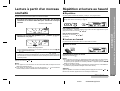
Sie können eine Disc ab gewünschtem Titel abspielen.
„ Wiederholte Wiedergabe
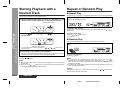
1
In der Stopp-Betriebsart eine der Tasten 1 - 3 auf der Fernbedienung oder die DISC SKIP-Taste drücken, um die gewünschte
Disc auszuwählen.
Alle Titel auf bis zu 3 Discs oder eine programmierte Reihenfolge kann ununterbrochen wiederholt werden.
Wiederholen von allen Titeln auf bis zu 3 Discs:
Die
Gewählte Discnummer
/
(
)-Taste zweimal drücken.
Wiederholen eines gewünschten Titels:
2
Durch Drücken der
PRESET
den gewünschten Titel wählen.
- oder
PRESET
-Taste
Die Schritte 1 - 4 im Abschnitt "Programmierte Wiedergabe" durchführen, und dann
die Taste / (
) zweimal drücken.
Beenden der wiederholten Wiedergabe:
Die Taste /
" " erlischt.
(
) noch einmal drücken.
„ Zufallswiedergabe
Die Titel auf den Discs können in beliebiger Reihenfolge abgespielt werden.
Gewählte Titelnummer
Sie können ebenfalls dadurch einen Titel auswählen, daß die Taste
/
auf der Fernbedienung gedrückt wird.
3
Die
/
(
Die RANDOM-Taste auf der Fernbedienung drücken, um die Zufallswiedergabe zu beginnen.
/
oder
)-Taste drücken, um mit der Wiedergabe zu beginnen.
Die Wiedergabe des gewünschten Titels beginnt. Wenn der letzte Titel auf der
Disc mit dem gewählten Titel sein Ende erreicht, beginnt die Wiedergabe der
nächsten Disc automatisch.
Beenden der Wiedergabe:
Die
(CD )-Taste drücken.
Hinweise:
z Wenn während der Wiedergabe die DISC SKIP-Taste gedrückt wird, beginnt die
Wiedergabe der nächsten Disc automatisch.
z Wenn während der Wiedergabe eine der Tasten 1 - 3 auf der Fernbedienung
gedrückt wird, beginnt die Wiedergabe der gewählten Disc automatisch.
Beeden der Zufallswiedergabe:
Die
-Taste drücken.
Hinweise:
z Wenn während der Zufallswiedergabe die Taste
/
gedrückt wird, können
Sie zum nächsten Titel weitergehen, der vom Zufallsbetrieb gewählt wurde. Andererseits ermöglicht die Taste
/
nicht, zum vorherigen Titel zurückzukehren.
Der Anfang des laufenden Titels wird gefunden.
z In der Zufallswiedergabe werden Titel automatisch vom CD-Player gewählt und
abgespielt. (Sie können die Titelfolge nicht auswählen.)
Vorsicht:
Nach Beendigung der wiederholten Wiedergabe oder der Zufallswiedergabe unbedingt die (CD )-Taste drücken. Ansonsten werden die Discs kontinuierlich abgespielt.
DEUTSCH
01/2/9
CD-BA250H(H)D2.fm
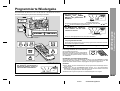
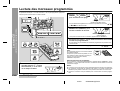
Programmierte Wiedergabe
Durch Drücken der
PRESET - oder
PRESET
-Taste den gewünschten Titel wählen.
Gewählte Titelnummer
Sie können ebenfalls dadurch einen Titel auswählen, daß die Taste
/
auf der Fernbedienung gedrückt wird.
3
/
oder
Die MEMORY/SET (MEMORY)Taste drücken, um die Titelnummer zu sichern.
Wiedergabefolge
Wenn der Titel abgespeichert wird, erscheint "MEMORY".
4
Für weitere Titel die Schritte 1 - 3 wiederholen. Bis zu 32 Titel können programmiert werden.
Wenn Sie einen Fehler machen, können die programmierten Titel durch Drücken
der CLEAR-Taste gelöscht werden.
5
Die
/
(
)-Taste drücken, um mit der Wiedergabe zu beginnen.
Löschen von programmierten Titeln:
In der Stopp-Betriebsart die CLEAR-Taste auf
der Fernbedienung drücken.
Bei jedem Tastendruck wird ein Titel gelöscht,
beginnend mit dem zuletzt programmierten Titel. Wenn alle Titel gelöscht werden, verschwindet "MEMORY".
CD-Wiedergabe
2
- Programmierte Wiedergabe -
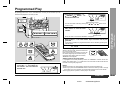
Durch Bestimmen der Discs von 1 bis 3 und der Titel von 1 bis 99 können Sie bis zu
32 Titel zur Wiedergabe in gewünschter Reihenfolge auswählen.
Hinzufügen von Titeln zum Programm:
Wenn ein Programm früher abgespeichert worden ist, wird die "MEMORY"-Anzeige
angezeigt. Dann den Schritten 1 - 3 folgen, um Titel hinzuzufügen. Die neuen Titel
werden nach dem letzten Titel des ursprüjnglichen Programms gespeichert.
1
In der Stopp-Betriebsart eine
der Tasten 1 - 3 auf der Fernbedienung drücken, um die gewünschte Disc auszuwählen.
Gewählte Discnummer
Hinweise:
z Durch Öffnen der Disc-Schublade wird die programmierte Reihenfolge automatisch annulliert.
z Selbst wenn Sie die ON/STAND-BY-Taste drücken, um in die BereitschaftsBetriebsart zu schalten oder um die Funktion von CD auf eine andere umzuschalten, werden die programmierten Titel nicht gelöscht.
z Während der Programm-Operation ist Zufallswiedergabe nicht möglich.
DEUTSCH
01/2/9
CD-BA250H(H)D2.fm
D-15
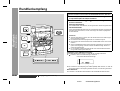
Rundfunkempfang
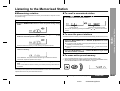
1
2
Zum Einschalten des Gerätes die ON/STAND-BY-Taste drücken.
3
Die TUNING/TIME-Taste (
Sender einzustellen.
Manuelle Abstimmung:
Die TUNER (BAND)-Taste wiederholt drücken, um das gewünschte
Frequenzband (FM oder AM) auszuwählen.
oder
) drücken, um den gewünschten
Die TUNING/TIME-Taste drücken, bis der gewünschte Sender eingestellt wird.
Abstimmautomatik:
Rundfunk
- Rundfunkempfang -
Wenn die TUNING/TIME-Taste mehr als 0,5 Sekunden gedrückt wird, startet der
Sendersuchlauf automatisch, und der Tuner stoppt am zuerst empfangbaren
Rundfunksender.
Hinweise:
z Wenn Rundfunkstörung auftritt, kann der Sendersuchlauf im selben Augenblick automatisch stoppen.
z Der Sendersuchlauf überspringt Sender von schwachem Signal.
z Zum Stoppen der Abstimmautomatik die TUNING/TIME-Taste noch einmal
drücken.
z Wenn ein RDS(Radio-Daten-System)-Sender eingestellt wird, wird die Frequenz zuerst angezeigt, und dann leuchtet die RDS-Anzeige. Danach erscheint der Sendername.
z Für mit "ASPM" gespeicherte RDS-Sender kann vollautomatische Abstimmung erzielt werden (siehe Seite 20).
Empfangen einer UKW-Stereosendung:
Die TUNER (BAND)-Taste drücken, so daß die "ST"-Anzeige aufleuchtet.
z " " erscheint, wenn eine UKW-Sendung in Stereo ist.
UKW-Stereo-Betriebsartenanzeige
UKW-Stereo-Empfangsanzeige
z Bei schwachem UKW-Empfang die TUNER (BAND)-Taste drücken, so daß die
"ST"-Anzeige erlischt. Der Empfang schaltet auf Mono, und der Klang wird klarer.
Nach Gebrauch:
Zum Schalten in die Bereitschafts-Betriebsart die ON/STAND-BY-Taste drücken.
D-16
DEUTSCH
Klangregelung (Siehe Seite 10.)
01/2/9
CD-BA250H(H)D2.fm
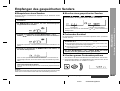
Empfangen des gespeicherten Senders
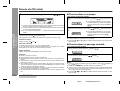
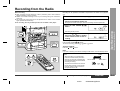
Sie können 40 MW- und UKW-Sender abspeichern und per Tastendruck abrufen.
(Vorabstimmung)
1
Die Schritte 1 - 3 im Abschnitt "Rundfunkempfang" auf Seite 16
durchführen.
2
Die MEMORY/SET-Taste drücken, um in die Festsenderspeicherungs-Betriebsart zu schalten.
„ Abrufen eines gespeicherten Senders
Die Taste
PRESET oder PRESET
weniger als 0,5 Sekunden drücken, um den gewünschten Sender auszuwählen.
3
Innerhalb von 30 Sekunden die Taste
PRESET oder
PRESET
drücken, um die Vorwahlkanalnummer auszuwählen.
„ Festsender-Suchlauf
Die abgespeicherten Sender können automatisch abgetastet werden. (Festsenderspeicher-Suchlauf)
1
Innerhalb von 30 Sekunden die MEMORY/SET-Taste drücken, um
den Sender abzuspeichern.
oder
PRESET
mehr als 0,5 Se-
z Die Festsendernummer blinkt und die programmierten Sender werden nacheinander folgend je 5 Sekunden lang empfangen.
z Dies kann durch Drücken der Taste PRESET ( oder ) auf der Fernbedienung betätigt werden.
Die Sender einspeichern, und dabei der Reihe nach mit dem Vorwahlkanal 1 beginnen.
4
Die Taste
PRESET
kunden drücken.
2
Die Taste
PRESET
oder
PRESET
noch einmal
drücken, wenn der gewünschte Sender gefunden wird.
„ Löschen ganzen Festsenderspeichers
Wenn vor dem Speichern des Senders die "MEMORY"- und Festsendernummernanzeigen erlöschen, die mit dem Schritt 2 beginnende Bedienung wiederholen.
5
1
2
Rundfunk
Vorwahlkanal
Frequenz und Frequenzband
Dies kann durch Drücken der Taste PRESET ( oder ) auf der Fernbedienung
betätigt werden.
- Empfangen des gespeicherten Senders -
„ Abspeichern eines Senders
Zum Schalten in die Bereitschafts-Betriebsart die ON/STAND-BY-Taste drücken.
Indem die TUNER (BAND)- und X-BASS/DEMO-Tasten gedrückt werden, die ON/
STAND-BY-Taste drücken, bis "TUNER CL" erscheint.
Die Schritte 1 - 4 wiederholen, um andere Sender zu speichern
oder einen Festsender zu ändern.
Wenn ein neuer Sender abgespeichert wird, wird der früher gespeicherte Sender
gelöscht.
Hinweis:
Die Speicherschutzfunktion bleibt einige Stunden die gespeicherten Sender erhalten,
selbst wenn ein Stromausfall eintreten sollte oder das Netzkabel getrennt wird.
Rundfunkempfang (Siehe Seite 16.)
01/2/9
DEUTSCH
CD-BA250H(H)D2.fm
D-17
RDS-Rundfunk
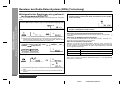
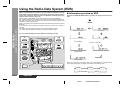
- Benutzen des Radio-Daten-Systems (RDS) -
Benutzen des Radio-Daten-Systems (RDS)
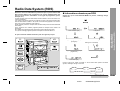
RDS ist ein Rundfunkdienst, der heute von einer zunehmenden Zahl von UKWSendern angeboten wird. Diese UKW-Sender senden neben ihren regulären
Programmsignalen zusätzliche Signale. Sie können Ihre Sendernamen und
Information über die Programmart wie Sport oder Musik usw. senden.
Wenn ein RDS-Sender eingestellt wird, werden "RDS" und der Sendername angezeigt.
"TP" (Verkehrsfunkkennung) erscheint auf dem Display, wenn in dem empfangenen
Programm Verkehrsinformation ausgestrahlt wird; "TA" (Verkehrsdurchsagekennung)
erscheint, während eine Verkehrsinformation auf Sendung ist (siehe Seite 24).
Während der Sendung der EON (Enhanced Other Networks information)-Daten
erscheint "EON".
Während des Empfangs des Dynamic-PTY-Senders erscheint "PTYI" (Dynamic PTY
Indicator).
Während des Empfangs der Radiotext-Daten erscheint "RT" (Radiotext).
"CT" (Uhrzeit) erscheint, während das Gerät die RDS CT-Daten empfängt.
„ Durch RDS gebotene Informationen
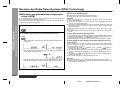
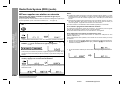
Bei jedem Druck auf die DISPLAY MODE-Taste ändert sich das Display wie
folgt:
Sendername (PS)
Frequenz
Programmart (PTY)
(8 Sprachen)
RDS-Uhrzeit
Nur mit Hilfe des Hauptgeräts können Sie das RDS steuern.
Datum (3 Sekunden lang)
Programmart (PTY)
(Englisch fixiert)
Uhrzeit und Datum (CT)
Radiotext (RT)
Wenn Sie einen anderen Sender als einen RDS-Sender oder einen RDS-Sender,
dessen Signal schwach ist, einstellen, ändert sich das Display in folgender Reihenfolge:
NO PS
NO PTY
FM 98.80 MHz
D-18
NO RT
NO CT
DEUTSCH
01/2/9
CD-BA250H(H)D2.fm
AFFAIRS
INFO
SPORT
EDUCATE
DRAMA
CULTURE
SCIENCE
VARIED
POP M
ROCK M
EASY M
LIGHT M
CLASSICS
OTHER M
WEATHER
FINANCE
CHILDREN
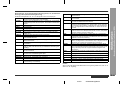
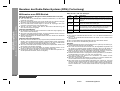
Kurze Beschreibungen über Fakten, Ereignisse und öffentlich ausgedrückte Ansichten, Reportagen und Tatsachen.
Programm über aktuelle Nachrichten, im allgemeinen in verschiedener Behandlungsweise oder Konzeption, einschließlich Debatte oder
Analyse.
Beratungsprogramm (im weitesten Sinne).
Sportprogramm.
Bildungsprogramm (fundamental).
Alle Hörspiele und Serien.
Kulturprogramme (national oder regional, einschließlich Sprache,
Theater usw.)
Programme über Naturwissenschaft und Technik.
Unterhaltungsprogramme wie zum Beispiel Quiz, Ratespiele und
Persönlichkeitsinterviews.
Populäre Musik, oft abhängend von den gegenwärtigen oder letzten
Plattenverkaufslisten.
Moderne Musik, normalerweise geschrieben und aufgeführt von jungen Musikern.
Unterhaltungsmusik, im Gegensatz zu Pop, Rock oder Klassik, oder
Musik wie Jazz, Folk oder Country (normalerweise mit Gesang und
kurzzeitig).
Populäre, klassische Musik. Zum Beispiel Instrumentalmusik und Vokal- oder Chorwerke.
Aufführungen von hauptsächliche Orchesterstücken, Sinfonien, Kammermusik usw. einschließlich großer Oper.
Musik wie zum Beispiel Rhythm & Blues und Reggae.
Wetterberichte, -vorhersagen und -information.
Börsenberichten, Handel, Geschäft usw.
Programme, die auf ein junges Publikum abgezielt sind (in erster Linie Unterhaltung und Interesse).
RELIGION
PHONE IN
TRAVEL
LEISURE
JAZZ
COUNTRY
NATION M
OLDIES
FOLK M
DOCUMENT
TEST
ALARM !
NONE
Programme über Soziologie, Geschichte, Geographie, Psychologie
und Gesellschaft.
Glauben einschließlich eines Gottes oder Göttern, der Natur der Existenz und Ethik.
Einschließlich Mitgliedern der Öffentlichkeit, die ihre Ansichte telefonisch oder am öffentlichen Forum äußern.
Features und Programme über Reise in nahe und ferne Orte, Pauschalreisen sowie Reiseideen und -gelegenheiten. Nicht verwendet
für Durchsagen über Probleme, Verzögerungen oder Straßenbauarbeiten, die augenblickliche Reise beeinflußt, wo TP/TA benutzt werden sollte.
Programme über Freizeitaktivitäten, an denen der Hörer (die Hörerin)
teilnehmen könnte. Zum Beispiel Gartenarbeit, Fischen, Antiquitätensammlung, Kochen, Nahrung & Wein usw.
Polyphone, synkopierte Musik, charakterisiert durch Improvisation.
Songs, die aus der musikalischen Tradition der Südstaaten von Amerika entstehen oder sie fortsetzen. Charakterisiert durch eine schlichte Melodie und narrative Handlung.
Gegenwärtige populäre Musik der Nation oder des Gebiets in Muttersprache, im Gegensatz zu internationalem 'Pop' in Englisch, der normalerweise von Amerika oder Großbritannien inspiriert ist.
Musik aus dem sogenannten "goldenen Zeitalter" populärer Musik.
Musik, die der musikalischen Kultur einer besonderen Nation entspricht, normalerweise gespielt auf akustischen Instrumenten. Die Erzählung oder Story kann sich auf geschichtliche Ereignisse oder
Leute stützen.
Programme über sachliche Angelegenheiten, präsentiert in einem recherchierenden Stil.
Sendung beim Prüfen von Notsendegerät oder Empfängern.
Information über Naturkatastrophen.
TP
Keine Programmart (nur Empfang).
Sendungen, in denen Verkehrsdurchsagen gebracht werden.
TA
Verkehrsdurchsagen sind auf Sendung.
RDS-Rundfunk
NEWS
SOCIAL
- Benutzen des Radio-Daten-Systems (RDS) -
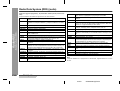
Beschreibungen der PTY(Programmartenkennung)-Codes, TP (Verkehrsfunkkennung) und TA (Verkehrsdurchsagekennung).
Sie können die folgenden PTY-, TP- und TA-Signale suchen und empfangen.
Hinweis:
Wenn in der EON-Bereitschafts-Betriebsart ein Programm gewählt wird, wird "TI" an
Stelle von "TA" angezeigt.
DEUTSCH
01/2/9
CD-BA250H(H)D2.fm
D-19
RDS-Rundfunk
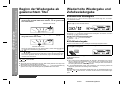
- Benutzen des Radio-Daten-Systems (RDS) -
Benutzen des Radio-Daten-Systems (RDS) (Fortsetzung)
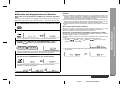
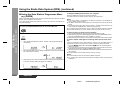
„ Benutzen des automatischen Senderspeichers (ASPM)
Abbrechen der ASPM-Operation:
In der ASPM-Betriebsart sucht der Tuner automatisch nach neuen RDS-Sendern.
Bis zu 40 Sender können gespeichert werden.
Wenn dieselben Sender bereits abgespeichert sind, verringert sich die Zahl der speicherbaren neuen Sender entsprechend.
Hinweise:
Während des Sendersuchlaufs die ASPM-Taste drücken.
Die bereits abgespeicherten Sender bleiben im Speicher.
1
Die TUNER (BAND)-Taste drücken, um das UKW-Band zu wählen.
2
z Wenn derselbe Sender auf verschiedenen Frequenzen sendet, wird die stärkste
Frequenz abgespeichert.
z Ein Sender, der dieselbe Frequenz hat wie ein bereits abgespeicherter Sender,
wird nicht noch einmal gespeichert.
z Sind bereits 40 Sender abgespeichert, wird der Suchlauf abgebrochen. Wenn Sie
die ASPM-Operation noch einmal durchführen möchten, müssen Sie den Festsenderspeicher löschen.
z Wenn keine Sender abgespeichert worden sind, erscheint "END" etwa 4 Sekunden lang.
z Bei sehr schwachen RDS-Signalen können keine Sendernamen abgespeichert
werden.
Die ASPM-Taste mindestens 3 Sekunden gedrückt halten.
Löschen allen Festsenderspeicherinhalts:
1 Zum Schalten in die Bereitschafts-Betriebsart die ON/STAND-BY-Taste drücken.
2 Indem die TUNER (BAND)- und X-BASS/DEMO-Tasten gedrückt werden, die ON/
STAND-BY-Taste drücken, bis "TUNER CL" erscheint.
z Mit dieser Operation werden alle Informationen im Festsenderspeicher gelöscht.
1
"ASPM" blinkt etwa 4 Sekunden lang, dann beginnt der Suchlauf (87,50 108,00 MHz).
2
Wenn ein RDS-Sender gefunden wird, erscheint "RDS" eine kurze Weile,
und der Sender wird abgespeichert.
3
Nach Abschluß des Suchlaufs wird die Zahl der abgespeicherten Sender 4
Sekunden lang angezeigt, und dann erscheint "END" 4 Sekunden lang.
Erneutes Speichern eines Sendernamens beim Abspeichern des falschen Namens:
Es kann möglich sein, mit Hilfe der ASPM-Funktion Sendernamen abzuspeichern,
wenn viel Rauschen vorhanden ist oder wenn das Signal zu schwach ist. In diesem
Falle folgendermaßen vorgehen.
1 Durch Drücken der Taste
PRESET oder PRESET
prüfen, ob
die Namen richtig sind.
2 Wenn Sie beim Empfangen des Senders einen falschen Namen finden. Warten
Sie, bis der richtige Name angezeigt wird. Und dann die MEMORY/SET-Taste
drücken.
3 Innerhalb von 30 Sekunden die MEMORY/SET-Taste drücken, während die Vorwahlkanalnummer blinkt.
z Der neue Sendername ist richtig abgespeichert worden.
Hinweise:
D-20
z Derselbe Sendername kann in verschiedenen Kanälen gespeichert werden.
z In einem gewissen Gebiet oder in gewissen Zeiträumen können die Sendernamen
vorübergehend verschieden sein.
DEUTSCH
01/2/9
CD-BA250H(H)D2.fm
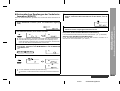
Bestimmen von Programmarten und Wählen von Sendern (PTY-Suchlauf):
Sie können einen Sender von den abgespeicherten Sendern suchen, indem Sie die
Programmart (Nachrichten, Sport, Verkehrsfunk usw. ... siehe Seite 19) bestimmen.
1
Die TUNER (BAND)-Taste drücken, um das UKW-Band zu wählen.
Hinweise:
z Wenn das Display mit dem Blinken aufgehört hat, das Verfahren ab Schritt 2 wiederholen. Wenn eine gewünschte Programmart herausgefunden wird, blinkt entsprechende Kanalnummer etwa 4 Sekunden lang; danach blinkt der Sendername
7 Sekunden lang und wechselt dann zu ständigem Leuchten.
z Wenn Sie einen anderen Sender hören möchten, der dieselbe Programmart ausstrahlt, die PTY.TI SEARCH-Taste drücken, während die Kanalnummer oder der
Sendername blinkt. Das Gerät sucht dann nach einem nächsten Sender.
z Wenn kein Sender gefunden werden kann, erscheint "NOT FOUND" 4 Sekunden
lang.
Wenn Sie den Verkehrsfunk auswählen:
Die PTY.TI SEARCH-Taste drücken.
Bestimmen von Sendernamen und Wählen von Sendern von Hand:
"PTY TI" und "SELECT" erscheinen etwa 6 Sekunden lang abwechselnd.
3
Innerhalb von 6 Sekunden die Taste
PRESET oder
PRESET
drücken, um die Programmart auszuwählen.
Sie können einen Sender von den abgespeicherten Sendern empfangen, indem Sie
den Namen (BBC R1, BBC R2 usw.) bestimmen.
Vor dieser Operation müssen Sie einen oder mehr Sendernamen im Speicher aufbewahren.
1 Die TUNER (BAND)-Taste drücken, um das UKW-Band zu wählen.
2 Die Taste
PRESET oder PRESET
drücken, um einen gewünschten Sender auszuwählen.
3
Der Sendername wird 6 Sekunden lang angezeigt. Danach ändert sich das Display wie folgt.
Bei jedem Tastendruck erscheint die Programmart. Wird die Taste länger als 0,5
Sekunden gedrückt gehalten, erscheint die Programmart fortlaufend.
4
Während die ausgewählte Programmart blinkt (innerhalb von 4 Sekunden), die PTY.TI SEARCH-Taste noch einmal drücken.
RDS-Rundfunk
2
Wenn Sie in Schritt 4 den Verkehrsfunk (TP) auswählen, erscheint "TP". (Dies
bedeutet nicht, daß Sie zu der Zeit die Verkehrsinformation hören können.)
Wenn eine Verkehrsinformation gesendet wird, erscheint "TA".
- Benutzen des Radio-Daten-Systems (RDS) -
„ Abrufen von abgespeicherten Sendern
Die gewählte Programmart leuchtet 2 Sekunden lang, dann erscheint
"SEARCH", und der Suchlauf beginnt.
DEUTSCH
01/2/9
CD-BA250H(H)D3.fm
D-21
Benutzen des Radio-Daten-Systems (RDS) (Fortsetzung)
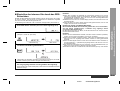
„ Automatisches Empfangen des gewünschten Programms (EON-PTY)
5
Wenn das bestimmte Programm auf einem ON (Other Network)Sender beginnt, schaltet das Gerät automatisch auf den Sender,
und "PTY" blinkt.
6
Wenn das Programm vorüber ist, schaltet das Gerät automatisch
auf den ursprünglichen Sender zurück.
RDS-Rundfunk
- Benutzen des Radio-Daten-Systems (RDS) -
Wenn die gewünschte Programmart gesendet wird, schaltet das Radio automatisch
auf sie.
1
Einen RDS-Sender einstellen (wenn ein Sendername angezeigt wird).
2
Die EON-Taste drücken, wenn "EON" erscheint.
Überprüfen der Bereitschafts-Betriebsarten-Einstellung:
z "PTY TI" und "SELECT" erscheinen etwa 6 Sekunden lang abwechselnd.
z Falls die EON-Taste gedrückt wird, wenn "EON" nicht angezeigt wird, erscheint "NO EON" 5 Sekunden lang, um darauf hinzuweisen, daß das Gerät
nicht in die EON-Bereitschafts-Betriebsart schalten kann.
3
Während sie auf dem Display erscheinen, die gewünschte Programmart wählen, indem die Taste
PRESET
oder
PRESET
gedrückt wird.
In der EON-Bereitschafts-Betriebsart die EON-Taste drücken. ("Programmart"
"WAITING")
Abbrechen der EON-Bereitschafts-Betriebsart:
In der EON-Bereitschafts-Betriebsart die EON-Taste drücken. Innerhalb von 4
Sekunden sie noch einmal drücken. ("PTY" erlischt.)
Über die PTYI (Dynamic-PTY-Anzeige):
Während des Dynamic-PTY-Sender-Empfangs erscheint "PTYI" (Dynamic-PTYAnzeige). Dynamic-PTY zeigt an, daß die PTY für den abgestimmten Sender oder
die PTY mit Bezug auf die EON-Daten bei jeden Programmänderungen geschätzt
wird und geändert werden kann.
PTYI
Die gewählte Programmart blinkt.
4
Bedeutung
Leuchtet
Ein Dynamic-PTY-Sender wird eingestellt.
Erlischt
Ein Static-PTY-Sender wird eingestellt.
Innerhalb von 4 Sekunden die PTY.TI SEARCH-Taste drücken.
Hinweis:
Wenn "PTYI" erscheint, die DISPLAY MODE-Taste drücken, um die gegenwärtige
Programmart zu überprüfen.
z Die gewählte Programmart und "WAITING" werden je 2 Sekunden lang angezeigt.
z "PTY" erscheint, und das Gerät schaltet in die EON-PTY-Bereitschafts-Betriebsart.
D-22
DEUTSCH
01/2/9
CD-BA250H(H)D3.fm
„ Automatisches Empfangen der Verkehrsinformation (EON-TI)
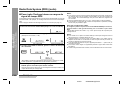
5
Wenn eine spezifizierte TA bei einem ON (Other Network)-Sender
beginnt, schaltet das Gerät automatisch auf den Sender, und "TI"
blinkt.
6
Wenn die Verkehrsinformation vorüber ist, schaltet das Gerät automatisch auf den ursprünglichen Sender zurück.
Wenn die Verkehrsinformation gesendet wird, schaltet das Radio automatisch auf
sie.
Die EON-Taste drücken, wenn "EON" erscheint.
Überprüfen der Bereitschafts-Betriebsarten-Einstellung:
In der EON-Bereitschafts-Betriebsart die EON-Taste drücken. ("TI"
"WAITING")
Abbrechen der EON-Bereitschafts-Betriebsart:
z "PTY TI" und "SELECT" erscheinen etwa 6 Sekunden lang abwechselnd.
z Falls die EON-Taste gedrückt wird, wenn "EON" nicht angezeigt wird, erscheint "NO EON" 5 Sekunden lang, um darauf hinzuweisen, daß das Gerät
nicht in die EON-Bereitschafts-Betriebsart schalten kann.
3
Während sie auf dem Display erscheinen, die TI (Verkehrsinformation) wählen, indem die Taste
PRESET oder PRESET
gedrückt wird.
4
Innerhalb von 4 Sekunden die PTY.TI SEARCH-Taste drücken.
In der EON-Bereitschafts-Betriebsart die EON-Taste drücken. Innerhalb von 4
Sekunden sie noch einmal drücken. ("TI" erlischt.)
RDS-Rundfunk
2
Einen RDS-Sender einstellen (wenn ein Sendername angezeigt
wird).
- Benutzen des Radio-Daten-Systems (RDS) -
1
z "TI" und "WAITING" erscheinen je 2 Sekunden lang.
z "TI" erscheint, und das Gerät schaltet in die EON-TI-Bereitschafts-Betriebsart.
DEUTSCH
01/2/9
CD-BA250H(H)D3.fm
D-23
Benutzen des Radio-Daten-Systems (RDS) (Fortsetzung)
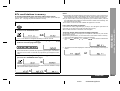
„ Hinweise zum RDS-Betrieb
RDS-Rundfunk
- Benutzen des Radio-Daten-Systems (RDS) -
Wenn ein der folgenden Ereignisse eintritt, bedeutet dies nicht, daß
das Gerät defekt ist:
D-24
z "PS", "NO PS" und ein Sendername erscheinen abwechselnd, und das Gerät
funktioniert nicht richtig.
z Wenn ein spezifischer Sender nicht richtig sendet oder ein Sender Prüfungen
durchführt, kann die RDS-Empfangsfunktion nicht richtig arbeiten.
z Wenn ein RDS-Sender, dessen Signal zu schwach ist, empfangen wird, kann
Information wie Sendername nicht angezeigt wird.
z "NO PS", "NO PTY", "NO RT" oder "NO CT" blinkt etwa 5 Sekunden lang, und
dann wird die Frequenz angezeigt.
Hinweise zum Radiotext:
z Der Radiotext für 8 Zeichen wird ununterbrochen 4 Sekunden lang angezeigt, und
dann scrollt er über das Display.
z Wenn Sie einen RDS-Sender einstellen, der keinen Radiotext sendet, wird beim
Schalten in die Radiotext-Position "NO RT" angezeigt.
z Während des Empfangs der Radiotext-Daten oder beim Ändern des Textinhalts
wird "RT" angezeigt.
Hinweise zu den PTY-Sprachen:
z Wenn Sie nach dem Schalten in PS (Programmname) die DISPLAY MODE-Taste
drücken, wird PTY-Sprachmodus gewählt. In diesem Modus werden PTY-Namen
automatisch in der Sprache der Gegend angezeigt, in der sich ein RDS-Sender
befindet. Acht Sprachen (einschließlich Englisch) sind vorhanden.
z Wenn Sie einen RDS-Sender einstellen, das keine PTY-Sprachdaten sendet, wird
der PTY-Name auf englisch angezeigt.
z Ein PTY-Name kann eine kurze Weile auf englisch angezeigt werden, bis ein
Signal zum Bestimmen der lokalen PTY-Sprache empfangen wird.
z PTY-Sprachen werden ebenfalls für PTY-Suchlauf und EON-PTY-Operation verwendet (bei DISPLAY MODE, außer PTY-Englisch).
Über die "TP"- und "TA"-Anzeigen:
"TP"
"TA"
Nicht
leuchtet
Nicht
leuchtet
Bedeutung
Nicht
leuchtet
Leuchtet Es wird EON-Information über ein anderes Programm ausgestrahlt, das Verkehrsinformation gibt.
Leuchtet
Nicht
leuchtet
Leuchtet
Leuchtet Eine Verkehrsinformation ist jetzt auf Sendung.
Keine Verkehrsdurchsagen werden ausgestrahlt und auch
ein Sender, der Verkehrsdurchsagen sendet, über EON nicht
erkannt.
Verkehrsdurchsagen werden ausgestrahlt, aber keine sind
jetzt gesendet und keine EON-Information über andere Verkehrsdurchsagen kann ebenfalls ausgestrahlt werden.
In den folgenden Fällen wird die EON-Bereitschafts-Betriebsart abgebrochen.
z Wenn Sie die ON/STAND-BY-Taste drücken, um in die Bereitschafts-Betriebsart
zu schalten.
z Wenn in der EON-Bereitschafts-Betriebsart das Gerät auf ein anderes Band
geschaltet wird.
z Wenn in der EON-Bereitschafts-Betriebsart Sie den UKW-Sender ändern.
z Wenn ein Abruf eines Vorwahlkanals gemacht wird.
Hinweise:
z Während dasselbe Programm wie die bestimmte PTY (oder TA) auf Sendung ist,
schaltet das Gerät nicht auf einen ON-Sender.
z Wenn mehr als zwei ON-Sender vorhanden sind, die Signalstärke vergleichen und
den Sender mit stärkstem Signal einstellen (EON-AF). Wenn ein ON-Sender im
Vorwahlkanalspeicher aufbewahrt worden ist, schaltet das Gerät auf den Kanal.
z Möchten Sie einen durch EON eingestellten ON-Sender verlassen und auf den
früher empfangenen Sender zurückschalten, die EON-Taste drücken.
z Nachdem das Gerät auf den ursprünglichen Sender geschaltet hat, ist die Bereitschafts-Betriebsart noch aktiv. ("TI" oder "PTY" leuchtet noch.)
z Das Gerät schaltet nicht zwischen den ON-Sendern. Es schaltet auf den
ursprünglichen Sender zurück.
z Wenn der umgeschaltete ON-Sender ein Problem hat, erscheint "WEAK SIG",
und das Gerät schaltet auf den ursprünglichen Sender zurück.
z Wenn das Signal vom umgeschalteten ON-Sender sehr schwach ist, sucht das
Gerät nach einem anderen Sender mit stärkstem Signal. Jedoch, falls die Signale
von allen Sendern schwach oder nicht gut sind (wegen elektrischen Rauschens),
erscheint "WEAK SIG", und das Gerät schaltet auf den ursprünglichen Sender
zurück.
DEUTSCH
01/2/9
CD-BA250H(H)D3.fm
1
2
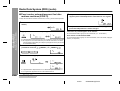
Einen RDS-Sender einstellen (wenn sein Name angezeigt wird).
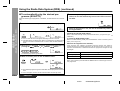
Hinweis zur Uhrzeit- und Datum-Betriebsart:
Wenn die DISPLAY MODE-Taste wiederholt gedrückt wird, um CT auszuwählen,
wird das Datum (Tag-Monat-Jahr) 3 Sekunden lang angezeigt; danach
erscheint die RDS-Uhrzeitanzeige.
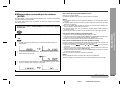
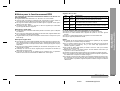
Die RDS-Uhrzeit erscheint mit "RDS", so daß Sie zwischen ihnen und der internen
Uhrzeit unterscheiden können.
Die DISPLAY MODE-Taste drücken, um CT auszuwählen.
(Beispiel: 11:56 am 30. April 2001)
3 Sekunden lang
3
z Wenn beim Anzeigen der RDS-Zeit die CLOCK-Taste gedrückt wird, wird die
interne Uhr angezeigt, gefolgt von der RDS-Uhr. Mit dieser Funktion können Sie
die gezeigte Zeit vergleichen. Wenn Sie noch nicht die Uhranzeige-Betriebsart
eingestellt haben, erscheint "CLOCK".
z Während "NO CT" oder "CT" auf dem Display erscheint, kann die interne Uhr nicht
eingestellt werden.
z Wenn das Signal von einem Sender schwach oder geräuschvoll ist, kann es nicht
möglich sein, die interne Uhr einzustellen.
RDS-Uhrzeit
Während RDS-Zeit auf dem Display erscheint, die CLOCK-Taste
mindestens 3 Sekunden gedrückt halten.
Hinweise:
z Wenn Sie einen RDS-Sender einstellen, der keine Uhrzeit und Datum (CT-Daten)
sendet, und wenn Sie CT auswählen, wird "NO CT" angezeigt.
z Wenn keine CT-Daten empfangen werden, selbst wenn ein RDS-Sender eingestellt wird, wird "CT" angezeigt. Die CT-Daten werden am Anfang jeder Minute
gesendet.
z Wenn ein RDS-Signal schwach ist oder wenn viel Rauschen darin vorhanden ist,
kann die Uhrzeit als "- -" (Bindestriche) angezeigt werden, oder sie kann nicht richtig angezeigt werden.
z Sie müssen die Genauigkeit der Uhr überprüfen, weil das RDS-Zeitzeichen (CTDaten) nicht richtig sein kann, abhängend von dem Sender.
z Das Datum ändert sich um Mitternacht, Greenwischer Zeit (G.M.T), nicht Ortszeit.
RDS-Rundfunk
Mit Hilfe des RDS-Zeitzeichens (RDS CT-Daten) können Sie die interne Uhr einstellen. Dies ist nützlich, weil die interne Uhr automatisch vom Zeitzeichen eingestellt
wird, das von einem RDS-Sender gesendet wird.
Vor Einstellung die 24-Stunden- oder 12-Stunden-Anzeige wählen (siehe Seite 11).
Hinweise:
- Benutzen des Radio-Daten-Systems (RDS) -
„ Einstellen der internen Uhr durch das RDSZeitzeichen
"RDS TIME" und "WAITING" erscheinen wechselweise. Warten Sie, bis "COMPLETE" erscheint. (Dies erscheint weniger als 60 Sekunden.)
4
Nach dem Einstellen der internen Uhr wird "COMPLETE" 3 Sekunden lang angezeigt. Danach wird die geänderte Zeit angezeigt.
Durch Drücken der CLOCK-Taste prüfen, ob die interne Uhr dieselbe Zeit wie die
RDS-Uhr anzeigt.
DEUTSCH
01/2/9
CD-BA250H(H)D3.fm
D-25
Abspielen einer Cassette (TAPE 1 oder TAPE 2)
Bandwiedergabe
- Abspielen einer Cassette (TAPE 1 oder TAPE 2) -
Vor Wiedergabe:
z Für Wiedergabe, zum Erzielen der besten Klangergebnisse Normal- oder Low-Noise-Bänder verwenden. (Reineisen- oder CrO Bänder werden nicht empfohlen.)
z Keine C-120 Bänder oder Bänder unzureichender Qualität verwenden, weil sie zu Funktionsstörungen führen können.
z Vor Einlegen einer Cassette in das Cassettenfach das Band mit einem
Kugelschreiber oder Bleistift straffen.
Am TAPE 1 bzw. TAPE 2 Cassettenfach ist Wiedergabe möglich.
1
Zum Einschalten der Stromversorgung die ON/STAND-BY-Taste
drücken.
2
Die Cassettenfachklappe durch Drücken des mit " PUSH EJECT"
bezeichneten Teils öffnen.
3
Eine Cassette mit der abzuspielenden Seite nach Ihnen hinwendend in das TAPE 1
oder TAPE 2 Cassettenfach einlegen.
4
Die Taste TAPE (1 2) drücken, um die Cassette auszuwählen, die
abgespielt werden soll.
5
Die
TAPE 1
TAPE 2
/ -Taste drücken, um mit der Wiedergabe zu beginnen.
Wenn eine Wiedergabe mit Hilfe der Fernbedienung vorgenommen wird, die
TAPE 1 oder TAPE 2 -Taste drücken.
Beenden der Wiedergabe:
Die
(TAPE )-Taste drücken.
Schnellvorlauf/Rückspulung: (nur TAPE 2)
1 Die (TAPE )-Taste drücken, und danach die TAPE (1 2)-Taste betätigen, um
TAPE 2 zu wählen.
(TAPE 2
)-Taste drücken.
2 Zum Vorspulen des Bandes die PRESET
Zum Zurückspulen des Bandes die
PRESET (TAPE 2 )-Taste betätigen.
Vorsicht:
z Zum Herausnehmen der Cassette die (TAPE )-Taste drücken und dann das
Cassettenfach öffnen.
z Wenn die Betriebsart gewechselt wird, immer zuvor die (TAPE )-Taste drücken.
z Wenn ein Stromausfall beim Cassettenbetrieb eintritt, berührt der Tonkopf noch
das Band, und die Cassettenfachklappe öffnet sich nicht. In diesem Fall warten,
bis die Stromzufuhr wiederhergestellt wird.
D-26
DEUTSCH
Klangregelung (Siehe Seite 10.)
01/2/9
CD-BA250H(H)D3.fm
Aufnahme von Radio
Aufnahme kann am TAPE 2 Cassettenfach gemacht werden. TAPE 1 ist nur für Wiedergabe.
1
2
Den gewünschten Sender einstellen. (Siehe Seite 16.)
Eine Cassette mit der zu bespielenden Seite nach Ihnen hinwendend in das TAPE 2 Cassettenfach einlegen.
Das Vorspannband, das nicht bespielt werden kann, vorspulen.
Die REC PAUSE
drücken.
(
)-Taste
Die Aufnahme wird vorübergehend unterbrochen.
4
Die Taste / auf dem Hauptgerät oder die Taste TAPE 2
auf
der Fernbedienung drücken, um
die Aufnahme zu beginnen.
Unterbrechen der Aufnahme:
Die REC PAUSE
( )-Taste drücken.
Um die Aufnahme fortzusetzen, die / (TAPE 2
)-Taste drücken.
Beenden von Aufnahme:
Die
(TAPE )-Taste drücken.
Hinweis:
Wenn während der Aufnahme einer MW-Sendung ein Pfeifgeräusch gehört wird, die
MW-Rahmenantenne bewegen.
Löschschutzzunge von Cassetten:
z Bei Aufnahme auf Cassette sicherstellen, daß die Löschschutzzungen nicht
entfernt sind. Cassetten haben entfernbare Zungen, die versehentliches
Bespielen oder Löschen verhindern.
- Aufnahme von Radio -
3
Bandaufnahme
Vor Aufnahme:
z Vor wichtigen Aufnahmen sollte eine Probeaufnahme durchgeführt werden, um
sicherzustellen, daß die Aufnahme gut vorgenommen wird.
z Für Beschädigung oder Verlust Ihrer Aufnahme, der aus Funktionsstörung dieses
Gerätes resultiert, ist SHARP nicht haftbar.
z Die Lautstärke- und Klangregelungen haben keinen Einfluß auf das Aufnahmesignal (Regelbare Mithöreinrichtung).
z Zur Aufnahme nur Normalbänder verwenden. Keine Reineisen- oder CrO Bänder benutzen.
Seite A
Zunge für Seite B Zunge für Seite A
z Um den aufgezeichneten Ton zu
schützen, die Zunge nach Aufnahme
entfernen. Zum Aufnehmen auf Band
ohne Zunge die Zungenöffnung mit
Klebeband abdecken.
Rundfunkempfang (Siehe Seite 16.)
01/2/9
DEUTSCH
CD-BA250H(H)D3.fm
D-27
Aufnahme von CD (CDs)
Sie können 3 CDs ununterbrochen aufnehmen.
1
2
Zum Einschalten des Gerätes die ON/STAND-BY-Taste drücken.
Eine Cassette mit der zu bespielenden Seite nach Ihnen hinwendend in das TAPE 2 Cassettenfach einlegen.
Bandaufnahme
- Aufnahme von CD (CDs) -
Das Vorspannband, das nicht bespielt werden kann, vorspulen.
3
4
Die CD-Taste drücken und die gewünschte Disc einlegen.
5
Die REC PAUSE
drücken.
Eine der Tasten 1 - 3 auf der Fernbedienung drücken, um die
zuerst aufzunehmende Disc auszuwählen.
(
)-Taste
Die Aufnahme wird vorübergehend unterbrochen.
6
Die / (TAPE 2 )-Taste drükken, um mit der Aufnahme zu beginnen.
z Ca. 5 Sekunden nachdem das Band gestartet ist, startet die CD-Wiedergabe.
z Die Aufnahme beginnt ab gewählter CD. Wenn die Wiedergabe der letzten
Disc fertig ist oder das Band sein Ende erreicht, stoppen die CD und das Band
automatisch.
Programmierte Aufnahme:
1
2
3
Discs und Titel programmieren. (Siehe Seite 15.)
Die REC PAUSE
( )-Taste drücken.
Die / (TAPE 2 )-Taste drücken.
Beenden von Aufnahme:
Die (CD )-Taste drücken.
Die CD und das Band stoppen.
Hinweis:
Wenn während der Aufnahme das Band sein Ende erreicht, zeigt der CD-Player die
Titelnummer an, der zu dem Zeitpunkt abgespielt war, und er stoppt automatisch.
Wenn Sie die Aufnahme ab Anfang des unterbrochenen Titels wieder beginnen
möchten, das Band umdrehen. Danach die Taste REC PAUSE
( ) und dann die
Taste / (TAPE 2 ) drücken. (Wenn Titel durch Programmierung abgespeichert
worden sind, beginnt die Aufnahme ab zuerst abgespeicherten Titel wieder.)
D-28
DEUTSCH
Programmierte Wiedergabe (Siehe Seite 15.)
01/2/9
CD-BA250H(H)D3.fm
Überspielen von Band auf Band
Sie können von TAPE 1 auf TAPE 2 aufnehmen.
Zur Aufnahme nur Normalbänder verwenden. Keine Reineisen- oder CrO -Bänder
benutzen.
1
2
Zum Einschalten des Gerätes die ON/STAND-BY-Taste drücken.
Eine bespielte Cassette in das TAPE 1 Cassettenfach und eine unbespielte Cassette in das TAPE 2 Cassettenfach einsetzen.
Die TAPE (1
2)-Taste drücken,
bis "TAPE 1" auf dem Display erscheint.
4
Die REC PAUSE
drücken.
(
Bandaufnahme
3
)-Taste
Die Aufnahme wird vorübergehend unterbrochen.
5
Die Taste / auf dem Hauptgerät oder die Taste TAPE 2
auf
der Fernbedienung drücken, um
die Überspielung zu beginnen.
Beenden von Überspielung:
Die (TAPE )-Taste drücken.
TAPE 1 und TAPE 2 stoppen gleichzeitig.
- Überspielen von Band auf Band -
Es wird empfohlen, daß das Tonband von gleicher Laufzeit wie das Mutterband
ist.
„ Löschen bespielter Bänder
1
2
3
4
Eine Cassette mit der zu löschenden Seite nach Ihnen hinwendend in das TAPE
2 Cassettenfach einlegen.
Die TAPE (1 2)-Taste drücken, bis "TAPE 2" auf dem Display erscheint.
Die REC PAUSE
( )-Taste drücken.
Die Taste / auf dem Hauptgerät oder die Taste TAPE 2 auf der Fernbedienung drücken, um die Löschung zu beginnen.
Hinweis:
Sicherstellen, daß TAPE 1 außer Betrieb ist.
DEUTSCH
01/2/9
CD-BA250H(H)D3.fm
D-29
Timer- und Sleep-Funktion
Timer-Wiedergabe:
Zu der voreingestellten Zeit schaltet sich das Gerät ein und gibt die gewünschte Tonquelle (CD, Tuner, Band) wieder.
Timer-Aufnahme:
Zu der voreingestellten Zeit schaltet sich das Gerät ein und beginnt mit der Aufnahme von Tuner.
- Timer- und Sleep-Funktion -
Fortgeschrittene Funktionen
Sleep-Funktion:
Für Radio, Compact Disc und Cassette ist automatische Abschaltung möglich.
„ Timer-Wiedergabe oder Timer-Aufnahme
Vor dem Einstellen des Timers:
1
Die CLOCK-Taste drücken, um zu prüfen, ob die Uhr richtiggehend ist.
2
Timer-Wiedergabe:
Timer-Aufnahme:
1
Zum Einschalten der Stromversorgung die ON/STAND-BY-Taste
drücken.
2
Die Taste CD, TUNER (BAND) oder TAPE (1
gewünschte Funktion zu wählen.
Eine Cassette oder Discs zur Wiedergabe einlegen.
Eine Cassette zur Aufnahme in das TAPE 2 Cassettenfach einlegen.
2) drücken, um die
Auswählen der Tonquelle zur Timer-Wiedergabe: CD, TUNER (BAND) oder
TAPE (1 2).
Auswählen der Tonquelle zur Timer-Aufnahme: TUNER (BAND).
Wenn Sie TUNER (BAND) wählten, den gewünschten Sender einstellen.
3
Die Lautstärke mit den VOLUME-Tasten einstellen.
Die Lautstärke nicht zu laut stellen.
4
Die TIMER/SLEEP-Taste wiederholt drücken, um die Timer-Wiedergabe oder Timer-Aufnahme zu wählen.
Zur Timer-Wiedergabe " " (weiß) oder für Timer-Aufnahme " "
(rot) anzeigen lassen.
weiß
5
Die Taste TUNING/TIME ( oder ) drücken, um die zu startende
Stunde zu bestimmen, und dann die MEMORY/SET-Taste betätigen.
Die Abbildungen zeigen die Timer-Wiedergabe-Einstellung.
D-30
DEUTSCH
rod
Einstellen der Uhr (Siehe Seite 11.) / Rundfunkempfang (Siehe Seite 16.)
01/2/9
CD-BA250H(H)D3.fm
„ Sleep-Funktion
1
2
Die gewünschte Tonquelle wiedergeben.
Die TIMER/SLEEP-Taste wiederholt drücken, bis "SLEEP" angezeigt wird.
Das Gerät schaltet automatisch in die Timer-Bereitschafts-Betriebsart.
Ändern der Einschlafzeit:
Indem die Einschlafzeit angezeigt wird, die Taste TUNING/TIME (
drücken.
Zum Einschalten der Stromversorgung die ON/STAND-BY-Taste drücken.
Beim Erreichen der voreingestellten Zeit beginnt Wiedergabe oder
Aufnahme.
Die Lautstärke erhöht sich allmählich, bis sie den vor dem Schalten des Systems
in die Timer-Bereitschafts-Betriebsart eingestellten Lautstärkepegel erreicht.
9
In Timer-Wiedergabe:
Wenn Sie CD oder TAPE wählen, schaltet das Gerät nach der Wiedergabe in die
Bereitschafts-Betriebsart. Wählen Sie TUNER, dann schaltet es eine Stunde
nach dem Timer-Wiedergabe-Start in die Bereitschafts-Betriebsart.
In Timer-Aufnahme:
Wenn das Tonband sein Ende erreicht, wird die Timer-Aufnahme abgeschlossen, und das Gerät schaltet in die Bereitschafts-Betriebsart.
Nachstellen oder Ändern der Timer-Einstellung:
Die Schritte im Abschnitt "Timer-Wiedergabe oder Timer-Aufnahme" von Anfang an
durchführen.
)
(Maximum: 3 Stunden - Minimum: 1 Minute)
z 3 Stunden - 5 Minuten 5-Minuten-Abstände
z 5 Minuten - 1 Minute 1-Minuten-Abstände
Abbrechen der Timer-Wiedergabe/Timer-Aufnahme:
8
oder
3
4
Die MEMORY/SET-Taste drücken.
Nach Ablauf der voreingestellten Zeit schaltet das System automatisch in die Bereitschafts-Betriebsart.
1 Minute vor Abschluß der Sleep-Funktion wird die Lautstärke leiser gestellt.
Abbrechen der Sleep-Funktion:
Während der Sleep-Operation die ON/STAND-BY-Taste drücken.
Überprüfen der verbleibenden Einschlafzeit:
Während der Sleep-Operation die TIMER/SLEEP-Taste drücken.
Die verbleibende Einschlafzeit wird ungefähr 5 Sekunden lang angezeigt.
Hinweis:
Wenn die Einschlafzeit einmal eingestellt wird, bleibt sie unverändert, bis die Einstellung geändert wird.
- Timer- und Sleep-Funktion -
7
Die Taste TUNING/TIME ( oder ) drücken, um die Minute zu bestimmen, und dann die MEMORY/SET-Taste betätigen.
Fortgeschrittene Funktionen
6
Hinweise:
z Wenn der Timer einmal eingestellt wird, wird die Einstellung gehalten, bis eine
neue Zeit eingegeben wird.
z Bei Timer-Wiedergabe oder Timer-Aufnahme mit Hilfe eines anderen Geräts, das
an den Buchsen VIDEO/AUX angeschlossen ist, "VIDEO/AUX" im Schritt 2 wählen.
Zu diesem Zeitpunkt wird nur dieses Gerät automatisch eingeschaltet oder schaltet
in die Bereitschafts-Betriebsart. Wenn das Tonband sein Ende erreicht, oder 1
Stunde nachdem die Wiedergabe in der Timer-Wiedergabe-Betriebsart begonnen
hat, schaltet es in die Bereitschafts-Betriebsart. Ein anderes Gerät wird jedoch
nicht ein- oder ausgeschaltet.
DEUTSCH
01/2/9
CD-BA250H(H)D3.fm
D-31
Erhöhen des Systems
Das Anschlußkabel gehört nicht zum Lieferumfang. Kaufen Sie ein im Handel erhältliches Kabel wie unten dargestellt.
1
Mit Hilfe eines Anschlußkabels den Videorecorder, DVD-Player
usw. an die Buchsen VIDEO/AUX anschließen.
Beim Benutzen eines Videogeräts den Tonausgang an dieses Gerät und den
Bildausgang an ein Fernsehgerät anschließen.
Zu den
Line-Ausgängen
Weiß
- Erhöhen des Systems -
Fortgeschrittene Funktionen
Videorecorder,
DVD-Player usw.
„ Wiedergabe der Töne vom Videorecorder,
DVD-Player usw.
Rot
2
Zum Einschalten der Stromversorgung die ON/STAND-BY-Taste
drücken.
3
4
Die VIDEO/AUX-Taste drücken.
Das angeschlossene Gerät wiedergeben.
Hinweis:
Rot
Um Brummgeräusch zu verhindern, dieses Gerät von einem Fernsehgerät fernhalten.
Weiß
„ Aufnehmen auf Band
Cinch-Kabel
(nicht mitgeliefert)
1
2
3
4
5
Eine Cassette in das TAPE 2 Cassettenfach einlegen.
Die VIDEO/AUX-Taste drücken.
Die REC PAUSE
Die
/
(TAPE 2
(
)-Taste drücken.
)-Taste drücken.
Den Videorecorder, DVD-Player usw. wiedergeben.
„ Kopfhörer
z Vor dem Anschließen oder Trennen des Kopfhörers die Lautstärke vermindern.
z Einen Kopfhörer mit 3,5 mm Stecker und 16 Ohm bis 50 Ohm Impedanz verwenden. Die empfohlene Impedanz ist 32 Ohm.
z Beim Anschließen des Kopfhörers werden die Lautsprecher automatisch getrennt.
Die Lautstärke mit den VOLUME-Tasten einstellen.
D-32
DEUTSCH
01/2/9
CD-BA250H(H)D3.fm
Fehlersuchtabelle
Viele scheinbare "Probleme" können vom Benutzer ohne Anforderung eines Kundendiensttechnikers gelöst werden.
Falls mit diesem Produkt irgendetwas nicht in Ordnung zu sein scheint, die folgenden
Punkte überprüfen, bevor Sie sich an einen autorisierten SHARP-Fachhändler oder
an ein SHARP-Kundendienstzentrum wenden.
z Trat ein Stromausfall ein? Die Uhr wieder
einstellen. (Siehe Seite 11.)
z Sind die Lautsprecherkabel getrennt?
„ CD-Player
Mögliche Ursache
z Ist die Disc verkehrt herum eingelegt?
z Entspricht die Disc der Norm?
z
z
z
„ Fernbedienung
Symptom
z Die Fernbedienung funktioniert
nicht.
z Ist die Disc verformt oder zerkratzt?
Mögliche Ursache
z Ist das Netzkabel des Gerätes angeschlossen?
z Ist die Polarität der Batterie richtig?
z Sind die Batterien erschöpft?
z Ist der Abstand oder Winkel falsch?
z Ist das Gerät übermäßigen Erschütterungen ausgesetzt?
z Ist die Disc sehr schmutzig?
z Hat sich im Gerät Kondensation gebildet?
„ Kondensation
Mögliche Ursache
z Befindet sich das Gerät in der Nähe des
Fernsehgerätes oder des Computers?
z Ist die UKW-Antenne oder MW-Rahmenantenne richtig aufgestellt? Das Netzkabel weiter entfernt von der Antenne legen,
falls es nah liegt.
Plötzliche Temperaturschwankungen und Lagerung oder Betrieb in einer extrem feuchten Umgebung können Kondensatbildung im Gehäuse
(CD-Abtaster, Tonköpfe usw.) oder auf dem Sender der Fernbedienung verursachen.
Kondensat kann zu Funktionsstörungen des Geräts führen. Sollte dieser Fall eintreten, das Gerät
eingeschaltet lassen, ohne eine Disc (oder Cassette) einzulegen, bis normale Wiedergabe möglich ist (ca. 1 Stunde). Vor Handhaben der
Fernbedienung jedes Kondensat auf dem Sender mit einem weichen Tuch abwischen.
„ Tuner
Symptom
z Vom Radio ist ungewöhnliches
Rauschen fortlaufend gehört.
z
z
z Ist es ein Normalband? (Sie können auf
Reineisen- oder CrO -Band nicht aufnehmen.)
Kann nicht ganz gelöscht werden.
z Ist es Schlaffheit?
Aussetzer.
z Dehnt sich das Band?
z Sind die Tonwellen, Andruckrollen oder
Höhen können nicht gehört werden.
Tonköpfe schmutzig?
Klangschwankungen.
z Wenn während der Wiedergabe ein
Die Cassette kann nicht herausgenommen werden.
Stromausfall eintritt, berühren die Tonköpfe noch das Band. Das Cassettenfach ist
nicht gewaltsam zu öffnen. Warten Sie,
bis die Stromversorgung wiederhergestellt wird.
Referenzen
Mögliche Ursache
z Das Gerät reagiert nicht auf Betä- z Dieses Gerät auf die Bereitschafts-Betigung einer Taste.
triebsart stellen und dann wieder einschalten.
z Wenn das Gerät noch versagt, es rücksetzen. (Siehe Schritt 3 im Abschnitt "Wenn
Störung auftritt" auf Seite 34.)
z Kein Ton ist zu hören.
z Ist der Lautstärkepegel auf "0" gestellt?
z Ist der Kopfhörer angeschlossen?
Symptom
z Wiedergabe beginnt nicht.
z Wiedergabe stoppt in der Mitte eines Titels oder wird nicht richtig
gemacht.
z Während der Wiedergabe kommt
es zu Aussetzern oder Wiedergabe stoppt in der Mitte eines Titels.
Mögliche Ursache
z Ist die Löschschutzzunge entfernt?
- Fehlersuchtabelle -
z Die Uhr stimmt nicht.
Symptom
z Aufnahme ist nicht möglich.
z Kann keinen Titel mit guter Tonqualität aufnehmen.
„ Allgemeines
Symptom
„ Cassettendeck
z Empfängt der Fernbedienungssensor
starkes Licht?
DEUTSCH
01/2/9
CD-BA250H(H)D3.fm
D-33
Fehlersuchtabelle (Fortsetzung)
Wartung
„ Wenn Störung auftritt
„ Reinigen der das Band berührenden Teilen
Referenzen
- Fehlersuchtabelle / Wartung -
Wenn dieses Produkt von starker externer Interferenz (mechanischer Stoß, übermäßige statische Elektrizität, anormale Speisespannung infolge von Blitz usw.) beeinflußt oder falsch betrieben wird, kann es nicht korrekt funktionieren.
Wenn derartige Störungen auftreten, wie folgt verfahren:
1 Das Gerät auf die Bereitschafts-Betriebsart stellen und die Stromversorgung wieder einschalten.
2 Wenn das Gerät im Schritt 1 nicht wiederhergestellt wird, den Netzstecker
herausziehen und wieder einstecken. Danach das Gerät einschalten.
3 Wenn das Gerät durch den Schritt 1 oder 2 nicht wiederhergestellt wird, das
Folgende durchführen:
Zum Schalten in die Bereitschafts-Betriebsart die ON/STAND-BY-Taste drükken.
Indem die / - und X-BASS/DEMO-Tasten gedrückt werden, die ON/
STAND-BY-Taste drücken, bis "CLEAR AL" erscheint.
A
TAPE 1
E
D
B
C
B
C
TAPE 2
Wiedergabekopf
Tonwelle
Andruckrolle
Vorsicht:
Durch diese Bedienungsschritte werden alle abgespeicherten Daten einschließlich
Uhr- und Timer-Einstellungen, Tuner-Voreinstellung sowie CD-Programm gelöscht.
„ Vor dem Transportieren des Geräts
1
2
3
4
5
D-34
z Durch Verschmutztung von Tonköpfen, Tonwellen oder Andruckrollen wird die
Klangqualität verschlechtert, außerdem kann dadurch "Bandsalat" verursacht werden. Diese Teile mit einem Wattestäbchen reinigen, welches mit einer im Fachhandel erhältlichen Tonkopf-Reinigungsflüssigkeit oder Isopropylalkohol angefeuchtet wurde.
z Beim Reinigen der Tonköpfe, Andruckrollen usw. den Netzstecker des Gerät herausziehen, in dem hohe Spannungen vorhanden sind.
Zum Einschalten des Gerätes die ON/STAND-BY-Taste drücken.
Die CD-Taste drücken.
Zum Öffnen der Disc-Schublade die Taste OPEN/CLOSE drücken.
All CDs aus dem Gerät entfernen.
Zum Schließen der Disc-Schublade die OPEN/CLOSE-Taste drücken.
Sicherstellen, daß "NO DISC" angezeigt ist.
Zum Umstellen auf die Bereitschafts-Betriebsart die ON/STAND-BY-Taste
drücken, und dann das Netzkabel aus der Steckdose herausziehen.
Löschkopf
Aufnahme-/Wiedergabekopf
z Nach längerer Benutzung können die Tonköpfe und Tonwellen aufmagnetisiert
werden, wodurch sich eine Klangverschlechterung bemerkbar macht. Diese Teile
sollten daher alle 30 Betriebsstunden mit einem im Fachhandel erhältlichen Tonkopf-Entmagnetisierer entmagnetisiert werden. Die Bedienungsanleitung des Entmagnetisierers sollte sorgfältig durchgelesen werden.
„ Reinigen des Gehäuses
Das Gehäuse mit einem weichen Tuch und einem verdünnten Seifenwasser regelmäßig reinigen und dann mit
einem trockenen Tuch nachwischen.
Vorsicht:
z Keine Chemikalien (Benzin, Farbverdünnungsmittel
usw.) verwenden. Es kann zur Beeinflussung von Oberfläche und Farbe führen.
z Niemals das Innere des Geräts ölen. Es kann zu Störungen führen.
DEUTSCH
01/2/9
CD-BA250H(H)D3.fm
Technische Daten
Bedingt durch fortlaufende technische Verbesserungen behält sich SHARP das
Recht vor, das Design und die Spezifikationen ohne vorherige Ankündigung ändern
zu können. Die angegebenen Leistungswerte stellen die Nennwerte einer in Serienherstellung produzierten Einheit dar. Geringe Abweichungen bei einzelnen Geräten
sind möglich.
„ Allgemeines
„ Tuner
Frequenzbereich
UKW: 87,5 - 108 MHz
MW: 522 - 1.620 kHz
„ Cassettendeck
Spannungsversorgung
Wechselspannung 230 V, 50 Hz
Leistungsaufnahme
Einschalten: 124 W
Frequenzgang
50 - 14.000 Hz (Normalband)
Bereitschaft: 0,6 W (*)
Rauschabstand
Breite: 270 mm
Höhe: 330 mm
Tiefe: 340 mm
55 dB (TAPE 1, Wiedergabe)
50 dB (TAPE 2, Aufnahme/Wiedergabe)
Gleichlaufschwankungen
0,35 % (DIN 45 511)
6,7 kg
( * ) Dieser Leistungsaufnahmewert wird erhalten, wenn die Demonstrations-Betriebsart in der Bereitschafts-Betriebsart abgebrochen wird. Siehe Seite 8 zum
Abbrechen der Demonstrations-Betriebsart.
„ Lautsprecher
Typ
13 cm-Tieftöner
Spitzenmusikleistung: 480 W
Musikleistung: 240 W (120 W + 120 W) (DIN 45 324)
Sinusleistung: 150 W (75 W + 75 W) (DIN 45 324)
Sinusleistung: 104 W (52 W + 52 W) (DIN 45 500)
Ausgänge
Max. Belastbarkeit
150 W
Nennbelastbarkeit
75 W
Impedanz
6 Ohm
Abmessungen
Breite: 220 mm
Höhe: 330 mm
Tiefe: 217 mm
Gewicht
je 3,0 kg
Lautsprecher: 6 Ohm
Kopfhörer: 16 - 50 Ohm (empfohlen: 32 Ohm)
Eingänge
2-Wege-Lautsprechersystem
5 cm-Hochtöner
„ Verstärker
Ausgangsleistung
Referenzen
Gewicht
- Technische Daten -
Abmessungen
Video/Reserve (Audiosignal): 500 mV/47 kOhm
„ CD-Player
Typ
3-Disc Multi-Mode Compact Disc Player
Signalabtastung
Kontaktloser 3-Strahl-Halbleiter-Laser-Abtaster
D/A-Umsetzer
1-Bit-D/A-Umsetzer
Frequenzgang
20 - 20.000 Hz
Dynamikbereich
90 dB (1 kHz)
DEUTSCH
01/2/9
CD-BA250H(H)D3.fm
D-35
FRANÇAIS
Introduction
Table des matières
Nous vous remercions d'avoir porté votre choix sur ce produit SHARP. Pour en tirer le
meilleur parti, veuillez lire ce mode d'emploi très attentivement.
Précautions . . . . . . . . . . . . . . . . . . . . . . . . . . . . . . . . . . . . . . . . . . . . . . . . . . . . . . . 2
Commandes et voyants . . . . . . . . . . . . . . . . . . . . . . . . . . . . . . . . . . . . . . . . . . 3 - 5
Informations générales
Accessoires
- Introduction / Accessoires / Table des matières -
„ Informations générales
Page
„ Avant l'utilisation
Vérifier que les accessoires ci-dessous sont présents dans l'emballage.
Raccordement du système . . . . . . . . . . . . . . . . . . . . . . . . . . . . . . . . . . . . . . . 6 - 8
Télécommande . . . . . . . . . . . . . . . . . . . . . . . . . . . . . . . . . . . . . . . . . . . . . . . . . . . . 9
„ Fonctionnement de base
Réglage du son . . . . . . . . . . . . . . . . . . . . . . . . . . . . . . . . . . . . . . . . . . . . . . . . . . . 10
Réglage de l'horloge . . . . . . . . . . . . . . . . . . . . . . . . . . . . . . . . . . . . . . . . . . . . . . . 11
„ Lecture CD
Télécommande
1
Pile "AA" (UM/SUM-3, R6, HP-7 ou
équivalent) 2
Écoute de CD . . . . . . . . . . . . . . . . . . . . . . . . . . . . . . . . . . . . . . . . . . . . . . . . . . 12, 13
Lecture à partir d'un morceau souhaité . . . . . . . . . . . . . . . . . . . . . . . . . . . . . . . 14
Répétition et lecture au hasard . . . . . . . . . . . . . . . . . . . . . . . . . . . . . . . . . . . . . . 14
Lecture des morceaux programmés . . . . . . . . . . . . . . . . . . . . . . . . . . . . . . . . . . 15
„ Radio
Écoute de la radio . . . . . . . . . . . . . . . . . . . . . . . . . . . . . . . . . . . . . . . . . . . . . . . . . 16
Écoute d'une station mise en mémoire . . . . . . . . . . . . . . . . . . . . . . . . . . . . . . . 17
„ Radio RDS
Radio Data System (RDS) . . . . . . . . . . . . . . . . . . . . . . . . . . . . . . . . . . . . . . 18 - 25
Cadre-antenne PO
1
Antenne FM
1
„ Lecture de la cassette
Écoute d'une cassette (TAPE 1 ou TAPE 2) . . . . . . . . . . . . . . . . . . . . . . . . . . . . 26
Note:
L'appareil est livré seulement avec les accessoires ci-dessus.
„ Enregistrement sur la cassette
Enregistrement à partir de la radio . . . . . . . . . . . . . . . . . . . . . . . . . . . . . . . . . . . 27
Enregistrement de CD . . . . . . . . . . . . . . . . . . . . . . . . . . . . . . . . . . . . . . . . . . . . . 28
Copie entre cassettes . . . . . . . . . . . . . . . . . . . . . . . . . . . . . . . . . . . . . . . . . . . . . . 29
„ Fonctions avancées
Opérations programmées et mise en arrêt différée . . . . . . . . . . . . . . . . . . . 30, 31
Enrichissement du système . . . . . . . . . . . . . . . . . . . . . . . . . . . . . . . . . . . . . . . . 32
„ Références
Dépannage . . . . . . . . . . . . . . . . . . . . . . . . . . . . . . . . . . . . . . . . . . . . . . . . . . . . 33, 34
Entretien . . . . . . . . . . . . . . . . . . . . . . . . . . . . . . . . . . . . . . . . . . . . . . . . . . . . . . . . 34
Fiche technique . . . . . . . . . . . . . . . . . . . . . . . . . . . . . . . . . . . . . . . . . . . . . . . . . . . 35
F-1
FRANÇAIS
01/2/9
CD-BA250H(H)F1.fm
Précautions
„ Général
„ Commande de volume
z Vérifier que l'appareil est placé dans un lieu bien aéré et que l'appareil est dégagé
de tous côtés (pas d'obstacle à moins de 10 cm).
Le niveau sonore réel dans un réglage donné dépend de divers éléments: rendement
des enceintes, lieu d'écoute, etc. Éviter une augmentation brusque du volume. Elle
se produit, par exemple, lors de la mise sous tension avec un réglage du volume
élevé. Éviter aussi une longue écoute à niveau élevé.
10 cm
10 cm
10 cm
z Installer l'appareil sur un socle stable, horizontal et exempt de vibrations.
z Mettre l'appareil à l'abri du soleil, du champ magnétique, de la poussière excessive ou de l'humidité. On l'écartera aussi d'un appareil électronique (ordinateur
domestique, télécopieur, etc.) qui provoquerait des parasites.
z Ne rien placer sur l'appareil.
z Mettre l'appareil à l'abri de l'humidité, de la chaleur excessive (supérieure à 60°C)
ou du froid excessif.
z Si le système ne fonctionne pas correctement, débrancher et rebrancher le système. Puis on le rallumera.
z En cas d'orage, débrancher l'appareil.
z Débrancher le cordon d'alimentation en le tenant par la fiche pour ne pas abîmer
les fils internes.
z Ne pas ôter l'enveloppe, on s'exposera à la secousse électrique. Pour toute
réparation interne, s'adresser au revendeur SHARP.
z Veiller à ne pas couvrir les ouvertures de ventilation de journaux, de nappes, de
rideaux, etc.
z Éviter de placer sur l'appareil une bougie qui brûle.
z Il faut traiter une pile usée selon la réglementation environnementale.
z L'appareil a été conçu pour l'usage par temps modéré.
z Utiliser ce produit dans une plage de température comprise entre 5 et 35°C.
Le compact disc résiste bien aux dommages, mais il peut se produire un mauvais alignement dû à l'encrassement de la surface du disque. Afin de profiter au maximum
des disques et de ce lecteur, suivre les conseils ci-dessous.
z Éviter d'écrire sur le disque, notamment sur la face non munie d'une étiquette. La
lecture se fait sur la face non munie d'une étiquette.
z Éviter d'exposer les disques directement au soleil, à la chaleur et à l'humidité.
z Tenir le compact disc par les bords. Les traces de doigts, la saleté et l'eau sur le
compact disc sont à l'origine de bruit ou d'un alignement erroné. Si le compact
disc est encrassé ou ne fonctionne pas correctement, nettoyer le disque avec un
chiffon doux et sec. Essuyer du centre vers la périphérie, en ligne droite.
NON
OUI
Correct
- Précautions -
10 cm
Informations générales
„ Entretien des compact discs
Avertissement:
Respecter la tension indiquée sur l'appareil. Le fonctionnement sur une tension plus
élevée est dangereux et risque de provoquer un incendie ou tout autre type d'accident. SHARP ne sera pas tenu pour responsable des dommages causés par le nonrespect de la tension spécifiée.
FRANÇAIS
01/2/9
CD-BA250H(H)F1.fm
F-2
Commandes et voyants
„ Façade
6
7 8
9
1
2
- Commandes et voyants -
Informations générales
10
3
4
5
11 12 13
14 15 16
21
22
17
18
23
24
25
26
19
20
27 28 29
F-3
FRANÇAIS
Page de référence
1. Tiroir de disque . . . . . . . . . . . . . . . . . . . . . . . . . . . . . . . . . . . . . . . . .12
2. Voyant de réglage de la minuterie . . . . . . . . . . . . . . . . . . . . . . . . . .31
3. Touche marche/attente . . . . . . . . . . . . . . . . . . . . . . . . . . . . .11, 30, 34
4. Compartiment de la cassette 2 . . . . . . . . . . . . . . . . . . . . . . . . . .26, 29
5. Compartiment de la cassette 1 . . . . . . . . . . . . . . . . . . . . . . . . . .26, 29
6. Sélecteur de mode d'égaliseur . . . . . . . . . . . . . . . . . . . . . . . . . . . . .10
7. Touches de volume haut et bas . . . . . . . . . . . . . . . . . . . . . . . . . . . .10
8. Touche d'extra-graves/mode de démonstration . . . . . . . . . . . . .8, 10
9. Touche d'ouverture/fermeture de tiroir de disque . . . . . . . . . . . . .12
10.Touche de saut de disque . . . . . . . . . . . . . . . . . . . . . . . . . . . . . .12, 14
11.Touche d'accord et de temps haut . . . . . . . . . . . . . . . . . . . . . . .11, 16
12.Touche d'arrêt CD ou cassette . . . . . . . . . . . . . . . . . . . . . . . . . .13, 26
13.Touche CD . . . . . . . . . . . . . . . . . . . . . . . . . . . . . . . . . . . . . . . . . .12, 28
14.Touche de recherche de type de programme/
informations routières . . . . . . . . . . . . . . . . . . . . . . . . . . . . . . . . . . . .21
15.Touche RDS EON . . . . . . . . . . . . . . . . . . . . . . . . . . . . . . . . . . . . . . . .22
16.Touche RDS ASPM (mémorisation automatique de stations) . . . .20
17.Touche de gradateur . . . . . . . . . . . . . . . . . . . . . . . . . . . . . . . . . . . . . .8
18.Touche d'horloge . . . . . . . . . . . . . . . . . . . . . . . . . . . . . . . . . . . . .11, 30
19.Touche de minuterie/mise en arrêt différée . . . . . . . . . . . . . . . .30, 31
20.Prise de casque . . . . . . . . . . . . . . . . . . . . . . . . . . . . . . . . . . . . . . . . .32
21.Sélecteur de mode d'affichage RDS . . . . . . . . . . . . . . . . . . . . . . . .18
22.Touche vidéo/auxiliaire . . . . . . . . . . . . . . . . . . . . . . . . . . . . . . . .30, 32
23.Touche de cassette (1 2) . . . . . . . . . . . . . . . . . . . . . . . . . . . . .26, 29
24.Touche de tuner (gamme d'ondes) . . . . . . . . . . . . . . . . . . . . . . . . . .16
25.Touche de lecture ou répétition CD, de lecture cassette . .13, 14, 26
26.Touche de plage haut ou avance rapide CD,
d'avance rapide de la cassette 2, de présélection haut
de tuner . . . . . . . . . . . . . . . . . . . . . . . . . . . . . . . . . . . . . . . . . .13, 17, 26
27.Touche d'accord et de temps bas . . . . . . . . . . . . . . . . . . . . . . .11, 16
28.Touche de mémoire/réglage . . . . . . . . . . . . . . . . . . . . . . . . .11, 15, 17
29.Touche de pause d'enregistrement de la cassette 2 . . . . . . . 27 - 29
30.Touche de plage bas ou inversion CD,
de rebobinage de la cassette 2, de présélection bas
de tuner . . . . . . . . . . . . . . . . . . . . . . . . . . . . . . . . . . . . . . . . . .13, 17, 26
30
Descriptions de la télécommande (Voir page 5.)
01/2/9
CD-BA250H(H)F1.fm
4
5
9 10 11 12 13
6
7
8
17 18 19
20
14
15
16
21
21
21
1
2
3
4
1. Voyant RDS
2. Voyant de type de programme
3. Voyant d'annonce d'informations routières
4. Voyant extra-graves
5. Voyant de mode FM stéréo
6. Voyant d'informations routières
7. Voyant de programme routier
8. Voyant de lecture CD
9. Voyant de réception en FM stéréo
10.Voyant PTY dynamique
11.Voyant EON
12.Voyant de répétition CD
13.Voyant de pause CD
14.Voyants de numéro de disque
15.Voyant de lecture programmée
16.Voyant d'enregistrement programmé
17.Voyant d'enregistrement de la cassette 2
18.Voyant de mémoire
19.Voyant de lecture de cassette
20.Voyant de mise en arrêt différée
21.Analyseur spectral/voyant de niveau de volume
„ Panneau arrière
Page de référence
1. Prise d'antenne de FM 75 ohms . . . . . . . . . . . . . . . . . . . . . . . . . . . 6, 7
2. Prise de cadre-antenne PO . . . . . . . . . . . . . . . . . . . . . . . . . . . . . . 6, 7
3. Prises d'entrée vidéo/auxiliaire (signal audio) . . . . . . . . . . . . . . . . 32
4. Bornes d'enceinte . . . . . . . . . . . . . . . . . . . . . . . . . . . . . . . . . . . . . . 6, 7
5. Cordon d'alimentation . . . . . . . . . . . . . . . . . . . . . . . . . . . . . . . . . . 6, 8
- Commandes et voyants -
1 2 3
Informations générales
„ Affichage
5
(CD-BA250H)
(CD-BA2600H)
MODÈLE N˚ CD-BA250H
MODÈLE N˚ CD-BA2600H
MINI-CHAÎNE
230 V ~ 50 Hz 124 W
MINI-CHAÎNE
230 V ~ 50 Hz 124 W
N˚ DE SÉRIE
N˚ DE SÉRIE
SHARP CORPORATION
SHARP CORPORATION
FRANÇAIS
01/2/9
CD-BA250H(H)F1.fm
F-4
Commandes et voyants (suite)
(CD-BA250H)
MODÈLE N˚ CP-BA250H
ENCEINTES ACOUSTIQUES
HAUT-PARLEURS
WOOFER
13 cm
TWEETER
5 cm
IMPÉDANCE
6 OHMS
PUISSANCE NOMINALE
75 W
PUISSANCE NOMINALE MAXIMALE
150 W
1
SHARP CORPORATION
(CD-BA2600H)
3
3
- Commandes et voyants -
Informations générales
2
4
SHARP CORPORATION
1
2
3
4
5
6
7
8
9
10
11
12
13
14
F-5
MODÈLE N˚ CP-BA2600H
ENCEINTES ACOUSTIQUES
HAUT-PARLEURS
WOOFER
13 cm
TWEETER
5 cm
IMPÉDANCE
6 OHMS
PUISSANCE NOMINALE
75 W
PUISSANCE NOMINALE MAXIMALE
150 W
FRANÇAIS
15
16
17
18
19
20
21
22
23
24
„ Enceinte acoustique
1. Tweeter
2. Woofer
3. Évent de baffle réflex
4. Fil d'enceinte
„ Télécommande
Page de référence
1. Émetteur de télécommande . . . . . . . . . . . . . . . . . . . . . . . . . . . . . . . . . .9
2. Touches de sélection de numéro de disque . . . . . . . . . . . .12, 15, 28
3. Touche de pause CD . . . . . . . . . . . . . . . . . . . . . . . . . . . . . . . . . . . . .13
4. Touche de mémoire CD . . . . . . . . . . . . . . . . . . . . . . . . . . . . . . . . . . . .15
5. Touche de plage bas ou inversion CD . . . . . . . . . . . . . . . . . . . . . . . . .13
6. Touche d'effacement CD . . . . . . . . . . . . . . . . . . . . . . . . . . . . . . . . . .15
7. Touche de lecture de la cassette 1 . . . . . . . . . . . . . . . . . . . . . . . . . . .26
8. Touche d'arrêt de cassette 1/2 . . . . . . . . . . . . . . . . . . . . . . . . .26, 27, 29
9. Sélecteur de mode d'égaliseur . . . . . . . . . . . . . . . . . . . . . . . . . . . . . .10
10.Touche de pause d'enregistrement de la cassette 2 . . . . . . . . . . 27 - 29
11.Touche CD . . . . . . . . . . . . . . . . . . . . . . . . . . . . . . . . . . . . . . . . . . .12, 28
12.Touche de tuner (gamme d'ondes) . . . . . . . . . . . . . . . . . . . . . . . . . . .16
13.Touche marche/attente . . . . . . . . . . . . . . . . . . . . . . . . . . . . . . . . . . . . .9
14.Touche d'extra-graves . . . . . . . . . . . . . . . . . . . . . . . . . . . . . . . . . . . . .10
15.Touche d'arrêt CD . . . . . . . . . . . . . . . . . . . . . . . . . . . . . . . . . . . . .13, 28
16.Touche de lecture ou répétition CD . . . . . . . . . . . . . . . . . . . . . . . .13, 14
17.Touche de plage haut ou avance rapide CD . . . . . . . . . . . . . . . . . . . .13
18.Touche de lecture au hasard CD . . . . . . . . . . . . . . . . . . . . . . . . . . .14
19.Touches de présélection haut/bas de tuner . . . . . . . . . . . . . . . . . . . . .17
20.Touche de lecture de la cassette 2 . . . . . . . . . . . . . . . . . . . . . . . . . . .26
21.Touche de rebobinage de la cassette 2 . . . . . . . . . . . . . . . . . . . . . . . .26
22.Touche d'avance rapide de la cassette 2 . . . . . . . . . . . . . . . . . . . . . . .26
23.Touche vidéo/auxiliaire . . . . . . . . . . . . . . . . . . . . . . . . . . . . . . . . . .30, 32
24.Touche de cassette (1 2) . . . . . . . . . . . . . . . . . . . . . . . . . . . . . .26, 29
25.Touches de volume haut et bas . . . . . . . . . . . . . . . . . . . . . . . . . . . . . .10
25
Les touches portant la marque " " dans l'illustration ne peuvent être commandées que par la télécommande.
Les autres touches peuvent être commandées par l'appareil principal ou la télécommande.
Mise en place des piles pour la télécommande (Voir page 9.)
01/2/9
CD-BA250H(H)F1.fm
Raccordement du système
Antenne FM
Enceinte gauche
Magnétoscope,
lecteur de DVD, etc.
- Raccordement du système -
Enceinte droite
Avant l'utilisation
Cadre-antenne PO
non fourni
Prise murale
(230 V CA, 50 Hz)
FRANÇAIS
01/2/9
CD-BA250H(H)F1.fm
F-6
Raccordement du système (suite)
„ Raccordement des antennes
„ Raccordement des enceintes
Antenne FM fournie:
Brancher le fil noir sur la borne négative (-) et le fil rouge sur la borne positive (+).
Raccorder l'antenne FM à la prise FM 75
OHMS et diriger l'antenne FM vers la direction qui assure la meilleure réception.
Enceinte droite
Enceinte gauche
Raccorder le cadre-antenne PO aux bornes AM LOOP. Positionner le cadreantenne de façon à assurer la meilleure
réception. Placer le cadre-antenne PO sur
un meuble ou une étagère ou le visser sur
une lampe ou au mur (vis non fournies).
- Raccordement du système -
Avant l'utilisation
Cadre-antenne PO fourni:
Note:
Le fait de placer l'antenne sur le système ou à proximité du cordon d'alimentation
peut causer des parasites. Éloigner l'antenne du système pour assurer la meilleure
réception.
Rouge
Noir
Mise en place du cadre PO:
< Montage >
< Fixation au mur >
Attention:
Mur
Vis (non fournies)
Antenne extérieure FM:
Pour obtenir une meilleure réception, utiliser une antenne extérieure FM. S'adresser
au revendeur.
z Utiliser des enceintes ayant une impédance d'au moins 6 ohms. Des enceintes à
faible impédance risquent d'endommager l'appareil.
z Ne pas prendre le canal droit pour le canal gauche.
L'enceinte de droite est celle située à droite quand on
se place devant le système.
z Ne pas laisser se toucher les fils dénudés des enceintes.
z Ne rien placer ou laisser pénétrer dans l'évent de baffle réflex.
z Éviter de monter (ou s'asseoir) sur les enceintes. On
risque de se blesser en tombant.
Antenne extérieure FM
F-7
Incorrect
FRANÇAIS
01/2/9
CD-BA250H(H)F1.fm
„ Positionnement des enceintes
„ Mode de démonstration
Il n'y a pas de différence entre les deux enceintes.
La première fois qu'on branche l'appareil, ce dernier entre en mode de démonstration. Des mots se déplacent sur l'afficheur.
Enceinte gauche
Enceinte droite
Pour annuler le mode de démonstration:
Lorsque l'appareil est en veille, réappuyer sur la touche X-BASS/DEMO.
Veiller à ce que rien ne se heurte contre le diaphragme lorsqu'on retire la façade.
Note:
Lorsque l'appareil est allumé, la touche X-BASS/DEMO peut être utilisée pour passer
en mode d'extra-graves.
„ Luminosité de l'affichage (2 niveaux)
On peut éclaircir ou assombrir l'afficheur en agissant sur la touche DIMMER.
Assombri
Éclairci
- Raccordement du système -
Pour repasser au mode de démonstration:
Les façades des enceintes sont amovibles:
Avant l'utilisation
Lorsque l'appareil est en veille (mode de démonstration), appuyer sur la touche
X-BASS/DEMO. L'appareil passe en mode de faible consommation.
„ Branchement du cordon d'alimentation
Après avoir vérifié tous les raccordements, brancher l'appareil. Dans le cas contraire,
l'appareil entrera dans le mode de démonstration.
Note:
Débrancher l'appareil en période de non-utilisation prolongée.
FRANÇAIS
01/2/9
CD-BA250H(H)F1.fm
F-8
Télécommande
„ Mise en place des piles
„ Essai de la télécommande
1 Retirer le couvercle.
2 Installer les piles en respectant les polarités indiquées dans le logement de piles.
Diriger la télécommande vers le capteur placé sur l'appareil.
Pour introduire ou retirer les piles, on les poussera vers les bornes .
3 Remettre le couvercle en place.
La télécommande peut être utilisée dans le rayon illustré ci-dessous:
Appuyer sur la touche ON/STAND-BY. Le système s'est allumé ? On peut maintenant
écouter de la musique.
- Télécommande -
Avant l'utilisation
Capteur de télécommande
Précautions à prendre:
z Remplacer en même temps toutes les piles par des neuves.
z Ne pas utiliser en même temps des piles neuves et anciennes.
z Pour éviter un endommagement éventuel dû à la fuite, on retirera les piles en
période de non-emploi prolongée.
0,2 m - 6 m
Attention:
z Éviter d'utiliser des piles rechargeables (pile nickel-cadmium, etc.).
z La mauvaise installation des piles peut entraîner un mauvais fonctionnement de
l'appareil.
Notes:
z Remplacer les piles si la distance télécommandable est réduite ou si le fonctionnement est irrégulier. Se procurer 2 piles au format "AA" (UM/SUM-3, R6, HP-7 ou
équivalent).
z Avec un chiffon doux, nettoyer régulièrement l'émetteur de la télécommande et le
capteur de l'appareil.
z Une forte lumière frappant le capteur gênera le fonctionnement. Modifier l'éclairage ou changer l'orientation de l'appareil.
z Mettre la télécommande à l'abri de l'humidité, la chaleur, le choc et les vibrations.
F-9
FRANÇAIS
01/2/9
CD-BA250H(H)F1.fm
Réglage du son
„ Commande de volume
1
2 ..... 29 30 MAXIMUM
„ Commande de graves
Branché, l'appareil entre automatiquement en mode d'extra-graves, qui suramplifie
les basses fréquences, et affiche "X-BASS". Pour annuler ce mode, il suffit d'appuyer
sur la touche X-BASS/DEMO (X-BASS).
Voyant X-BASS
„ Égaliseur
La pression sur la touche EQUALIZER (EQUALIZER MODE) permet de visualiser le
mode d'égaliseur en cours. Pour passer à un autre mode, on le sélectionnera en
agissant à plusieurs reprises sur la touche EQUALIZER (EQUALIZER MODE).
Le son n'est pas modifié.
- Réglage du son -
0
pour augmenter le volume et la touche VOLUME
Fonctionnement de base
Appuyer sur la touche VOLUME
pour l'effet contraire.
Les graves et les aigus sont amplifiés.
Les graves et les aigus sont légèrement amplifiés.
Les aigus sont un peu supprimés.
Les aigus sont réduits.
Les voix (plage moyenne) sont amplifiées.
FRANÇAIS
01/2/9
CD-BA250H(H)F1.fm
F-10
Réglage de l'horloge
Appuyer sur la touche TUNING/TIME ( ou ) pour régler les heures et puis presser la touche MEMORY/SET.
z Appuyer une fois sur la touche TUNING/TIME ( ou ) pour avancer l'heure
de 1 heure. On la maintiendra enfoncée pour avancer l'heure continuellement.
z S'il s'agit de l'affichage 12 heures, "AM" passe automatiquement à "PM".
5
- Réglage de l'horloge -
Fonctionnement de base
4
Appuyer sur la touche TUNING/TIME ( ou ) pour régler les minutes et puis presser la touche MEMORY/SET.
Dans cet exemple, l'horloge est réglée sur l'affichage 24 heures (0:00).
1
2
Appuyer sur la touche ON/STAND-BY pour allumer l'appareil.
3
Appuyer sur la touche TUNING/TIME ( ou ) pour sélectionner
l'affichage 24 ou 12 heures et puis presser la touche MEMORY/
SET.
Appuyer sur la touche CLOCK et, avant 5 secondes, appuyer sur
la touche MEMORY/SET.
z Appuyer une fois sur la touche TUNING/TIME ( ou ) pour avancer l'heure
de 1 minute. Si on la maintient enfoncée, le temps change à un intervalle de
5 minutes.
z L'heure n'avance pas même si les minutes passent de "59" à "00".
z L'horloge se met à compter à partir de "0" seconde (les secondes ne s'affichent pas d'ailleurs). L'heure affichée disparaît au bout de quelques secondes.
Pour vérifier l'heure:
Appuyer sur la touche CLOCK.
L'afficheur indiquera l'heure pour 5 secondes environ.
Note:
"0:00"
L'affichage sur 24 heures apparaît.
(0:00 - 23:59)
"AM 12:00"
L'affichage sur 12 heures apparaît.
(AM 12:00 - PM 11:59)
"AM 0:00"
L'affichage sur 12 heures apparaît.
(AM 0:00 - PM 11:59)
Il faut rappeler que ce réglage ne se fait lors de la première utilisation ou après la
réinitialisation. (Se reporter à l'étape 3 dans "En cas de dérangement", page 34.)
F-11
"CLOCK" ou l'heure clignote à la pression de la touche CLOCK lorsque le courant est
rétabli à la suite d'une panne de courant ou d'un débranchement de l'appareil.
Remettre l'horloge comme suit.
Pour remettre l'horloge à l'heure:
Suivre "Réglage de l'horloge" depuis le début. Si l'heure affichée clignote, on peut
sauter l'étape 3 (choix de l'affichage 24 ou 12 heures).
Pour passer à l'affichage 24 heures ou 12 heures:
1
2
Effacer tout le contenu du programme. [Pour plus de détails, se reporter à l'étape
3 dans "En cas de dérangement", page 34.]
Renouveler "Réglage de l'horloge".
FRANÇAIS
01/2/9
CD-BA250H(H)F2.fm
Écoute de CD
1
2
3
4
Appuyer sur la touche ON/STAND-BY pour allumer l'appareil.
Appuyer sur la touche CD.
Appuyer sur la touche
OPEN/CLOSE pour ouvrir le tiroir.
Placer des CD, face étiquetée en haut, dans le tiroir de disque.
Pour mettre un troisième disque en place, tourner le tiroir de disque en appuyant sur la touche DISC SKIP.
12 cm
5
Refermer le tiroir en appuyant sur la touche
Nombre total de morceaux sur le CD dont
le numéro clignote
6
8 cm
OPEN/CLOSE.
- Écoute de CD -
z On peut mettre des CD n'importe quelle position sur le tiroir.
z Bien placer des CD de 8 cm au milieu de la position.
Lecture CD
Ce système permet de reproduire des disques audio CD-R et CD-RW comme CD
ordinaires, mais non d'enregistrer dessus. (Toutefois, certains disques CD-R et CDRW ne peuvent pas être reproduits.)
Temps de lecture total sur le CD
dont le numéro clignote
Pour sélectionner le premier CD à écouter, appuyer sur l'une des
touches 1 - 3 de la télécommande.
Suite à la page suivante
Réglage du son (Voir page 10.)
01/2/9
FRANÇAIS
CD-BA250H(H)F2.fm
F-12
Écoute de CD (suite)
7
Pour déclencher la lecture, appuyer sur la touche
/ (
).
„ Pour localiser un morceau
Pour passer au morceau suivant:
Interruption de la lecture:
- Écoute de CD -
Lecture CD
z La lecture commence par le morceau 1 sur le disque sélectionné. Ce disque
terminé, l'appareil passe automatiquement au suivant.
z Lorsque le dernier morceau sur le troisième disque est terminé, le lecteur CD
se met en arrêt automatiquement.
z S'il y a une place vide (positions 1 - 3), l'appareil la sautera et lira un disque
suivant.
Appuyer sur la touche CD de la télécommande.
Pour reprendre la lecture à partir du même point, appuyer sur la touche
.
Arrêt de la lecture:
Appuyer sur la touche
(CD ).
Pour retirer des CD:
En mode d'arrêt, appuyer sur la touche OPEN/CLOSE.
Le tiroir de disque s'ouvre. Enlever les deux disques, puis appuyer sur la touche
DISC SKIP pour tourner le tiroir. Retirer le disque qui reste.
Appuyer, en cours de lecture, sur la touche PRESET
(moins de 0,5 seconde).
z On peut passer directement à un morceau
souhaité. Afficher son numéro en agissant à
plusieurs reprises sur la touche PRESET
.
Pour repasser le morceau en cours:
Appuyer, en cours de lecture, sur la touche
PRESET (moins de 0,5 seconde).
z On peut passer directement à un morceau
souhaité. Afficher son numéro en agissant à
plusieurs reprises sur la touche
PRESET .
Notes:
z On peut localiser un morceau sur un seul disque.
z La touche
/
ou
/
sur la télécommande permet aussi de rechercher
des morceaux.
„ Pour localiser un passage souhaité
Pour l'avance rapide audible:
En cours de lecture, presser la touche
PRESET
.
Après utilisation:
Appuyer sur la touche ON/STAND-BY pour passer en veille.
Attention:
z Placer un seul CD sur le tiroir.
z Ne pas pousser le tiroir en cours de mouvement.
z Ne pas tourner le tiroir de disque à la main. Cela entraînera un mauvais fonctionnement.
z S'il se produit une panne de courant alors que le tiroir est ouvert, attendre le rétablissement du courant.
z Si on arrête le tiroir avec force, l'appareil affiche "ER-CD10" et ne fonctionne plus.
Si le cas se présente, appuyer sur la touche ON/STAND-BY pour passer en veille
et réappuyer dessus pour rallumer l'appareil.
z En cas de parasites sur télévision ou radio au cours de l'utilisation de disques,
éloigner l'appareil du téléviseur ou du poste de radio.
z S'il s'agit d'un disque endommagé, encrassé ou mis à l'envers, l'appareil le sautera.
F-13
Pour l'inversion audible:
En cours de lecture, presser la touche
PRESET
.
Notes:
z La lecture normale se déclenche dès qu'on relâche la touche
PRESET
ou PRESET
.
z La recherche d'un passage souhaité se fait sur un seul disque.
z Lorsque l'avance rapide atteint la fin du dernier morceau, l'appareil affiche "END"
et entre en pause. Lorsque l'opération d'inversion atteint le début du premier morceau, l'appareil passe en mode de lecture.
z La touche
/
ou
/
de la télécommande permet de localiser un passage souhaité.
FRANÇAIS
01/2/9
CD-BA250H(H)F2.fm
Lecture à partir d'un morceau
souhaité
Répétition et lecture au hasard
„ Répétition
1
Répétition de la totalité des disques (3 maxi):
En mode d'arrêt, appuyer sur l'une des touches 1 - 3 de la télécommande ou la touche DISC SKIP pour sélectionner un disque
souhaité.
Appuyer deux fois sur la touche
/
(
).
Numéro du disque choisi
Pour répéter un morceau:
Pour arrêter la répétition:
2
Appuyer sur la touche
sélectionner une plage.
PRESET
ou
PRESET
pour
Réappuyer sur la touche
" " s'éteint.
/
(
).
„ Lecture au hasard
On peut écouter des morceaux dans un ordre laissé au hasard.
Appuyer sur la touche RANDOM de la télécommande pour déclencher
la lecture au hasard.
Numéro de la plage choisie
On peut sélectionner également un morceau en pressant sur la touche
ou
/
de la télécommande.
3
Pour déclencher la lecture, appuyer sur la touche
/
(
/
).
La lecture du morceau souhaité démarre. Lorsque le dernier morceau sur le disque contenant le morceau souhaité est terminé, le disque suivant se déclenche
automatiquement.
Arrêt de la lecture:
Appuyer sur la touche
Notes:
(CD ).
z Si on appuie en cours de lecture sur la touche DISC SKIP, le disque suivant se
déclenche automatiquement.
z Si on appuie en cours de lecture sur l'une des touches 1 - 3 de la télécommande, le disque choisi se déclenchera automatiquement.
Annulation de la lecture au hasard:
Appuyer sur la touche
.
Notes:
z Si on appuie sur la touche
/
pendant la lecture au hasard, on peut passer à
un morceau suivant sélectionné par l'opération au hasard. Mais la touche
/
ne permet pas de repasser au morceau précédent. L'appareil repasse alors au
début du morceau en cours.
z La lecture au hasard consiste à reproduire les morceaux dans un ordre aléatoire.
(Il n'est donc pas possible de désigner l'ordre de la lecture.)
Lecture CD
Suivre les étapes 1 - 4 dans le chapitre "Lecture des morceaux programmés" et puis
appuyer deux fois sur la touche / (
).
- Lecture à partir d'un morceau souhaité / Répétition et lecture au hasard -
On peut répéter la totalité des disques (3 maxi) ou une programmation.
On peut commencer la lecture à partir d'un morceau souhaité.
Attention:
Après la répétition ou la lecture au hasard, penser à appuyer sur la touche
Dans le cas contraire, l'appareil lira le ou les disques indéfiniment.
(CD ).
FRANÇAIS
01/2/9
CD-BA250H(H)F2.fm
F-14
Lecture des morceaux programmés
En spécifiant les disques 1 - 3 et les morceaux 1 - 99, on peut programmer jusqu'à 32
morceaux pour la lecture dans un ordre souhaité.
2
Appuyer sur la touche
PRESET ou PRESET
pour sélectionner une plage.
Numéro de la plage choisie
On peut sélectionner également un morceau en pressant sur la touche
ou
/
de la télécommande.
Lecture CD
- Lecture des morceaux programmés -
3
/
Appuyer sur la touche
MEMORY/SET (MEMORY) pour
stocker le numéro de morceau.
Ordre de lecture
Lorsque le morceau est mis en mémoire, l'appareil affiche "MEMORY".
4
Renouveler les étapes 1 - 3 pour d'autres morceaux. 32 morceaux
au total sont programmables.
En cas d'erreur, on peut effacer des morceaux programmés en pressant sur la
touche CLEAR.
5
Pour déclencher la lecture, appuyer sur la touche
/
(
).
Effacement des morceaux programmés:
En mode d'arrêt, appuyer sur la touche CLEAR
de la télécommande.
Chaque fois que la touche est pressée, un morceau s'efface à partir du dernier morceau programmé. Tous les morceaux effacés,
"MEMORY" disparaîtra.
Ajout de morceaux au programme:
1
F-15
En mode d'arrêt, appuyer sur
l'une des touches 1 - 3 de la
télécommande pour sélectionner un disque souhaité.
Numéro du disque choisi
Si un programme a été stocké préalablement, l'appareil affiche "MEMORY". Suivre
les étapes 1 - 3 pour ajouter des morceaux. Ces derniers seront stockés à la suite du
programme d'origine.
Notes:
z L'ouverture du tiroir de disque annule automatiquement la séquence programmée.
z Les morceaux programmés ne s'effacent pas même si on presse la touche ON/
STAND-BY pour passer en attente ou si on passe de la fonction CD à une autre.
z La lecture au hasard n'est pas utilisable pour la lecture des morceaux programmés.
FRANÇAIS
01/2/9
CD-BA250H(H)F2.fm
Écoute de la radio
1
2
Appuyer sur la touche ON/STAND-BY pour allumer l'appareil.
3
Appuyer sur la touche TUNING/TIME (
sur la station souhaitée.
Accord manuel:
Appuyer à plusieurs reprises sur la touche TUNER (BAND) pour
sélectionner une gamme d'ondes souhaitée (FM ou AM).
ou
) pour faire l'accord
Appuyer sur la touche TUNING/TIME autant de fois qu'il est nécessaire pour régler le tuner sur la station.
Accord automatique:
z La recherche automatique s'arrêtera dès qu'il se produira des parasites.
z Le balayage automatique sautera des stations à faible puissance.
z Pour arrêter la recherche, réappuyer sur la touche TUNING/TIME.
z Lorsque l'appareil capte une station RDS (Radio Data System), la fréquence
en est affiché, puis le voyant RDS s'allume. Le nom de la station apparaît ensuite.
z L'accord automatique s'achève complètement pour la mémorisation automatique (ASPM) de stations RDS (voir page 20).
Radio
Notes:
- Écoute de la radio -
Si on presse la touche TUNING/TIME plus de 0,5 seconde, le tuner part en recherche et se cale sur la première station qu'il capte.
Pour recevoir une émission FM stéréo:
Appuyer sur la touche TUNER (BAND) pour allumer le voyant "ST".
z " " apparaît lorsque l'émission FM captée est en stéréo.
Voyant de mode FM stéréo
Voyant de réception FM stéréo
z Si la réception en FM n'est pas bonne, appuyer sur la touche TUNER (BAND)
pour éteindre "ST". La réception passe en mono, mais le son devient plus clair.
Après utilisation:
Appuyer sur la touche ON/STAND-BY pour passer en veille.
Réglage du son (Voir page 10.)
01/2/9
FRANÇAIS
CD-BA250H(H)F2.fm
F-16
Écoute d'une station mise en mémoire
„ Mise en mémoire d'une station
Il est possible de stocker 40 stations en PO et en FM et de les rappeler par une simple pression d'une touche (accord de présélection).
Radio
- Écoute d'une station mise en mémoire -
1
2
„ Rappel d'une station mémorisée
Appuyer moins de 0,5 seconde sur la touche
PRESET
PRESET
pour sélectionner une station souhaitée.
Suivre les étapes 1 - 3 dans "Écoute de la radio", page 16.
Appuyer sur la touche MEMORY/SET pour passer en mode de sauvegarde de présélection.
Canal de présélection
Fréquence et gamme d'ondes
Cette opération se fait en appuyant sur la touche PRESET ( ou ) de la télécommande.
3
Avant 30 secondes, appuyer sur la touche
PRESET ou
PRESET
pour sélectionner un numéro de présélection.
„ Pour balayer les stations préréglées
On peut balayer les stations mises en mémoire automatiquement. (balayage dans la
mémoire de présélection)
1
4
Avant 30 secondes, appuyer sur la touche MEMORY/SET pour
mettre la station en mémoire.
2
5
Renouveler les étapes 1 - 4 pour mémoriser d'autres stations ou
remplacer une station mise en mémoire.
Appuyer plus de 0,5 seconde sur la touche
PRESET
.
PRESET
Réappuyer sur la touche
la localisation de la station.
PRESET
ou
PRESET
dès
„ Pour effacer toute la mémoire
1
2
Appuyer sur la touche ON/STAND-BY pour passer en veille.
Tout en maintenant les touches TUNER (BAND) et X-BASS/DEMO enfoncées,
appuyer sur la touche ON/STAND-BY pour afficher "TUNER CL".
Une nouvelle station remplace celle déjà mise en mémoire.
Note:
La fonction de protection conserve les stations en mémoire pendant plusieurs heures
même s'il se produit une panne de courant ou un débranchement de l'appareil.
FRANÇAIS
ou
z Les numéros de présélection se mettent à clignoter et l'appareil se cale sur
chaque station pendant 5 secondes.
z Cette opération se fait en appuyant sur la touche PRESET ( ou ) de la télécommande.
Stocker des stations en mémoire dans l'ordre à partir du canal de présélection 1.
Si le voyant "MEMORY" et le voyant de numéro de présélection s'éteignent
avant la mise en mémoire de la station, renouveler l'opération depuis l'étape 2.
F-17
ou
Écoute de la radio (Voir page 16.)
01/2/9
CD-BA250H(H)F2.fm
Radio Data System (RDS)
„ Informations données par RDS
Nom de station (PS)
Fréquence
Type de programme (PTY)
(8 langues)
Heure à l'horloge RDS
On peut commander le RDS seulement à partir de l'appareil principal.
Date (pour 3 secondes)
Type de programme (PTY)
(anglais fixe)
Heure et date (CT)
Radio RDS
Chaque fois que la touche DISPLAY MODE est pressée, l'affichage change
comme suit:
- Radio Data System (RDS) -
RDS est un service de radiodiffusion qu'offrent de plus en plus de stations FM.
Elles peuvent diffuser leurs programmes avec signaux supplémentaires tels
que leur nom de station, informations sur les types de programmes (sports,
musiques, etc.).
Lorsque l'appareil capte une station RDS, les lettres "RDS" et le nom de station s'inscrivent sur l'afficheur.
"TP" (Traffic Programme) apparaît sur l'afficheur lorsqu'il s'agit d'une émission diffusant des informations routières. "TA" (Traffic Announcement) apparaît si les informations sont en cours de diffusion (voir page 24).
"EON" apparaît pendant la réception des données EON (Enhanced Other Networks
information).
"PTYI" (Dynamic PTY Indicator) apparaît pendant la réception d'une station PTY
dynamique.
"RT" (Radio Text) apparaît pendant la réception de données de texte radio.
"CT" (heure d'horloge) apparaît pendant la réception de données RDS CT.
Texte radio (RT)
Lorsqu'il s'agit d'une station non-RDS ou d'une station RDS portant de faibles
signaux, l'affichage change comme suit:
NO PS
NO PTY
FM 98.80 MHz
NO RT
NO CT
FRANÇAIS
01/2/9
CD-BA250H(H)F2.fm
F-18
Radio Data System (RDS) (suite)
Codes PTY (type de programme), TP (information routière) et TA (annonce routière).
On peut rechercher et recevoir les signaux PTY, TP et TA suivants.
NEWS
AFFAIRS
INFO
Radio RDS
- Radio Data System (RDS) -
SPORT
EDUCATE
DRAMA
CULTURE
SCIENCE
VARIED
POP M
ROCK M
EASY M
LIGHT M
CLASSICS
OTHER M
WEATHER
FINANCE
CHILDREN
F-19
Programme d'informations, dépêches, événements, reportages et actualités.
Programmes approfondis sur actualités, généralement avec une présentation ou conception différente, y compris un débat ou une analyse.
SOCIAL
RELIGION
PHONE IN
TRAVEL
Programme pour conseils dans un sens très large.
Programme sur les sports.
LEISURE
Programme éducatif, fondamental.
Feuilletons.
JAZZ
COUNTRY
Programmes de la culture nationale ou régionale, comprenant les langues, le théâtre, etc.
Programmes sur la science naturelle et la technologie.
Programmes de conversation de type divertissement, non classables
dans d'autres catégories. Par exemple, jeux, interview, etc.
Programmes musicaux, variétés, hit-parade, etc.
Musiques modernes contemporaines, écrites et jouées par de jeunes
musiciens.
Musique contemporaine de type "écoute facile", opposée à pop, rock,
classique. Ou une musique spéciale comme jazz, folk et country. La
musique de cette catégorie est souvent vocale et de courte durée.
Musique classique générale, non spécialisée. Instrumentale, vocale
ou choeur.
Musique orchestrale, symphonies, musique de chambre, opéra, etc.
Musique non classable comme Rhythm & Blues, Reggae, etc.
Programme météo.
Commerce, marketing, stocks, etc.
Programmes visées aux jeunes, divertissement, renseignements utiles.
NATION M
OLDIES
FOLK M
DOCUMENT
TEST
ALARM !
NONE
TP
TA
Programmes sur les personnages et les choses, y compris la sociologie, l'histoire, la géographie, la psychologie et la société.
Programmes relatifs aux religions. Foi, Dieu, dieux, l'existence et
l'éthique.
Programmes ouverts au public. Entretien par téléphone ou au forum.
Programmes sur tous les types de voyages: proximité, lointain, forfait,
astuce, etc. Non pour les informations routières (travaux, délai, etc.)
affectant un voyage immédiat qui utilise TP/TA.
Programmes concernant les loisirs auxquelles les auditeurs peuvent
participer. Jardinage, pêche, antiquités, cuisine, vins, etc.
Musique polyphonique et syncopée, caractérisée par improvisation.
Musique populaire issue de la tradition musicale dans le sud des
États-Unis. Caractérisée par une mélodie directe et une façon narrative.
Musique populaire du monde en version originale et non en anglais.
Musique populaire, vieux succès.
Musique qui a l'origine de la culture musicale d'un pays particulier,
souvent accompagnée d'instruments acoustiques. Les paroles peuvent être basées sur une affaire historique ou le peuple.
Programme documentaire, présenté dans un style d'enquête.
Émission pour l'essai d'un émetteur ou d'un récepteur d'urgence.
Annonce urgente, dans un cas exceptionnel, qui avertit d'un danger à
venir.
Pas de type de programme (réception seulement).
Indique qu'il s'agit d'une station émettant d'informations routières.
Informations routières en cours de diffusion.
Note:
Lorsqu'on sélectionne un programme en attente EON, l'appareil affiche "TI" au lieu
de "TA".
FRANÇAIS
01/2/9
CD-BA250H(H)F2.fm
„ Mémorisation automatique de stations
(ASPM)
Pour interrompre l'opération ASPM en cours:
En mode ASPM, le tuner recherche automatiquement de nouvelles stations RDS.
Jusqu'à 40 stations programmables.
S'il y a des stations déjà mises en mémoire, le nombre de stations mémorisables
sont réduit d'autant.
Notes:
Appuyer sur la touche TUNER (BAND) pour sélectionner la gamme
d'ondes FM.
2
Maintenir la touche ASPM enfoncée pour plus de 3 secondes.
z Si une station diffuse sur deux fréquences différentes, la plus forte sera mise en
mémoire.
z L'appareil ignore une station utilisant la même fréquence que celle de la station
déjà mise en mémoire.
z S'il y a 40 stations déjà stockées en mémoire, la recherche sera annulée. Pour
refaire l'opération ASPM, effacer des stations.
z Si aucune station n'est mise en mémoire, l'appareil affiche "END" pendant 4
secondes environ.
z Si des signaux RDS sont faibles, le nom de station peut ne pas être mémorisé.
1 Appuyer sur la touche ON/STAND-BY pour passer en veille.
2 Tout en maintenant les touches TUNER (BAND) et X-BASS/DEMO enfoncées, appuyer sur la touche ON/STAND-BY pour afficher "TUNER CL".
z Toutes les informations dans la mémoire de présélection s'effacent alors.
Pour refaire la mémorisation d'un nom de station erroné:
1
"ASPM" clignote 4 secondes et puis la recherche se déclenche (87,50 108,00 MHz).
2
Lorsqu'une station RDS est détectée, "RDS" s'affiche un instant et puis la
station est mise en mémoire.
La fonction ASPM ne permettra pas de stocker des noms de station en mémoire si la
réception est parasitée ou trop faible. Procéder alors comme suit.
1 Appuyer sur la touche
PRESET ou PRESET
pour voir si le nom
est correct.
2 Si le nom d'une station captée n'est pas correcte, attendre que le nom correct soit
affiché. Et appuyer sur la touche MEMORY/SET.
3 Appuyer dans les 30 secondes sur la touche MEMORY/SET avant que le numéro
de canal ne cesse de clignoter.
z Le nom de station a été mis en mémoire correctement.
Radio RDS
Pour effacer toute la mémoire de présélection:
- Radio Data System (RDS) -
1
Appuyer sur la touche ASPM.
Les stations préalablement mises en mémoire restent inchangées.
Notes:
z Il est possible de stocker une station dans deux canaux différents.
z Selon la région ou l'époque de l'année, les noms de stations peuvent changer.
3
Après le balayage, l'appareil affiche le nombre des stations mises en mémoire pour 4 secondes puis "END" pour 4 secondes.
FRANÇAIS
01/2/9
CD-BA250H(H)F2.fm
F-20
Radio Data System (RDS) (suite)
„ Pour rappeler une station en mémoire
Notes:
Pour écouter une station souhaitée en spécifiant le type de programme (recherche PTY):
On peut rechercher une des stations mises en mémoire en désignant le type de programme (actualités, sports, informations routières, etc. ... voir page 19).
1
Appuyer sur la touche TUNER (BAND) pour sélectionner la bande
FM.
z Si l'affichage arrête de clignoter, renouveler l'opération depuis l'étape 2. Lorsque
l'appareil trouve le type souhaité, le numéro du canal correspondant clignote pour
4 secondes et le nom de la station clignote pour 7 secondes pour rester allumé
ensuite.
z Pour écouter le même type de programme d'une autre station, appuyer sur la touche PTY.TI SEARCH avant que le numéro de canal (ou le nom de station) ne
cesse de clignoter. L'appareil recherche alors une autre station.
z Si aucune station n'est détectée, "NOT FOUND" apparaît pour 4 secondes.
Radio RDS
- Radio Data System (RDS) -
Si on choisit le programme d'informations routières:
2
Si on désigne le programme routier (TP) à l'étape 4, "TP" apparaît. (Cela ne signifie
pas que les informations routières sont en cours de diffusion.)
Si les informations routières sont en cours de diffusion, "TA" apparaît.
Appuyer sur la touche PTY.TI SEARCH.
Pour sélectionner une station en spécifiant son nom:
L'appareil affiche alternativement "PTY TI" et "SELECT" pendant 6 secondes.
3
Avant 6 secondes, appuyer sur la touche
PRESET
PRESET
pour sélectionner le type de programme.
ou
On peut sélectionner l'une des stations mises en mémoire en indiquant son nom
(BBC R1, BBC R2, etc.).
Avant de déclencher cette opération, il faut stocker le nom d'une station (au moins)
en mémoire.
1 Appuyer sur la touche TUNER (BAND) pour sélectionner la gamme d'ondes FM.
2 Appuyer sur la touche
PRESET ou PRESET
pour sélectionner
une station souhaitée.
3
Chaque fois que la touche est pressée, le type de programme se modifie. Si on
maintient la touche enfoncée plus de 0,5 seconde, le type affiché change rapidement.
4
Le nom de la station s'affiche pour 6 secondes. L'affichage change ensuite comme
suit.
Pendant le clignotement du type de programme (c.-à-d. avant 4 secondes), appuyer sur la touche PTY.TI SEARCH.
Le type choisi s'allume pour 2 secondes et "SEARCH" apparaît. La recherche se
déclenche ensuite.
F-21
FRANÇAIS
01/2/9
CD-BA250H(H)F3.fm
„ Pour écouter automatiquement le programme souhaité (EON-PTY)
5
Lorsque le programme spécifié démarre sur une station ON (autre
réseau), l'appareil y passe automatiquement et "PTY" se met à clignoter.
6
Lorsque le programme est terminé, l'appareil repasse automatiquement à la station d'origine.
Lorsqu'une émission du type souhaité commence, l'appareil y passe automatiquement.
Appuyer sur la touche EON lorsque l'appareil affiche "EON".
Vérification du paramétrage du mode d'attente:
En mode d'attente EON, appuyer sur la touche EON. ("Type de programme"
"WAITING")
3
z L'appareil affiche alternativement "PTY TI" et "SELECT" pendant 6 secondes.
z Si on appuie sur la touche EON alors que le "EON" reste éteint, "NO EON"
s'inscrit pendant 5 secondes pour indiquer que l'appareil n'arrive pas à entrer
en mode d'attente EON.
Pour annuler le mode d'attente EON:
Pendant leur affichage, sélectionner le type de programme souhaité en pressant la touche
PRESET ou PRESET
.
"PTYI" (Dynamic PTY Indicator) apparaît lorsqu'une station PTY dynamique est captée. Le PTY dynamique indique que le PTY sur la station captée ou le PTY classé
dans les données EON est jugé chaque fois que le programme est changé et qu'il
peut être commuté.
En mode d'attente EON, appuyer sur la touche EON et, avant 4 secondes, réappuyer
dessus. ("PTY" disparaît.)
Du PTYI (Dynamic PTY Indicator):
PTYI
4
Radio RDS
2
Faire l'accord sur une station RDS (lorsqu'un nom de station est
affiché).
- Radio Data System (RDS) -
1
Signification
Le type sélectionné clignote sur l'afficheur.
S'allume
Réglé sur une station PTY dynamique.
Avant 4 secondes, appuyer sur la touche PTY.TI SEARCH.
S'éteint
Réglé sur une station PTY statique.
Note:
Dès l'apparition de "PTYI", appuyer sur la touche DISPLAY MODE pour vérifier le
type du programme en cours.
z L'appareil affiche le type de programme sélectionné et "WAITING" pour 2 secondes.
z "PTY" apparaît et l'appareil entre en mode d'attente EON-PTY.
FRANÇAIS
01/2/9
CD-BA250H(H)F3.fm
F-22
Radio Data System (RDS) (suite)
„ Pour écouter automatiquement les informations routières (EON-TI)
5
Lorsqu'une station ON (autre réseau) diffuse une émission TA,
l'appareil passe automatiquement à cette station et "TI" clignote.
6
Lorsque les informations routières sont terminées, l'appareil repasse automatiquement à la station d'origine.
Lorsque les informations routières commencent, le tuner y passe automatiquement.
Radio RDS
- Radio Data System (RDS) -
1
2
Faire l'accord sur une station RDS (lorsqu'un nom de station est
affiché).
Appuyer sur la touche EON lorsque l'appareil affiche "EON".
Vérification du paramétrage du mode d'attente:
En mode d'attente EON, appuyer sur la touche EON. ("TI"
Pour annuler le mode d'attente EON:
z L'appareil affiche alternativement "PTY TI" et "SELECT" pendant 6 secondes.
En mode d'attente EON, appuyer sur la touche EON et, avant 4 secondes, réappuyer
dessus. ("TI" disparaît.)
z Si on appuie sur la touche EON alors que le "EON" reste éteint, "NO EON"
s'inscrit pendant 5 secondes pour indiquer que l'appareil n'arrive pas à entrer
en mode d'attente EON.
3
Pendant leur affichage, sélectionner TI (Traffic Information) en
pressant sur la touche
PRESET ou PRESET
.
4
Avant 4 secondes, appuyer sur la touche PTY.TI SEARCH.
z L'appareil affiche respectivement "TI" et "WAITING" pour 2 secondes.
z "TI" apparaît et l'appareil entre en mode d'attente EON-TI.
F-23
"WAITING")
FRANÇAIS
01/2/9
CD-BA250H(H)F3.fm
z L'appareil affiche alternativement "PS", "NO PS" et un nom de station.
z Lorsqu'il s'agit d'une station ne diffusant pas correctement ou d'une station en
cours d'essai, la fonction RDS ne fonctionne pas de façon souhaitée.
z S'il s'agit d'une station RDS portant de faibles signaux, l'appareil n'arrive pas à
afficher le nom de la station.
z Les lettres "NO PS", "NO PTY", "NO RT" ou "NO CT" clignotent pour 5 secondes
et puis l'appareil affiche la fréquence.
Notes pour le texte radio:
"TP"
"TA"
Non
allumé
Non
allumé
Signification
Ce programme ne porte pas d'informations routières et ne dirige pas, via EON, vers une station qui en diffuse.
Non
allumé
Allumé
Ce programme porte l'information EON sur un autre programme qui diffuse des informations routières.
Allumé
Non
allumé
Ce programme diffuse des informations routières mais pas
pour l'instant. Il porte aussi l'information EON sur un autre.
Allumé
Allumé
Les informations routières sont en cours de diffusion.
z Le texte radio en 8 caractères reste affiché pendant 4 secondes, puis il se déplace
sur l'afficheur.
z Si on capte une station RDS n'émettant pas de texte radio, l'appareil affiche "NO
RT" au passage en position de texte radio.
z L'appareil affiche "RT" pendant la réception de texte radio ou chaque fois que le
texte change.
Le mode d'attente EON est annulé dans les cas suivants.
Notes pour langues PTY:
Notes:
z Si on appuie sur la touche DISPLAY MODE après être passé en PS (Program Service), l'appareil passe en mode de langues PTY. L'appareil affiche alors les noms
PTY en langue locale à la réception d'une station. Huit langues (anglais compris)
disponibles.
z S'il s'agit d'une station RDS n'émettant pas de données de langues PTY, l'affichage se fait en anglais.
z L'affichage du nom PTY se fait en anglais jusqu'à la réception de données qui
déterminent la langue locale.
z La fonction de langues PTY est utilisée pour la recherche PTY ou l'opération
EON-PTY dans tous les modes DISPLAY MODE sauf "PTY English".
z Lorsqu'on appuie sur la touche ON/STAND-BY pour passer en attente.
z Lorsque, en mode d'attente EON, l'appareil est passé à une autre gamme
d'ondes.
z Lorsque, en mode d'attente EON, on est passé à une autre station FM.
z Lorsqu'un appel de présélection est fait.
z Si la station est en train de diffuser le programme PTY spécifié (ou TA), l'appareil
ne passera pas à une station ON (autre réseau).
z S'il y a plusieurs stations (ON), on les comparera et choisira l'une qui porte les
signaux les plus forts (EON-AF). S'il y a une station déjà programmée en
mémoire, l'appareil y passera.
z Pour quitter la station ON captée par EON et revenir à celle qu'on écoutait,
appuyer sur la touche EON.
z Même après le retour à la station d'origine, le mode d'attente reste activé. (Le
voyant "TI" ou "PTY" demeure allumé.)
z L'appareil ne bascule pas entre les stations ON. Il repasse à la station d'origine.
z S'il y a un problème sur la station ON à laquelle l'appareil est passé, l'appareil affiche "WEAK SIG" et repasse à la station d'origine.
z Si le signal en provenance de la station ON à laquelle l'appareil est passé, ce dernier recherche une autre qui porte de plus forts signaux. Si toutes les autres stations sont faibles ou parasités, l'appareil repasse à la station d'origine en affichant
"WEAK SIG".
FRANÇAIS
01/2/9
CD-BA250H(H)F3.fm
Radio RDS
Il ne s'agit pas d'un mauvais fonctionnement même si l'un des cas suivants se présente:
Voyants "TP" et "TA":
- Radio Data System (RDS) -
„ Notes pour le fonctionnement RDS
F-24
Radio Data System (RDS) (suite)
„ Pour régler l'horloge interne au moyen du
signal de temps RDS
Radio RDS
- Radio Data System (RDS) -
On peut régler l'horloge interne selon le signal de temps (données RDS CT) émis par
une station RDS. C'est pratique, car l'horloge interne se met à l'heure automatiquement.
Avant le réglage, sélectionner l'affichage 24 heures ou 12 heures (voir page 11).
1
Faire l'accord sur une station RDS (lorsque son nom est affiché).
2
Sélectionner DISPLAY MODE en appuyant sur la touche CT.
(Exemple: le 30 avril 2001, 11:56)
Pour 3 secondes
3
Heure à l'horloge RDS
Lorsque l'heure RDS est affichée, presser la touche CLOCK plus
de 3 secondes.
Notes:
z Si on presse la touche CLOCK pendant l'affichage de l'heure RDS, l'appareil affiche l'horloge interne et puis repasse à l'heure RDS. On peut ainsi comparer les
deux horloges. Si le mode d'affichage n'est pas encore déterminé, l'appareil affiche "CLOCK".
z Lorsque l'appareil affiche "NO CT" ou "CT", l'horloge interne n'est pas réglable.
z Si les signaux en provenance de la station est trop faibles ou parasités, l'horloge
interne n'est pas possible à régler.
Note pour le mode heure et date:
Si on appuie à plusieurs reprises sur la touche DISPLAY MODE pour choisir CT,
l'appareil affiche la date (jour-mois-année) pour 3 secondes et puis l'heure
RDS.
L'heure RDS apparaît avec "RDS". Il n'y a donc pas de risque de la prendre pour
l'horloge interne.
Notes:
z Si on choisit CT en captant une station RDS qui n'émet pas de signaux heure et
date (données CT), l'appareil affiche "NO CT".
z L'appareil affiche "CT" lorsqu'il capte une station RDS et ceci même avant la
réception de données CT. Les données CT sont envoyées une fois par minute, au
moment du passage d'une minute à l'autre.
z Si le signal RDS est faible ou bruyant, l'appareil peut afficher "- -" (deux traits) ou
une heure incorrecte.
z Il faut vérifier l'heure réglée. Le signal RDS (données CT) peut être erroné selon
les stations.
z La date change ordinairement à minuit, heure de Greenwich et non heure locale.
"RDS TIME" et "WAITING" apparaissent alternativement. Attendre que "COMPLETE" apparaisse. (Il apparaît dans les 60 secondes suivantes.)
4
Une fois que l'horloge interne est réglée, l'appareil affiche "COMPLETE" pour 3 secondes et puis l'heure correcte.
Appuyer sur la touche CLOCK pour voir si l'horloge interne indique la même heure que celle donnée par l'horloge RDS.
F-25
FRANÇAIS
01/2/9
CD-BA250H(H)F3.fm
Écoute d'une cassette (TAPE 1 ou TAPE 2)
La lecture est possible dans les deux compartiments TAPE 1 et TAPE 2.
1
2
Allumer l'appareil en appuyant sur la touche ON/STAND-BY.
3
Mettre une cassette dans le compartiment
TAPE 1 ou TAPE 2 en tournant la face à reproduire vers soi.
TAPE 1
4
Appuyer sur la touche TAPE (1
souhaitée.
5
Pour déclencher la lecture, appuyer sur la touche
TAPE 2
2) pour sélectionner une cassette
/ .
Pour télécommander la lecture, appuyer sur la touche TAPE 1 ou TAPE 2
.
Arrêt de la lecture:
Appuyer sur la touche
(TAPE ).
Lecture de la cassette
Ouvrir le compartiment de cassette en pressant sur la zone marquée " PUSH EJECT".
- Écoute d'une cassette (TAPE 1 ou TAPE 2) -
Avant la lecture:
z Pour assurer la meilleure qualité sonore, utiliser des cassettes
normales ou à faible bruit. (Les cassettes métal ou CrO sont déconseillées.)
z Éviter d'utiliser les cassettes C-120 ou les cassettes de mauvaise
qualité. L'appareil risque de mal fonctionner.
z Avant de mettre une cassette dans le compartiment, tendre la bande
magnétique avec un crayon ou un stylo à bille.
Avance rapide/rebobinage: (TAPE 2 uniquement)
1 Appuyer sur la touche (TAPE ), puis sur la touche TAPE (1
ner TAPE 2.
2 Pour faire défiler la bande, appuyer sur la touche PRESET
Pour le rembobinage, appuyer sur la touche
PRESET
2) pour sélection(TAPE 2
).
(TAPE 2
).
Attention:
z Pour retirer la cassette, appuyer sur la touche (TAPE ) et puis ouvrir le compartiment.
z Pour changer de mode, appuyer sur la touche (TAPE ).
z S'il se produit une panne de courant pendant le fonctionnement de la cassette, la
tête de lecture restera engagée avec la bande magnétique et le compartiment de
cassette ne s'ouvrira pas. Il faut attendre le rétablissement du courant.
Réglage du son (Voir page 10.)
01/2/9
FRANÇAIS
CD-BA250H(H)F3.fm
F-26
Avant l'enregistrement:
z Avant tout enregistrement important, faire un essai pour s'assurer que l'enregistrement se fait correctement.
z SHARP n'est pas tenu responsable de tout dommage (ou perte d'enregistrement)
qui pourrait résulter d'un mauvais fonctionnement de l'appareil.
z On peut agir sur les commandes de volume ou de son sans affecter le niveau
d'enregistrement (contrôle sonore variable).
z Pour l'enregistrement, utiliser seulement des cassettes normales et non
cassettes métal ou CrO .
L'enregistrement peut se faire seulement dans le compartiment TAPE 2. Le compartiment TAPE 1 est seulement pour la lecture.
1
2
Faire l'accord sur une station souhaitée (voir page 16).
Mettre une cassette dans le compartiment TAPE 2 en tournant vers
soi la face sur laquelle on enregistre.
Enrouler l'amorce où l'enregistrement ne se fait pas.
3
- Enregistrement à partir de la radio -
Enregistrement sur la cassette
Enregistrement à partir de la radio
Appuyer sur la touche REC
PAUSE
( ).
L'enregistrement est mis en pause.
4
Appuyer sur la touche
/
de
l'appareil principal ou la touche
TAPE 2
de la télécommande
pour déclencher l'enregistrement.
Pour interrompre l'enregistrement:
Appuyer sur la touche REC PAUSE
( ).
Pour relancer l'enregistrement, réappuyer sur la touche
(TAPE 2
).
Arrêt de l'enregistrement:
Appuyer sur la touche
(TAPE ).
Note:
S'il se produit un sifflement au cours de l'enregistrement d'une émission PO, éloigner
le cadre-antenne PO.
Languette contre l'effacement:
z Avant de faire un enregistrement, vérifier la présence de la languette qui,
une fois retirée, interdira un enregistrement ou un effacement accidentels.
z Pour protéger l'enregistrement, retirer
la languette. Pour effectuer un nouvel
enregistrement, couvrir le trou d'un
morceau de bande adhésive.
F-27
/
FRANÇAIS
Face A
Languette pour la
face B
Écoute de la radio (Voir page 16.)
01/2/9
CD-BA250H(H)F3.fm
Languette pour la
face A
Enregistrement de CD
On peut enregistrer successivement 3 CD.
Appuyer sur la touche ON/STAND-BY pour allumer l'appareil.
Enrouler l'amorce où l'enregistrement ne se fait pas.
3
4
Appuyer sur la touche CD et mettre le disque souhaité en place.
5
Appuyer sur la touche REC
PAUSE
( ).
Appuyer sur l'une des touches 1 - 3 de la télécommande pour
sélectionner un premier disque à enregistrer.
L'enregistrement est mis en pause.
6
Appuyer sur la touche /
(TAPE 2 ) pour déclencher l'enregistrement.
z La lecture CD se déclenche automatiquement 5 secondes après le départ de
la cassette.
z L'enregistrement commence par le CD choisi. Le CD et la cassette se mettent
en arrêt lorsque le dernier disque est terminé ou que la cassette arrive à la fin.
Pour enregistrer des morceaux en les programmant:
1
2
3
Programmer des disques et des morceaux (voir page 15).
Appuyer sur la touche REC PAUSE
( ).
Appuyer sur la touche / (TAPE 2 ).
- Enregistrement de CD -
Mettre une cassette dans le compartiment TAPE 2 en tournant vers
soi la face sur laquelle on enregistre.
Enregistrement sur la cassette
1
2
Arrêt de l'enregistrement:
Appuyer sur la touche (CD ).
Le CD s'arrête ainsi que la cassette.
Note:
Si, en cours d'enregistrement, la cassette atteint la fin, le lecteur CD se met en arrêt
en affichant le morceau en cours ou interrompu. Pour recommencer l'enregistrement
depuis le début de ce morceau, retourner la cassette et appuyer sur la touche REC
PAUSE
( ) et puis la touche
/
(TAPE 2 ). (S'il s'agit d'un morceau programmé, l'enregistrement commencera par le premier morceau mis en mémoire.)
Lecture des morceaux programmés (Voir page 15.)
01/2/9
FRANÇAIS
CD-BA250H(H)F3.fm
F-28
Copie entre cassettes
On peut copier la cassette 1 vers la cassette 2.
Pour l'enregistrement, utiliser seulement des cassettes normales. Éviter d'utiliser des
cassettes métal ou CrO .
Appuyer sur la touche ON/STAND-BY pour allumer l'appareil.
Mettre une cassette enregistrée dans le compartiment TAPE 1 et
une cassette vierge dans le compartiment TAPE 2.
Il est conseillé d'utiliser deux cassettes de la même durée d'enregistrement.
- Copie entre cassettes -
Enregistrement sur la cassette
1
2
3
Agir sur la touche TAPE (1
pour afficher "TAPE 1".
4
Appuyer sur la touche REC
PAUSE
( ).
2)
L'enregistrement est mis en pause.
5
Appuyer sur la touche
/
de
l'appareil principal ou la touche
TAPE 2
de la télécommande
pour déclencher la copie.
Arrêt de la copie:
Appuyer sur la touche (TAPE ).
Les cassettes TAPE 1 et TAPE 2 s'arrêtent en même temps.
„ Effacement de cassettes enregistrées
1
2
3
4
Mettre une cassette à effacer dans le compartiment TAPE 2 en tournant la face à
effacer vers soi.
Agir sur la touche TAPE (1 2) pour afficher "TAPE 2".
Appuyer sur la touche REC PAUSE
( ).
Appuyer sur la touche / de l'appareil principal ou la touche TAPE 2 de la
télécommande pour déclencher l'effacement.
Note:
Vérifier que la platine TAPE 1 n'est pas en cours d'utilisation.
F-29
FRANÇAIS
01/2/9
CD-BA250H(H)F3.fm
Lecture programmée:
L'appareil s'allume et déclenche la source souhaitée (CD, tuner, cassette) à l'heure
préréglée.
„ Opérations programmées (lecture ou enregistrement)
Enregistrement programmé:
L'appareil s'allume et déclenche l'enregistrement à partir du tuner à l'heure préréglée.
Avant de régler la minuterie:
1
Appuyer sur la touche CLOCK pour vérifier que l'horloge est à l'heure.
2
Pour la lecture
programmée:
Pour l'enregistrement
programmé:
1
2
Appuyer sur la touche ON/STAND-BY pour allumer l'appareil.
Mettre en place une cassette ou des disques à reproduire.
Mettre une cassette pour enregistrement dans le compartiment TAPE 2.
Appuyer sur la touche CD, TUNER (BAND) ou TAPE (1
sélectionner une fonction souhaitée.
2) pour
Pour sélectionner une source pour la lecture programmée: CD, TUNER (BAND)
ou TAPE (1 2).
Pour sélectionner la source pour l'enregistrement programmé: TUNER (BAND).
Si on choisit TUNER (BAND), faire l'accord sur une station souhaitée.
3
Régler le volume en pressant sur les touches VOLUME.
Éviter de trop élever le volume.
4
Agir à plusieurs reprises sur la touche TIMER/SLEEP pour sélectionner la lecture ou l'enregistrement.
Afficher le " " blanc pour la lecture ou le " " rouge pour l'enregistrement.
blanc
5
rouge
Fonctions avancées
Mise en arrêt différée:
La radio, le CD et la cassette peuvent être éteint automatiquement.
- Opérations programmées et mise en arrêt différée -
Opérations programmées et mise en arrêt différée
Appuyer sur la touche TUNING/TIME ( ou ) pour déclarer l'heure
de début et puis presser la touche MEMORY/SET.
Les illustrations indiquent le réglage de la lecture programmée.
Suite à la page suivante
Réglage de l'horloge (Voir page 11.) / Écoute de la radio (Voir page 16.)
01/2/9
FRANÇAIS
CD-BA250H(H)F3.fm
F-30
Opérations programmées et mise en arrêt différée (suite)
Fonctions avancées
- Opérations programmées et mise en arrêt différée -
6
7
Appuyer sur la touche TUNING/TIME ( ou ) pour déclarer les minutes et puis presser sur la touche MEMORY/SET.
1
2
Allumer la source souhaitée.
Agir à plusieurs reprises sur la touche TIMER/SLEEP pour afficher
"SLEEP".
L'appareil entre automatiquement en veille.
Changement de la durée d'écoute:
Pendant la lecture déclenchée par la mise en arrêt différée, appuyer sur la touche TUNING/TIME ( ou ).
(Maximum: 3 heures - Minimum: 1 minute)
Pour annuler l'opération programmée:
z 3 heures - 5 minutes
z 5 minutes - 1 minute
Appuyer sur la touche ON/STAND-BY pour allumer l'appareil.
8
À l'heure programmée, la lecture ou l'enregistrement se déclenche.
Le niveau sonore augmente petit à petit jusqu'au niveau réglé lors de la programmation.
9
En lecture programmée:
Si on sélectionne CD ou TAPE, l'appareil entre en attente après la lecture. S'il
s'agit de TUNER, il entre en attente une heure après le départ de la lecture programmée.
3
4
intervalle de 5 minutes
intervalle de 1 minute
Appuyer sur la touche MEMORY/SET.
La durée programmée écoulée, le système entre automatiquement
en veille.
Le niveau sonore baisse dans la dernière minute de la lecture programmée.
Annulation de la mise en arrêt différée:
Au cours de la lecture pour la mise en arrêt différée, appuyer sur la touche ON/
STAND-BY.
En enregistrement programmé:
Lorsque la cassette pour enregistrement atteint la fin, l'enregistrement programmé se termine et l'appareil passe en attente.
Pour réinitialiser ou changer le réglage de la minuterie:
Pour vérifier la durée pour la mise en arrêt différée:
Au cours de la lecture pour la mise en arrêt différée, appuyer sur la touche TIMER/
SLEEP.
L'appareil affiche pour 5 secondes le temps restant pour la mise en arrêt différée.
Suivre "Opérations programmées (lecture ou enregistrement)".
Notes:
z L'heure d'opération une fois programmée, l'appareil la conservera à moins qu'on
ne la modifie.
z Pour effectuer une opération programmée (lecture ou enregistrement) avec un élément raccordé aux prises VIDEO/AUX, sélectionner "VIDEO/AUX" à l'étape 2.
Seul cet appareil peut alors s'allumer ou passer en attente automatiquement. Il
passe en attente lorsque la cassette pour enregistrement atteint la fin (en cours
d'enregistrement programmé) ou 1 heure après le déclenchement de la lecture programmée. Toutefois, l'autre appareil ne s'allume pas et ne s'éteint pas automatiquement.
F-31
„ Mise en arrêt différée
Note:
Une fois la durée programmée, elle restera inchangée jusqu'à une nouvelle programmation.
FRANÇAIS
01/2/9
CD-BA250H(H)F3.fm
Enrichissement du système
Le câble de raccordement n'est pas fourni. Se procurer un câble vendu dans le commerce.
Magnétoscope,
lecteur de DVD, etc.
„ Écoute du son en provenance d'un magnétoscope, un lecteur DVD, etc.
1
Utiliser un câble de raccordement pour raccorder un magnétoscope, un lecteur de DVD, etc. aux prises VIDEO/AUX.
Lorsqu'il s'agit d'un élément vidéo, relier la sortie audio à ce système et la sortie
vidéo à un téléviseur.
Rouge
Appuyer sur la touche ON/STAND-BY pour allumer l'appareil.
Appuyer sur la touche VIDEO/AUX.
Déclencher la lecture sur l'élément raccordé.
Note:
Pour supprimer un bourdonnement, mettre l'appareil à l'écart du téléviseur.
„ Enregistrement sur une cassette
Rouge Blanc
Cordon RCA
(non fourni)
1
2
3
4
5
Mettre une cassette dans le compartiment TAPE 2.
Appuyer sur la touche VIDEO/AUX.
Appuyer sur la touche REC PAUSE
Appuyer sur la touche
/
(TAPE 2
(
).
).
Déclencher le magnétoscope, le lecteur de DVD, etc.
- Enrichissement du système -
Blanc
2
3
4
Fonctions avancées
Vers la prise de
sortie de ligne
„ Casque
z Avant de brancher ou de débrancher le casque, réduire le niveau sonore.
z Utiliser un casque muni d'une fiche de 3,5 mm de diamètre et ayant une impédance de 16 à 50 ohms. L'impédance préconisée est de 32 ohms.
z Lorsque le casque est branché, les enceintes sont automatiquement déconnectées. Régler le volume en pressant les touches VOLUME.
FRANÇAIS
01/2/9
CD-BA250H(H)F3.fm
F-32
Dépannage
L'utilisateur peut résoudre pas mal de problèmes sans faire appel à un dépanneur.
Si le cas se présente, se reporter au tableau ci-dessous avant de prendre contact
avec un revendeur ou un centre de réparation agréés par SHARP.
„ Général
Problème
z L'horloge n'est pas à l'heure.
Cause
z Y a-t-il eu une panne de courant ? Remettre l'horloge à l'heure (voir page 11).
z L'appareil ne répond pas à la pres- z Mettre l'appareil en veille et le rallumer.
sion d'une touche.
z Si l'appareil fonctionne toujours mal, il faut
le réinitialiser. (Se reporter à l'étape 3
dans "En cas de dérangement", page 34.)
- Dépannage -
Références
z Aucun son n'est entendu.
z Le volume est-il réglé sur "0" ?
z Le casque est-il branché ?
z Les fils des enceintes sont-ils débranchés ?
Problème
z Enregistrement impossible.
z La qualité sonore n'est pas assurée à l'enregistrement.
z Effacement incomplet.
z Le son saute.
z Les aigus sont faibles.
z Fluctuation de son.
z La cassette refuse de sortir.
Cause
z La languette de protection est-elle enlevée ?
z S'agit-il d'une cassette normale ? (La cassette métal ou CrO n'est pas utilisable.)
z La bande est-elle détendue?
z La bande est-elle étirée?
z Les cabestans, les galets ou les têtes
sont-ils propres ?
z S'il se produit une panne de courant en
cours d'opération cassette, la tête magnétique reste engagée avec la bande et le
compartiment refuse de s'ouvrir. On attendra alors le rétablissement de courant.
„ Télécommande
„ Lecteur CD
Problème
Cause
z La lecture ne démarre pas.
z Le disque est-il mis à l'envers?
z La lecture s'arrête au milieu ou ne z Le disque satisfait-il à la norme?
se fait pas correctement.
z Le disque est-il distordu ou rayé?
z La lecture est intermittente ou s'ar- z L'appareil subit-il des vibrations ?
rête.
z Le disque est-il encrassé?
z Une condensation est-elle formée dans
l'appareil ?
„ Tuner
Problème
Cause
z L'émission radiodiffusée est para- z L'appareil se trouve-t-il à proximité d'un tésitée consécutivement.
léviseur ou d'un PC?
z L'antenne FM ou le cadre-antenne PO
est-elle placée correctement? Éloigner le
cordon d'alimentation de l'antenne.
F-33
„ Platine à cassette
Problème
z La télécommande ne fonctionne
pas.
Cause
z L'appareil est-il branché sur secteur?
z Les polarités des piles sont-elles respectées?
z Les piles sont mortes?
z La distance et l'angle sont-ils corrects?
z Le capteur de télécommande reçoit-il une
forte lumière ?
„ Condensation
Un changement brusque de la température et la
conservation ou l'utilisation dans un lieu très humide peuvent occasionner une formation de condensation à l'intérieur de l'appareil (cellule portelaser CD, têtes magnétiques, etc.) ou sur l'émetteur de la télécommande.
La condensation peut entraîner un mauvais fonctionnement de l'appareil. Si le cas se présente,
laisser l'appareil sous tension, sans disque (ou
cassette) dans le compartiment, pour 1 heure environ afin d'assurer une lecture normale. Essuyer
l'émetteur de la télécommande avec un chiffon
doux.
FRANÇAIS
01/2/9
CD-BA250H(H)F3.fm
Entretien
„ En cas de dérangement
Si l'appareil a subi une force extérieure (chocs, électricité statique, surtension due à
un foudre, etc.) ou une mauvaise manipulation, il peut mal fonctionner.
Procéder alors comme suit:
1 On mettra l'appareil en attente et le rallumera.
2 Si l'appareil n'est pas remis en état à l'étape 1, débrancher et rebrancher l'appareil. Et rallumer ce dernier.
3 Si l'étape 1 ou 2 ne permet pas de remettre l'appareil en état, procéder comme suit:
Appuyer sur la touche ON/STAND-BY pour passer en veille.
Tout en maintenant les touches / et X-BASS/DEMO enfoncées, appuyer
sur la touche ON/STAND-BY pour afficher "CLEAR AL".
„ Nettoyage des pièces relatives à la bande
z L'encrassement des têtes, cabestans ou galets est à l'origine de la mauvaise qualité sonore et de l'emmêlement de la bande. Nettoyer ces pièces à l'aide d'un
coton-tige imbibé d'un produit spécial en vente dans le commerce.
z Avant le nettoyage, débrancher l'appareil qui renferme des organes portés à haute
tension.
A
TAPE 1
E
D
B
C
B
C
Attention:
Cette opération efface toutes les données en mémoire: réglages pour horloge, minuterie, présélection de tuner et programmes CD.
„ Avant de transporter l'appareil
1
2
3
4
5
Appuyer sur la touche ON/STAND-BY pour allumer l'appareil.
Appuyer sur la touche CD.
Appuyer sur la touche OPEN/CLOSE pour ouvrir le tiroir.
Retirer tous les CD insérés dans l'appareil.
Refermer le tiroir en appuyant sur la touche OPEN/CLOSE.
Vérifier que l'appareil affiche "NO DISC".
Appuyer sur la touche ON/STAND-BY pour mettre l'appareil en mode d'attente et débrancher l'appareil.
Tête d'effacement
Tête d'enregistrement/
lecture
z Après une période d'utilisation prolongée, les têtes et les cabestans se magnétisent, causant un son médiocre. Démagnétiser ces pièces toutes les 30 heures de
lecture/enregistrement à l'aide d'un démagnétiseur de tête en vente dans le commerce. Avant utilisation, lire attentivement la notice du démagnétiseur.
„ Nettoyage du coffret
Références
Tête de lecture
Cabestan
Galet
- Dépannage / Entretien -
TAPE 2
Essuyer régulièrement le coffret à l'aide d'un chiffon doux
et d'une solution d'eau savonneuse, puis essuyer à l'aide
d'un chiffon sec.
Attention:
z Éviter d'utiliser des produits chimiques (essence, diluant, etc.) pour le nettoyage. On risque d'abîmer la finition de l'enveloppe.
z Ne pas lubrifier l'appareil. Ce dernier peut mal fonctionner.
FRANÇAIS
01/2/9
CD-BA250H(H)F3.fm
F-34
Fiche technique
SHARP se réserve le droit d'apporter des modifications à la présentation et aux
caractéristiques des appareils à fin d'amélioration. Les valeurs indiquées dans ce
document sont les valeurs nominales des appareils de série mais de légères différences peuvent être constatées d'un appareil à l'autre.
Alimentation
230 V CA, 50 Hz
Consommation
Allumé: 124 W
En veille: 0,6 W (*)
- Fiche technique -
Références
Largeur: 270 mm
Hauteur: 330 mm
Profondeur: 340 mm
6,7 kg
Poids
Gamme de fréquences
FM: 87,5 - 108 MHz
PO: 522 - 1.620 kHz
„ Général
Dimensions
„ Tuner
( * ) Cette valeur de consommation est obtenue lorsque le mode de démonstration
est annulé en veille. Se reporter à la page 8 pour désactiver le mode de démonstration.
„ Platine à cassette
Réponse en fréquence
50 - 14.000 Hz (Bande normale)
Rapport signal/bruit
55 dB (TAPE 1, lecture)
50 dB (TAPE 2, enregistrement/lecture)
Pleurage et scintillement 0,35 % (DIN 45 511)
„ Enceintes
Enceinte à 2 voies
Type
Tweeter de 5 cm
„ Amplificateur
Puissance de sortie
PMPO: 480 W
MPO: 240 W (120 W + 120 W) (DIN 45 324)
RMS: 150 W (75 W + 75 W) (DIN 45 324)
RMS: 104 W (52 W + 52 W) (DIN 45 500)
Bornes de sortie
Enceintes: 6 ohms
Woofer de 13 cm
Puissance d'entrée
maximale
150 W
Puissance d'entrée
nominale
75 W
Impédance
6 ohms
Dimensions
Largeur: 220 mm
Hauteur: 330 mm
Profondeur: 217 mm
Poids
3,0 kg/chacune
Casque: 16 - 50 ohms (recommandé: 32 ohms)
Bornes d'entrée
Vidéo/auxiliaire (signal audio): 500 mV/47 kilohms
„ Lecteur CD
F-35
Type
Lecteur de 3 disques compacts
Procédé de lecture
Sans contact, par laser à semi-conducteur à 3 faisceaux
Convertisseur N/A
1 bit
Réponse en fréquence
20 - 20.000 Hz
Gamme dynamique
90 dB (1 kHz)
FRANÇAIS
01/2/9
CD-BA250H(H)F3.fm
ENGLISH
Introduction
Contents
Thank you for purchasing this SHARP product. To obtain the best performance from
this product, please read this manual carefully. It will guide you in operating your
SHARP product.
„ General Information
Accessories
„ Preparation for Use
Please confirm that the following accessories are included.
„ Basic Operation
Page
Precautions . . . . . . . . . . . . . . . . . . . . . . . . . . . . . . . . . . . . . . . . . . . . . . . . . . . . . . . 2
Controls and Indicators . . . . . . . . . . . . . . . . . . . . . . . . . . . . . . . . . . . . . . . . . . 3 - 5
„ CD Playback
Remote control
1
"AA" size battery (UM/SUM-3, R6, HP7 or similar) 2
Listening to a CD (CDs) . . . . . . . . . . . . . . . . . . . . . . . . . . . . . . . . . . . . . . . . . . 12, 13
Starting Playback with a Desired Track . . . . . . . . . . . . . . . . . . . . . . . . . . . . . . . . 14
Repeat or Random Play . . . . . . . . . . . . . . . . . . . . . . . . . . . . . . . . . . . . . . . . . . . . 14
Programmed Play . . . . . . . . . . . . . . . . . . . . . . . . . . . . . . . . . . . . . . . . . . . . . . . . . 15
„ Radio
Listening to the Radio . . . . . . . . . . . . . . . . . . . . . . . . . . . . . . . . . . . . . . . . . . . . . . 16
Listening to the Memorised Station . . . . . . . . . . . . . . . . . . . . . . . . . . . . . . . . . . . 17
„ RDS Radio
Using the Radio Data System (RDS) . . . . . . . . . . . . . . . . . . . . . . . . . . . . . . 18 - 25
AM loop aerial
1
Note:
Only the above accessories are included.
FM aerial
1
„ Tape Playback
Listening to a Cassette Tape (TAPE 1 or TAPE 2) . . . . . . . . . . . . . . . . . . . . . . . . 26
General Information
Sound Control . . . . . . . . . . . . . . . . . . . . . . . . . . . . . . . . . . . . . . . . . . . . . . . . . . . . 10
Setting the Clock . . . . . . . . . . . . . . . . . . . . . . . . . . . . . . . . . . . . . . . . . . . . . . . . . . 11
- Introduction / Accessories / Contents -
System Connections . . . . . . . . . . . . . . . . . . . . . . . . . . . . . . . . . . . . . . . . . . . . . 6 - 8
Remote Control . . . . . . . . . . . . . . . . . . . . . . . . . . . . . . . . . . . . . . . . . . . . . . . . . . . . 9
„ Tape Recording
Recording from the Radio . . . . . . . . . . . . . . . . . . . . . . . . . . . . . . . . . . . . . . . . . . . 27
Recording from a CD (CDs) . . . . . . . . . . . . . . . . . . . . . . . . . . . . . . . . . . . . . . . . . 28
Dubbing from Tape to Tape . . . . . . . . . . . . . . . . . . . . . . . . . . . . . . . . . . . . . . . . . . 29
„ Advanced Features
Timer and Sleep Operation . . . . . . . . . . . . . . . . . . . . . . . . . . . . . . . . . . . . . . . 30, 31
Enhancing Your System . . . . . . . . . . . . . . . . . . . . . . . . . . . . . . . . . . . . . . . . . . . . 32
„ References
Troubleshooting Chart . . . . . . . . . . . . . . . . . . . . . . . . . . . . . . . . . . . . . . . . . . 33, 34
Maintenance . . . . . . . . . . . . . . . . . . . . . . . . . . . . . . . . . . . . . . . . . . . . . . . . . . . . . . 34
Specifications . . . . . . . . . . . . . . . . . . . . . . . . . . . . . . . . . . . . . . . . . . . . . . . . . . . . 35
ENGLISH
01/2/9
CD-BA250H(H)E1.fm
E-1
Precautions
„ General
„ Volume control
z Please ensure that the equipment is positioned in a well-ventilated area and
ensure that there is at least 10 cm (4") of free space along the sides, top and back
of the unit.
The sound level at a given volume setting depends on speaker efficiency, location,
and various other factors. It is advisable to avoid exposure to high volume levels,
which occurs whilst turning the unit on with the volume control setting up high, or
whilst continually listening at high volumes.
10 cm (4")
10 cm (4")
10 cm (4")
„ Care of compact discs
- Precautions -
General Information
10 cm (4")
z Use the unit on a firm, level surface free from vibration.
z Keep the unit away from direct sunlight, strong magnetic fields, excessive dust,
humidity and electronic/electrical equipment (home computers, facsimiles, etc.)
which generates electrical noise.
z Do not place anything on top of the unit.
z Do not expose the unit to moisture, to temperatures higher than 60°C (140°F) or to
extremely low temperatures.
z If your system does not work properly, disconnect the AC power lead from the wall
socket. Plug the AC power lead back in, and then turn on your system.
z In case of an electrical storm, unplug the unit for safety.
z Hold the AC power plug by the head when removing it from the wall socket, as
pulling the lead can damage internal wires.
z Do not remove the outer cover, as this may result in electric shock. Refer
internal service to your local SHARP service facility.
z The ventilation should not be impeded by covering the ventilation openings with
items, such as newspapers, tablecloths, curtains, etc.
z No naked flame sources, such as lighted candles, should be placed on the apparatus.
z Attention should be drawn to the environmental aspects of battery disposal.
z The apparatus is designed for use in moderate climate.
z This unit should only be used within the range of 5°C - 35°C (41°F - 95°F).
Compact discs are fairly resistant to damage, however mistracking can occur due to
an accumulation of dirt on the disc surface. Follow the guidelines below for maximum
enjoyment from your CD collection and player.
z Do not write on either side of the disc, particularly the non-label side from which
signals are read. Do not mark this surface.
z Keep your discs away from direct sunlight, heat, and excessive moisture.
z Always hold the CDs by the edges. Fingerprints, dirt, or water on the CDs can
cause noise or mistracking. If a CD is dirty or does not play properly, clean it with a
soft, dry cloth, wiping straight out from the centre, along the radius.
NO
YES
correct
Warning:
The voltage used must be the same as that specified on this unit. Using this product
with a higher voltage other than that which is specified is dangerous and may result in
a fire or other type of accident causing damage. SHARP will not be held responsible
for any damage resulting from use of this unit with a voltage other than that which is
specified.
E-2
ENGLISH
01/2/9
CD-BA250H(H)E1.fm
Controls and Indicators
„ Front panel
9
10
1
2
3
4
5
11 12 13
14 15 16
21
22
17
18
23
24
25
26
19
20
27 28 29
Reference page
1. Disc Tray . . . . . . . . . . . . . . . . . . . . . . . . . . . . . . . . . . . . . . . . . . . . . . 12
2. Timer Set Indicator . . . . . . . . . . . . . . . . . . . . . . . . . . . . . . . . . . . . . . 31
3. On/Stand-by Button . . . . . . . . . . . . . . . . . . . . . . . . . . . . . . . 11, 30, 34
4. Tape 2 Cassette Compartment . . . . . . . . . . . . . . . . . . . . . . . . . . 26, 29
5. Tape 1 Cassette Compartment . . . . . . . . . . . . . . . . . . . . . . . . . . 26, 29
6. Equalizer Mode Select Button . . . . . . . . . . . . . . . . . . . . . . . . . . . . . 10
7. Volume Up and Down Buttons . . . . . . . . . . . . . . . . . . . . . . . . . . . . . 10
8. Extra Bass/Demo Mode Button . . . . . . . . . . . . . . . . . . . . . . . . . . 8, 10
9. Disc Tray Open/Close Button . . . . . . . . . . . . . . . . . . . . . . . . . . . . . . 12
10.Disc Skip Button . . . . . . . . . . . . . . . . . . . . . . . . . . . . . . . . . . . . . 12, 14
11.Tuning and Time Up Button . . . . . . . . . . . . . . . . . . . . . . . . . . . . 11, 16
12.CD or Tape Stop Button . . . . . . . . . . . . . . . . . . . . . . . . . . . . . . . 13, 26
13.CD Button . . . . . . . . . . . . . . . . . . . . . . . . . . . . . . . . . . . . . . . . . . 12, 28
14.RDS Programme Type/Traffic Information Search Button . . . . . . . 21
15.RDS EON Button . . . . . . . . . . . . . . . . . . . . . . . . . . . . . . . . . . . . . . . . 22
16.RDS ASPM (Auto Station Programme Memory) Button . . . . . . . . 20
17.Dimmer Button . . . . . . . . . . . . . . . . . . . . . . . . . . . . . . . . . . . . . . . . . . 8
18.Clock Button . . . . . . . . . . . . . . . . . . . . . . . . . . . . . . . . . . . . . . . . 11, 30
19.Timer/Sleep Button . . . . . . . . . . . . . . . . . . . . . . . . . . . . . . . . . . . 30, 31
20.Headphone Socket . . . . . . . . . . . . . . . . . . . . . . . . . . . . . . . . . . . . . . 32
21.RDS Display Mode Selector Button . . . . . . . . . . . . . . . . . . . . . . . . . 18
22.Video/Auxiliary Button . . . . . . . . . . . . . . . . . . . . . . . . . . . . . . . . 30, 32
23.Tape (1 2) Button . . . . . . . . . . . . . . . . . . . . . . . . . . . . . . . . . . . 26, 29
24.Tuner (Band) Button . . . . . . . . . . . . . . . . . . . . . . . . . . . . . . . . . . . . . 16
25.CD Play or Repeat, Tape Play Button . . . . . . . . . . . . . . . . . 13, 14, 26
26.CD Track Up or Fast Forward, Tape 2 Fast Forward,
Tuner Preset Up Button . . . . . . . . . . . . . . . . . . . . . . . . . . . . 13, 17, 26
27.Tuning and Time Down Button . . . . . . . . . . . . . . . . . . . . . . . . . 11, 16
28.Memory/Set Button . . . . . . . . . . . . . . . . . . . . . . . . . . . . . . . . 11, 15, 17
29.Tape 2 Record Pause Button . . . . . . . . . . . . . . . . . . . . . . . . . . 27 - 29
30.CD Track Down or Fast Reverse, Tape 2 Rewind,
Tuner Preset Down Button . . . . . . . . . . . . . . . . . . . . . . . . . . 13, 17, 26
- Controls and Indicators -
7 8
General Information
6
30
Description of remote control (See page 5.)
01/2/9
ENGLISH
CD-BA250H(H)E1.fm
E-3
Controls and Indicators (continued)
„ Display
1 2 3
4
5
17 18 19
20
21
- Controls and Indicators -
General Information
9 10 11 12 13
6
7
8
14
15
16
21
21
1. RDS Indicator
2. Programme Type Indicator
3. Traffic Announcement Indicator
4. Extra Bass Indicator
5. FM Stereo Mode Indicator
6. Traffic Information Indicator
7. Traffic Programme Indicator
8. CD Play Indicator
9. FM Stereo Receiving Indicator
10.Dynamic PTY Indicator
11.EON Indicator
12.CD Repeat Play Indicator
13.CD Pause Indicator
14.Disc Number Indicators
15.Timer Play Indicator
16.Timer Recording Indicator
17.Tape 2 Record Indicator
18.Memory Indicator
19.Tape Play Indicator
20.Sleep Indicator
21.Spectrum Analyser/Volume Level Indicator
„ Rear panel
1
2
Reference page
1. FM 75 Ohms Aerial Socket . . . . . . . . . . . . . . . . . . . . . . . . . . . . . . .6, 7
2. AM Loop Aerial Socket . . . . . . . . . . . . . . . . . . . . . . . . . . . . . . . . . .6, 7
3. Video/Auxiliary (Audio Signal) Input Sockets . . . . . . . . . . . . . . . . .32
4. Speaker Terminals . . . . . . . . . . . . . . . . . . . . . . . . . . . . . . . . . . . . . .6, 7
5. AC Power Lead . . . . . . . . . . . . . . . . . . . . . . . . . . . . . . . . . . . . . . . . .6, 8
3
4
5
E-4
ENGLISH
01/2/9
CD-BA250H(H)E1.fm
„ Speaker system
1
1. Tweeter
2. Woofer
3. Bass Reflex Duct
4. Speaker Wire
2
1
2
3
4
5
6
7
8
9
10
11
12
13
14
15
16
17
18
19
20
21
22
23
24
25
1. Remote Control Transmitter . . . . . . . . . . . . . . . . . . . . . . . . . . . . . . . . . 9
2. Disc Number Select Buttons . . . . . . . . . . . . . . . . . . . . . . . . 12, 15, 28
3. CD Pause Button . . . . . . . . . . . . . . . . . . . . . . . . . . . . . . . . . . . . . . . . 13
4. CD Memory Button . . . . . . . . . . . . . . . . . . . . . . . . . . . . . . . . . . . . . . . 15
5. CD Track Down or Fast Reverse Button . . . . . . . . . . . . . . . . . . . . . . . 13
6. CD Clear Button . . . . . . . . . . . . . . . . . . . . . . . . . . . . . . . . . . . . . . . . 15
7. Tape 1 Play Button . . . . . . . . . . . . . . . . . . . . . . . . . . . . . . . . . . . . . . . 26
8. Tape 1/Tape 2 Stop Button . . . . . . . . . . . . . . . . . . . . . . . . . . . 26, 27, 29
9. Equalizer Mode Select Button . . . . . . . . . . . . . . . . . . . . . . . . . . . . . . . 10
10.Tape 2 Record Pause Button . . . . . . . . . . . . . . . . . . . . . . . . . . . 27 - 29
11.CD Button . . . . . . . . . . . . . . . . . . . . . . . . . . . . . . . . . . . . . . . . . . . 12, 28
12.Tuner (Band) Button . . . . . . . . . . . . . . . . . . . . . . . . . . . . . . . . . . . . . . 16
13.On/Stand-by Button . . . . . . . . . . . . . . . . . . . . . . . . . . . . . . . . . . . . . . . . 9
14.Extra Bass Button . . . . . . . . . . . . . . . . . . . . . . . . . . . . . . . . . . . . . . . . 10
15.CD Stop Button . . . . . . . . . . . . . . . . . . . . . . . . . . . . . . . . . . . . . . . 13, 28
16.CD Play or Repeat Button . . . . . . . . . . . . . . . . . . . . . . . . . . . . . . . 13, 14
17.CD Track Up or Fast Forward Button . . . . . . . . . . . . . . . . . . . . . . . . . . 13
18.CD Random Button . . . . . . . . . . . . . . . . . . . . . . . . . . . . . . . . . . . . . . 14
19.Tuner Preset Up and Down Buttons . . . . . . . . . . . . . . . . . . . . . . . . . . 17
20.Tape 2 Play Button . . . . . . . . . . . . . . . . . . . . . . . . . . . . . . . . . . . . . . . 26
21.Tape 2 Rewind Button . . . . . . . . . . . . . . . . . . . . . . . . . . . . . . . . . . . . . 26
22.Tape 2 Fast Forward Button . . . . . . . . . . . . . . . . . . . . . . . . . . . . . . . . 26
23.Video/Auxiliary Button . . . . . . . . . . . . . . . . . . . . . . . . . . . . . . . . . . 30, 32
24.Tape (1 2) Button . . . . . . . . . . . . . . . . . . . . . . . . . . . . . . . . . . . . 26, 29
25.Volume Up and Down Buttons . . . . . . . . . . . . . . . . . . . . . . . . . . . . . . 10
- Controls and Indicators -
Reference page
4
General Information
„ Remote control
3
3
Buttons with " " mark in the illustration can be operated on the remote control
only.
Other buttons can be operated both on the main unit and the remote control.
Battery installation for remote control (See page 9.)
01/2/9
ENGLISH
CD-BA250H(H)E1.fm
E-5
System Connections
FM aerial
- System Connections -
Preparation for Use
AM loop aerial
Right speaker
Left speaker
VCR, DVD, etc.
not supplied
Wall socket
(AC 230 V, 50 Hz)
E-6
ENGLISH
01/2/9
CD-BA250H(H)E1.fm
„ Aerial connection
„ Speaker connection
Supplied FM aerial:
Connect the black wire to the minus (-) terminal, and the red wire to the plus (+) terminal.
Connect the FM aerial wire to the FM 75
OHMS socket and position the FM aerial
wire in the direction where the strongest
signal can be received.
Right speaker
Left speaker
Note:
Placing the aerial on the stereo system or near the AC power lead may cause noise
pickup. Place the aerial away from the stereo system for better reception.
Red
Installing the AM loop aerial:
< Assembling >
< Attaching to the wall >
Black
Caution:
Wall
Screws (not supplied)
External FM aerial:
Use an external FM aerial if you require better reception. Consult your dealer.
External FM aerial
z Use speakers with an impedance of 6 ohms or more, as lower impedance speakers
can damage the unit.
z Do not mistake the right and the left channels. The
right speaker is the one on the right side when you face
the unit.
z Do not let the bare speaker wires touch each other.
z Do not allow any objects to fall into or to be placed in
the bass reflex ducts.
z Do not stand or sit on the speakers. You may be injured.
- System Connections -
Connect the AM loop aerial to the AM
LOOP socket. Position the AM loop aerial
for optimum reception. Place the AM loop
aerial on a shelf, etc., or attach it to a stand
or a wall with screws (not supplied).
Preparation for Use
Supplied AM loop aerial:
Incorrect
ENGLISH
01/2/9
CD-BA250H(H)E1.fm
E-7
System Connections (continued)
„ Placing the speaker system
„ Demonstration mode
There is no distinction between the right and the left speakers.
The first time the unit is plugged, the unit will enter the demonstration mode. You will
see words scroll.
Left speaker
Right speaker
When the unit is in the power stand-by mode (demonstration mode), press the XBASS/DEMO button. The unit will enter the low power consumption mode.
To return to the demonstration mode:
- System Connections -
Preparation for Use
To cancel the demonstration mode:
Speaker grilles are removable:
When the unit is in the power stand-by mode, press the X-BASS/DEMO button again.
Make sure nothing comes into contact with the speaker diaphragms when you
remove the speaker grilles.
Note:
When the power is on, the X-BASS/DEMO button can be used to select the extra
bass mode.
„ Display brightness (2 levels)
You can switch the display brightness by pressing the DIMMER button.
Dimmed
Brightened
„ Connecting the AC power lead
After checking all the connections have been made correctly, plug the AC power lead
of this unit into the wall socket. If you plug the unit first, the unit will enter the demonstration mode.
Note:
Unplug the unit if it will not be used for a prolonged period of time.
E-8
ENGLISH
01/2/9
CD-BA250H(H)E1.fm
Remote Control
„ Battery installation
„ Test of the remote control
1 Remove the battery cover.
2 Insert the batteries according to the direction indicated in the battery compartment.
Face the remote control directly to the remote sensor on the unit.
When inserting or removing the batteries, push them towards the
nals.
battery termi-
The remote control can be used within the range shown below:
Press the ON/STAND-BY button. Does the power turn on? Now, you can enjoy the
music.
3 Replace the cover.
0.2 m - 6 m
(8" - 20')
z Replace all old batteries with new ones at the same time.
z Do not mix old and new batteries.
z Remove the batteries if the unit will not be used for long periods of time. This will
prevent potential damage due to battery leakage.
Caution:
z Do not use rechargeable batteries (nickel-cadmium battery, etc.).
z Installing the batteries incorrectly may cause the unit to malfunction.
Notes concerning use:
z Replace the batteries if the operating distance is reduced or if the operation
becomes erratic. Purchase 2 "AA" size batteries (UM/SUM-3, R6, HP-7 or similar).
z Periodically clean the transmitter on the remote control and the sensor on the unit
with a soft cloth.
z Exposing the sensor on the unit to strong light may interfere with operation.
Change the lighting or the direction of the unit.
z Keep the remote control away from moisture, heat, shock, and vibrations.
ENGLISH
01/2/9
CD-BA250H(H)E1.fm
- Remote Control -
Precautions for battery use:
Preparation for Use
Remote sensor
E-9
Sound Control
„ Volume control
Press the VOLUME
decreasing.
button to increase the volume and the VOLUME
1
2 ..... 29 30 MAXIMUM
„ Bass control
When the power is first turned on, the unit will enter the extra bass mode which
emphasises the bass frequencies, and "X-BASS" will appear. To cancel the extra
bass mode, press the X-BASS/DEMO (X-BASS) button.
X-BASS indicator
- Sound Control -
Basic Operation
0
button for
„ Equalizer
When the EQUALIZER (EQUALIZER MODE) button is pressed, the current mode
setting will be displayed. To change to a different mode, press the EQUALIZER
(EQUALIZER MODE) button repeatedly until the desired sound mode appears.
The sound is not modified.
Bass and treble are emphasised.
Bass and treble are slightly emphasised.
Treble is cut a little.
Treble is reduced a lot.
Vocals (midrange tones) are emphasised.
E-10
ENGLISH
01/2/9
CD-BA250H(H)E1.fm
Setting the Clock
4
Press the TUNING/TIME ( or ) button to adjust the hour and then
press the MEMORY/SET button.
Press the TUNING/TIME ( or ) button to adjust the minutes and
then press the MEMORY/SET button.
In this example, the clock is set for the 24-hour (0:00) display.
1
2
Press the ON/STAND-BY button to turn the power on.
z Press the TUNING/TIME ( or ) button once to advance the time by 1
minute. Hold it down to change the time in 5-minute intervals.
z The hour will not advance even if minutes advance from "59" to "00".
z The clock begins counting from "0" seconds. (Seconds are not displayed.)
The time display will disappear after a few seconds.
Press the CLOCK button and within 5 seconds, press the MEMORY/SET button.
To confirm the time display:
3
Press the TUNING/TIME ( or ) button to select 24-hour or 12hour display and then press the MEMORY/SET button.
Press the CLOCK button.
The time display will appear for about 5 seconds.
- Setting the Clock -
5
Basic Operation
z Press the TUNING/TIME ( or ) button once to advance the time by 1 hour.
Hold it down to advance continuously.
z When the 12-hour display is selected, "AM" will change automatically to "PM".
Note:
The "CLOCK" or time will flash at the push of the CLOCK button when the AC power
supply is restored after a power failure or unplugging the unit.
Readjust the clock as follows.
"0:00"
"AM 12:00"
"AM 0:00"
The 24-hour display will appear.
(0:00 - 23:59)
The 12-hour display will appear.
To readjust the clock:
(AM 12:00 - PM 11:59)
The 12-hour display will appear.
(AM 0:00 - PM 11:59)
To change the 24-hour or 12-hour display:
Note that this can only be set when the unit is first installed or it has been reset.
(Refer to step 3 under "If trouble occurs" on page 34.)
Perform "Setting the Clock" from the beginning. If the time display is flashing, step 3
(for selecting the 24-hour or 12-hour display) will be skipped.
1
2
Clear all the programmed contents. [Perform to step 3 under "If trouble occurs" on
page 34 for details.]
Perform "Setting the Clock" from the beginning.
ENGLISH
01/2/9
CD-BA250H(H)E2.fm
E-11
Listening to a CD (CDs)
This system can play audio CD-R and CD-RW discs just as CD discs, but cannot perform recording. (However, some CD-R and CD-RW discs may not be played.)
1
2
3
4
Press the ON/STAND-BY button to turn the power on.
Press the CD button.
Press the
OPEN/CLOSE button to open the disc tray.
Place the CD(s) on the disc tray, label side up.
When loading a third disc, press the DISC SKIP button to turn the
disc tray, then place the CD in the open position.
CD Playback
- Listening to a CD (CDs) -
z CDs can be placed on any open position on the disc tray.
z Be sure to place 8 cm (3") CD(s) in the middle of the disc positions.
12 cm (5")
5
Press the
OPEN/CLOSE button to close the disc tray.
Total number of tracks
on the CD whose
number is flashing
6
E-12
ENGLISH
8 cm (3")
Total playing time of the CD whose
number is flashing
To select the CD you want to listen to first, press one of
buttons on the remote control.
Sound Control (See page 10.)
01/2/9
CD-BA250H(H)E2.fm
1-
3
7
Press the
/ (
) button to start playback.
„ To locate the beginning of a track
To move to the beginning of the next track:
Press the
Press the CD button on the remote control.
To resume playback from the same point, press the
button.
To stop playback:
Press the
(CD ) button.
To remove the CDs:
Whilst in the stop mode, press the OPEN/CLOSE button.
The disc tray will open. Remove the two discs. Then, press the DISC SKIP button to
rotate the disc tray and remove the remaining disc.
To restart the track being played:
Press the
PRESET
button for less than 0.5 seconds during playback.
z You can skip to any track by pressing the
PRESET button repeatedly until the desired track number appears.
Notes:
z You can locate the beginning of a track on a single disc only.
z The
/
or
/
button on the remote control allows you to locate the
beginning of a track.
„ To locate the desired portion
For audible fast forward:
Press and hold down the
PRESET
After use:
For audible fast reverse:
Press the ON/STAND-BY button to enter the power stand-by mode.
Press and hold down the
PRESET
button during playback.
CD Playback
To interrupt playback:
button for less than 0.5 seconds during playback.
z You can skip to any track by pressing the
PRESET
button repeatedly until the
desired track number appears.
- Listening to a CD (CDs) -
z Playback will begin from track 1 on the disc you have selected to play. After
that disc finishes playing, the next disc will automatically start playback.
z When the last track on the third disc has finished playing, the CD player will
stop automatically.
z When there is no CD in one of the disc 1 - 3 positions, that position will be
skipped and the next CD will be played.
PRESET
button during playback.
Caution:
z
z
z
z
z
Do not place two CDs in one disc tray.
Do not push the disc tray whilst it is moving.
Do not turn the disc tray by hand. This may cause malfunctions.
If the power fails whilst the tray is open, wait until the power is restored.
If the disc tray is stopped forcibly, "ER-CD10" will appear in the display and the unit
will not function. If this occurs, press the ON/STAND-BY button to enter the power
stand-by mode and then turn the power on again.
z If TV or radio interference occurs during CD operation, move the unit away from
the TV or radio.
z If a disc is damaged, dirty, or loaded upside down, the disc will be skipped.
Notes:
z Normal playback will resume when the
PRESET
or
PRESET
button is released.
z You can locate the desired portion on a single disc only.
z When the end of the last track is reached during fast forward, "END" will appear on
the display and CD operation will be paused. When the beginning of the first track
is reached during fast reverse, the unit will enter the playback mode.
z The
/
or
/
button on the remote control allows you to locate the
desired portion.
ENGLISH
01/2/9
CD-BA250H(H)E2.fm
E-13
Starting Playback with a
Desired Track
Repeat or Random Play
„ Repeat Play
All tracks on up to 3 discs, or a programmed sequence can be continuously repeated.
CD Playback
- Starting Playback with a Desired Track / Repeat or Random Play -
You can play a disc starting with the desired track.
1
To repeat all tracks on up to 3 discs:
Whilst in the stop mode, press one of the 1 - 3 buttons on the
remote control or DISC SKIP button to select the desired disc.
Press the
/
(
) button twice.
Selected disc number
To repeat a desired track:
Perform steps 1 - 4 in the "Programmed Play" section and then press the
button twice.
2
Press the
desired track.
PRESET
or
PRESET
button to select the
/
(
)
To cancel repeat play:
Press the / (
" " will go out.
) button again.
„ Random Play
The tracks on the disc(s) can be played in random order automatically.
Press the RANDOM button on the remote control to begin random
play.
Selected track number
You can also select a track by pressing the
remote control.
3
Press the
/
(
/
or
/
button on the
) button to start playback.
Playback of the selected track is started. When the end of last track of the disc
selected is reached, the next disc will be automatically started.
To stop playback:
Press the
(CD ) button.
Notes:
z When the DISC SKIP button is pressed during playback, the next disc will begin
automatically.
z When one of the 1 - 3 buttons on the remote control is pressed during playback, the selected disc will begin automatically.
To cancel random play:
Press the
button.
Notes:
z If you press the
/
button during random play, you can move to the track
selected next by the random operation. On the other hand, the
/
button
does not allow you to move to the previous track. The beginning of the track being
played will be located.
z In random play, the CD player will select and play tracks automatically. (You cannot
select the order of the tracks.)
Caution:
After performing repeat or random play, be sure to press the
wise, the disc(s) will play continuously.
E-14
ENGLISH
01/2/9
CD-BA250H(H)E2.fm
(CD ) button. Other-
Programmed Play
By specifying discs from 1 to 3, and tracks from 1 to 99, you can choose up to 32
selections for playback in the order you like.
2
Press the
PRESET or
PRESET
button to select the desired track.
Selected track number
You can also select a track by pressing the
/
or
/
button on the
remote control.
Playback order
When the track is memorised, "MEMORY" will appear.
4
Repeat steps 1 - 3 for other tracks. Up to 32 tracks can be programmed.
If you make a mistake, the programmed tracks can be cleared by pressing the
CLEAR button.
5
Press the
/
(
) button to start playback.
To clear the programmed selections:
- Programmed Play -
Press the MEMORY/SET (MEMORY) button to save the track
number.
CD Playback
3
Whilst in the stop mode, press the CLEAR button on the remote control.
Each time the button is pressed, one track will
be cleared, beginning with the last track programmed. When all the tracks are cleared,
"MEMORY" will disappear.
Adding tracks to the programme:
1
Whilst in the stop mode, press
one of the 1 - 3 buttons on
the remote control to select the
desired disc.
Selected disc number
If a programme has been previously stored, the "MEMORY" indicator will be displayed. Then follow steps 1 - 3 to add tracks. The new tracks will be stored after the
last track of the original programme.
Notes:
z Opening the disc tray automatically cancels the programmed sequence.
z Even if you press the ON/STAND-BY button to enter the stand-by mode or change
the function from CD to another, the programmed selections will not be cleared.
z During programme operation, random play is not possible.
ENGLISH
01/2/9
CD-BA250H(H)E2.fm
E-15
Listening to the Radio
1
2
Press the ON/STAND-BY button to turn the power on.
3
Press the TUNING/TIME (
station.
Manual tuning:
Press the TUNER (BAND) button repeatedly to select the desired
frequency band (FM or AM).
or
) button to tune in to the desired
Press the TUNING/TIME button as many times as required to tune in to the desired station.
When the TUNING/TIME button is pressed for more than 0.5 seconds, scanning
will start automatically and the tuner will stop at the first receivable broadcast station.
- Listening to the Radio -
Radio
Auto tuning:
Notes:
z When radio interference occurs, auto scan tuning may stop automatically at
that point.
z Auto scan tuning will skip weak signal stations.
z To stop the auto tuning, press the TUNING/TIME button again.
z When an RDS (Radio Data System) station is tuned in, the frequency will be
displayed first, and then the RDS indicator will light. Finally, the station name
will appear.
z Full auto tuning can be achieved for RDS stations "ASPM", see page 20.
To receive an FM stereo transmission:
Press the TUNER (BAND) button to display the "ST" indicator.
z " " will appear when an FM broadcast is in stereo.
FM stereo mode indicator
FM stereo receiving indicator
z If the FM reception is weak, press the TUNER (BAND) button to extinguish the
"ST" indicator. The reception changes to monaural, and the sound becomes
clearer.
After use:
Press the ON/STAND-BY button to enter the power stand-by mode.
E-16
ENGLISH
Sound Control (See page 10.)
01/2/9
CD-BA250H(H)E2.fm
Listening to the Memorised Station
„ Memorising a station
„ To recall a memorised station
You can store 40 AM and FM stations in memory and recall them at the push of a button. (Preset tuning)
button for less than
Perform the steps 1 - 3 in "Listening to the Radio" on page 16.
Press the MEMORY/SET button to enter the preset tuning saving
mode.
Preset channel
Frequency and frequency band
This can be operated by pressing the PRESET ( or ) button on the remote
control.
Within 30 seconds, press the
PRESET
button to select the preset channel number.
or
PRESET
„ To scan the preset stations
The stations saved in memory can be scanned automatically. (Preset memory scan)
1
Within 30 seconds, press the MEMORY/SET button to store that
station in memory.
or
PRESET
button for more
z The preset number will flash and the programmed stations will be tuned in sequentially, for 5 seconds each.
z This can be operated by pressing the PRESET ( or ) button on the remote
control.
Store the stations in memory, in order, starting with preset channel 1.
4
Press the
PRESET
than 0.5 seconds.
2
Press the
PRESET or
the desired station is located.
PRESET
button again when
Radio
3
- Listening to the Memorised Station -
1
2
Press the
PRESET or PRESET
0.5 seconds to select the desired station.
„ To erase entire preset memory
If the "MEMORY" and preset number indicators go out before the station is
memorised, repeat the operation from step 2.
5
Repeat steps 1 - 4 to set other stations, or to change a preset station.
1
2
Press the ON/STAND-BY button to enter the power stand-by mode.
Whilst pressing down the TUNER (BAND) button and the X-BASS/DEMO button,
press the ON/STAND-BY button until "TUNER CL" appears.
When a new station is stored in memory, the station previously memorised will
be erased.
Note:
The backup function protects the memorised stations for a few hours should there be
a power failure or the AC power lead disconnection.
Listening to the Radio (See page 16.)
01/2/9
ENGLISH
CD-BA250H(H)E2.fm
E-17
RDS Radio
- Using the Radio Data System (RDS) -
Using the Radio Data System (RDS)
RDS is a broadcasting service which a growing number of FM stations provide.
These FM stations send additional signals along with their regular programme
signals. They send their station names, and information about the type of programme such as sports or music, etc.
When tuned to an RDS station, "RDS" and the station name will be displayed.
"TP" (Traffic Programme) will appear on the display when the received broadcast carries traffic information, and "TA" (Traffic Announcement) will appear whilst a traffic
information is on air (see page 24).
"EON" will appear whilst the EON (Enhanced Other Networks information) data is
broadcast.
"PTYI" (Dynamic PTY Indicator) will appear whilst the Dynamic PTY station is
received.
"RT" (Radio Text) will appear whilst the unit receives the Radio text data.
"CT" (Clock Time) will appear whilst the unit receives the RDS CT data.
„ Information provided by RDS
Each time the DISPLAY MODE button is pressed, the display will switch as follows:
Station name (PS)
Frequency
Programme type (PTY)
(8 Languages)
RDS clock time
You can control the RDS by using the buttons on the main unit only.
Date (for 3 seconds)
Programme type (PTY)
(English fixed)
Clock-time and date (CT)
Radio text (RT)
When you are tuning in to a station other than an RDS station or to an RDS station
which sends weak signal, the display will change in the following order:
NO PS
NO PTY
FM 98.80 MHz
E-18
NO RT
NO CT
ENGLISH
01/2/9
CD-BA250H(H)E2.fm
AFFAIRS
INFO
SPORT
Short accounts of facts, events and publicly expressed views, reportage and actuality.
Topical programme expanding or enlarging upon the news, generally
in different presentation style or concept, including debate, or analysis.
Programmes whose purpose is to impart advice in the widest sense.
Programme concerned with any aspect of sport.
EDUCATE
Programme intended primarily to educate, of which the formal element is fundamental.
DRAMA
CULTURE
All radio plays and serials.
Programmes concerned with any aspect of national or regional culture, including language, theatre, etc.
Programmes about the natural sciences and technology.
Used for mainly speech-based programmes usually of light-entertainment nature, not covered by other categories. Examples include:
quizzes, panel games, personality interviews.
Commercial music, which would generally be considered to be of current popular appeal, often featuring in current or recent record sales
charts.
SCIENCE
VARIED
POP M
ROCK M
EASY M
LIGHT M
CLASSICS
OTHER M
WEATHER
FINANCE
CHILDREN
Contemporary modern music, usually written and performed by
young musicians.
Current contemporary music considered to be "easy-listening", as opposed to Pop, Rock or Classical, or one of the specialised music
styles, Jazz, Folk or Country. Music in this category is often but not
always, vocal, and usually of short duration.
Classical music for general, rather than specialist appreciation. Examples of music in this category are instrumental music, and vocal or
choral works.
Performances of major orchestral works, symphonies, chamber music, etc., and including Grand Opera.
Musical styles not fitting into any of the other categories. Particularly
used for specialist music of which Rhythm & Blues and Reggae are
examples.
Weather reports and forecasts and meteorological information.
Stock Market reports, commerce, trading, etc.
For programmes targeted at a young audience, primarily for entertainment and interest, rather than where the objective is to educate.
RELIGION
PHONE IN
TRAVEL
LEISURE
JAZZ
COUNTRY
NATION M
OLDIES
FOLK M
DOCUMENT
TEST
ALARM !
NONE
TP
TA
Programmes about people and things that influence them individually
or in groups. Includes: sociology, history, geography, psychology and
society.
Any aspect of beliefs and faiths, involving a God or Gods, the nature
of existence and ethics.
Involving members of the public expressing their views either by
phone or at a public forum.
Features and programmes concerned with travel to near and far destinations, package tours and travel ideas and opportunities. Not for
use for announcements about problems, delays, or roadworks affecting immediate travel where TP/TA should be used.
Programmes concerned with recreational activities in which the listener might participate. Examples include, Gardening, Fishing, Antique
collecting, Cooking, Food & Wine, etc.
Polyphonic, syncopated music characterised by improvisation.
Songs which originate from, or continue the musical tradition of the
American Southern States. Characterised by a straightforward melody and narrative story line.
Current Popular Music of the Nation or Region in that country's language, as opposed to International 'Pop' which is usually US or UK
inspired and in English.
Music from the so-called "golden age" of popular music.
Music which has its roots in the musical culture of a particular nation,
usually played on acoustic instruments. The narrative or story may be
based on historical events or people.
Programme concerned with factual matters, presented in an investigative style.
Broadcast when testing emergency broadcast equipment or receivers.
Emergency announcement made under exceptional circumstances to
give warning of events causing danger of a general nature.
No programme type (receive only).
Broadcasts which carry traffic announcements.
Traffic announcements are being broadcast.
RDS Radio
NEWS
SOCIAL
- Using the Radio Data System (RDS) -
Descriptions of the PTY (Programme Type) codes, TP (Traffic Programme) and
TA (Traffic Announcement).
You can search for and receive the following PTY, TP and TA signals.
Note:
When you select a programme in the EON stand-by mode, the unit will display "TI"
instead of "TA".
ENGLISH
01/2/9
CD-BA250H(H)E2.fm
E-19
RDS Radio
- Using the Radio Data System (RDS) -
Using the Radio Data System (RDS) (continued)
„ Using the Auto Station Programme Memory (ASPM)
To stop the ASPM operation before it is complete:
Whilst in the ASPM operation mode, the tuner will automatically search for new RDS
stations. Up to 40 stations can be stored.
If you have already stored some stations in memory, the number of new stations you
can store will be less.
Notes:
1
Press the TUNER (BAND) button to select the FM band.
2
Press and hold down the ASPM button for at least 3 seconds.
Press the ASPM button whilst it is scanning for stations.
The stations which are already stored in memory will be kept there.
z If the same station is broadcasting on different frequencies, the strongest frequency will be stored in memory.
z Any station which has the same frequency as the one stored in memory will not be
stored.
z If 40 stations have already been stored in memory, the scan will be aborted. If you
want to redo the ASPM operation, erase the preset memory.
z If no stations have been stored in memory, "END" will appear for about 4 seconds.
z If the RDS signals are very weak, station names may not be stored in memory.
To erase all of the contents of preset memory:
1
2
After "ASPM" has flashed for about 4 seconds, scanning will start (87.50 108.00 MHz).
When an RDS station is found, "RDS" will appear for a short time and the station will be stored in memory.
1 Press the ON/STAND-BY button to enter the power stand-by mode.
2 Whilst pressing down the TUNER (BAND) button and the X-BASS/DEMO button,
press the ON/STAND-BY button until "TUNER CL" appears.
z After performing this operation, all of the preset memory information will be erased.
To store a station name again if the wrong name was stored in memory:
It may be impossible to store station names in memory using the ASPM function if
there is lots of noise or if the signal is too weak. In this case, perform as follows.
1 Press the
PRESET or PRESET
button to check whether the
names are correct.
2 If you find a wrong name during receiving the station. Wait until the correct name
will be displayed. And then press the MEMORY/SET button.
3 Within 30 seconds, press the MEMORY/SET button whilst the preset channel number is flashing.
z The new station name has been stored in memory correctly.
Notes:
z The same station name can be stored in different channels.
z In a certain area or during certain time periods, the station names may temporarily
be different.
3
E-20
After scanning, the number of stations stored in memory will be displayed for
4 seconds, and then "END" will appear for 4 seconds.
ENGLISH
01/2/9
CD-BA250H(H)E2.fm
„ To recall stations in memory
Notes:
To specify programmed types and select stations (PTY search):
You can search a station by specifying the programme type (news, sports, traffic programme, etc. ... see page 19) from the stations in memory.
1
Press the TUNER (BAND) button to select the FM.
z If the display has stopped flashing, start again from step 2. If the unit finds out a
desired programme type, corresponding channel number will flash for about 4 seconds, and then the station name will flash for 7 seconds, and then will remain lit.
z If you want to listen to the same programme type of another station, press the
PTY.TI SEARCH button whilst the channel number or station name is flashing. The
unit will look for the next station.
z If no station can be found, "NOT FOUND" will appear for 4 seconds.
2
If you select the traffic programme (TP) in step 4, "TP" will appear. (This does not
mean that you can listen to the traffic information at that time.)
When a traffic information is broadcast, "TA" will appear.
Press the PTY.TI SEARCH button.
"PTY TI" and "SELECT" will appear alternately for about 6 seconds.
3
Within 6 seconds, press the
PRESET
button to select the programme type.
or
PRESET
You can select a station by specifying the name (BBC R1, BBC R2, etc.) from the stations stored in memory.
Before starting this operation, you must store one or more station names in memory.
1 Press the TUNER (BAND) button to select the FM band.
2 Press the
PRESET or PRESET
button to select a desired station.
3
The station name will be displayed for 6 seconds. Then the display will change as
follows.
Each time the button is pressed, the programme type will appear. If the button is
held down for more than 0.5 seconds, the programme type will appear continuously.
4
RDS Radio
To specify station names and select stations manually:
- Using the Radio Data System (RDS) -
If you select the traffic programme:
Whilst the selected programme type is flashing (within 4 seconds),
press the PTY.TI SEARCH button again.
After the selected programme type has been lit for 2 seconds, "SEARCH" will appear, and the search operation will start.
ENGLISH
01/2/9
CD-BA250H(H)E3.fm
E-21
Using the Radio Data System (RDS) (continued)
„ To automatically play the desired programme (EON-PTY)
5
When the specified programme starts on an ON (other network)
station, the unit will automatically switch to the station and "PTY"
will flash.
6
When the programme is over, the unit will automatically return to
the original station.
When the desired type of programme is broadcast, the radio switches to it automatically.
RDS Radio
- Using the Radio Data System (RDS) -
1
2
Tune in to an RDS station (when a station name is displayed).
Press the EON button when "EON" appears.
Checking the stand-by mode setting:
When in the EON stand-by mode, press the EON button. ("Programme type"
"WAITING")
3
z "PTY TI" and "SELECT" will appear alternately for about 6 seconds.
z If the EON button is pressed when "EON" is not displayed, "NO EON" will appear for 5 seconds to indicate that the unit cannot enter the EON stand-by
mode.
To cancel the EON stand-by mode:
Whilst they are displayed, select the desired programme type by
pressing the
PRESET or PRESET
button.
"PTYI" (Dynamic PTY Indicator) will appear whilst the Dynamic PTY station is
received. Dynamic PTY indicates that the PTY for the station tuned in, or the PTY referenced in the EON data, is assessed whenever the programme changes and may
be changed.
When in the EON stand-by mode, press the EON button. Within 4 seconds, press it
again. ("PTY" will go out.)
About the PTYI (Dynamic PTY Indicator):
PTYI
The selected programme type will flash.
4
Within 4 seconds, press the PTY.TI SEARCH button.
Meaning
Lights up
Tuned in to a dynamic PTY station.
Goes out
Tuned in to a static PTY.
Note:
When "PTYI" appears, press the DISPLAY MODE button to check the type of the current programme.
z The selected programme type and "WAITING" will be displayed for 2 seconds
each.
z "PTY" will appear, and the unit will enter the EON-PTY stand-by mode.
E-22
ENGLISH
01/2/9
CD-BA250H(H)E3.fm
„ To automatically play the traffic information (EON-TI)
5
When a TA specified starts on an ON (other network) station, the
unit will automatically switch to that station, and "TI" will flash.
6
When the traffic information is over, the unit will automatically return to the original station.
When the traffic information is broadcast, the radio will switch to it automatically.
2
Tune in to an RDS station (when a station name is displayed).
Press the EON button when "EON" appears.
Checking the stand-by mode setting:
"WAITING")
To cancel the EON stand-by mode:
z "PTY TI" and "SELECT" will appear alternately for about 6 seconds.
z If the EON button is pressed when "EON" is not displayed, "NO EON" will appear for 5 seconds to indicate that the unit cannot enter the EON stand-by
mode.
3
Whilst they are displayed, select the TI (Traffic Information) by
pressing the
PRESET or PRESET
button.
4
Within 4 seconds, press the PTY.TI SEARCH button.
When in the EON stand-by mode, press the EON button. Within 4 seconds, press it
again. ("TI" will go out.)
RDS Radio
When in the EON stand-by mode, press the EON button. ("TI"
- Using the Radio Data System (RDS) -
1
z "TI" and "WAITING" will appear for 2 seconds each.
z "TI" will appear, and the unit will enter the EON-TI stand-by mode.
ENGLISH
01/2/9
CD-BA250H(H)E3.fm
E-23
Using the Radio Data System (RDS) (continued)
„ Notes for RDS operation
About the "TP" and "TA" indicators:
RDS Radio
- Using the Radio Data System (RDS) -
If any of the following events occur, it does not mean that the unit is
faulty:
E-24
z "PS", "NO PS" and a station name appear alternately, and the unit does not operate properly.
z If a particular station is not broadcasting properly or a station is conducting tests,
the RDS reception function may not work properly.
z When you receive an RDS station whose signal it too weak, information like the
station name may not be displayed.
z "NO PS", "NO PTY", "NO RT" or "NO CT" will flash for about 5 seconds, and then
the frequency will be displayed.
Notes for Radio text:
"TP"
"TA"
Meaning
Not lit
Not lit
Does not carry traffic announcements nor does it refer, via
EON, to a programme that does.
Not lit
Lit
Carries EON information about another programme which
gives traffic information.
Lit
Not lit
Carries traffic announcements but not at present and may
also carry EON information about other traffic announcements.
Lit
Lit
A traffic information is currently on air.
z The radio text for 8 characters will be displayed steadily for 4 seconds and then it
will scroll across the display.
z If you tune in to an RDS station which is not broadcasting any radio text, "NO RT"
will be displayed when you switch to the radio text position.
z Whilst radio text data is received or when the text contents change, "RT" will be
displayed.
In the following cases, the EON stand-by mode will be cancelled.
Notes for PTY Languages:
z Whilst the same programme as the specified PTY (or TA) is being broadcast, the
unit will not switch to an ON (other network) station.
z If there are more than two other network stations, compare the strength of signal
and tune in to the station with the strongest signal (EON-AF). If other network station has been stored in the preset channel memory, the unit will switch to that
channel.
z If you want to leave an ON (other network) station tuned in by the EON and return
to the station you were receiving, press the EON button.
z After the unit returns to the original station, the stand-by mode will still be active.
(The "TI" or "PTY" will remain lit.)
z The unit does not switch between ON stations. It returns to the original station.
z If there is any problem with the ON station the unit switched to, "WEAK SIG" will
appear and the unit will return to the original station.
z If the signal from the ON station the unit switched to is very weak, the unit will
search for another station with the strongest signal. However, if the signals from all
stations are weak or not good (due to electrical noise), the unit displays "WEAK
SIG" and returns to the original station.
z When you press the DISPLAY MODE button after entering the PS (Programme
Service), PTY Languages mode will be selected. In this mode, PTY names will be
displayed automatically in the local language where an RDS station is located.
Eight languages (including English) are available.
z If you tune in to an RDS station which is not broadcasting PTY language data, the
PTY name will be displayed in English.
z A PTY name may be displayed in English for a short time, until a signal determining the local PTY language is received.
z PTY languages are also used for PTY-Search and EON-PTY operation at any DISPLAY MODE except PTY English.
z
z
z
z
When you press the ON/STAND-BY button to enter the stand-by mode.
When the unit is switched to another band in the EON stand-by mode.
When you change the FM station whilst in the EON stand-by mode.
When a preset call is made.
Notes:
ENGLISH
01/2/9
CD-BA250H(H)E3.fm
1
Tune in to an RDS station (when its name is displayed).
2
Press the DISPLAY MODE button to select CT.
3
Note for clock-time and date mode:
When the DISPLAY MODE button is pressed repeatedly to select CT, the data
(Day-Month-Year) will be displayed for 3 seconds, and then the RDS clock time
display will appear.
The RDS clock time appears with "RDS", so that you will know it is not the internal
clock time.
Notes:
(Example: 11:56 on April 30, 2001)
For 3 seconds
z When the CLOCK button is pressed whilst the RDS time is displayed, the internal
clock is displayed followed by the RDS clock. With this feature, you can compare
the time shown. If you have not yet set the clock display mode, "CLOCK" will
appear.
z Whilst "NO CT" or "CT" is displayed, the internal clock cannot be set.
z If the signal from a station is weak or noisy, you may not be able to set the internal
clock.
RDS clock time
Whilst RDS time is displayed, hold down the CLOCK button for at
least 3 seconds.
z If you tune in to an RDS station which is not sending clock-time and date (CT data)
and you select CT, "NO CT" will be displayed.
z If you are not receiving CT data, even though you are tuned into an RDS station,
"CT" will be displayed. The CT data is sent at the top of each minute.
z If an RDS signal is weak or noisy, the clock time may be displayed as "- -"
(hyphens) or it may not be displayed correctly.
z You must check the clock's accuracy because the RDS time signal (CT data) may
not be correct, depending on the station.
z The data normally changes at midnight, Greenwich Mean Time (G.M.T.), not local
time.
RDS Radio
You can set the internal clock using the RDS time signal (RDS CT data). This is useful because the internal clock is set automatically from the time signal sent by an
RDS station.
Before setting, select one of the 24-hour or 12-hour display as shown on page 11.
Notes:
- Using the Radio Data System (RDS) -
„ To set the internal clock by the RDS time
signal
"RDS TIME" and "WAITING" will appear alternately. Wait until "COMPLETE" appears. (It will appear in less than 60 seconds.)
4
After the internal clock has been set, "COMPLETE" will be displayed for 3 seconds. Then the updated time will be displayed.
Press the CLOCK button to check whether the internal clock is displaying the
same time as the RDS clock.
ENGLISH
01/2/9
CD-BA250H(H)E3.fm
E-25
Listening to a Cassette Tape (TAPE 1 or TAPE 2)
Tape Playback
- Listening to a Cassette Tape (TAPE 1 or TAPE 2) -
Before playback:
z For playback, use normal or low-noise tapes for the best sound.
(Metal or CrO tapes are not recommended.)
z Do not use C-120 tapes or poor-quality tapes, as they may cause malfunctions.
z Before loading a tape into the cassette compartment, tighten the slack
with a pen or a pencil.
Playback is possible in TAPE 1 compartment as well as in TAPE 2.
1
2
Press the ON/STAND-BY button to turn the power on.
3
Load a cassette into the TAPE 1 or TAPE 2
cassette compartment with the side to be
played facing toward you.
Open the cassette door by pushing the area marked "
EJECT".
TAPE 1
4
Press the TAPE (1
listen to.
5
Press the
/
PUSH
TAPE 2
2) button to select the cassette you want to
button to start playback.
When playback is performed using the remote control, press the TAPE 1 or
TAPE 2 button.
To stop playback:
Press the
(TAPE ) button.
Fast forward/rewind: (TAPE 2 only)
1 Press the (TAPE ) button, then press the TAPE (1 2) button to select TAPE 2.
2 To advance the tape, press the PRESET
(TAPE 2
) button. To rewind
it, press the
PRESET (TAPE 2
) button.
Caution:
z To remove the cassette, press the (TAPE ) button, and then open the compartment.
z Before changing from one tape operation to another, press the (TAPE ) button.
z If a power failure occurs during tape operation, the tape head will remain engaged
with the tape and the cassette door will not open. In this case, wait until the power
is restored.
E-26
ENGLISH
Sound Control (See page 10.)
01/2/9
CD-BA250H(H)E3.fm
Recording from the Radio
Recording can be operated in the TAPE 2 compartment. The TAPE 1 is for playback
only.
1
2
Tune in to the desired station. (See page 16.)
Load a cassette into the TAPE 2 cassette compartment with the
side to be recorded on facing you.
Wind past the leader of the tape, on which recording cannot be performed.
3
Press the REC PAUSE
button.
(
)
4
Tape Recording
Recording will be paused.
Press the
/
button on the
main unit or the TAPE 2 button
on the remote control to start recording.
To interrupt recording:
Press the REC PAUSE
( ) button.
To resume recording, press the / (TAPE 2
) button.
To stop recording:
Press the
(TAPE ) button.
Note:
- Recording from the Radio -
Before recording:
z When recording important selections, make a preliminary test to ensure that the
desired material is properly recorded.
z SHARP is not liable for damage or loss of your recording arising from malfunction
of this unit.
z The volume and sound controls can be adjusted with no effect on the recorded
signal (Variable Sound Monitor).
z For recording, use only normal tapes. Do not use metal or CrO tapes.
If you hear a whistling noise whilst recording an AM station, move the AM loop aerial.
Erase-prevention tab of cassette
tapes:
z When recording on a cassette tape,
make sure that the erase-prevention
tabs are not removed. Cassettes have
removable tabs that prevent accidental
recording or erasing.
Side A
Tab for side B
Tab for side A
z To protect the recorded sound, remove
the tab after recording. Cover the tab
hole with adhesive tape to record on
the tape without the tab.
Listening to the Radio (See page 16.)
01/2/9
ENGLISH
CD-BA250H(H)E3.fm
E-27
Recording from a CD (CDs)
You can record 3 CDs continuously.
1
2
Press the ON/STAND-BY button to turn the power on.
Load a cassette into the TAPE 2 cassette compartment with the
side to be recorded on facing you.
Tape Recording
- Recording from a CD (CDs) -
Wind past the leader of the tape, on which recording cannot be performed.
3
4
Press the CD button and load the desired disc.
5
Press the REC PAUSE
button.
Press one of the 1 - 3 buttons on the remote control to select
the disc to be recorded first.
(
)
Recording will be paused.
6
Press the / (TAPE 2 ) button
to start recording.
z CD playback will start approximately 5 seconds after the tape starts.
z Recording is started from the selected CD. When the playback of the last disc
is finished or the end of the tape is reached, the CD and the cassette will stop
automatically.
To perform programmed recording:
1
2
3
Programme discs and tracks. (See page 15.)
Press the REC PAUSE
( ) button.
Press the / (TAPE 2 ) button.
To stop recording:
Press the (CD ) button.
The CD and tape will stop.
Note:
When the end of the tape is reached while recording, the CD player will display the
track number which was being played at that time, and stop automatically. If you want
to restart recording from the beginning of the interrupted track, turn over the tape,
press the REC PAUSE
( ) button and then the
/
(TAPE 2 ) button. (If
tracks have been stored in memory by programming, recording will restart from the
first track stored in memory.)
E-28
ENGLISH
Programmed Play (See page 15.)
01/2/9
CD-BA250H(H)E3.fm
Dubbing from Tape to Tape
You can record from TAPE 1 to TAPE 2.
For recording, use only normal tapes. Do not use metal or CrO tapes.
1
2
Press the ON/STAND-BY button to turn the power on.
Load a prerecorded cassette into the TAPE 1 cassette compartment. Insert a blank tape into the TAPE 2 cassette compartment.
3
Press the TAPE (1 2) button until "TAPE 1" appears on the display.
4
Press the REC PAUSE
button.
)
Tape Recording
(
Recording will be paused.
5
Press the
/
button on the
main unit or the TAPE 2 button
on the remote control to start
dubbing.
To stop dubbing:
Press the (TAPE ) button.
TAPE 1 and TAPE 2 will simultaneously stop.
- Dubbing from Tape to Tape -
It is recommended that the recording tape is the same length as the master tape.
„ Erasing recorded tapes
1
2
3
4
Load the tape to be erased into the TAPE 2 cassette compartment with the side to
be erased facing toward you.
Press the TAPE (1 2) button until "TAPE 2" appears on the display.
Press the REC PAUSE
( ) button.
Press the / button on the main unit or the TAPE 2 button on the remote control to start erasing.
Note:
Make sure that the TAPE 1 is not in use.
ENGLISH
01/2/9
CD-BA250H(H)E3.fm
E-29
Timer and Sleep Operation
Timer playback:
The unit turns on and plays the desired source (CD, tuner, tape) at the preset time.
„ Timer playback or Timer recording
Before setting timer:
Timer recording:
The unit turns on and starts recording from the tuner at the preset time.
1
Press the CLOCK button to check that the clock is on time.
2
For timer playback:
For timer recording:
1
2
Press the ON/STAND-BY button to turn the power on.
- Timer and Sleep Operation -
Advanced Features
Sleep operation:
The radio, compact disc and cassette tape can all be turned off automatically.
Load a cassette or discs to be played.
Load a cassette for recording in the TAPE 2 cassette
compartment.
Press the CD, TUNER (BAND) or TAPE (1
desired function.
2) button to select the
To select the timer playback source: CD, TUNER (BAND) or TAPE (1
To select the timer recording source: TUNER (BAND).
When you selected the TUNER (BAND), tune in to the desired station.
3
Adjust the volume using the VOLUME buttons.
Do not turn the volume up too high.
4
Press the TIMER/SLEEP button repeatedly to select timer playback
or timer recording.
Display the white " " for timer playback and the red " " for timer
recording.
white
5
ENGLISH
red
Press the TUNING/TIME ( or ) button to specify the hour to start,
then press the MEMORY/SET button.
The illustrations show the timer playback setting.
E-30
2).
Setting the Clock (See page 11.) / Listening to the Radio (See page 16.)
01/2/9
CD-BA250H(H)E3.fm
„ Sleep operation
1
2
Play back the desired sound source.
Press the TIMER/SLEEP button repeatedly until "SLEEP" is displayed.
The unit will enter the timer stand-by mode automatically.
To change the sleep time:
Whilst the sleep time is displayed, press the TUNING/TIME (
or
) button.
(Maximum: 3 hours - Minimum: 1 minute)
z 3 hours - 5 minutes 5-minute intervals
z 5 minutes - 1 minute 1-minute intervals
To cancel the timer playback/timer recording:
Press the ON/STAND-BY button to turn the power on.
8
When the preset time is reached, playback or recording will start.
The volume will increase gradually until it reaches the volume you were listening
at before your system enters the timer stand-by mode.
9
In timer playback:
3
4
Press the MEMORY/SET button.
Your system will enter the power stand-by mode automatically after the preset time has elapsed.
The volume will be turned down 1 minute before the sleep operation finishes.
If you select CD or TAPE, the unit will enter the stand-by mode after the playback. If you select TUNER, it will enter the stand-by mode one hour after the timer playback starts.
To cancel the sleep operation:
In timer recording:
To confirm the remaining sleep time:
When the recording tape reaches its end, the timer recording will end, and the
unit will enter the stand-by mode.
Press the TIMER/SLEEP button whilst the sleep timer is set.
The remaining sleep time is displayed for about 5 seconds.
Press the ON/STAND-BY button whilst the sleep timer is set.
To reset or change the timer setting:
Note:
Perform "Timer playback or Timer recording" from the beginning.
Once the sleep time is set, it will remain unchanged until new time is entered.
- Timer and Sleep Operation -
7
Press the TUNING/TIME ( or ) button to specify the minutes,
then press the MEMORY/SET button.
Advanced Features
6
Notes:
z Once the time is set, the setting will be retained until a new time is entered.
z When performing timer playback or recording using another unit connected to the
VIDEO/AUX sockets, select "VIDEO/AUX" in step 2.
At this time, only this unit will be turned on or enter the power stand-by mode automatically. It will enter the power stand-by mode when the end of the recording tape
is reached in timer recording or 1 hour after the playback starts in timer playback.
However, another unit will not be turned on or off.
ENGLISH
01/2/9
CD-BA250H(H)E3.fm
E-31
Enhancing Your System
The connection lead is not included. Purchase a commercially available lead as
shown below.
VCR, DVD, etc.
„ Listening to the playback sounds from
VCR, DVD, etc.
1
Use a connection lead to connect the VCR, DVD, etc. to the VIDEO/
AUX sockets.
When using video equipment, connect the audio output to this unit and the video
output to a television.
White
- Enhancing Your System -
Advanced Features
To the line
output sockets
Red
2
3
4
Press the ON/STAND-BY button to turn the power on.
Press the VIDEO/AUX button.
Play the connected equipment.
Note:
To prevent hum interference, place this unit away from a television.
Red
White
„ To record on a tape
RCA lead
(not supplied)
1
2
3
4
5
Insert a cassette in the TAPE 2 cassette compartment.
Press the VIDEO/AUX button.
Press the REC PAUSE
Press the
/
(TAPE 2
(
) button.
) button.
Play the VCR, DVD, etc.
„ Headphones
z Before plugging in or unplugging the headphones, reduce the volume.
z Be sure your headphones have a 3.5 mm (1/8") diameter plug and are between 16
ohms and 50 ohms impedance. The recommended impedance is 32 ohms.
z Plugging in the headphones disconnects the speakers automatically. Adjust the
volume using the VOLUME buttons.
E-32
ENGLISH
01/2/9
CD-BA250H(H)E3.fm
Troubleshooting Chart
Symptom
z The clock is not on time.
Possible cause
z Did a power failure occur? Reset the
clock. (Refer to page 11.)
z When a button is pressed, the unit z Set this unit to the power stand-by mode
does not respond.
and then turn it back on.
z If the unit still malfunctions, reset it. (Refer
to step 3 under "If trouble occurs" on page
34.)
z No sound is heard.
z Is the volume level set to "0"?
z Are the headphones connected?
z Are the speaker wires disconnected?
„ CD player
Symptom
Possible cause
z Playback does not start.
z Is the disc loaded upside down?
z Playback stops in the middle or is z Does the disc satisfy the standards?
not performed properly.
z Is the disc distorted or scratched?
z Playback sounds are skipped, or z Is the unit located near excessive vibrastopped in the middle of a track.
tions?
z Is the disc very dirty?
z Has condensation formed inside the unit?
„ Tuner
Symptom
z Radio makes unusual noise consecutively.
Possible cause
z Is the unit placed near the TV or computer?
z Is the FM aerial or AM loop aerial placed
properly? Move the AC power lead away
from the aerial if located near.
Symptom
z Cannot record.
z Cannot record tracks with proper
sound quality.
z Cannot erase completely.
Possible cause
z Is the erase-prevention tab removed?
z Is it a normal tape? (You cannot record on
a metal or CrO tape.)
z Sound skipping.
z Is there any slack?
z Is the tape stretched?
z Are the capstans, pinch rollers, or heads
dirty?
z Cannot hear treble.
z Sound fluctuation.
z Cannot remove the tape.
z If a power failure occurs during playback,
the heads remain engaged with the tape.
Do not open the compartment forcibly.
Wait until electricity resumes.
„ Remote control
Symptom
Possible cause
z The remote control does not oper- z Is the AC power lead of the unit plugged
ate.
in?
z Is the battery polarity respected?
z Are the batteries dead?
z Is the distance or angle incorrect?
z Does the remote control sensor receive
strong light?
References
„ General
„ Cassette deck
- Troubleshooting Chart -
Many potential "problems" can be resolved by the owner without calling a service
technician.
If something is wrong with this product, check the following before calling your authorised SHARP dealer or service centre.
„ Condensation
Sudden temperature changes, storage or operation in an extremely humid environment may
cause condensation inside the cabinet (CD pickup, tape heads, etc.) or on the transmitter on the
remote control.
Condensation can cause the unit to malfunction.
If this happens, leave the power on with no disc
(or cassette) in the unit until normal playback is
possible (about 1 hour). Wipe off any condensation on the transmitter with a soft cloth before operating the unit.
ENGLISH
01/2/9
CD-BA250H(H)E3.fm
E-33
Troubleshooting Chart (continued)
Maintenance
„ If trouble occurs
„ Cleaning the tape-handling parts
References
- Troubleshooting Chart / Maintenance -
When this product is subjected to strong external interference (mechanical shock,
excessive static electricity, abnormal supply voltage due to lightning, etc.) or if it is
operated incorrectly, it may malfunction.
If such a problem occurs, do the following:
1 Set the unit to the stand-by mode and turn the power on again.
2 If the unit is not restored in step 1, unplug and plug in the unit, and then turn
the power on.
3 If neither step 1 nor 2 restores the unit, do the following:
Press the ON/STAND-BY button to enter the power stand-by mode.
Whilst pressing down the / button and the X-BASS/DEMO button, press
the ON/STAND-BY button until "CLEAR AL" appears.
B
C
B
C
A
TAPE 1
E
D
TAPE 2
Playback head
Capstan
Pinch roller
Caution:
This operation will erase all data stored in memory including clock, timer settings,
tuner preset, and CD programme.
„ Before transporting the unit
1
2
3
4
5
E-34
z Dirty heads, capstans or pinch rollers can cause poor sound and tape jams. Clean
these parts with a cotton swab moistened with commercial head/pinch roller
cleaner or isopropyl alcohol.
z When cleaning the heads, pinch rollers, etc., unplug the unit which contains high
voltages.
Press the ON/STAND-BY button to turn the power on.
Press the CD button.
Press the OPEN/CLOSE button to open the disc tray.
Remove all CDs inserted in the unit.
Press the OPEN/CLOSE button to close the disc tray.
Make sure that "NO DISC" is displayed.
Press the ON/STAND-BY button to enter the stand-by mode, and then unplug
the AC power lead from the AC socket.
Erase head
Recording/Playback head
z After long use, the deck's heads and capstans may become magnetised, causing
poor sound. Demagnetise these parts once every 30 hours of playing/recording
time by using a commercial tape head demagnetiser. Read the demagnetiser's
instructions carefully before use.
„ Cleaning the cabinet
Periodically wipe the cabinet with a soft cloth and a diluted
soap solution, then with a dry cloth.
Caution:
z Do not use chemicals for cleaning (petrol, paint thinner,
etc.). It may damage the cabinet finish.
z Do not apply oil to the inside of the unit. It may cause
malfunctions.
ENGLISH
01/2/9
CD-BA250H(H)E3.fm
Specifications
As part of our policy of continuous improvement, SHARP reserves the right to make
design and specification changes for product improvement without prior notice. The
performance specification figures indicated are nominal values of production units.
There may be some deviations from these values in individual units.
„ Tuner
Frequency range
FM: 87.5 - 108 MHz
AM: 522 - 1,620 kHz
„ Cassette deck
Power source
AC 230 V, 50 Hz
Power consumption
Power on: 124 W
Frequency response
50 - 14,000 Hz (Normal tape)
Power stand-by: 0.6 W (*)
Signal/noise ratio
Width: 270 mm (10-5/8")
Height: 330 mm (13")
Depth: 340 mm (13-3/8")
55 dB (TAPE 1, playback)
50 dB (TAPE 2, recording/playback)
Wow and flutter
0.35 % (DIN 45 511)
Weight
6.7 kg (14.7 lbs.)
( * ) This power consumption value is obtained when the demonstration mode is
cancelled in the power stand-by mode. Refer to page 8 to cancel the demonstration mode.
Type
5 cm (2") Tweeter
Maximum input power
150 W
PMPO: 480 W
Rated input power
75 W
MPO: 240 W (120 W + 120 W) (DIN 45 324)
Impedance
6 ohms
RMS: 150 W (75 W + 75 W) (DIN 45 324)
Dimensions
Width: 220 mm (8-11/16")
Height: 330 mm (13")
Depth: 217 mm (8-9/16")
Weight
3.0 kg (6.6 lbs.)/each
RMS: 104 W (52 W + 52 W) (DIN 45 500)
Output terminals
2-way type speaker system
13 cm (5-1/4") Woofer
„ Amplifier
Output power
„ Speaker
References
Dimensions
Speakers: 6 ohms
- Specifications -
„ General
Headphones: 16 - 50 ohms (recommended: 32 ohms)
Input terminals
Video/Auxiliary (audio signal): 500 mV/47 kohms
„ CD player
Type
3-disc multi-play compact disc player
Signal readout
Non-contact, 3-beam semiconductor laser pickup
D/A converter
1-bit D/A converter
Frequency response
20 - 20,000 Hz
Dynamic range
90 dB (1 kHz)
ENGLISH
01/2/9
CD-BA250H(H)E3.fm
E-35
SHARP CORPORATION
9906
TINSZ0685AWZZ
B0103.HK
01/1/23
CD-BA250H(H)-BACK.fm