1
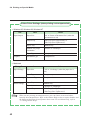
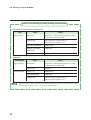
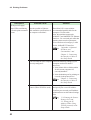
4.3 Printing Problems
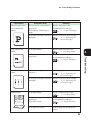
Description
(From previous page)
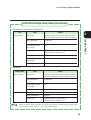
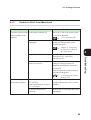
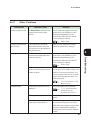
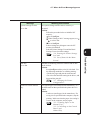
Unable to print in the
SMB environment
Unable to print in the
NetWare environment
4
Possible Cause
Solution
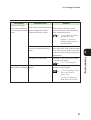
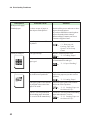
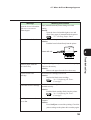
Is "Write Error" shown on the
computer?
The message may be displayed if the
number of computers that can be
connected to the Windows network
simultaneously has exceeded the limit.
Before you send a print job, check the
Printer window to make sure that no
data is being processed, then send your
data for printing.
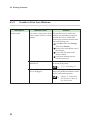
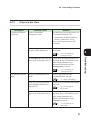
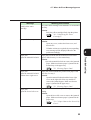
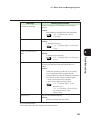
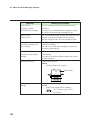
Are the network configurations
such as the hub suitable for auto
setting of frame types?
Check if the data link LED of the port
for network configured devices is lit.
If the LED is off, use the printer
control panel to set the value of the
frame type to be the same as those of
the NetWare File Server.
"3.3 List of Items on the
Menu Screen"
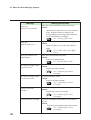
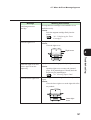
Is the NetWare File Server or
print server (when using the
remote printer mode) started up?
Start up the NetWare File Server and
the print server (if the remote printer
mode is used).
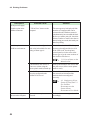
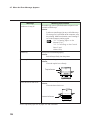
Is the NetWare environment
correctly configured on the
NetWare File Server?
Use the Network Utility to check if
the network environment of the
machine has been configured
correctly.
4.3 Configuring Xerox
Network Utility and 7.3
For NetWare
Environment in the
Network Print
Environment User Guide
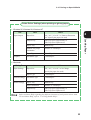
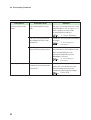
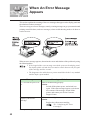
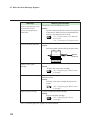
An error message is
shown on the computer
84
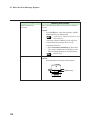
A printer error may have
occurred.
Refer to the error message and resolve
accordingly.