1
3
BIOS Setup
Chapter 3 - BIOS Setup
Award BIOS Setup Utility
The Basic Input/Output System (BIOS) is a program that takes care
of the basic level of communication between the processor and peripherals. In addition, the BIOS also contains codes for various advanced features found in this system board. This chapter explains the
Setup Utility for the Award BIOS.
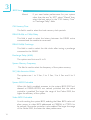
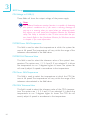
After you power up the system, the BIOS message appears on the
screen and the memory count begins. After the memory test, the
following message will appear on the screen:
Press DEL to enter setup
If the message disappears before you respond, restart the system or
press the “Reset” button. You may also restart the system by pressing the <Ctrl> <Alt> and <Del> keys simultaneously.
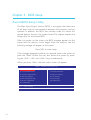
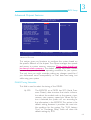
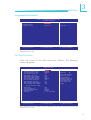
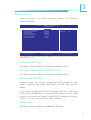
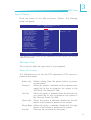
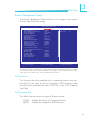
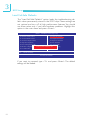
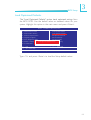
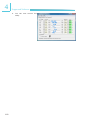
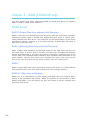
When you press <Del>, the main menu screen will appear.
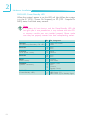
Phoenix - AwardBIOS CMOS Setup Utility
X
Standard CMOS Features
Load Fail-Safe Defaults
X
Advanced BIOS Features
Load Optimized Defaults
X
Advanced Chipset Features
Set Supervisor Password
X
Integrated Peripherals
Set User Password
X
Power Management Setup
Save & Exit Setup
X
PnP/PCI Configurations
Exit Without Saving
X
PC Health Status
Esc : Quit
F10 : Save & Exit Setup
↑ ↓ → ←
Time, Date, Hard Disk Type...
56
: Select Item