1
User Installable Features
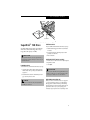
Memory Upgrade
Module
Your Fujitsu LifeBook notebook comes with 64MB or
128MB high speed Synchronous Dynamic RAM
(SDRAM) factory installed. To increase your notebook’s
memory capacity, you can replace the original memory
module with a higher capacity module. The memory
upgrade must be a dual-in-line (DIMM) SDRAM
module, however it can be up to 128MB capacity.
CAUTION
Do not remove any screws from the memory upgrade
module compartment, except the ones specifically
shown in the directions for installing and removing
the memory upgrade module.
CAUTION
The memory upgrade module can be severely damaged
by electro-static discharge (ESD). Be sure you are properly grounded when handling and installing the module.
6. Remove the memory upgrade module from the
static guarded sleeve.
7. Align the memory upgrade module with the part
side up. Align the connector edge of the memory
upgrade module with the connector slot in the
compartment. The connector will be pointing
toward the rear of the notebook.
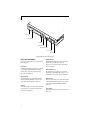
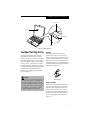
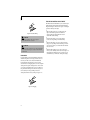
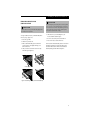
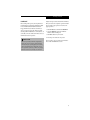
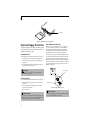
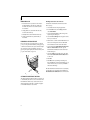
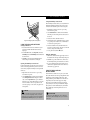
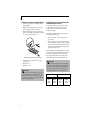
8. Insert the memory upgrade module at a 45° angle.
Press the connector edge of the module firmly down
and into the connector until it lodges under the
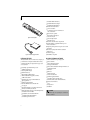
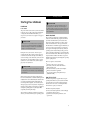
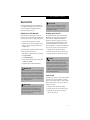
retaining clip. You will hear a click when it is properly in place. (Figure 4-14)
INSTALLING A MEMORY UPGRADE MODULE
1. Turn off power to your notebook using the power
switch, and remove any power adapter
(AC or auto/airline).
2. Make sure that all the connector covers are closed.
3. Turn the notebook bottom side up, with the front
panel toward you.
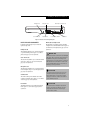
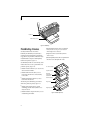
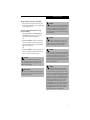
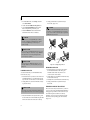
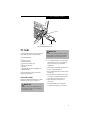
4. Remove the screws of the memory upgrade module
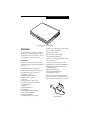
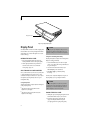
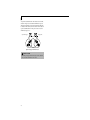
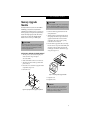
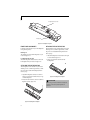
compartment. (Figure 4-13)
5. Remove the cover.
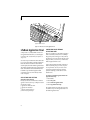
Figure 4-14 Installing a Memory Upgrade Module
9. Replace the cover.
10. Replace the screws.
POINT
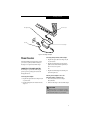
Figure 4-13 Opening the Memory Upgrade Compartment
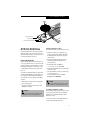
The memory upgrade module is not something you
routinely remove from your notebook. Once it is
installed, you can leave it in place unless you want
to change system memory capacity.
57