1
18
Router configuration
|
EN
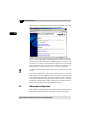
network. Data for checking the Internet connection is provided on the entry
page of the router configuration utility (http://192.168.0.251).
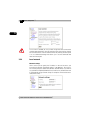
From this site, you can view whether you are currently connected to the Internet in the section called 'Status'. The advanced status includes, in addition to
ISDN connection data, the current IP and DNS addresses assigned to the
router from your Internet service provider and the duration of the current
Internet connection. The 'Cost control' section indicates the valid time limits
and the amount of minutes used so far (see “Cost control” on page 21).
To update and view the latest data, simply click the refresh button in your
browser.
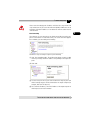
If you want to disable access to the Internet from the computers on your network completely, you can disable the Internet connection on the entry page
of the router configuration utility. This does not affect the router settings. All
access data for the Internet connection remain intact for later use. To enable
the Internet connection again, simply click the 'Activate Internet connection'
button on the entry page of the router configuration utility.
3.2
Advanced configuration
In this chapter, we will be guiding you through the advanced configuration of
the MicroLink (dLAN) ISDN Router, explaining its functions and settings.
| devolo MicroLink ISDN Router & MicroLink dLAN ISDN Router |