1
Basic Operations
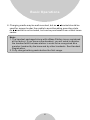
1. Press INTERCOM key followed by a two-digit handset ID or Group ID.
2. Press END key to end the call.
3. During the call, press and hold the TALK Key, the speakerphone is
active.
Notes:
1. Intercom calls can be made regardless if the Base Station is
present.
2. If a Group ID is entered, the first handset (belonging to that group)
that answer will establish a link with the caller. See Handset
Group Subscription.
3. If a link cannot be established, the LCD shows No Connection
after a 12-second time out.
Making a Broadcast
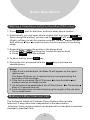
1. Broadcasting all handsets
a. Press & hold BROADCAST key from one handset.
b. A series of beeps will indicate initiation of handset broadcast to all
handsets within communication coverage.
c. Begin speaking after the series of beeps has ended.
d. Release BROADCAST key to end the broadcasting.
2. Broadcasting a group of handsets
a. Enter the Group ID and then press & hold BROADCAST key.
b. A series of beeps will indicate initiation of handset broadcast to all
handsets within communication coverage.
c. Begin speaking after the series of beeps has ended.
d. Release BROADCAST key to end the broadcasting.
3. Broadcasting an individual handset
a. Enter the Handset ID and then press & hold BROADCAST key.
b. A series of beeps will indicate initiation of handset broadcast to all
handsets within communication coverage.
35