1
CD FUNCTIONS
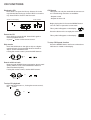
Playback a CD
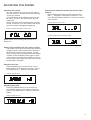
CD Repeat
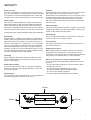
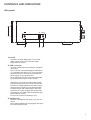
Press EJECT to open the CD tray. Place a CD in the
tray with the label facing up. Press EJECT to close the
tray. Press PLAY to listen to the first track.
Track number
Shown on the display:
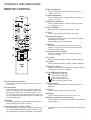
This option can only be used with the remote control. The following functions are available:
- Repeat a track
- Repeat an entire CD
Begin playing the CD. Press the REPEAT button
once in order to repeat the current track.
This symbol will appear on the display:
Playing time
Press the button twice to replay the entire CD.
Pause the CD
Press PLAY to pause the CD. Press PLAY again to
resume playback the CD.
or press
button on the remote control.
This symbol will appear on the display:
To stop CD Repeat function
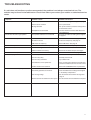
Skip tracks
Press the SKIP knob to the right to skip to a highernumbered track. Press the SKIP knob to the left to
skip to a lower-numbered track
If using the remote control, press the SKIP buttons.
or
+
Search within a track
Keep the right SEARCH button pressed to fast forward
quickly within a track or the left SEARCH button to
search backward quickly.
If using the remote control, use the SKIP buttons.
or
+
To stop CD playback
Press the STOP button or, if using the remote control,
the
button.
or
12
Press the REPEAT button until none of the above
indicators is visible on the display.