1
TRANSPORT CONTROLS
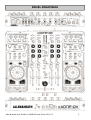
ASSIGNING A DECK
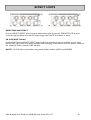
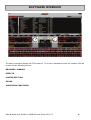
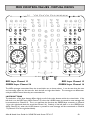
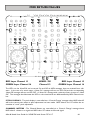
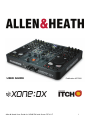
The Allen and Heath Xone:DX has the ability to control 4 virtual decks, with a layer switchable deck selection for the left and right deck controls.
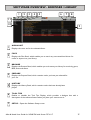
By pressing the LAYER button on deck 1/2 you will switch between controlling either virtual deck 1 or
virtual deck 2 inside ITCH with the left hand deck controls. By pressing the LAYER button on deck 3/4
you will switch between either virtual deck 3 or virtual deck 4. When you have selected your deck the
platter control section, loop section, cue section will become active for that virtual deck only.
Switching between decks will alter the deck control’s LED colour allowing you to quickly see which deck
you have selected and which parameters you are able to adjust for the selected deck.
You can still use all the Xone:DX mixer, effects and library functions in any deck mode.
LOADING A DECK
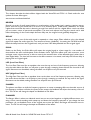
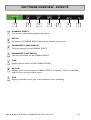
Once you have located the track you want to play in the library, you can load it using the deck LOAD
button.
PLAY / PAUSE
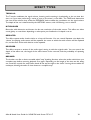
To begin playback press the PLAY / PAUSE button for that deck on the Xone:DX.
Playback will start from the beginning of the track. Pressing PLAY / PAUSE during play
back will pause playback at the current position. Pressing it again will resume playback
from that position.
NOTE: When ‘Play from Start’ is selected on the setup screen, the deck will try to skip any silence at
the start of the track, and play from the start of the audio. See page 54.
TEMPORARY CUE
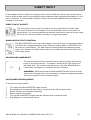
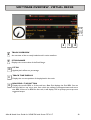
The temp cue function allows you to set a temporary cue point in a track that is not saved
into the file. This is useful for finding a point in a track and then being able to easily start
again from this point as you get your mix right. While paused you can use the platter to
fine tune the playhead placement to ensure your cue point is set exactly on a downbeat.
If no temp cue is set, pressing the TEMP CUE button while playback is paused will create one at the
current playhead location. Once the temp cue is set, holding the TEMP CUE button whilst paused will
play from the temp cue point. Releasing the button will pause playback and return to the temp cue. This is
good for stuttering in the start of a track.
If you press the PLAY/PAUSE button whilst you are holding down the TEMP CUE button, playback will
continue when you let both buttons go. This allows you to cue a track in from pause mode and then continue playback once you know the mix is right.
The TEMP CUE button can also be pressed whilst the track is playing at any point to return to this point
and put the deck in pause. To change the location of the temp cue put the deck in pause with the
playhead at a different location and press the TEMP CUE button again.
The temp cue point is also useful to repeatedly start from a preset point in the track. This allows you to
easily drop in a few times until you get it right.
Allen & Heath User Guide for XONE:DX with Serato ITCH 1.7
21