1
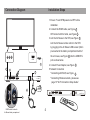
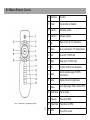
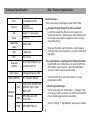
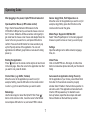
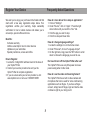
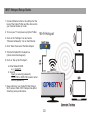
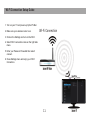
Connection Diagram Installation Steps 1. Ensure TV and STB powers are OFF before installation. 2. Connect the HDMI cable, see Figure 1 OR Connect with AV cable, see Figure 2 3. Link the Air Mouse to the STB, see Figure 3 Link the Air Mouse remote control to the STB by plugging in the Air Mouse USB receiver (that’s pre-inserted in the battery compartment hatch of the air mouse, see Figure 4 ) into the USB/OTG port as show below. HDMI 1 2 3 4. Connect Power Adapter, see Figure 5 5. Network Connection 5 *Connecting with RJ45, see Figure 6 *Connecting Wireless network, please see page 10 “Wi-Fi Connection Setup Guide”. 6 4 4