1
Quick start 15
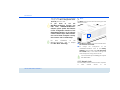
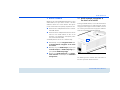
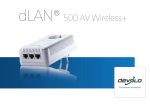
If you only want to use the Wi-Fi function on the dLAN 500 AV Wireless+,
plug the adapter into a power outlet,
without any cables whatsoever. You
can
also
connect
the
dLAN 500 AV Wireless+ to the network
jack of a network device, such as a
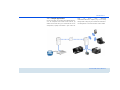
computer, with a commercially available network cable (see 2.3.3 Sample applications).
Begin carrying out the configuration of
your network in order to secure your
Wi-Fi network in a customised manner.
For more information, refer to Chapter
6 Network configuration.
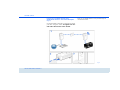
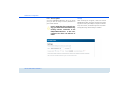
Encrypting a new dLAN network with one or more
dLAN 500 AV Wireless+s and a dLAN 500 AVplus
(starter kit and single kit)
Note
the
Wi-Fi key
of
the
dLAN 500 AV Wireless+ before the
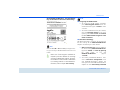
networking procedure. You will find
the unique adapter key on the label on
the back of the housing.
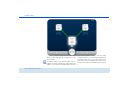
햲
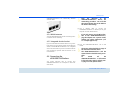
Connect the dLAN 500 AVplus to your Internet
access device's network jack.
햳
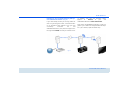
Plug the dLAN 500 AV Wireless+ into a wall
socket. As soon as the dLAN indicator light lights
green (after approx. 45 seconds), the adapter is
ready to operate.
The power outlet should be in range of
the connected network device.
The dLAN 500 AV Wireless+ with the
cable-based network device should be
easily accessible.
To
switch
off
the
dLAN 500 AV Wireless+ or disconnect
it from the mains supply, pull the power plug out of the power outlet.
햴
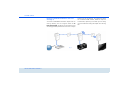
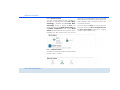
After you have successfully connected both adapters, press first the encryption button of the
dLAN 500 AVplus (approx. 1 second) and then
the
dLAN
button
of
the
dLAN 500 AV Wireless+ (approx. 1 second)
within two minutes.
devolo dLAN 500 AV Wireless+